
VimKey - Code & Vim Keyboard
Arrow Keys & Cursor for Coding
Diseñada para iPhone, iPad, iPod touch
Gratis · Compras en la aplicación
- Clasificación por edad4+
- CategoríaUtilidades
- Desarrolladorchuncheng su
- IdiomasInglés+ 2 más
- Tamaño4,7 MB
Enlaza a la página oficial de App Store
Download.org no aloja ningún archivo de VimKey - Code & Vim Keyboard. El botón abre la página de la aplicación en App Store, donde la publica chuncheng su. Ficha comprobada por última vez el 18/11/2026.
Capturas de pantalla

Acerca de
El desarrollador no ha proporcionado este texto en tu idioma.
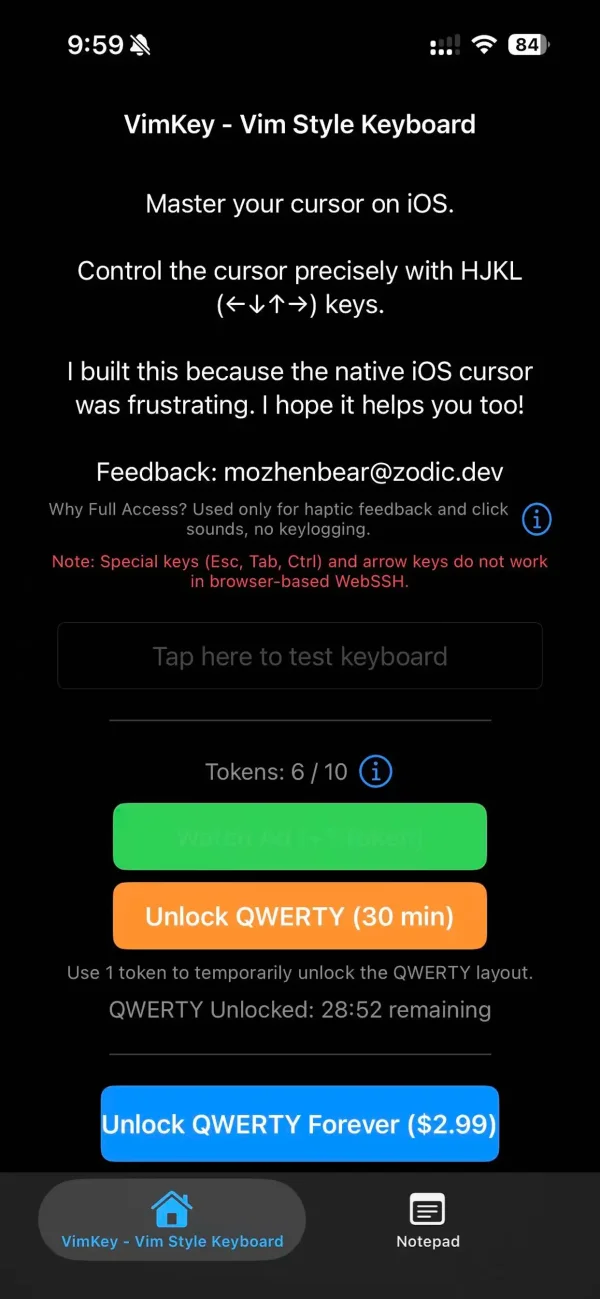
Master Your Cursor on iOS
Editing code and managing SSH sessions on a mobile device can be painful. The default magnifying glass cursor is imprecise, and fingers often block the exact characters you need to select.
VimKey brings desktop level cursor precision to your iPhone and iPad.
Key Features
Dedicated Arrow Keys and Joystick Navigation Move the cursor step by step with dedicated arrow keys or the touch joystick pad. Navigate across lines effortlessly without obscuring the screen.
Vim Style Navigation Fly through documents with classic Vim navigation and essential modifier keys designed for developers and terminal users.
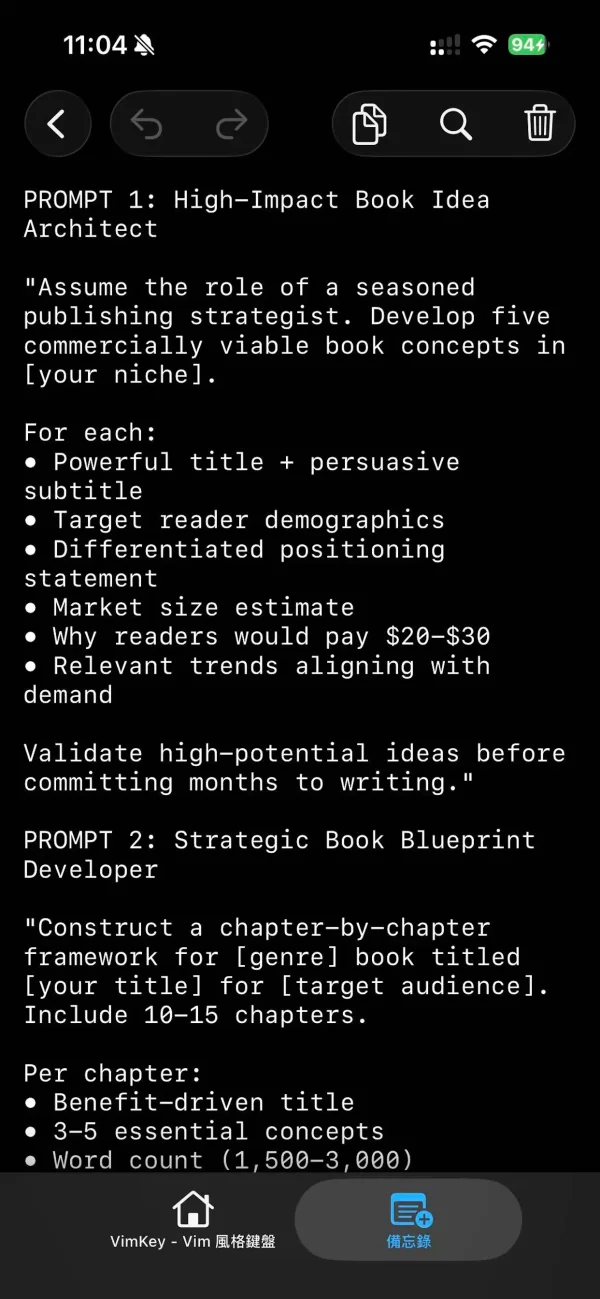
Select Mode and Quick Copy Toggle Select Mode on and navigate with directional keys to highlight text with ease. Copy selected text straight to the clipboard with one tap.
Dual Layouts Switch seamlessly between the navigation layout and a standard QWERTY keyboard. Unlock QWERTY temporarily by watching a short ad, or unlock forever with a one-time purchase.
Privacy First Your input belongs to you. Full Access is requested exclusively for haptic feedback and click sounds. We never collect, store, or transmit your keystrokes.
Important Note Due to iOS browser limitations, modifier keys such as Esc, Tab, Ctrl, and arrow keys do not function in browser-based WebSSH clients. For the best experience, please use a native Terminal app.
Contact Feedback and suggestions are welcome. Email: mozhenbear@zodic.dev
Novedades
Versión 1.1.4 · 20/10/2026
Update Main View
Privacidad de la aplicación
Lo que chuncheng su declara en App Store sobre cómo esta aplicación gestiona los datos.
-
No se recopilan datos
El desarrollador no recopila ningún dato de esta aplicación.
Las prácticas de privacidad pueden variar, por ejemplo, según las funciones que uses o tu edad.
Información
- Vendedor
- chuncheng su
- Categoría
- Utilidades
- Versión
- 1.1.4
- Actualizado
- 20/10/2026
- Publicado
- 13/1/2026
- Tamaño
- 4,7 MB
- Requiere
- iOS 15.6 o posterior
- Clasificación por edad
- 4+
- Precio
- Gratis
- Compras en la aplicación
- Sí
- Idiomas
- Inglés, Chino simplificado, Chino tradicional
- Copyright
- © 2025 truezodic
Quizá también te guste
-
 Mister KeyboardEl teclado personalizable
-
 Ren'py 7 PocketPlay & translate Ren'py games
-
 ProxMobo – Proxmox VE & PBSUtilidades
-
 Spark - Ren'Py NovelsPlay Your Ren'Py Visual Novels
-
 MyKeyboard - TecladoTemas y emojis personalizados
-
 btkbdteclado Bluetooth universal
-
 Typewise Custom KeyboardUtilidades
-
 Liquid ApolloUtilidades
-
 Screens 5: VNC EscritorioAcceso rápido y seguro
-
 Ren'py PocketPlay & translate Ren'py games