WidgetLock: Fullscreen Widgets
Your calendar on Lock Screen
Diseñada para iPhone
Gratis · Compras en la aplicación
- Clasificación por edad17+
- CategoríaUtilidades
- DesarrolladorAppflares
- IdiomasInglés+ 1 más
- Tamaño72,4 MB
Enlaza a la página oficial de App Store
Download.org no aloja ningún archivo de WidgetLock: Fullscreen Widgets. El botón abre la página de la aplicación en App Store, donde la publica Appflares. Ficha comprobada por última vez el 17/11/2026.
Capturas de pantalla

Acerca de
El desarrollador no ha proporcionado este texto en tu idioma.
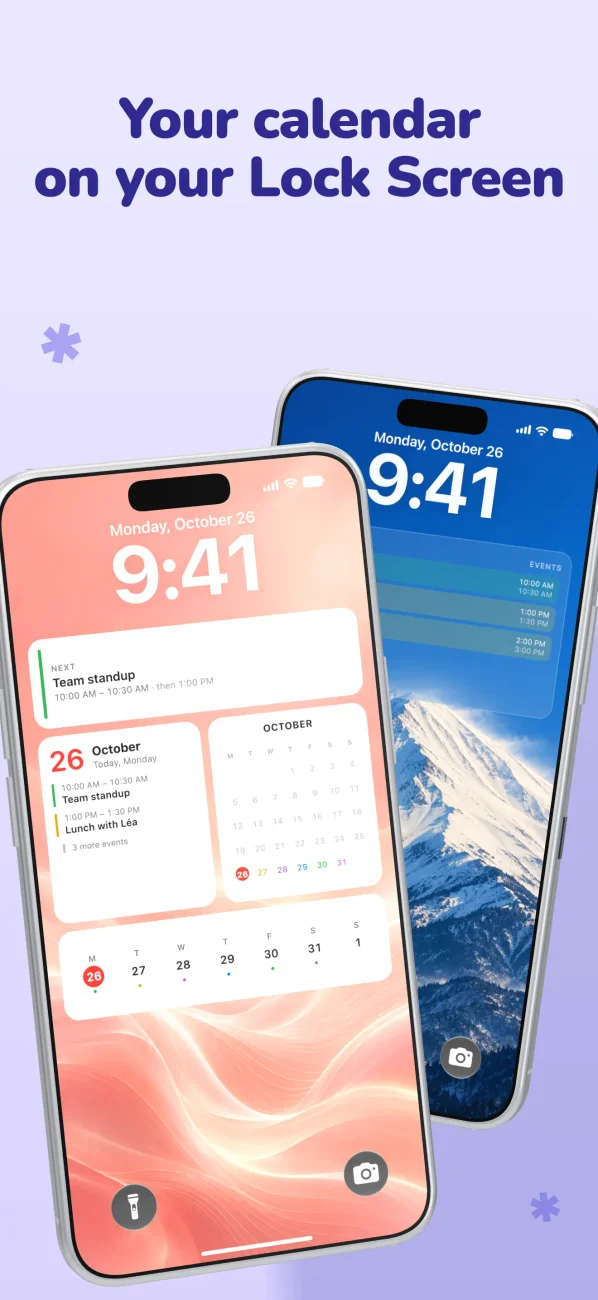
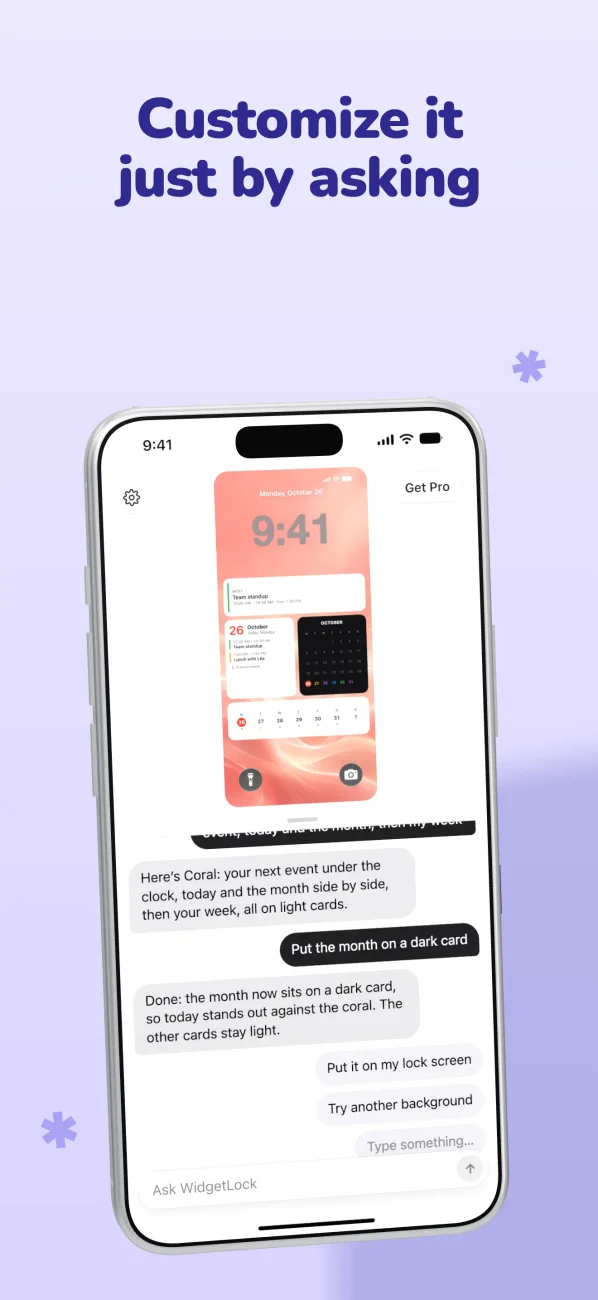
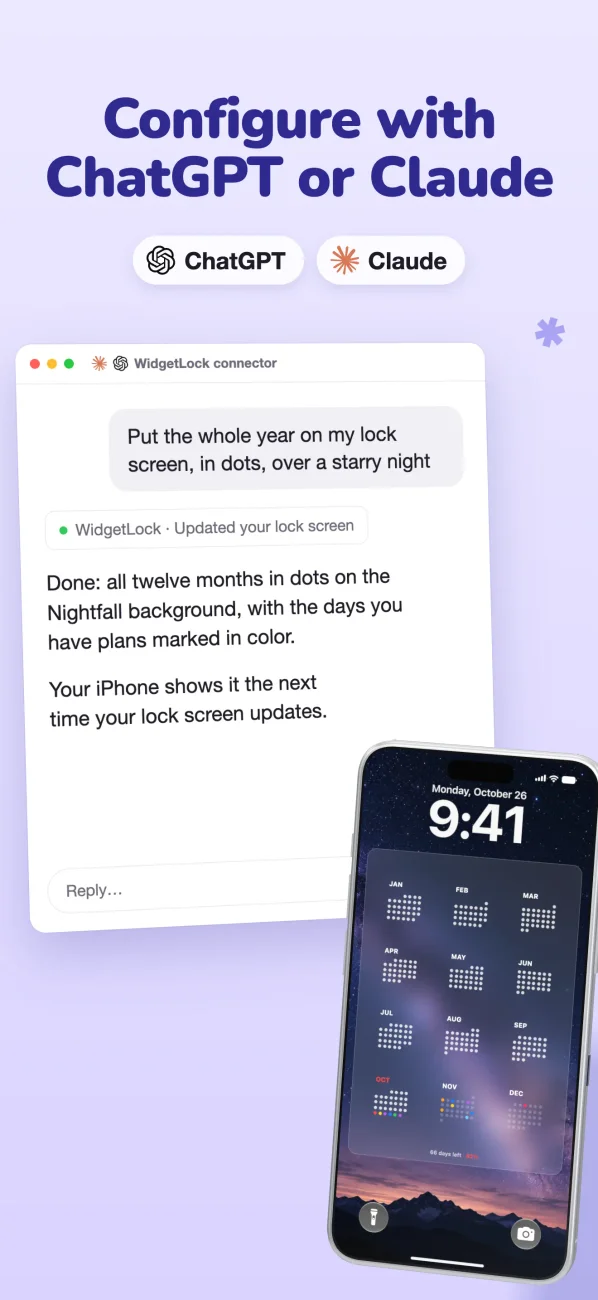
WidgetLock puts your calendar on your iPhone's Lock Screen, and you design it by chatting.
Tell WidgetLock what you'd like to see, such as "my next meeting and this week" or "the whole year in dots over a starry night", and it builds the Lock Screen, shows you a preview, and puts it on your iPhone. Want the month on a dark card, or a different background? Just ask.
CALENDAR, YOUR WAY
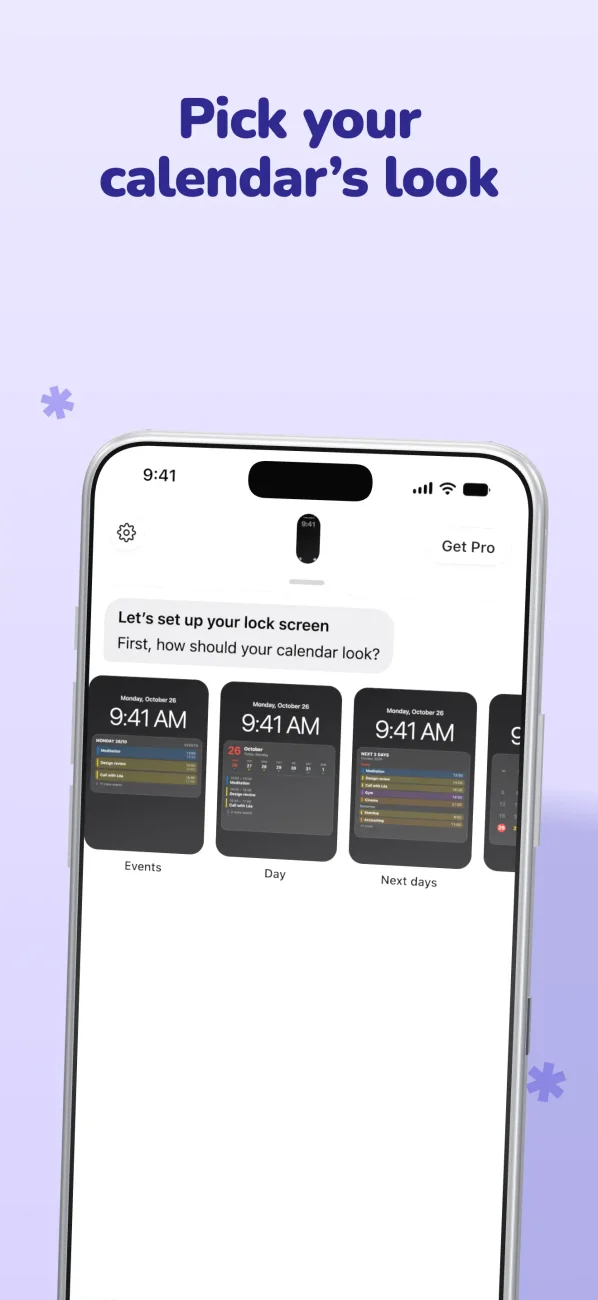
• Day: today's date, your week, and what's left of today
• Events: your next events, each in its color
• Next days: day by day, quiet days included
• This week, and the next event with its time
• Month in large numbers, with the days left in the year
• Quarter, four months or the whole year in dots
Each sits on a glass, light or dark card. Event titles are optional: hide them and events show as "Busy".
BEAUTIFUL BACKGROUNDS
Snowy peaks, a calm ocean, aurora, glossy silk, a starry night and more, or a simple gradient.
START IN SECONDS
Pick a calendar look, then a background, and WidgetLock sets everything up. Change anything afterwards by asking.
MORE THAN A CALENDAR
Add a countdown to an event that matters, a QR code, and with WidgetLock Pro a website or dashboard snapshot, or stock prices (latest daily close).
WORKS WITH CHATGPT AND CLAUDE
Connect WidgetLock to ChatGPT or Claude and change your Lock Screen from your computer, in plain words.
HOW IT STAYS UP TO DATE
WidgetLock adds a Shortcut that sets your Lock Screen image, and can set up a Shortcuts automation that refreshes it on the schedule you choose, so your events stay current.
FREE AND PRO
A calendar, countdowns and QR codes are free; designs made with them carry a small WidgetLock watermark. WidgetLock Pro adds unlimited calendars, the quarter, four-month and year calendar layouts, website and dashboard widgets and stocks, and removes the watermark. Pro widgets show blurred until you have Pro.
WidgetLock Pro is an auto-renewing subscription. The available plans, prices and any free trial are shown in the app before you subscribe. Payment is charged to your Apple ID at confirmation of purchase. Subscriptions renew automatically unless cancelled at least 24 hours before the end of the current period, and can be managed or cancelled in your App Store account settings or from Settings in the app.
PRIVACY
WidgetLock doesn't ask for your name or email. The chat's replies are written by an AI model; your messages are sent to it to answer you. If you add a calendar, the app reads upcoming events from the calendars you choose and sends our server only what the Lock Screen shows, to draw it; the server keeps them only in the pictures of your design that the chat shows, and they are never sent to the AI model. If you subscribe, Apple handles the payment and we only receive your subscription status. See our privacy policy for details.
TERMS
Terms of Use (Apple Standard EULA): https://www.apple.com/legal/internet-services/itunes/dev/stdeula/
Privacy Policy: https://widgetlock.app/privacy
Novedades
Versión 26.44.01 · 30/10/2026
Setting up is easier: once you allow calendar access, all your calendars show right away, and the chat tells you which ones. Ask it to hide any of them.
While you add the Shortcut, a short video in a small floating window shows exactly where to tap, so you never lose your place.
Privacidad de la aplicación
Lo que Appflares declara en App Store sobre cómo esta aplicación gestiona los datos.
-
Datos usados para rastrearte
Pueden usarse para rastrearte en aplicaciones y sitios web propiedad de otras empresas.
- Compras
- Identificadores
- Datos de uso
-
Datos vinculados a ti
Pueden recopilarse y vincularse a tu identidad.
- Compras
- Ubicación
- Información de contacto
- Contenido del usuario
- Identificadores
- Datos de uso
- Diagnóstico
-
Datos no vinculados a ti
Pueden recopilarse, pero no se vinculan a tu identidad.
- Compras
- Identificadores
- Datos de uso
Las prácticas de privacidad pueden variar, por ejemplo, según las funciones que uses o tu edad.
Información
- Vendedor
- Appflares
- Categoría
- Utilidades
- Versión
- 26.44.01
- Actualizado
- 30/10/2026
- Publicado
- 19/10/2026
- Tamaño
- 72,4 MB
- Requiere
- iOS 26.0 o posterior
- Clasificación por edad
- 17+
- Precio
- Gratis
- Compras en la aplicación
- Sí
- Idiomas
- Inglés, Francés
- Copyright
- © 2026 Appflares
Quizá también te guste
-
 PhishOutUtilidades
-
 Sincely: Last-Time TrackerUtilidades
-
 Touret LinkUtilidades
-
 DoorliUtilidades
-
 Custom Widget Maker !Utilidades
-
 Glyphwork: Widgets y temasPantalla de bloqueo e inicio
-
 MonMinibusUtilidades
-
 ScheduleScreenUtilidades
-
 Vidstow: Descargar VideosGuarda y mira sin conexión
-
 Last Time TrackerUtilidades