WidgetLock: Fullscreen Widgets
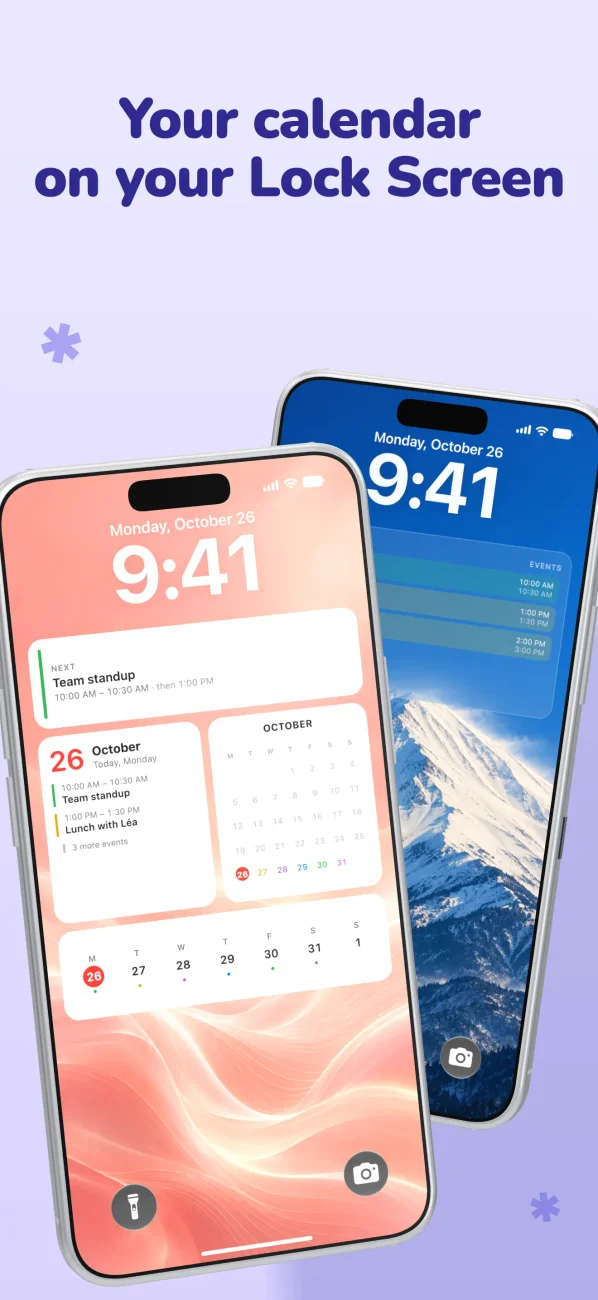
Your calendar on Lock Screen
Designed for iPhone
Free · In-app purchases
- Age rating17+
- CategoryUtilities
- DeveloperAppflares
- LanguagesEnglish+ 1 more
- Size72.4 MB
Links to the official App Store page
Download.org hosts no file of WidgetLock: Fullscreen Widgets. The button opens its official App Store page, published by Appflares. Listing last checked on Nov 17, 2026.
Screenshots

About
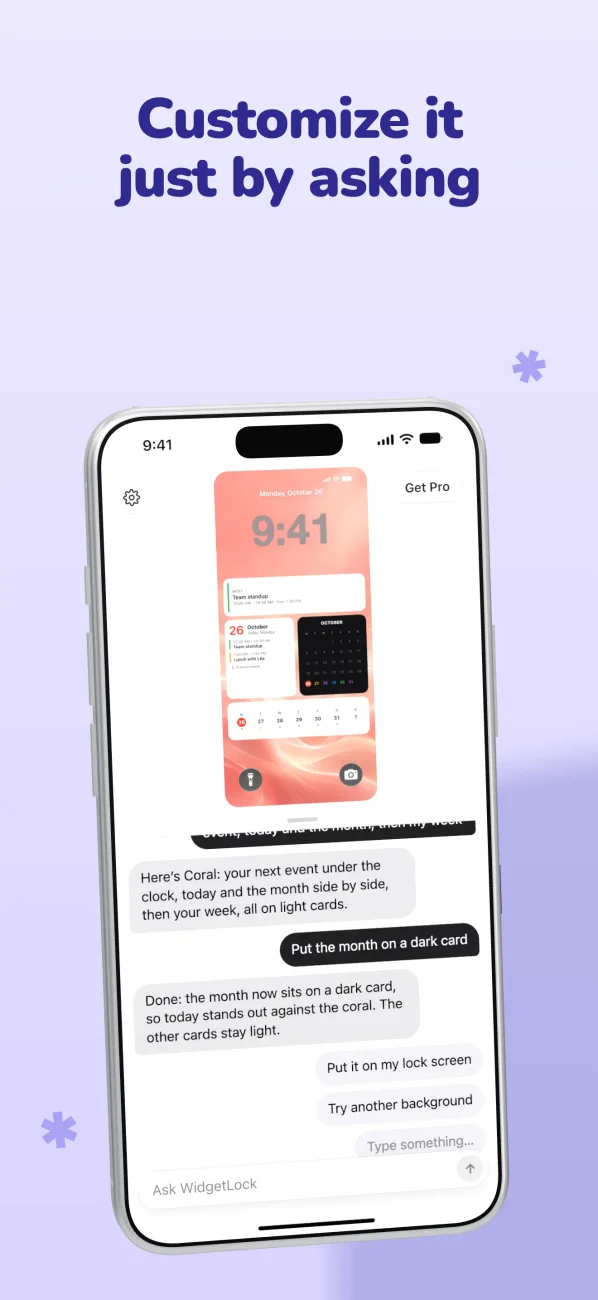
WidgetLock puts your calendar on your iPhone's Lock Screen, and you design it by chatting.
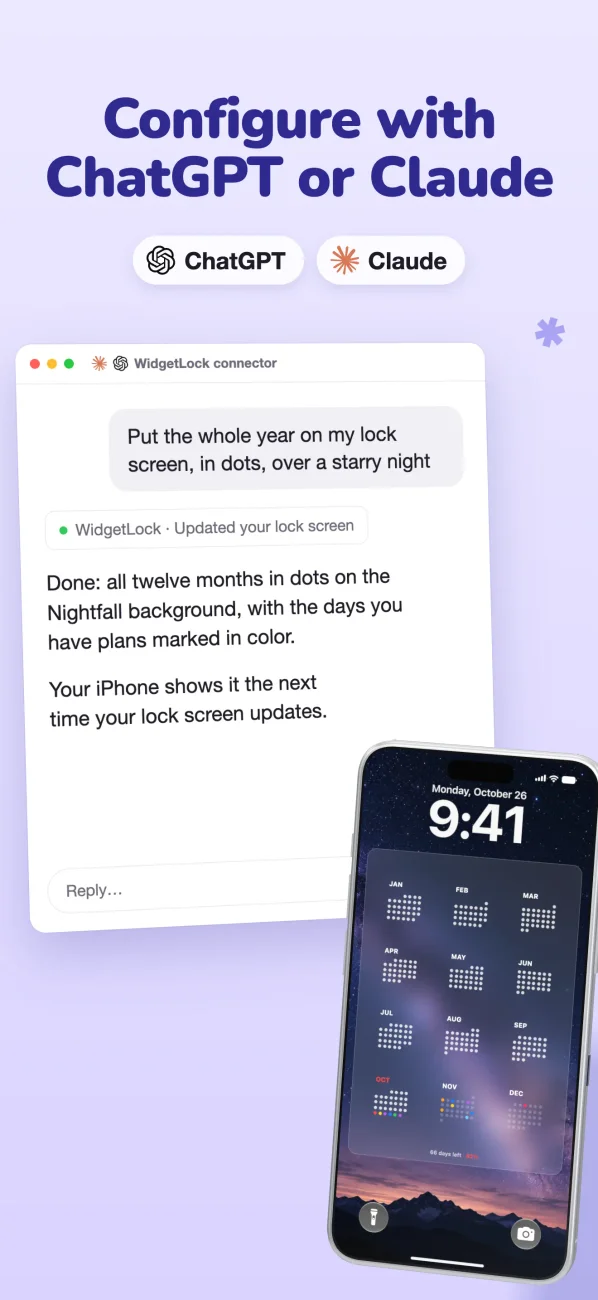
Tell WidgetLock what you'd like to see, such as "my next meeting and this week" or "the whole year in dots over a starry night", and it builds the Lock Screen, shows you a preview, and puts it on your iPhone. Want the month on a dark card, or a different background? Just ask.
CALENDAR, YOUR WAY
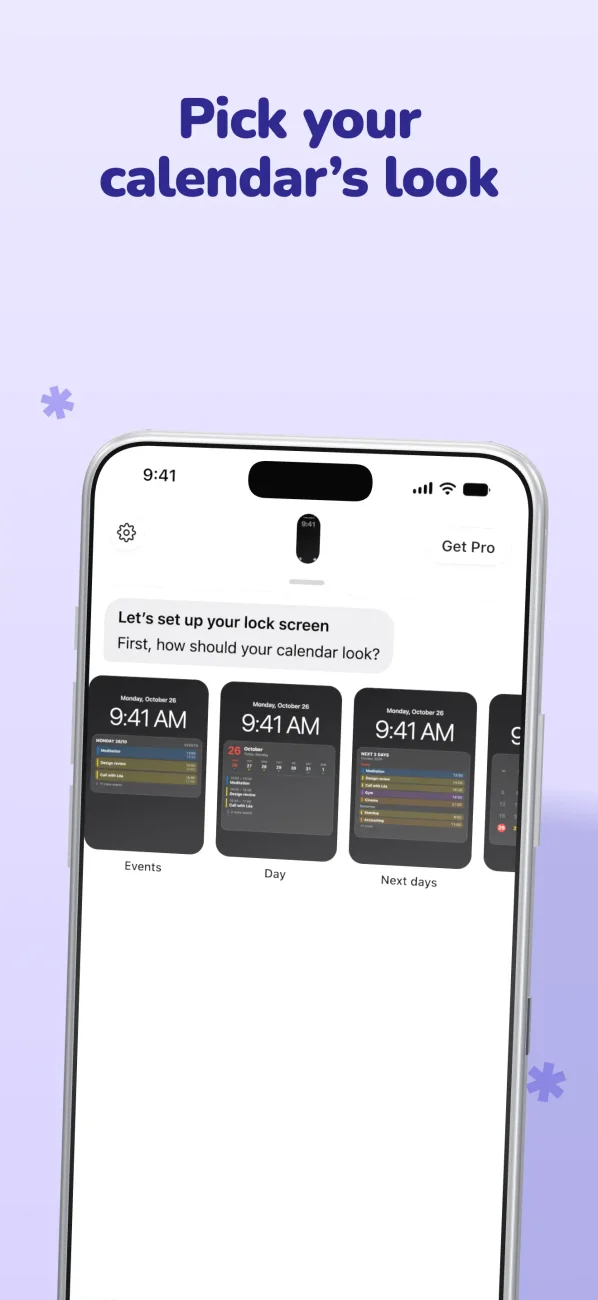
• Day: today's date, your week, and what's left of today
• Events: your next events, each in its color
• Next days: day by day, quiet days included
• This week, and the next event with its time
• Month in large numbers, with the days left in the year
• Quarter, four months or the whole year in dots
Each sits on a glass, light or dark card. Event titles are optional: hide them and events show as "Busy".
BEAUTIFUL BACKGROUNDS
Snowy peaks, a calm ocean, aurora, glossy silk, a starry night and more, or a simple gradient.
START IN SECONDS
Pick a calendar look, then a background, and WidgetLock sets everything up. Change anything afterwards by asking.
MORE THAN A CALENDAR
Add a countdown to an event that matters, a QR code, and with WidgetLock Pro a website or dashboard snapshot, or stock prices (latest daily close).
WORKS WITH CHATGPT AND CLAUDE
Connect WidgetLock to ChatGPT or Claude and change your Lock Screen from your computer, in plain words.
HOW IT STAYS UP TO DATE
WidgetLock adds a Shortcut that sets your Lock Screen image, and can set up a Shortcuts automation that refreshes it on the schedule you choose, so your events stay current.
FREE AND PRO
A calendar, countdowns and QR codes are free; designs made with them carry a small WidgetLock watermark. WidgetLock Pro adds unlimited calendars, the quarter, four-month and year calendar layouts, website and dashboard widgets and stocks, and removes the watermark. Pro widgets show blurred until you have Pro.
WidgetLock Pro is an auto-renewing subscription. The available plans, prices and any free trial are shown in the app before you subscribe. Payment is charged to your Apple ID at confirmation of purchase. Subscriptions renew automatically unless cancelled at least 24 hours before the end of the current period, and can be managed or cancelled in your App Store account settings or from Settings in the app.
PRIVACY
WidgetLock doesn't ask for your name or email. The chat's replies are written by an AI model; your messages are sent to it to answer you. If you add a calendar, the app reads upcoming events from the calendars you choose and sends our server only what the Lock Screen shows, to draw it; the server keeps them only in the pictures of your design that the chat shows, and they are never sent to the AI model. If you subscribe, Apple handles the payment and we only receive your subscription status. See our privacy policy for details.
TERMS
Terms of Use (Apple Standard EULA): https://www.apple.com/legal/internet-services/itunes/dev/stdeula/
Privacy Policy: https://widgetlock.app/privacy
What’s new
Version 26.44.01 · Oct 30, 2026
Setting up is easier: once you allow calendar access, all your calendars show right away, and the chat tells you which ones. Ask it to hide any of them.
While you add the Shortcut, a short video in a small floating window shows exactly where to tap, so you never lose your place.
App privacy
What Appflares declares on the App Store about how this app handles data.
-
Data used to track you
May be used to track you across apps and websites owned by other companies.
- Purchases
- Identifiers
- Usage data
-
Data linked to you
May be collected and linked to your identity.
- Purchases
- Location
- Contact info
- User content
- Identifiers
- Usage data
- Diagnostics
-
Data not linked to you
May be collected but is not linked to your identity.
- Purchases
- Identifiers
- Usage data
Privacy practices may vary, for example with the features you use or your age.
Information
- Seller
- Appflares
- Category
- Utilities
- Version
- 26.44.01
- Updated
- Oct 30, 2026
- Released
- Oct 19, 2026
- Size
- 72.4 MB
- Requires
- iOS 26.0 or later
- Age rating
- 17+
- Price
- Free
- In-app purchases
- Yes
- Languages
- English, French
- Copyright
- © 2026 Appflares
You might also like
-
 PhishOutUtilities
-
 Sincely: Last-Time TrackerWhen did you last do that?
-
 Touret LinkUtilities
-
 DoorliDoor, gate & apartment codes
-
 Custom Widget Maker !DIY Your Widget
-
 Glyphwork: Widgets & ThemesLock Screen Calendar & Quotes
-
 MonMinibusUtilities
-
 ScheduleScreenA Lock Screen Schedule
-
 Vidstow: Video DownloaderSave Videos & Watch Offline
-
 Last Time TrackerWhen did I last do that thing?