- Clasificación por edad4+
- CategoríaUtilidades
- DesarrolladorTimo Zurhove
- IdiomasInglés
- Tamaño5,9 MB
Enlaza a la página oficial de App Store
Download.org no aloja ningún archivo de WiFi QR-Code. El botón abre la página de la aplicación en App Store, donde la publica Timo Zurhove. Ficha comprobada por última vez el 23/11/2026.
Capturas de pantalla
Acerca de
El desarrollador no ha proporcionado este texto en tu idioma.
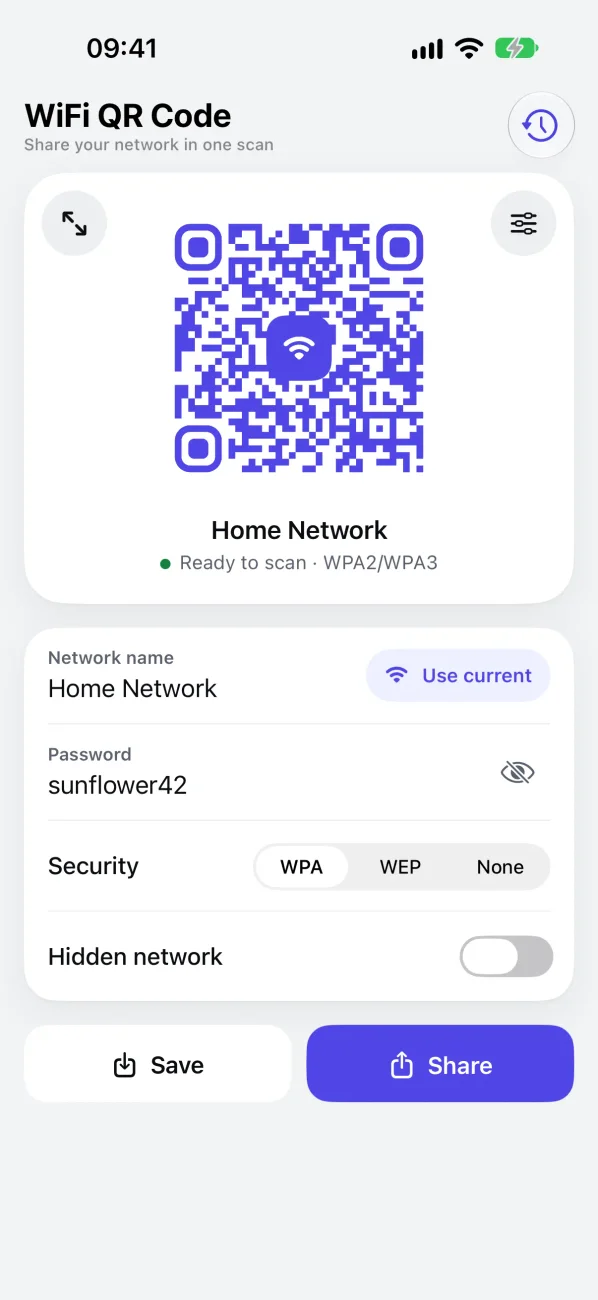
Share your WiFi without spelling out the password. WiFi QR Code turns your network name and password into a QR code. Your guests point their camera at it and join your network with one tap.
CREATE A CODE
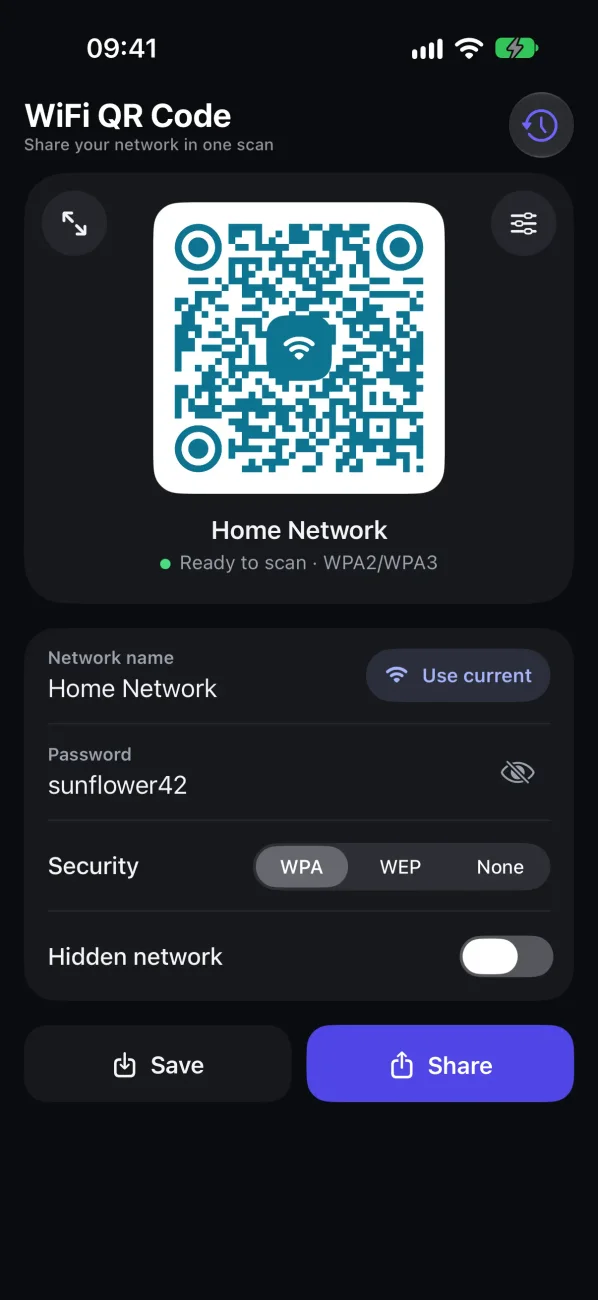
• Enter the network name and password, or tap "Use current" to fill in the network your iPhone is connected to
• Works with WPA, WPA2, WPA3, WEP, open and hidden networks
• The code updates as you type
SHOW IT TO YOUR GUESTS
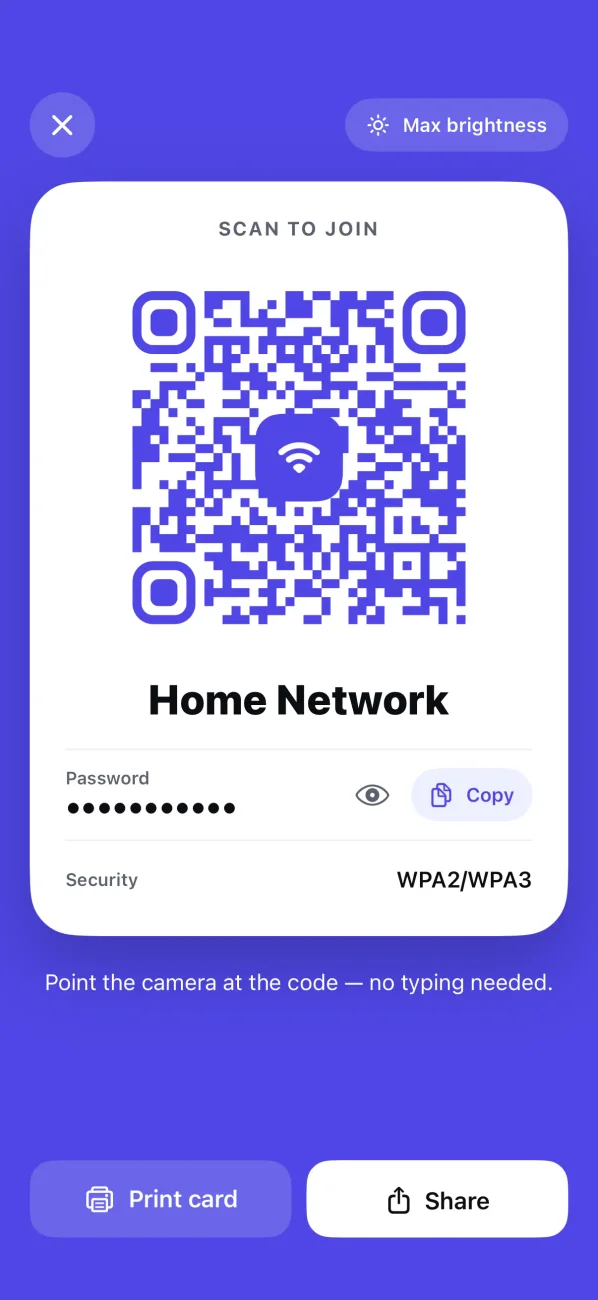
• A full-screen card with the code, the network name and the security type, at full screen brightness
• The password stays hidden until you tap the eye, and you can copy it with one tap
• Print the card and put it up at home, in a holiday rental, in your office or your café
MAKE IT YOURS
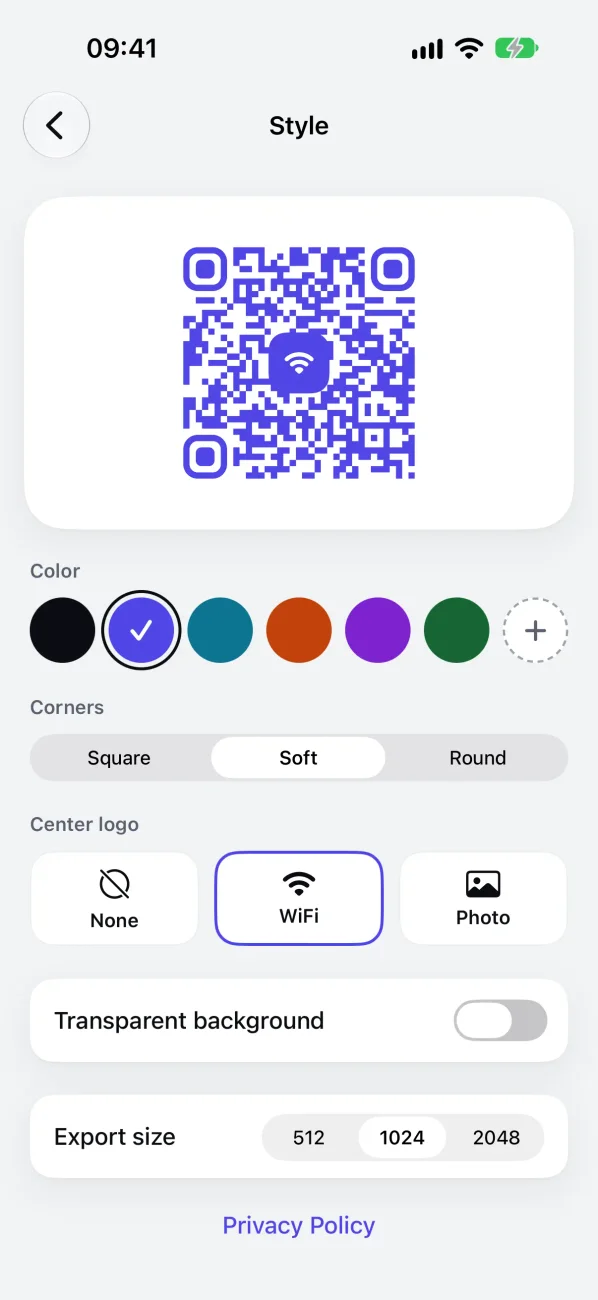
• Six colors, or any color you like
• Square, soft or round corners
• A WiFi symbol or your own photo in the middle
• A white or a transparent background
• Export sizes of 512, 1024 or 2048 pixels
SAVE AND SHARE
• Save the code to Photos or share it as a PNG image
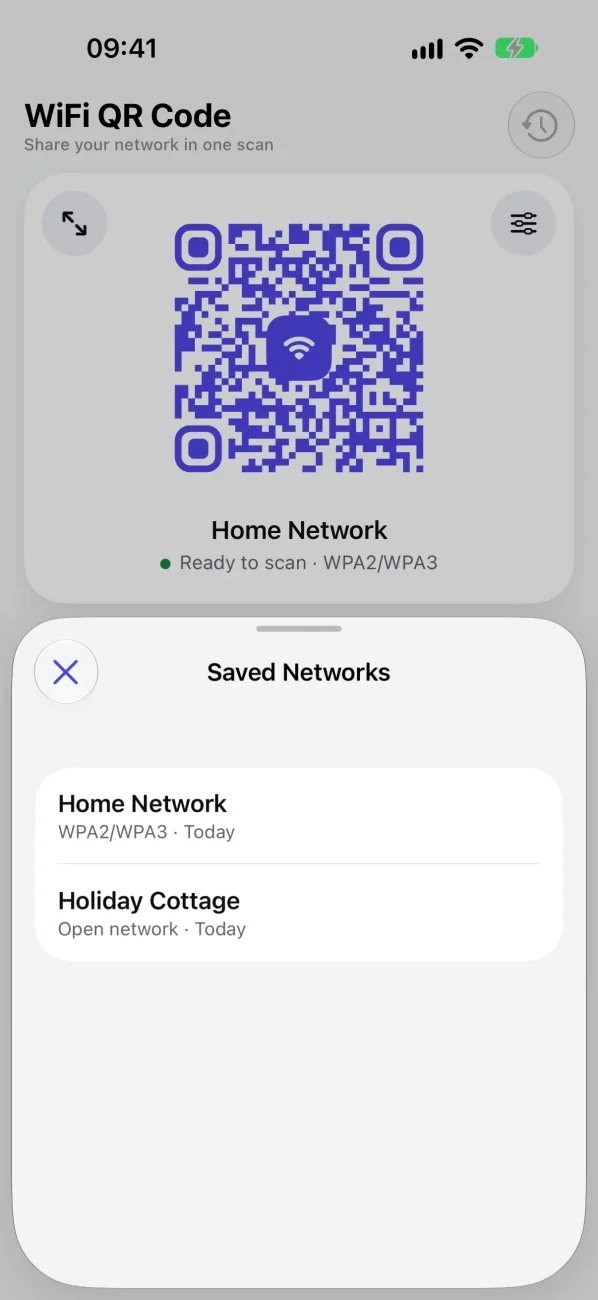
• Networks whose codes you save, share or show are kept in a list, so you can make the same code again later
YOUR PASSWORDS STAY ON YOUR IPHONE
Network names and passwords never leave your device. Saved passwords are kept in the Keychain on this iPhone only.
WiFi QR Code supports Dark Mode and larger text sizes. It shows a small banner ad. If you bought an earlier version of the app, you see no ads.
Novedades
Versión 2.0 · 19/11/2026
Version 2.0 is a complete redesign:
• A new look, with Dark Mode and support for larger text sizes
• The QR code updates as you type, no more Generate button
• Show your guests a full-screen card at full brightness, or print it
• "Use current" fills in the WiFi network your iPhone is connected to
• Networks you use are kept in a list; their passwords stay in the Keychain on your iPhone
• New styles: color presets, soft or round corners, a WiFi symbol in the middle, and export sizes up to 2048 pixels
• Codes have a white background by default, so they scan well in Dark Mode too
• Save codes straight to Photos
• The app now shows a small banner ad. If you bought an earlier version, you see no ads.
Version 2.0 requires iOS 26 or later.
Privacidad de la aplicación
Lo que Timo Zurhove declara en App Store sobre cómo esta aplicación gestiona los datos.
-
No se recopilan datos
El desarrollador no recopila ningún dato de esta aplicación.
Las prácticas de privacidad pueden variar, por ejemplo, según las funciones que uses o tu edad.
Información
- Vendedor
- Timo Zurhove
- Categoría
- Utilidades
- Versión
- 2.0
- Actualizado
- 19/11/2026
- Publicado
- 23/11/2021
- Tamaño
- 5,9 MB
- Requiere
- iOS 26.0 o posterior
- Clasificación por edad
- 4+
- Precio
- Gratis
- Idiomas
- Inglés
- Copyright
- © 2026 Timo Zurhove
Quizá también te guste
-
 Big character calculatorUtilidades
-
 TI:MEUtilidades
-
 zupperUtilidades
-
 GRS RemoteXUtilidades
-
 WiFi QR Maker LiteUtilidades
-
 QR Generator-quick scannercodigo qr,escaner qr,codigo qr
-
 Xproguard Photo VaultUtilidades
-
 Wi-Fi QR CodeUtilidades
-
 Calculadora SeniorLetras grandes para mayores
-
 ChatBox AI : Ask AI AssistantUtilidades