- Classification d’âge4+
- CatégorieUtilitaires
- DéveloppeurTimo Zurhove
- LanguesAnglais
- Taille5,9 Mo
Renvoie vers la page App Store officielle
Download.org n’héberge aucun fichier de WiFi QR-Code. Le bouton ouvre la page de l’application sur App Store, où Timo Zurhove la publie. Fiche vérifiée pour la dernière fois le 23/11/2026.
Captures d’écran
À propos
Le développeur n’a pas fourni ce texte dans votre langue.
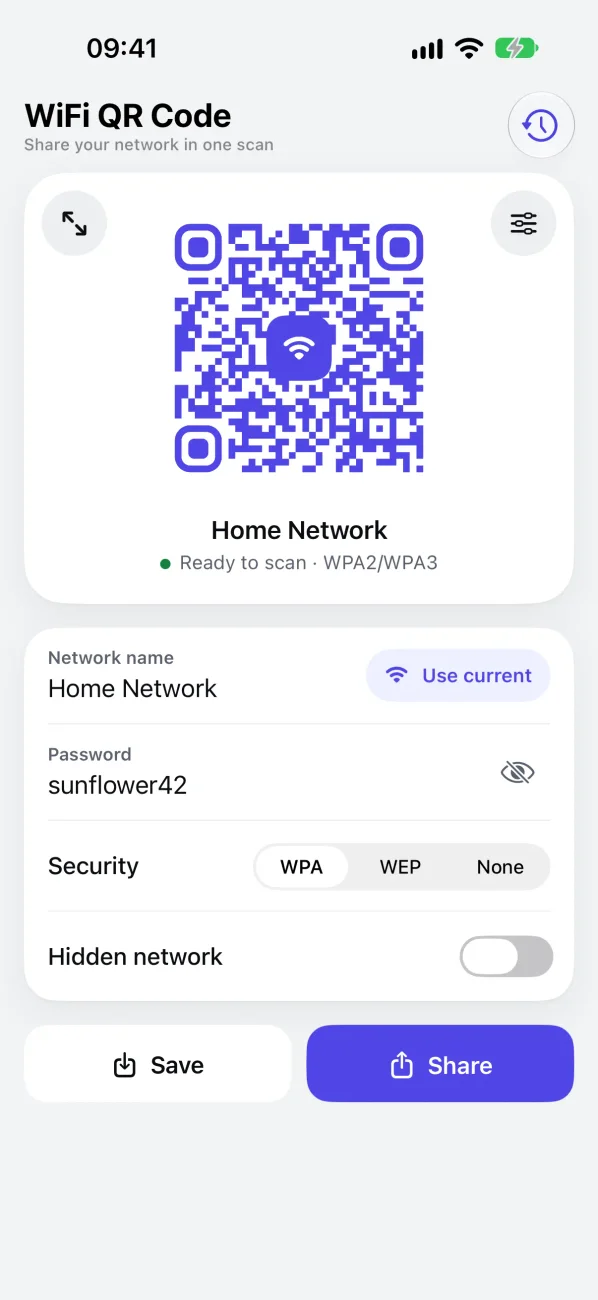
Share your WiFi without spelling out the password. WiFi QR Code turns your network name and password into a QR code. Your guests point their camera at it and join your network with one tap.
CREATE A CODE
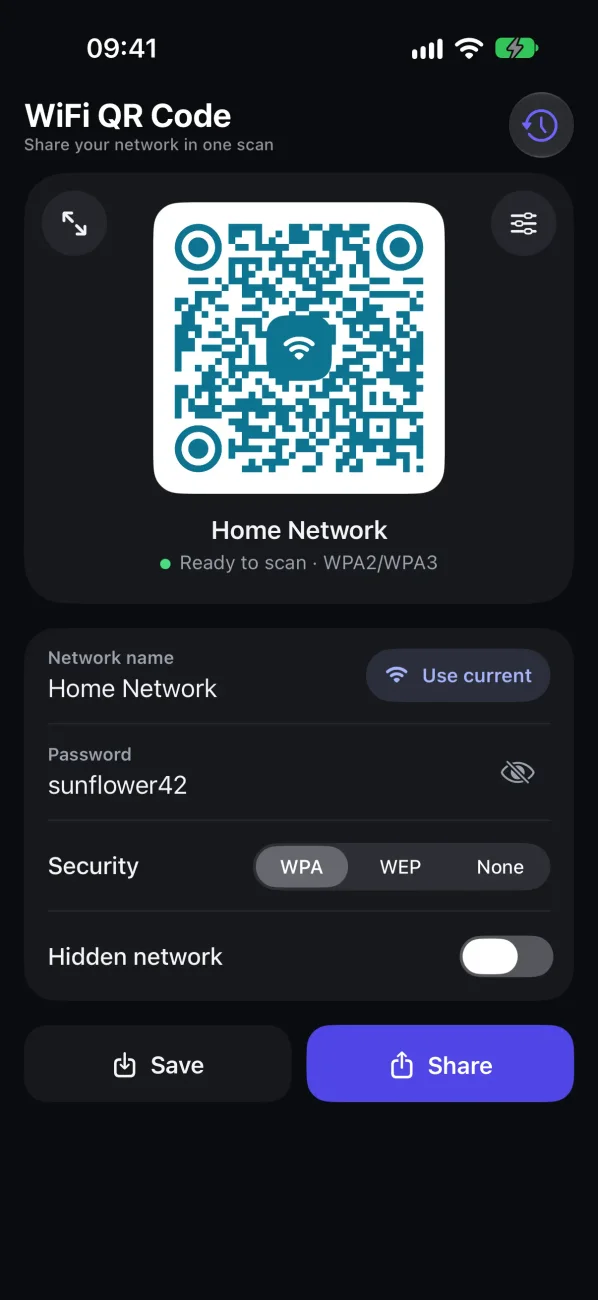
• Enter the network name and password, or tap "Use current" to fill in the network your iPhone is connected to
• Works with WPA, WPA2, WPA3, WEP, open and hidden networks
• The code updates as you type
SHOW IT TO YOUR GUESTS
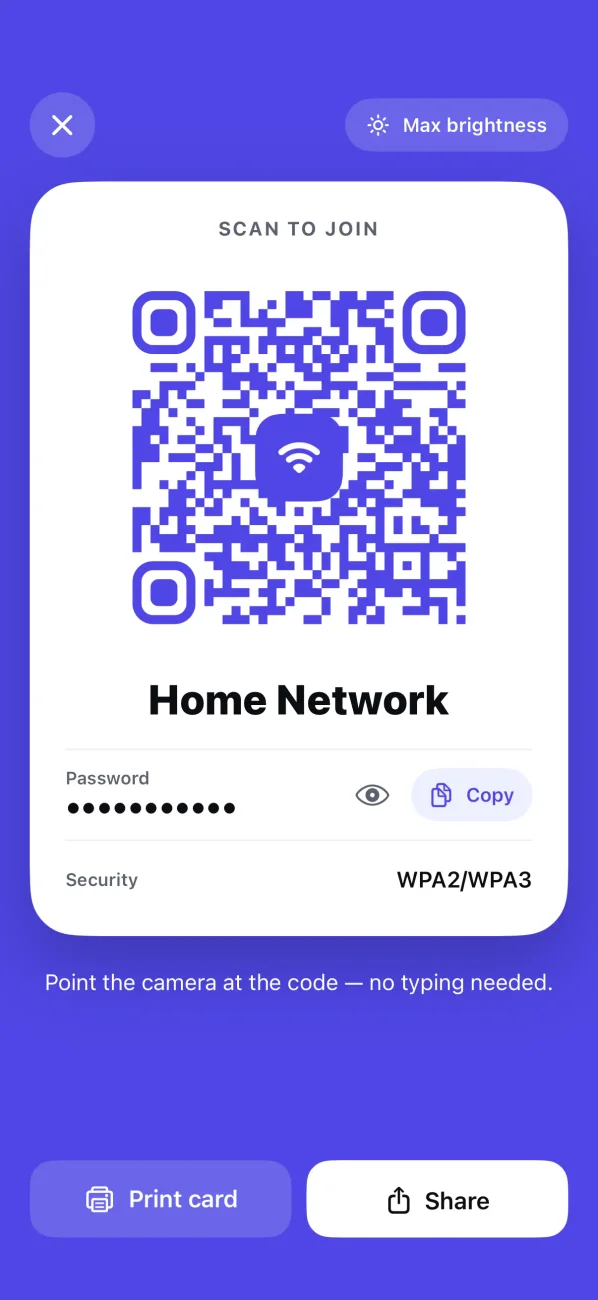
• A full-screen card with the code, the network name and the security type, at full screen brightness
• The password stays hidden until you tap the eye, and you can copy it with one tap
• Print the card and put it up at home, in a holiday rental, in your office or your café
MAKE IT YOURS
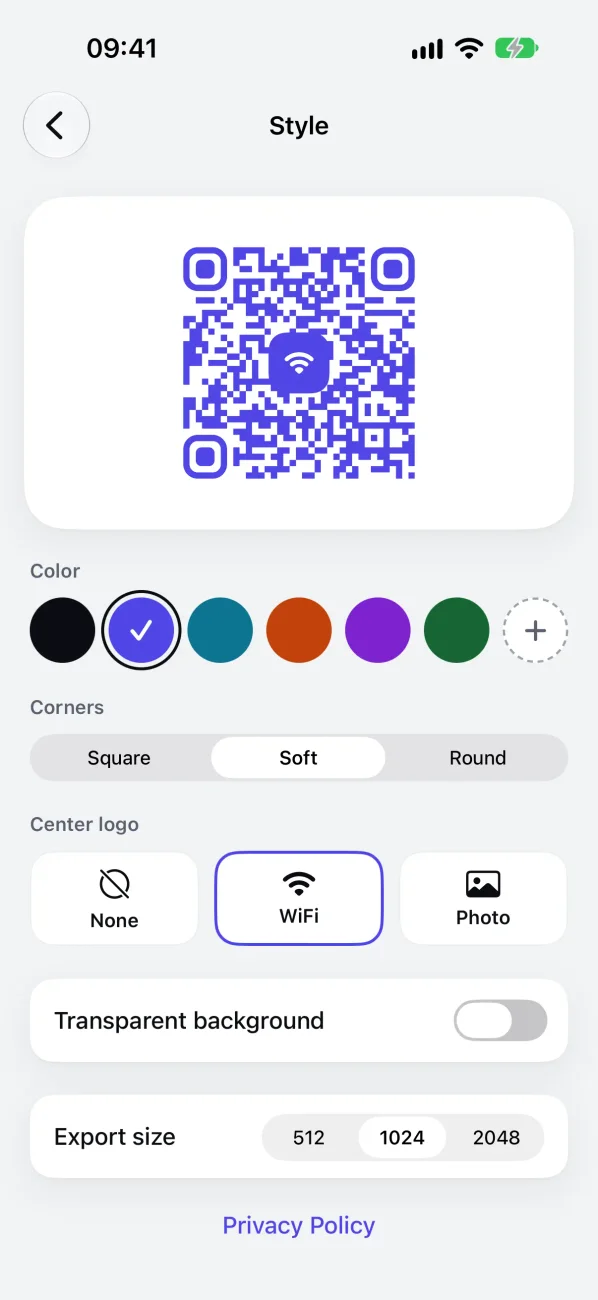
• Six colors, or any color you like
• Square, soft or round corners
• A WiFi symbol or your own photo in the middle
• A white or a transparent background
• Export sizes of 512, 1024 or 2048 pixels
SAVE AND SHARE
• Save the code to Photos or share it as a PNG image
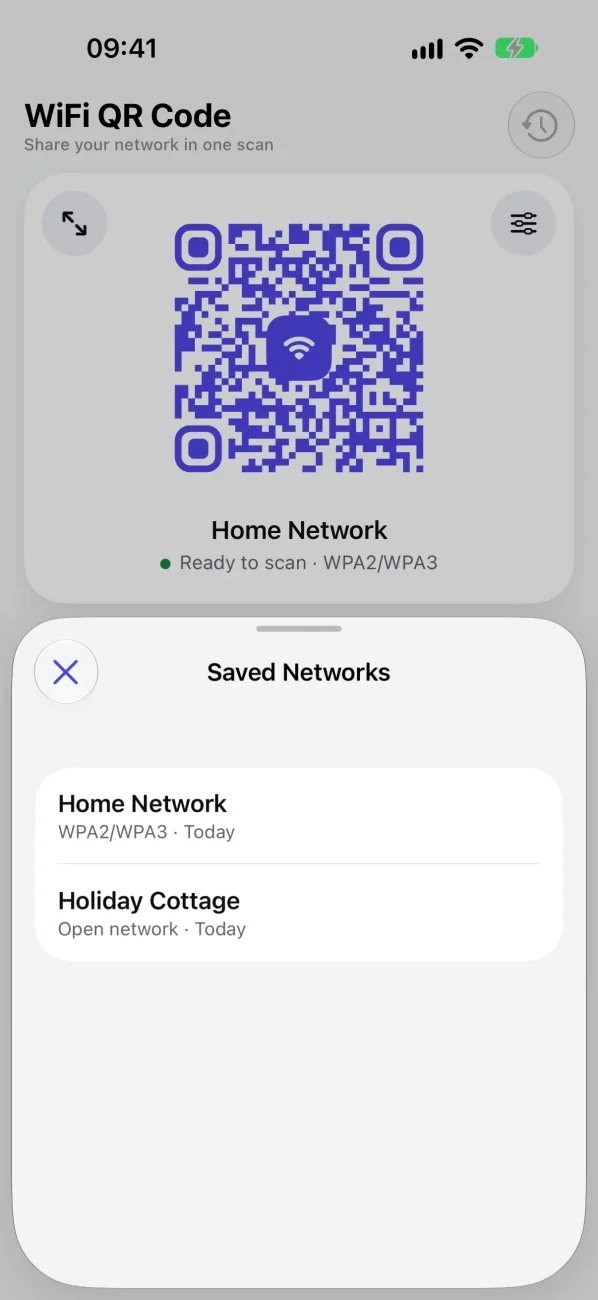
• Networks whose codes you save, share or show are kept in a list, so you can make the same code again later
YOUR PASSWORDS STAY ON YOUR IPHONE
Network names and passwords never leave your device. Saved passwords are kept in the Keychain on this iPhone only.
WiFi QR Code supports Dark Mode and larger text sizes. It shows a small banner ad. If you bought an earlier version of the app, you see no ads.
Nouveautés
Version 2.0 · 19/11/2026
Version 2.0 is a complete redesign:
• A new look, with Dark Mode and support for larger text sizes
• The QR code updates as you type, no more Generate button
• Show your guests a full-screen card at full brightness, or print it
• "Use current" fills in the WiFi network your iPhone is connected to
• Networks you use are kept in a list; their passwords stay in the Keychain on your iPhone
• New styles: color presets, soft or round corners, a WiFi symbol in the middle, and export sizes up to 2048 pixels
• Codes have a white background by default, so they scan well in Dark Mode too
• Save codes straight to Photos
• The app now shows a small banner ad. If you bought an earlier version, you see no ads.
Version 2.0 requires iOS 26 or later.
Confidentialité de l’application
Ce que Timo Zurhove déclare sur l’App Store au sujet du traitement des données par cette application.
-
Données non collectées
Le développeur ne collecte aucune donnée à partir de cette application.
Les pratiques en matière de confidentialité peuvent varier, notamment en fonction des fonctionnalités que vous utilisez ou de votre âge.
Informations
- Vendeur
- Timo Zurhove
- Catégorie
- Utilitaires
- Version
- 2.0
- Mis à jour
- 19/11/2026
- Publié
- 23/11/2021
- Taille
- 5,9 Mo
- Nécessite
- iOS 26.0 ou version ultérieure
- Classification d’âge
- 4+
- Prix
- Gratuit
- Langues
- Anglais
- Copyright
- © 2026 Timo Zurhove
Vous aimerez peut-être aussi
-
 Big character calculatorUtilitaires
-
 TI:MEUtilitaires
-
 zupperUtilitaires
-
 GRS RemoteXUtilitaires
-
 WiFi QR Maker LiteUtilitaires
-
 QR Generator-quick scannerQR Code,Barcode Scan,Reader ٞ
-
 Xproguard Photo VaultUtilitaires
-
 Wi-Fi QR CodeUtilitaires
-
 Calculatrice SeniorGrands caractères pour seniors
-
 ChatBox AI : Ask AI AssistantUtilitaires