Inky - Vector Graphics Editor
UserLAnd Technologies- PEGI 3Classification d’âge
- Art et designCatégorie
- 17/11/2026Mis à jour
- 2,19 €Prix
Renvoie vers la fiche Google Play officielle de tech.ula.inkscape. Dernière vérification le 19/11/2026.

Captures d’écran
À propos de cette application
Traduction automatique par Google. Langue d’origine : Anglais (États-Unis).
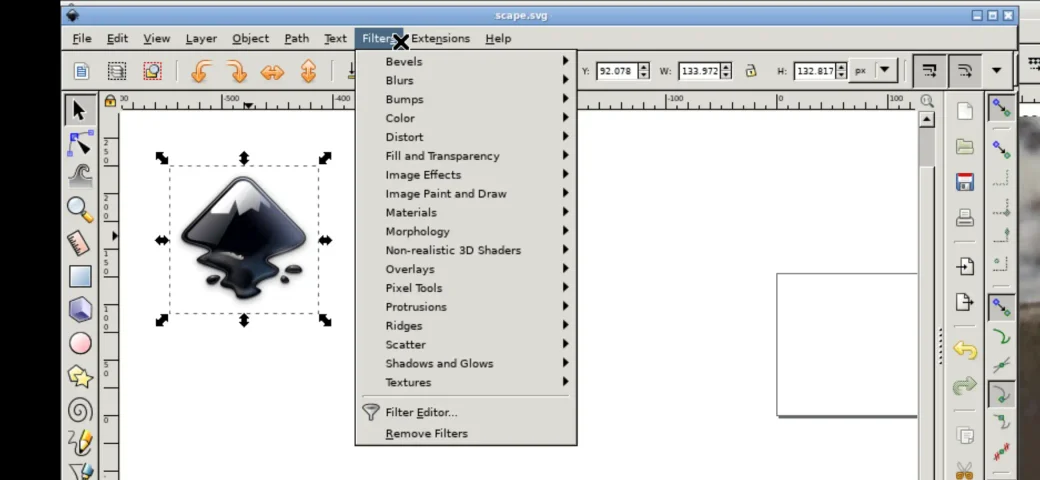
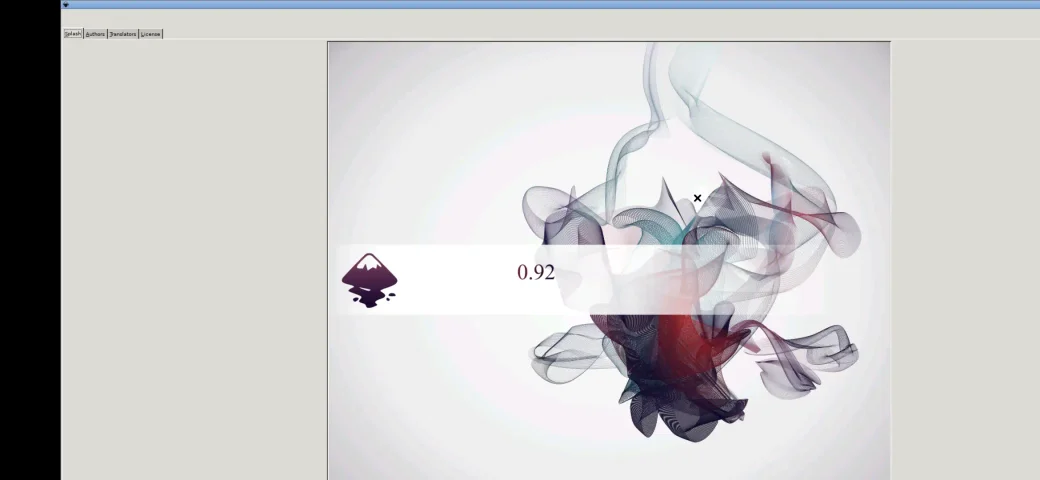
Inky permet d'exécuter la version de bureau d'Inkscape sur Android.
Qu'est-ce qu'Inky ?
Inky n'est pas Inkscape™, mais une surcouche logicielle non officielle permettant de l'exécuter sur Android.
Qu'est-ce qu'Inkscape ?
Inkscape est un logiciel libre et gratuit de création d'images vectorielles, principalement au format SVG (Scalable Vector Graphics). Il est possible d'importer et d'exporter d'autres formats.
Comment utiliser Inky :
Utilisez-le comme d'habitude. Voici toutefois quelques spécificités de l'interface Android :
* Appuyez avec un doigt pour cliquer.
* Déplacez la souris en faisant glisser un doigt.
* Pincez l'écran pour zoomer.
* Appuyez longuement, puis faites glisser un doigt pour vous déplacer dans la vue (utile en zoom avant).
* Faites glisser deux doigts vers le haut ou le bas pour faire défiler.
* Pour afficher le clavier, appuyez sur l'écran afin de faire apparaître une série d'icônes, puis cliquez sur l'icône du clavier.
* Pour effectuer un clic droit, appuyez avec deux doigts. Pour modifier la mise à l'échelle du bureau, accédez aux notifications Android et cliquez sur « Paramètres ». Après avoir modifié ces paramètres, vous devrez redémarrer l'application pour que les changements soient pris en compte.
Cette opération est plus simple sur une tablette avec un stylet, mais elle est également possible sur un téléphone ou avec le doigt.
Pour accéder aux fichiers depuis le reste de votre appareil Android, de nombreux liens utiles sont disponibles dans votre répertoire personnel (/home/userland) vers des emplacements tels que vos Documents, Images, etc. Il n'est pas nécessaire d'importer ou d'exporter des fichiers.
Si vous ne souhaitez pas ou ne pouvez pas acheter cette application, vous pouvez exécuter Inkscape via l'application UserLAnd.
Licence :
L'icône est basée sur le logo Inkscape, sous licence CC-BY-SA 3.0. L'auteur original est Andrew Michael Fitzsimon.
Cette application n'est pas développée par l'équipe principale d'Inkscape. Il s'agit d'une adaptation permettant à la version Linux de fonctionner sur Android.
Afficher le texte d’origine
What is Inky?
Inky is not Inkscape™ but an unofficial compatibility layer that allows running it on Android.
What is Inkscape?
Inkscape is a free and open-source vector graphics editor used to create vector images, primarily in Scalable Vector Graphics (SVG) format. Other formats can be imported and exported.
How to use Inky:
Use it just like normal. But here are some specifics to the Android interface.
* Tap with one figure to left click.
* Move mouse by sliding around one finger.
* Pinch to zoom.
* Press and hold and then slide one finger to pan (useful when zoomed in).
* Slide two fingers up and down to scroll.
* If you want to bring up a keyboard, tap on the screen to get a set of icons to appear and then click the keyboard icon.
* If you want to do the equivalent to a right click, tap with two fingers.
* If you want to change the desktop scaling, find the service android notification and click the settings. You have to stop and restart the app after changing this settings for it to take effect.
This is all easier to do on a tablet and with a stylus, but it can be done on a phone or using your finger as well.
To access files from the rest of Android, there are many useful links in your home directory (/home/userland) to places like your Documents, Pictures, etc. No need to import or export files.
If you don't want to, or cannot pay the cost of this app, you can run Inkscape via the UserLAnd app.
Licensing:
The icon is made from the Inkscape Logo which is licenced CC-By-SA 3.0. The original author is Andrew Michael Fitzsimon.
This app is not created by the main Inkscape development team. Instead it is an adaptation that allows the Linux version to run on Android.
Sécurité des données
Ce que UserLAnd Technologies déclare sur Google Play au sujet des données que cette application collecte et partage.
- Aucune donnée partagée avec des tiersEn savoir plus sur la manière dont les développeurs déclarent le partage
- Aucune donnée collectéeEn savoir plus sur la manière dont les développeurs déclarent la collecte
Nouveautés
Version 26.11.17 · 17/11/2026
Your app's Linux system is now built fresh from our new image pipeline, with up-to-date packages and a faster, more reliable download. Opening files in your phone's shared storage no longer fails the first time, and more programs run correctly. Already installed? Your existing setup is kept; reinstall to get the new system.
Coordonnées du développeur
- Site webuserland.tech
- E-mailsupport@userland.tech
- Politique de confidentialitéuserland.tech
- Adresse10258 SW 67th Ave Portland, OR 97223 United States
Informations
- Proposée par
- UserLAnd Technologies
- Catégorie
- Art et design
- Version
- 26.11.17
- Mis à jour
- 17/11/2026
- Publié
- 30/01/2023
- Nécessite
- Android 7.0 ou version ultérieure
- Classification d’âge
- PEGI 3
- Prix
- 2,19 €
- Nom du package
- tech.ula.inkscape
Applications similaires
-
 PicsKit - Éditeur de photos
Photographie
-
 Figma: view. comment. mirror.
Art et design
-
 Bazaart: Désign/Éditeur Photos
Art et design
-
 Image Toolbox - Edit & Convert
Outils
-
 invideo : Éditeur vidéo IA
Lecteurs et éditeurs vidéo
-
 AI Marvels - AI Photo & Video
Photographie
-
 DaVinci Générateur d'images IA
Art et design
-
 Hexa AI: Créa Logo, Art, Plus
Art et design
-
 Lensa: éditeur de photos, AI
Photographie
-
 PICNIC : Éditeur IA et Ciel
Photographie
-
 Éditeur Photo Glitch -Montage
Photographie
-
 Luminar: Photo Editor&Enhancer
Photographie