Inky - Vector Graphics Editor
UserLAnd Technologies- 3 歳以上対象年齢
- アート&デザインカテゴリ
- 2026/11/17更新日
- ¥260価格
tech.ula.inkscapeのGoogle Play公式ページにリンクしています。最終確認:2026/11/19。

スクリーンショット
このアプリについて
Googleによる英語 (アメリカ合衆国)からの自動翻訳です。
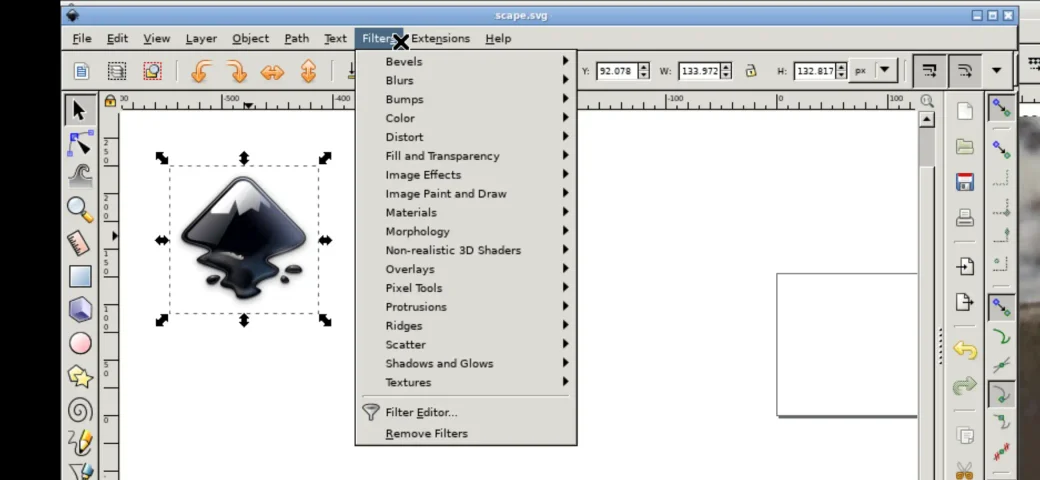
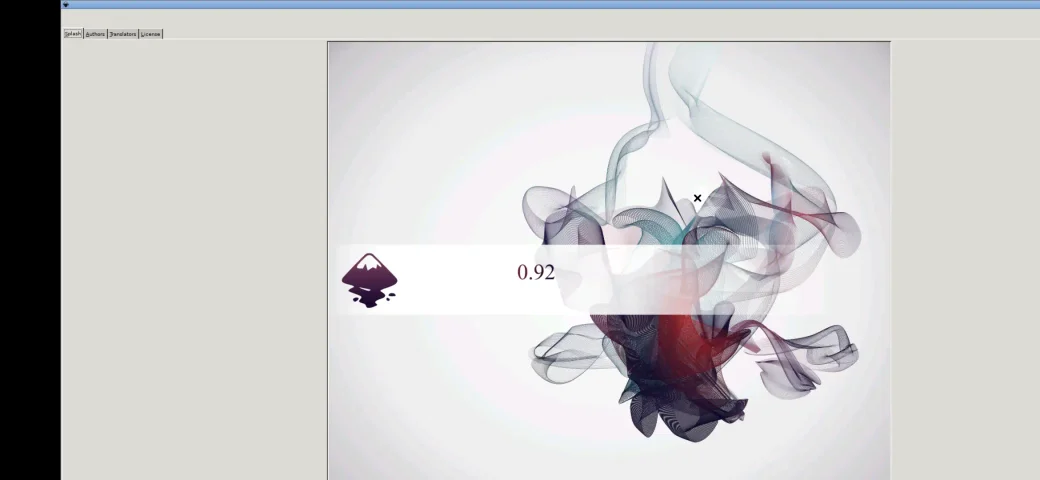
Inkyを使用すると、AndroidでInkscapeデスクトップ版を実行できます。
Inkyとは?
InkyはInkscape™ではなく、Android上でInkscape™を実行できるようにする非公式の互換レイヤーです。
Inkscapeとは?
Inkscapeは、主にスケーラブルベクターグラフィックス(SVG)形式のベクター画像を作成するために使用される、無料のオープンソースベクターグラフィックエディタです。他の形式のインポートおよびエクスポートも可能です。
Inkyの使い方:
通常通り使用できます。ただし、Androidインターフェース特有の操作方法がいくつかあります。
* 指1本でタップすると左クリックになります。
* 指1本でスライドするとマウスカーソルを移動できます。
* ピンチ操作でズームイン/ズームアウトできます。
* 長押ししてから指1本でスライドするとパン操作(ズームイン時に便利です)ができます。
* 指2本で上下にスライドするとスクロールできます。
* キーボードを表示するには、画面をタップしてアイコンを表示させ、キーボードアイコンをクリックします。
* 右クリックに相当する操作を行うには、指2本でタップします。
デスクトップの拡大縮小を変更したい場合は、Androidサービスの通知を見つけて設定をタップしてください。設定を変更した後は、アプリを停止して再起動しないと変更が反映されません。
タブレットとスタイラスペンを使うと操作が簡単ですが、スマートフォンでも指で操作できます。
Androidの他の場所にあるファイルにアクセスするには、ホームディレクトリ(/home/userland)にドキュメントやピクチャなどの場所への便利なリンクが多数あります。ファイルのインポートやエクスポートは不要です。
このアプリの料金を支払いたくない、または支払えない場合は、UserLAndアプリ経由でInkscapeを実行できます。
ライセンス:
アイコンは、CC-By-SA 3.0ライセンスで公開されているInkscapeのロゴを基に作成されています。オリジナル作者はAndrew Michael Fitzsimon氏です。
このアプリは、Inkscapeのメイン開発チームによって作成されたものではありません。Linux版をAndroidで動作させるための適応版です。
原文を表示
What is Inky?
Inky is not Inkscape™ but an unofficial compatibility layer that allows running it on Android.
What is Inkscape?
Inkscape is a free and open-source vector graphics editor used to create vector images, primarily in Scalable Vector Graphics (SVG) format. Other formats can be imported and exported.
How to use Inky:
Use it just like normal. But here are some specifics to the Android interface.
* Tap with one figure to left click.
* Move mouse by sliding around one finger.
* Pinch to zoom.
* Press and hold and then slide one finger to pan (useful when zoomed in).
* Slide two fingers up and down to scroll.
* If you want to bring up a keyboard, tap on the screen to get a set of icons to appear and then click the keyboard icon.
* If you want to do the equivalent to a right click, tap with two fingers.
* If you want to change the desktop scaling, find the service android notification and click the settings. You have to stop and restart the app after changing this settings for it to take effect.
This is all easier to do on a tablet and with a stylus, but it can be done on a phone or using your finger as well.
To access files from the rest of Android, there are many useful links in your home directory (/home/userland) to places like your Documents, Pictures, etc. No need to import or export files.
If you don't want to, or cannot pay the cost of this app, you can run Inkscape via the UserLAnd app.
Licensing:
The icon is made from the Inkscape Logo which is licenced CC-By-SA 3.0. The original author is Andrew Michael Fitzsimon.
This app is not created by the main Inkscape development team. Instead it is an adaptation that allows the Linux version to run on Android.
データ セーフティ
このアプリが収集・共有するデータについて、UserLAnd TechnologiesがGoogle Playで申告している内容です。
- 第三者と共有されるデータはありません詳しくは、デベロッパーが共有を申告する方法についての説明をご覧ください
- データは収集されません詳しくは、デベロッパーが収集を申告する方法についての説明をご覧ください
新機能
バージョン 26.11.17 · 2026/11/17
Your app's Linux system is now built fresh from our new image pipeline, with up-to-date packages and a faster, more reliable download. Opening files in your phone's shared storage no longer fails the first time, and more programs run correctly. Already installed? Your existing setup is kept; reinstall to get the new system.
開発元の連絡先
- ウェブサイトuserland.tech
- メールsupport@userland.tech
- プライバシーポリシーuserland.tech
- 住所10258 SW 67th Ave Portland, OR 97223 United States
情報
- 提供元
- UserLAnd Technologies
- カテゴリ
- アート&デザイン
- バージョン
- 26.11.17
- 更新日
- 2026/11/17
- リリース
- 2023/1/30
- 必要条件
- Android 7.0以降
- 対象年齢
- 3 歳以上
- 価格
- ¥260
- パッケージ名
- tech.ula.inkscape
類似のアプリ
-
 PicsKit - フォトエディタ&デザイン
写真
-
 Figma – プロトタイプのミラーリングによる共有
アート&デザイン
-
 バザート(Bazaart): デザイン&フォトエディター
アート&デザイン
-
 Image Toolbox - Edit & Convert
ツール
-
 invideo: AI動画編集アプリ
動画プレーヤー&エディタ
-
 AI Marvels - AI Photo & Video
写真
-
 DaVinci – AI画像生成ツール
アート&デザイン
-
 Hexa AI:ロゴ・画像・イラスト・招待状をAIで作成
アート&デザイン
-
 Lensa: AI photo editor, camera
写真
-
 PICNIC:AI写真加工・空フィルター・コラージュ
写真
-
 画像編集、動画編集 - ティックトック編集アプリ
写真
-
 Luminar: Photo Editor&Enhancer
写真