- Classification d’âge4+
- CatégorieUtilitaires
- DéveloppeurNhat Linh Dang
- LanguesAnglais
- Taille17,8 Mo
Renvoie vers la page App Store officielle
Download.org n’héberge aucun fichier de Acton for Action Button. Le bouton ouvre la page de l’application sur App Store, où Nhat Linh Dang la publie. Fiche vérifiée pour la dernière fois le 12/11/2026.
Captures d’écran

À propos
Le développeur n’a pas fourni ce texte dans votre langue.
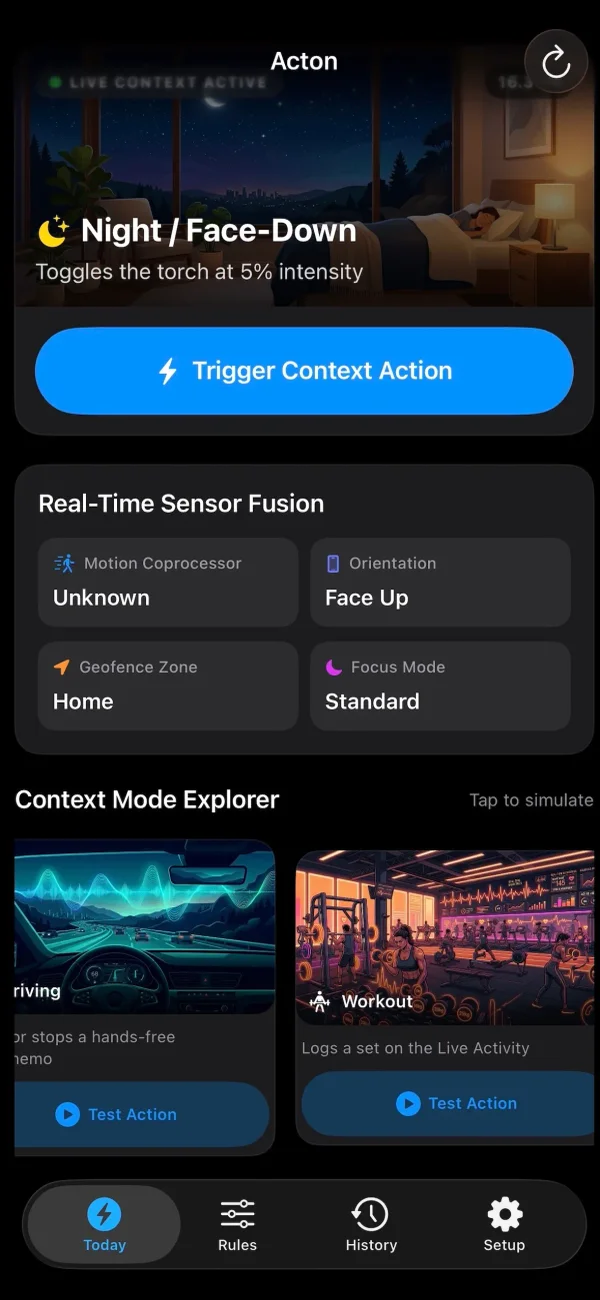
Your iPhone Action Button normally does one fixed thing. Acton makes it adapt to what you are doing, so a single press runs the action that fits the moment.
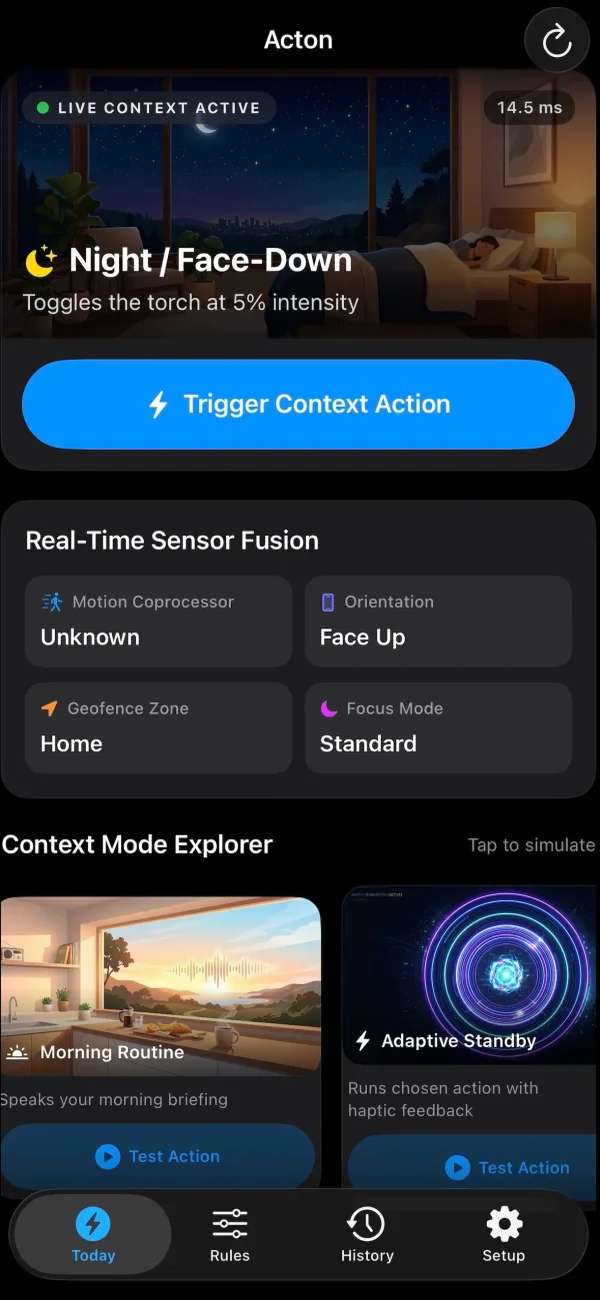
Acton checks your live context in a fraction of a second, then runs the matching action. No menus, no unlocking, no opening the app.
WHAT ACTON DOES
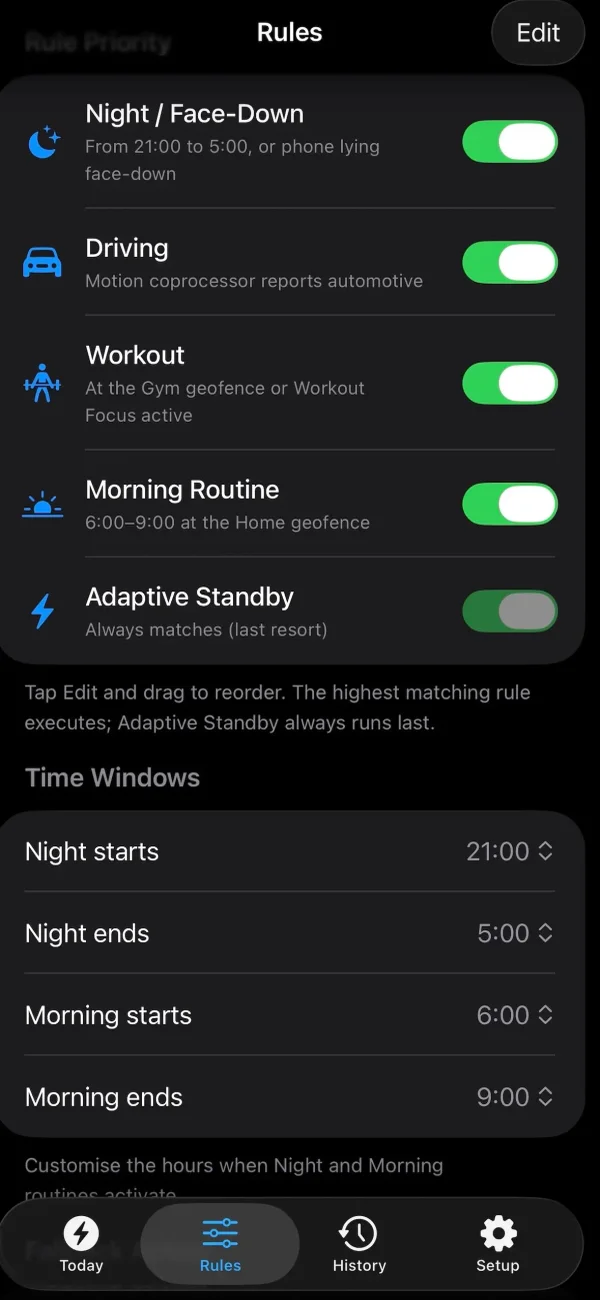
Night or face-down
After your chosen bedtime hour, or when your phone is lying face-down, Acton toggles the flashlight at a gentle 5 percent brightness. It works as a dim night light that will not blind you.
Driving
When your iPhone detects that you are in a vehicle, one press starts or stops a hands-free voice memo, so you can capture a thought without touching the screen.
Workout
At your saved gym location, or while a Focus you marked as a workout is active, each press logs another set and keeps a running count.
Morning at home
During your morning window at home, Acton speaks a short briefing that reads out how many events are on your calendar and what is first.
Everything else
When no rule matches, you get a light haptic tap, or you can choose any of the other actions as your fallback.
BUILT AROUND YOU
Rule priority: Drag rules into the order you want. The first match wins.
Time windows: Set when night and morning begin and end to fit your own routine.
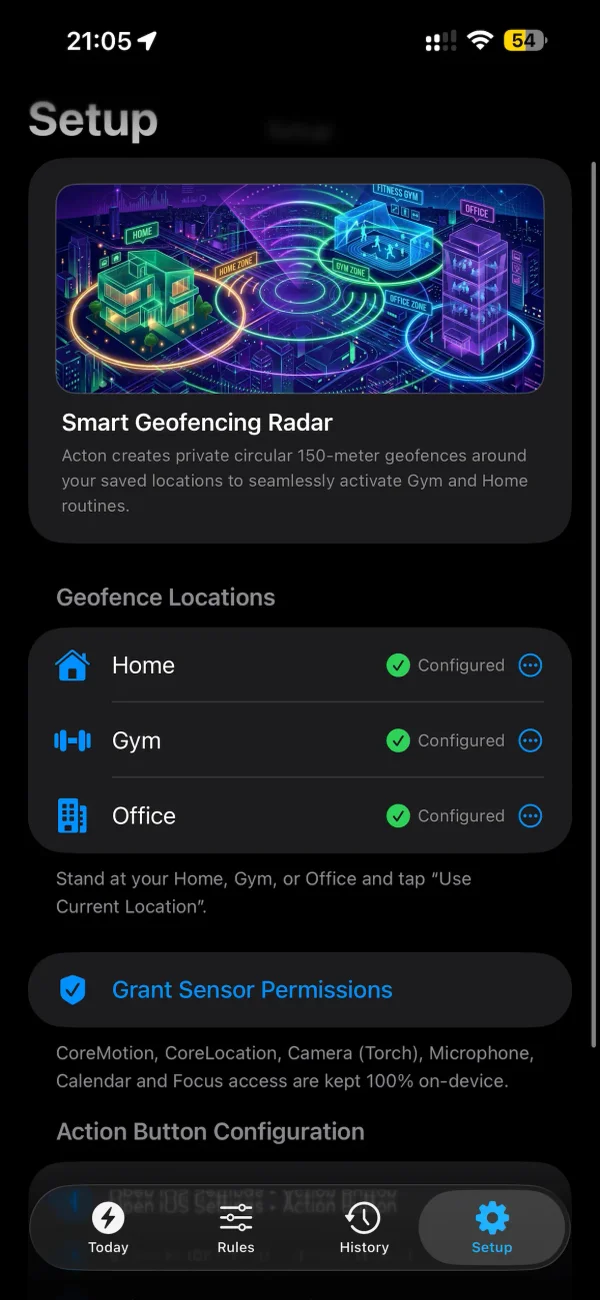
Saved places: Save Home, Gym, and Office with one tap while you are there.
Fallback action: Choose what happens when nothing else applies.
History: See every action Acton ran, when it ran, and the result.
Focus filter: Attach a workout mode to any Focus in iOS Settings.
SET UP IN A MINUTE
1. Open Acton and allow the permissions you want.
2. Save your Home and Gym while you are there.
3. In iOS Settings, open Action Button, choose Shortcut, then pick Acton and Run Context Action.
You can also run Acton with Siri, the Shortcuts app, or the Run Action Now button in the app. A device with a physical Action Button is needed for the hardware trigger. The night light needs a device with a flashlight.
PRIVACY
Acton does not require an account. Your places, rules, and history stay on your device. Each permission is used only for the context it supports: motion for driving, location for saved places, camera for the flashlight, microphone for voice memos, calendar for the morning briefing, and Focus status for workout mode. You can turn off any rule at any time.
Press once. Get the action that fits.
Nouveautés
Version 1.0.1 · 28/10/2026
Update the UI
Confidentialité de l’application
Ce que Nhat Linh Dang déclare sur l’App Store au sujet du traitement des données par cette application.
-
Données non collectées
Le développeur ne collecte aucune donnée à partir de cette application.
Les pratiques en matière de confidentialité peuvent varier, notamment en fonction des fonctionnalités que vous utilisez ou de votre âge.
Informations
- Vendeur
- Nhat Linh Dang
- Catégorie
- Utilitaires
- Version
- 1.0.1
- Mis à jour
- 28/10/2026
- Publié
- 20/10/2026
- Taille
- 17,8 Mo
- Nécessite
- iOS 17 ou version ultérieure
- Classification d’âge
- 4+
- Prix
- Gratuit
- Langues
- Anglais
- Copyright
- © 2026 Acton. All rights reserved.
Vous aimerez peut-être aussi
-
 Skip ShowcaseUtilitaires
-
 DupCleanerUtilitaires
-
 API Tester Utilitaires
-
 Lecteur NFC-RFIDScanner et analyser NFC
-
 IntoWallet: Make Wallet PassesUtilitaires
-
 Ticket to Ride® CompanionContrôleur multijoueur local
-
 MTools BLE RFID ReaderUtilitaires
-
 SIM-DashboardUtilitaires
-
 Speedometer km/h OdometerBicycle, Train, Fastest Speed
-
 (Not Boring) CalculatorUtilitaires