- 対象年齢4+
- カテゴリユーティリティ
- 開発元Nhat Linh Dang
- 言語英語
- サイズ17.8 MB
App Storeの公式ページにリンクしています
Download.orgはActon for Action Buttonのファイルを一切ホストしていません。ボタンを押すと、Nhat Linh Dangが公開しているApp Storeのアプリページが開きます。ページの最終確認:2026/11/12。
スクリーンショット

概要
開発元はこのテキストをお使いの言語で提供していません。
Your iPhone Action Button normally does one fixed thing. Acton makes it adapt to what you are doing, so a single press runs the action that fits the moment.
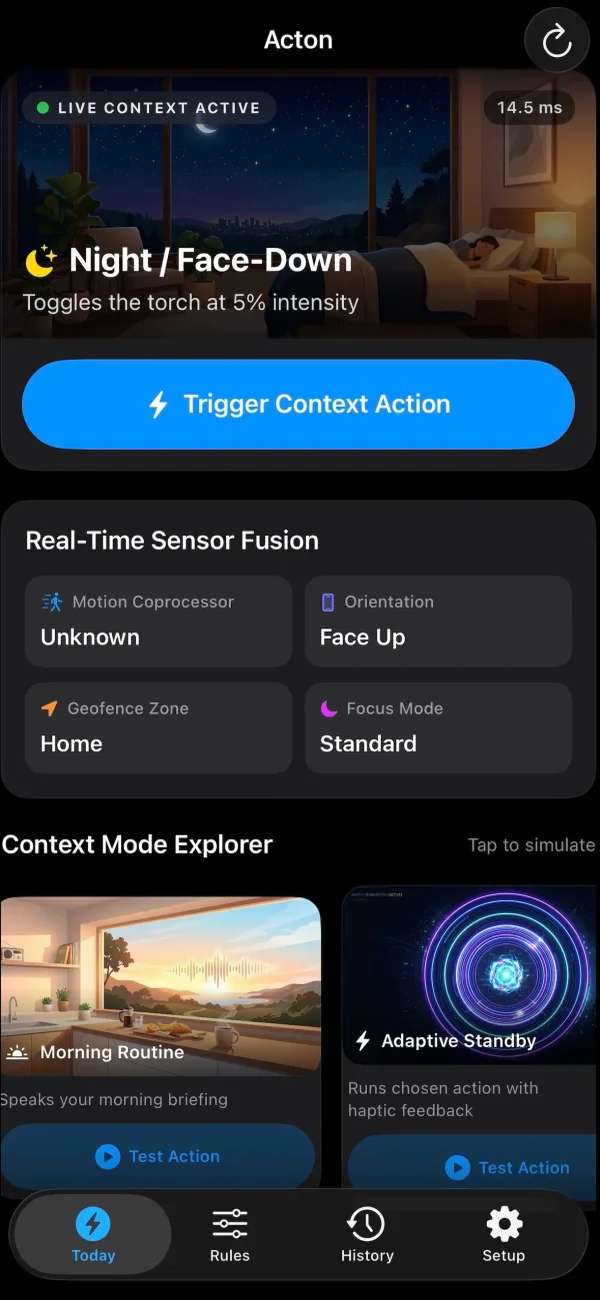
Acton checks your live context in a fraction of a second, then runs the matching action. No menus, no unlocking, no opening the app.
WHAT ACTON DOES
Night or face-down
After your chosen bedtime hour, or when your phone is lying face-down, Acton toggles the flashlight at a gentle 5 percent brightness. It works as a dim night light that will not blind you.
Driving
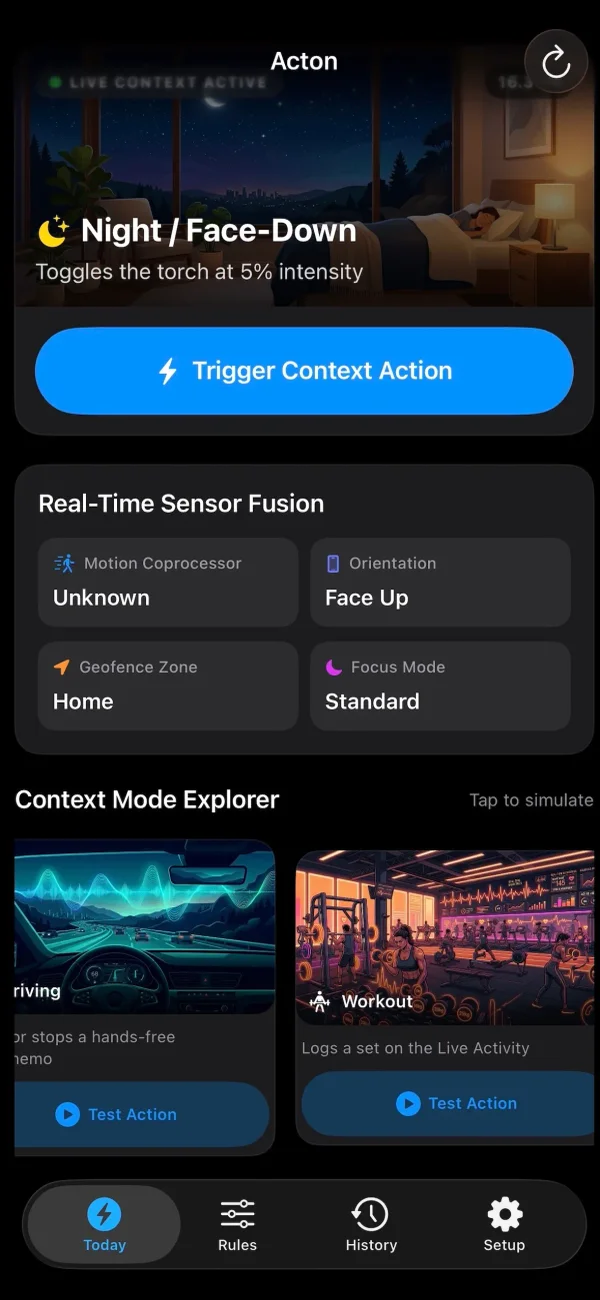
When your iPhone detects that you are in a vehicle, one press starts or stops a hands-free voice memo, so you can capture a thought without touching the screen.
Workout
At your saved gym location, or while a Focus you marked as a workout is active, each press logs another set and keeps a running count.
Morning at home
During your morning window at home, Acton speaks a short briefing that reads out how many events are on your calendar and what is first.
Everything else
When no rule matches, you get a light haptic tap, or you can choose any of the other actions as your fallback.
BUILT AROUND YOU
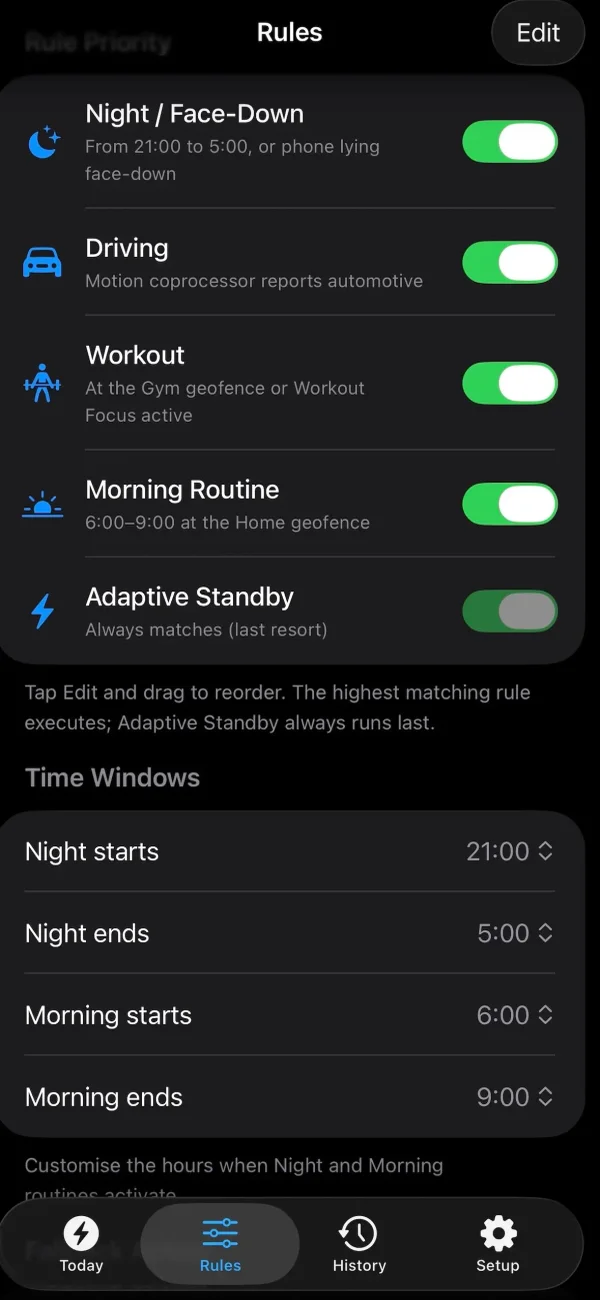
Rule priority: Drag rules into the order you want. The first match wins.
Time windows: Set when night and morning begin and end to fit your own routine.
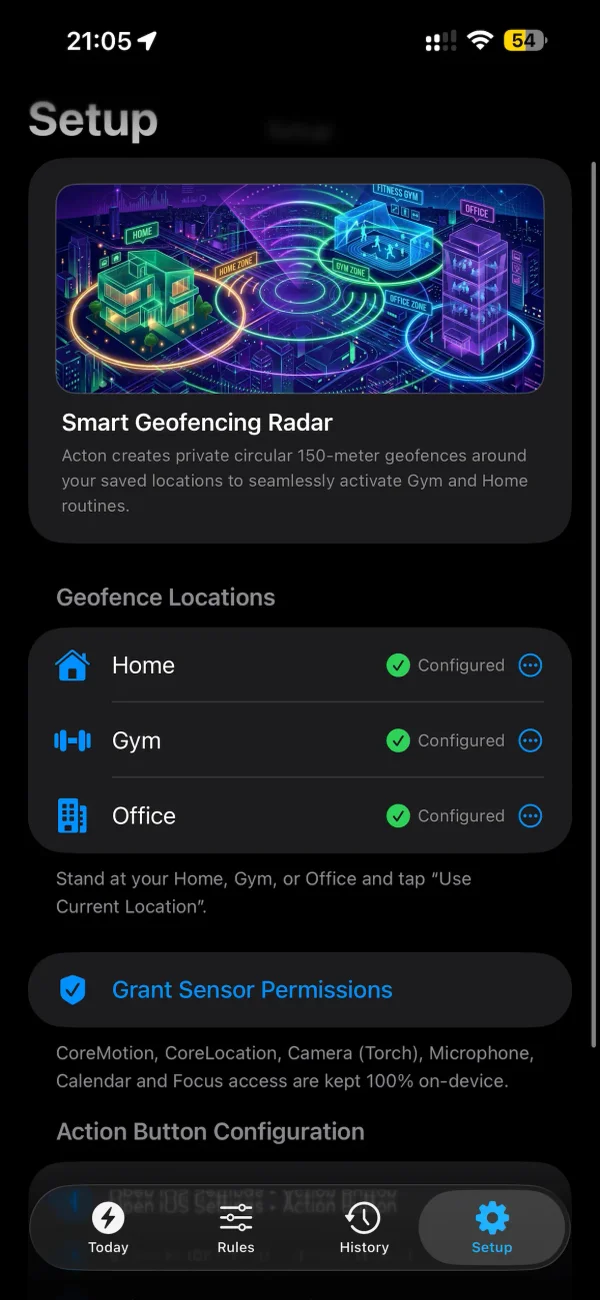
Saved places: Save Home, Gym, and Office with one tap while you are there.
Fallback action: Choose what happens when nothing else applies.
History: See every action Acton ran, when it ran, and the result.
Focus filter: Attach a workout mode to any Focus in iOS Settings.
SET UP IN A MINUTE
1. Open Acton and allow the permissions you want.
2. Save your Home and Gym while you are there.
3. In iOS Settings, open Action Button, choose Shortcut, then pick Acton and Run Context Action.
You can also run Acton with Siri, the Shortcuts app, or the Run Action Now button in the app. A device with a physical Action Button is needed for the hardware trigger. The night light needs a device with a flashlight.
PRIVACY
Acton does not require an account. Your places, rules, and history stay on your device. Each permission is used only for the context it supports: motion for driving, location for saved places, camera for the flashlight, microphone for voice memos, calendar for the morning briefing, and Focus status for workout mode. You can turn off any rule at any time.
Press once. Get the action that fits.
新機能
バージョン 1.0.1 · 2026/10/28
Update the UI
アプリのプライバシー
このアプリのデータの取り扱いについて、Nhat Linh DangがApp Storeで申告している内容です。
-
データの収集なし
開発元はこのアプリからデータを収集しません。
プライバシーの取り扱いは、ご利用の機能やお客様の年齢などに応じて異なる場合があります。
情報
- 販売元
- Nhat Linh Dang
- カテゴリ
- ユーティリティ
- バージョン
- 1.0.1
- 更新日
- 2026/10/28
- リリース
- 2026/10/20
- サイズ
- 17.8 MB
- 必要条件
- iOS 17以降
- 対象年齢
- 4+
- 価格
- 無料
- 言語
- 英語
- 著作権
- © 2026 Acton. All rights reserved.