- Classification d’âge12+
- CatégorieUtilitaires
- Développeur深圳市云伽未来智能技术有限公司
- LanguesAnglais+ 13 de plus
- Taille533,1 Mo
Renvoie vers la page App Store officielle
Download.org n’héberge aucun fichier de Advancer AD20. Le bouton ouvre la page de l’application sur App Store, où 深圳市云伽未来智能技术有限公司 la publie. Fiche vérifiée pour la dernière fois le 17/11/2026.
Captures d’écran
À propos
Le développeur n’a pas fourni ce texte dans votre langue.
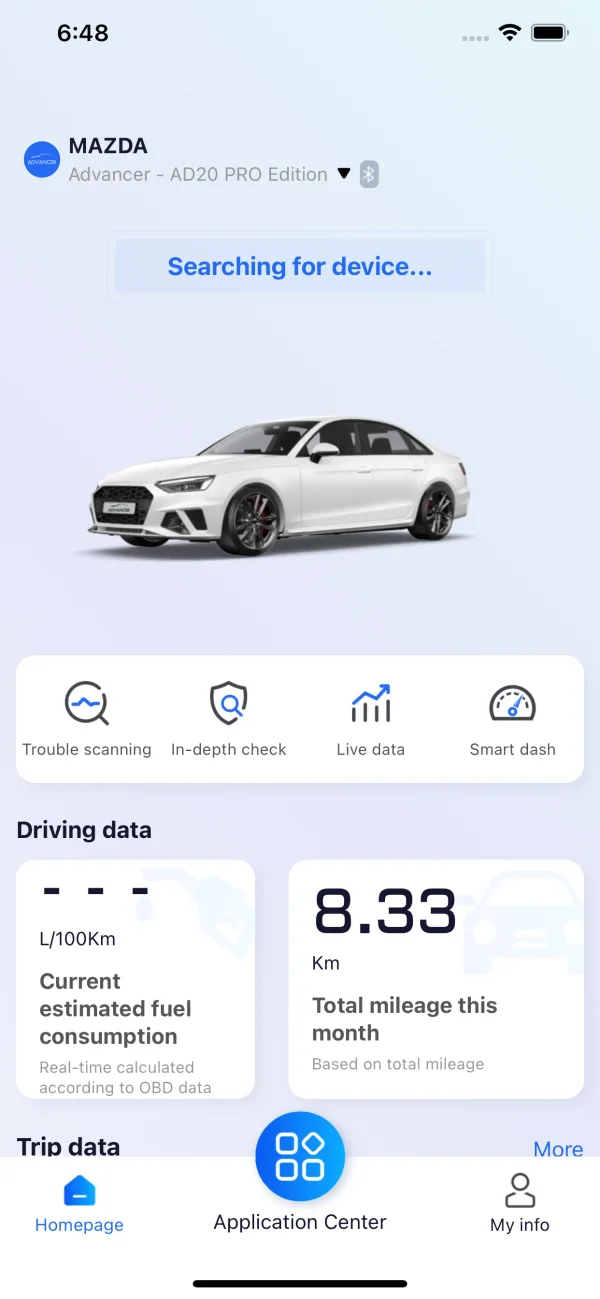
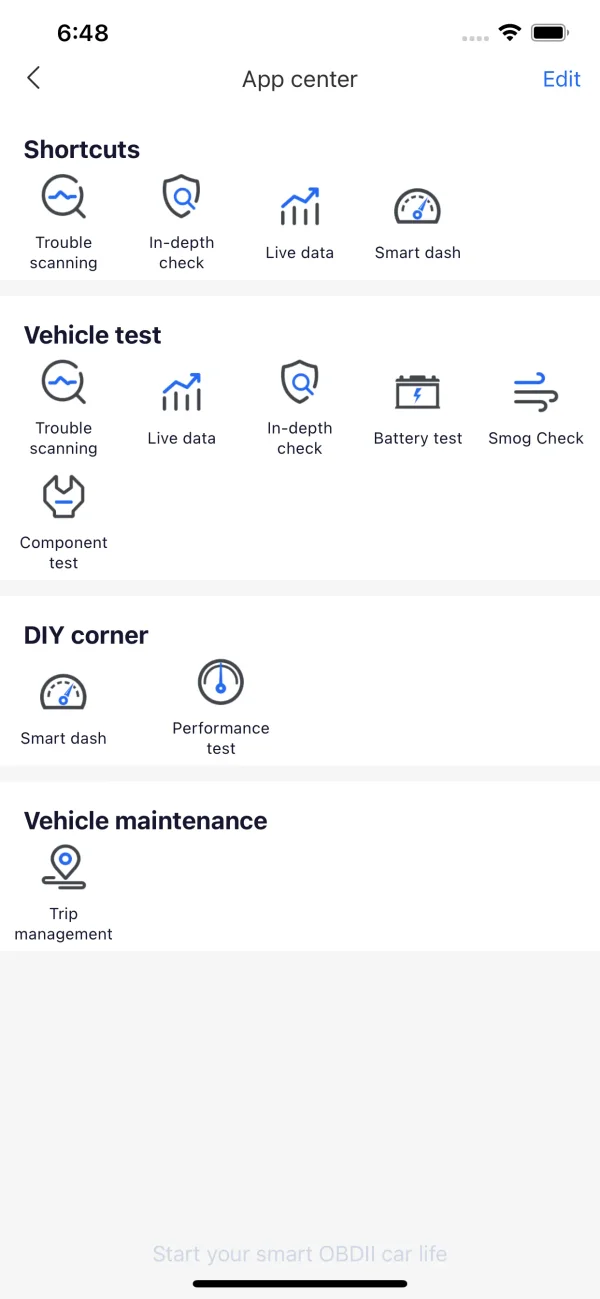
Advancer Smart OBD Dongle (AD20/AD20 Pro) is a smart diagnosis terminal that communicates with your iOS devices via BT 5.0. With the Advancer app, AD20 provides services like vehicle health check, diagnosis, driving habits analysis for car owners.
Help the vehicle owner to check at any time whether the vehicle is out of order, display the cause of the fault and maintenance suggestions, monitor the status of the vehicle in real time and alert the safety hazards early to ensure your driving safety
1)OBD-II Diagnosis
Advancer AD20 can read and categorize the fault codes (DTCs) that storage inside the vehicle ECU via standard OBD-II protocols.
2)In-depth Check
In-depth check function allows you to do thorough check on vehicle systems like engine, powertrain, brakes, steering, safety, infotainment and so on, which helps owners to know the health condition of the car clearly and provide safe and comfortable driving experience on travels.
Note: In-depth check on all systems is only supported on AD20 Pro; AD20 supports in-depth check on engine only.
3)Live Data
When the car is started, Advancer will provide and demonstrate detailed vehicle status like battery voltage, engine revolution speed, coolant temperature, engine load, fuel trimming and so on. This will help you to get the real-time working conditions of the car.
4)Maintenance Light Reset
Reset the maintenance counter and turn off the maintenance light after finishing maintenance. For your driving safety, make sure you have followed the manual when doing maintenance to your own car.
Note: Maintenance light is a reminder set by car manufacturer, which reminds drivers to do maintenances when needed. When the reminder is on, the car will show info on the dashboard screen, or simply shows a light.
5)Trip Recorder
When driving, Advancer will record the index like average speed, fuel consumption, mileage, max engine revolution speed, max coolant temperature and shows them on the app. This will help you to know vehicle status and fuel consumption info on the entire trip.
6)Driving Habits Monitor
With the G-sensors inside Advancer, all the sharp turns, emergency brakes and sudden accelerations will be recorded and shown on the app after analyzed. This function will provide data support if you are willing to improve your driving skills.
Nouveautés
Version 1.17 · 26/10/2026
Partial diagnostic programs updated
Confidentialité de l’application
Ce que 深圳市云伽未来智能技术有限公司 déclare sur l’App Store au sujet du traitement des données par cette application.
-
Données n’établissant aucun lien avec vous
Peuvent être collectées, mais ne sont pas liées à votre identité.
- Données d’utilisation
- Diagnostic
Les pratiques en matière de confidentialité peuvent varier, notamment en fonction des fonctionnalités que vous utilisez ou de votre âge.
Informations
- Vendeur
- Shenzhen Yunjia Future Intelligent Technology Co., Ltd.
- Catégorie
- Utilitaires
- Version
- 1.17
- Mis à jour
- 26/10/2026
- Publié
- 06/12/2022
- Taille
- 533,1 Mo
- Nécessite
- iOS 13.0 ou version ultérieure
- Classification d’âge
- 12+
- Prix
- Gratuit
- Langues
- Anglais, Arabe, Français, Allemand, Italien, Japonais, Coréen, Polonais, Portugais, Russe, Chinois simplifié, Espagnol + 2 de plus
- Copyright
- © 2022 YunJia Inc.