- 対象年齢12+
- カテゴリユーティリティ
- 開発元深圳市云伽未来智能技术有限公司
- 言語英語ほか13言語
- サイズ533.1 MB
App Storeの公式ページにリンクしています
Download.orgはAdvancer AD20のファイルを一切ホストしていません。ボタンを押すと、深圳市云伽未来智能技术有限公司が公開しているApp Storeのアプリページが開きます。ページの最終確認:2026/11/17。
スクリーンショット
概要
開発元はこのテキストをお使いの言語で提供していません。
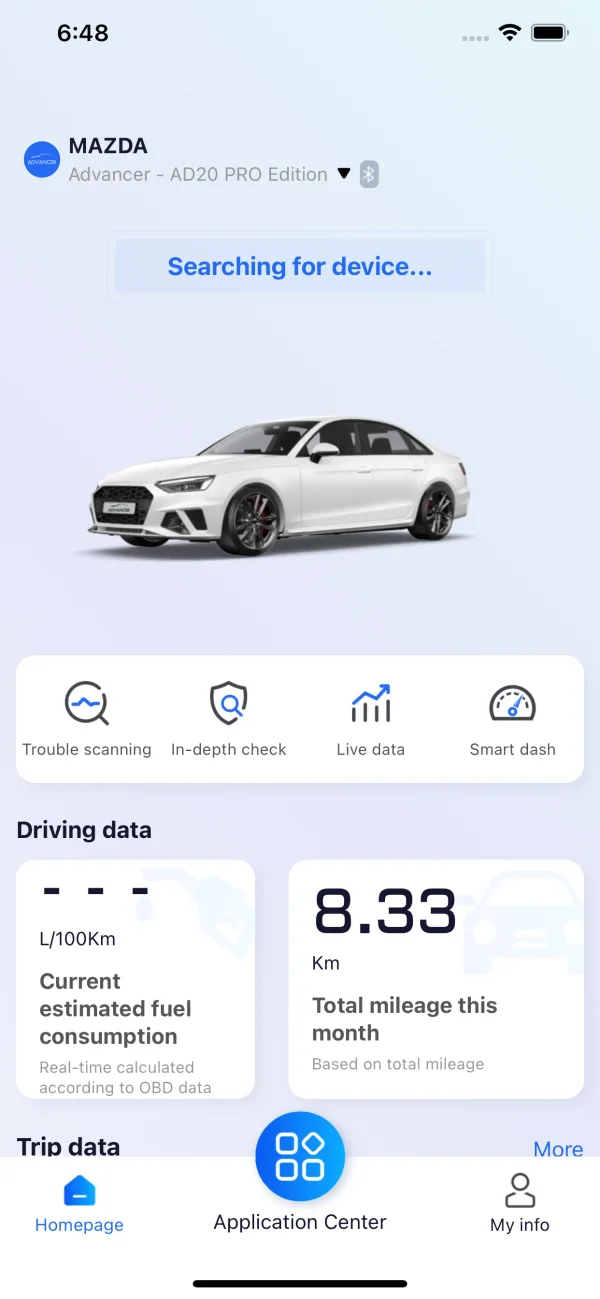
Advancer Smart OBD Dongle (AD20/AD20 Pro) is a smart diagnosis terminal that communicates with your iOS devices via BT 5.0. With the Advancer app, AD20 provides services like vehicle health check, diagnosis, driving habits analysis for car owners.
Help the vehicle owner to check at any time whether the vehicle is out of order, display the cause of the fault and maintenance suggestions, monitor the status of the vehicle in real time and alert the safety hazards early to ensure your driving safety
1)OBD-II Diagnosis
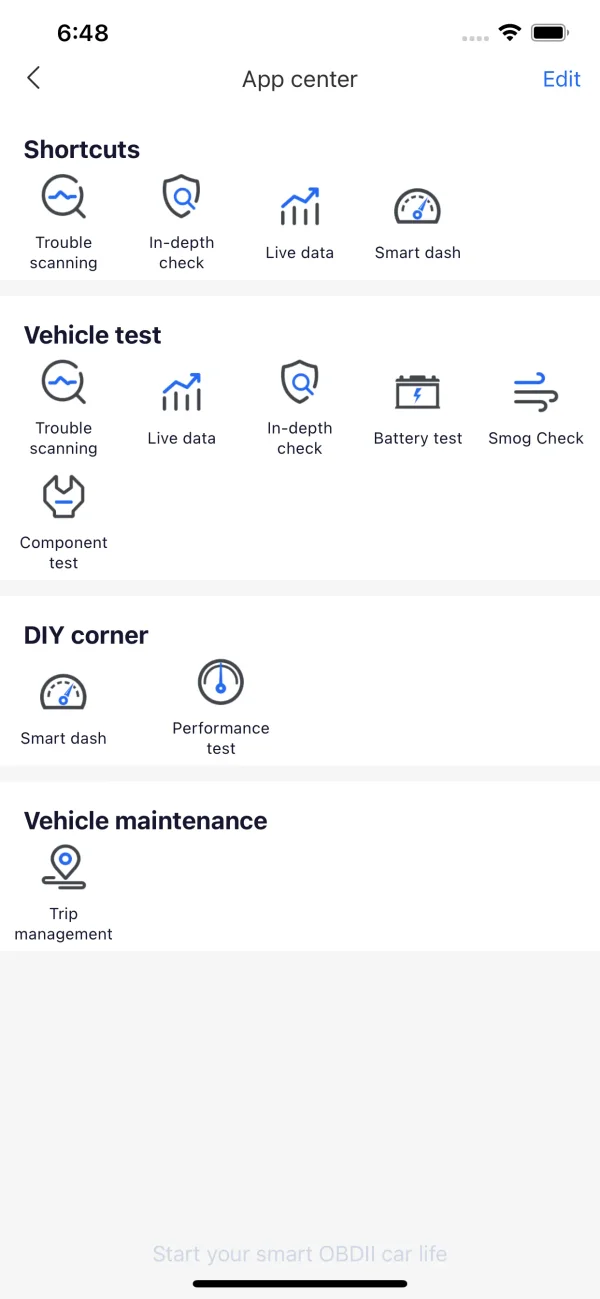
Advancer AD20 can read and categorize the fault codes (DTCs) that storage inside the vehicle ECU via standard OBD-II protocols.
2)In-depth Check
In-depth check function allows you to do thorough check on vehicle systems like engine, powertrain, brakes, steering, safety, infotainment and so on, which helps owners to know the health condition of the car clearly and provide safe and comfortable driving experience on travels.
Note: In-depth check on all systems is only supported on AD20 Pro; AD20 supports in-depth check on engine only.
3)Live Data
When the car is started, Advancer will provide and demonstrate detailed vehicle status like battery voltage, engine revolution speed, coolant temperature, engine load, fuel trimming and so on. This will help you to get the real-time working conditions of the car.
4)Maintenance Light Reset
Reset the maintenance counter and turn off the maintenance light after finishing maintenance. For your driving safety, make sure you have followed the manual when doing maintenance to your own car.
Note: Maintenance light is a reminder set by car manufacturer, which reminds drivers to do maintenances when needed. When the reminder is on, the car will show info on the dashboard screen, or simply shows a light.
5)Trip Recorder
When driving, Advancer will record the index like average speed, fuel consumption, mileage, max engine revolution speed, max coolant temperature and shows them on the app. This will help you to know vehicle status and fuel consumption info on the entire trip.
6)Driving Habits Monitor
With the G-sensors inside Advancer, all the sharp turns, emergency brakes and sudden accelerations will be recorded and shown on the app after analyzed. This function will provide data support if you are willing to improve your driving skills.
新機能
バージョン 1.17 · 2026/10/26
Partial diagnostic programs updated
アプリのプライバシー
このアプリのデータの取り扱いについて、深圳市云伽未来智能技术有限公司がApp Storeで申告している内容です。
-
ユーザーに関連付けられないデータ
収集される場合がありますが、ユーザーの識別情報には関連付けられません。
- 使用状況データ
- 診断
プライバシーの取り扱いは、ご利用の機能やお客様の年齢などに応じて異なる場合があります。
情報
- 販売元
- Shenzhen Yunjia Future Intelligent Technology Co., Ltd.
- カテゴリ
- ユーティリティ
- バージョン
- 1.17
- 更新日
- 2026/10/26
- リリース
- 2022/12/6
- サイズ
- 533.1 MB
- 必要条件
- iOS 13.0以降
- 対象年齢
- 12+
- 価格
- 無料
- 言語
- 英語, アラビア語, フランス語, ドイツ語, イタリア語, 日本語, 韓国語, ポーランド語, ポルトガル語, ロシア語, 簡体字中国語, スペイン語 ほか2言語
- 著作権
- © 2022 YunJia Inc.