- Classification d’âge4+
- CatégorieNavigation
- DéveloppeurHologram Co.,Ltd.
- LanguesAnglais
- Taille3,4 Mo
Renvoie vers la page App Store officielle
Download.org n’héberge aucun fichier de AR_Compass. Le bouton ouvre la page de l’application sur App Store, où Hologram Co.,Ltd. la publie. Fiche vérifiée pour la dernière fois le 18/11/2026.
Captures d’écran

À propos
Le développeur n’a pas fourni ce texte dans votre langue.
This app intuitively shows the direction you're facing on your Apple Watch and helps you easily navigate toward your destination.
When used in combination with Holostar (https://ho-lo.jp/lp-holostar/), it displays your current direction at the edge of your field of view, just like AR glasses or smart glasses, providing a more convenient and advanced AR navigation experience.
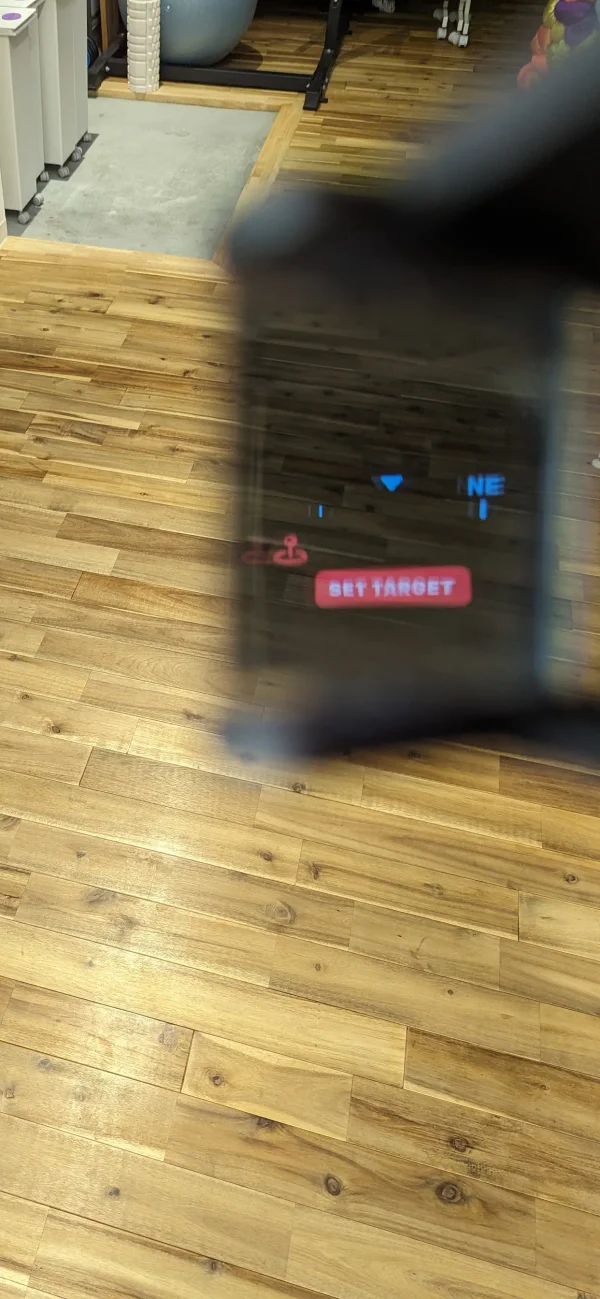
If you have a specific destination in mind, simply press the “SET TARGET” button to set your current direction as the destination. The app will then display your current orientation along with the direction of your destination.
Since it requires minimal input, you can skip the steps of setting detailed routes to your destination and use simple, easy-to-use navigation.
Since it can be used exclusively with an Apple Watch (no complex setup required on an iPhone or iPad) and does not require complicated operations, this app is ideal for use with Holostar.
Additionally, by not displaying detailed route information, the app can adapt more flexibly when the actual path you can take differs from the detailed navigation route—such as when affected by road construction or when passing through the interior of buildings, including underground areas.
By switching the time display settings on your iPhone, you can navigate toward your destination while keeping track of travel time and arrival time, or simply move while focusing on the direction.
*The app supports right-eye and left-eye display on Holostar based on your Apple Watch’s right-hand or left-hand wear settings. Set it to the right hand for right-eye use, and to the left hand for left-eye use.
*You cannot experience AR without using Holostar.
*With standard compass apps, due to display methods and Apple Watch orientation settings, you cannot achieve an AR navigation experience that directly aligns the displayed direction with your line of sight even when combined with Holostar.
Nouveautés
Version 1.1.0 · 09/10/2026
We've added a feature that starts a workout and tracks distance traveled when you set a target.
We've added a feature to delete targets.
We've added an altitude display.
We've added a display showing the angle of the direction you're facing.
Confidentialité de l’application
Ce que Hologram Co.,Ltd. déclare sur l’App Store au sujet du traitement des données par cette application.
-
Données non collectées
Le développeur ne collecte aucune donnée à partir de cette application.
Les pratiques en matière de confidentialité peuvent varier, notamment en fonction des fonctionnalités que vous utilisez ou de votre âge.
Informations
- Vendeur
- Hologram Co.,Ltd.
- Catégorie
- Navigation
- Version
- 1.1.0
- Mis à jour
- 09/10/2026
- Publié
- 14/05/2026
- Taille
- 3,4 Mo
- Nécessite
- iOS 17.6 ou version ultérieure
- Classification d’âge
- 4+
- Prix
- Gratuit
- Langues
- Anglais
- Copyright
- © 2026 Hologram Co Ltd
Vous aimerez peut-être aussi
-
 AR True North CompassNavigation
-
 MineAR: Augmented Reality MapNavigation
-
 ARDAR - AR Flight TrackerVoyages
-
 FieldGrid: GPS Militaire MGRSWaypoints · Boussole · MEDEVAC
-
 SmartNavi V3Navigation
-
 Airspace Live: Flight RadarVoyages
-
 Peak Panorama : Quel sommet ?Montagnes pour la randonnée
-
 Street Navigation - WalkingNavigation
-
 GO: Car and BUS RidesVoyages
-
 TrainsFYI : Carte des TrainsSNCF, RER et TGV en temps réel