- Classification d’âge4+
- CatégorieMusique
- DéveloppeurBo Jacobson
- LanguesAnglais
- Taille2,7 Mo
B-90 n’est peut-être pas disponible sur App Store pour le moment
La fiche de la boutique était inaccessible lors de notre dernière vérification. Le lien mène toujours à la page App Store officielle.
Captures d’écran

À propos
Le développeur n’a pas fourni ce texte dans votre langue.
A vintage drum machine in your pocket.
B-90 is a drum machine and sampler for iPhone and iPad based on classic drum machines like the SP-1200 and MPC60.
PLAY AND RECORD
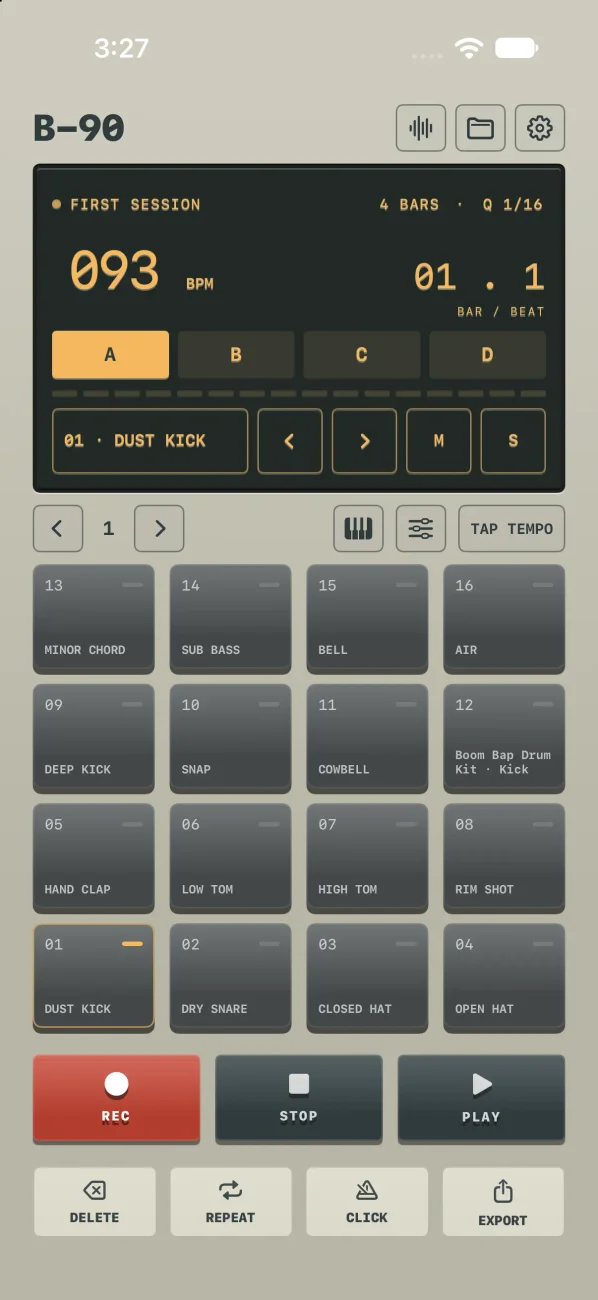
• 16 pads across four banks
• Four patterns with 1–8 bar loops
• Quantize, triplets, note repeat, and tap tempo
• Play a sample at different pitches on the keyboard, including chords
• Mute and solo pads while your beat plays
SAMPLE AND SHAPE
• Record directly through your microphone
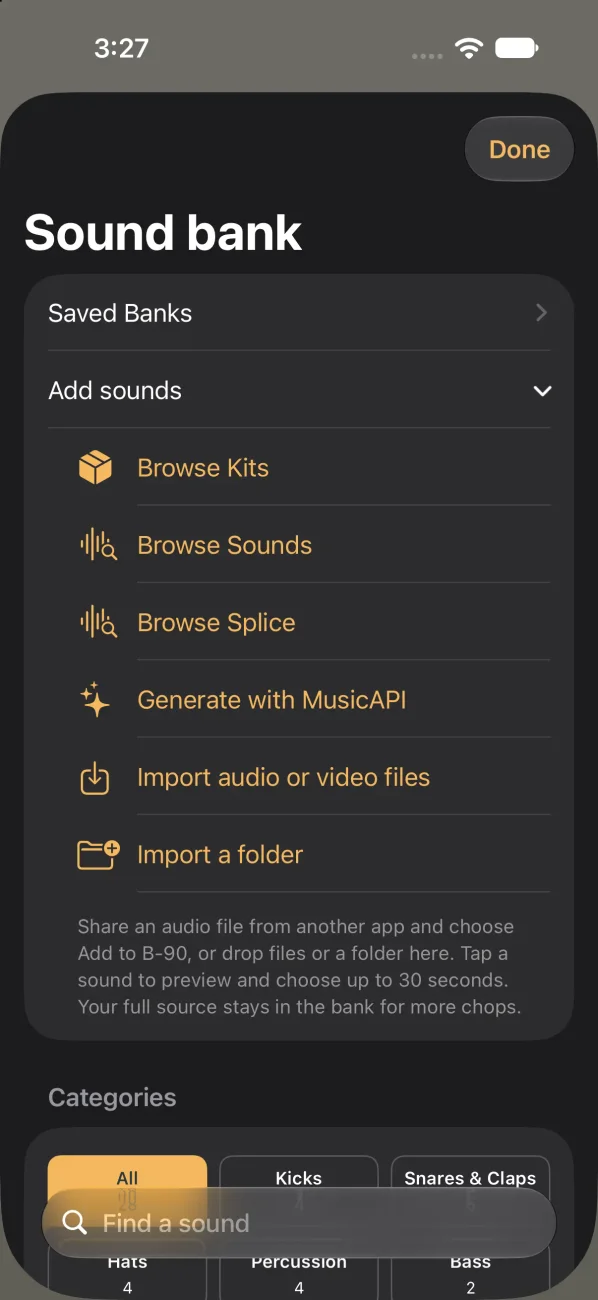
• Import audio or video files and folders
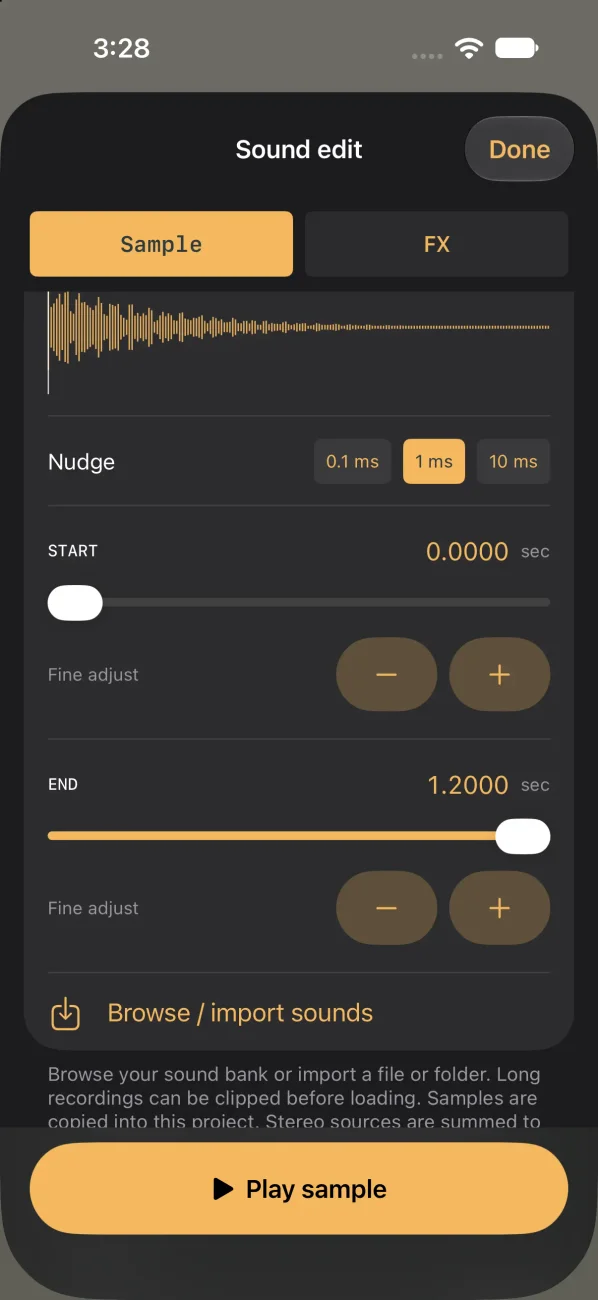
• Trim precisely, reverse, pitch, and adjust attack and decay
• Autochop recordings across multiple pads
• Shape each pad with EQ and compression, plus shared reverb and echo sends
• Sample processing inspired by vintage drum machines
BUILD YOUR SOUND BANK
• Preview and organize sounds into your own categories
• Save and load banks
• Browse thousands of free sounds
• Connect Splice to find and download samples
MAKE BEATS FOR FREE
Sampling, sequencing, effects, and saving sessions are free. A one-time in-app purchase unlocks unlimited WAV, stem, and live-performance exports. No B-90 subscription.
Third party features may require separate accounts and use provider credits. Their terms and sound licenses apply. Core beat making works without signing in.
Privacy: https://b-90.app/privacy/
Terms: https://b-90.app/terms/
Support: https://b-90.app/support/
Nouveautés
Version 1.0.1 · 22/11/2026
• Tap an empty pad’s Edit control to open the sound bank with that pad selected. Record with your mic, import files or a whole folder, bring in samples from Splice, or browse kits and sounds. Pick a sound and tap Add to Pad.
• On a loaded pad, rename the sound, zoom into its waveform, and drag the start and end markers to trim. Tap Play Sample to hear the edit on its own. Copy the sound to another pad or use Autochop to spread slices across several pads.
• Tap Tempo in Clock to enter an exact BPM.
• Recorded “Hold until release” notes now play for their full duration when you switch between pads and piano.
Confidentialité de l’application
Ce que Bo Jacobson déclare sur l’App Store au sujet du traitement des données par cette application.
-
Données non collectées
Le développeur ne collecte aucune donnée à partir de cette application.
Les pratiques en matière de confidentialité peuvent varier, notamment en fonction des fonctionnalités que vous utilisez ou de votre âge.
Informations
- Vendeur
- Bo Jacobson
- Catégorie
- Musique
- Version
- 1.0.1
- Mis à jour
- 22/11/2026
- Publié
- 23/10/2026
- Taille
- 2,7 Mo
- Nécessite
- iOS 17.0 ou version ultérieure
- Classification d’âge
- 4+
- Achats intégrés
- Oui
- Langues
- Anglais
- Copyright
- © 2026 Bo Jacobson