- 対象年齢4+
- カテゴリミュージック
- 開発元Bo Jacobson
- 言語英語
- サイズ2.7 MB
B-90は現在App Storeで入手できない可能性があります
前回の確認時、ストアのページにアクセスできませんでした。リンク先は引き続きApp Storeの公式ページです。
スクリーンショット
概要
開発元はこのテキストをお使いの言語で提供していません。
A vintage drum machine in your pocket.
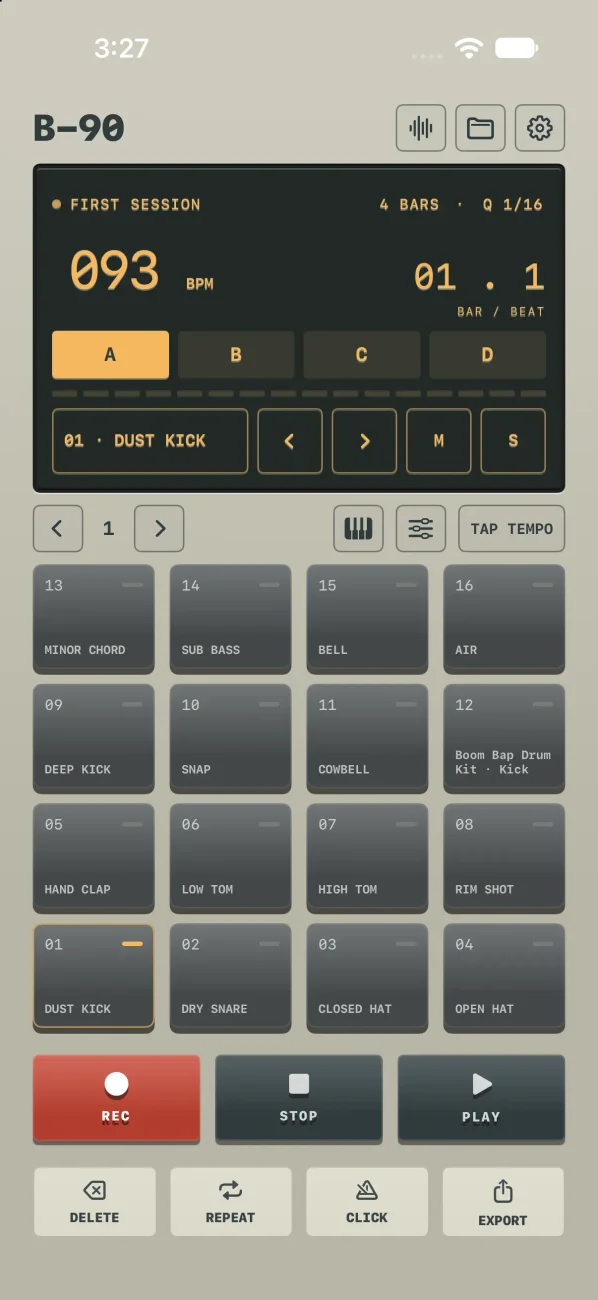
B-90 is a drum machine and sampler for iPhone and iPad based on classic drum machines like the SP-1200 and MPC60.
PLAY AND RECORD
• 16 pads across four banks
• Four patterns with 1–8 bar loops
• Quantize, triplets, note repeat, and tap tempo
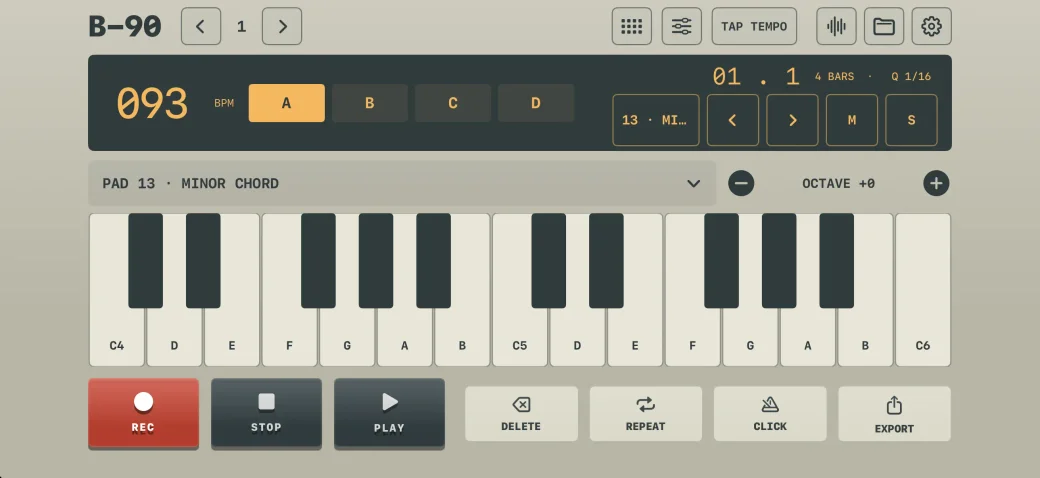
• Play a sample at different pitches on the keyboard, including chords
• Mute and solo pads while your beat plays
SAMPLE AND SHAPE
• Record directly through your microphone
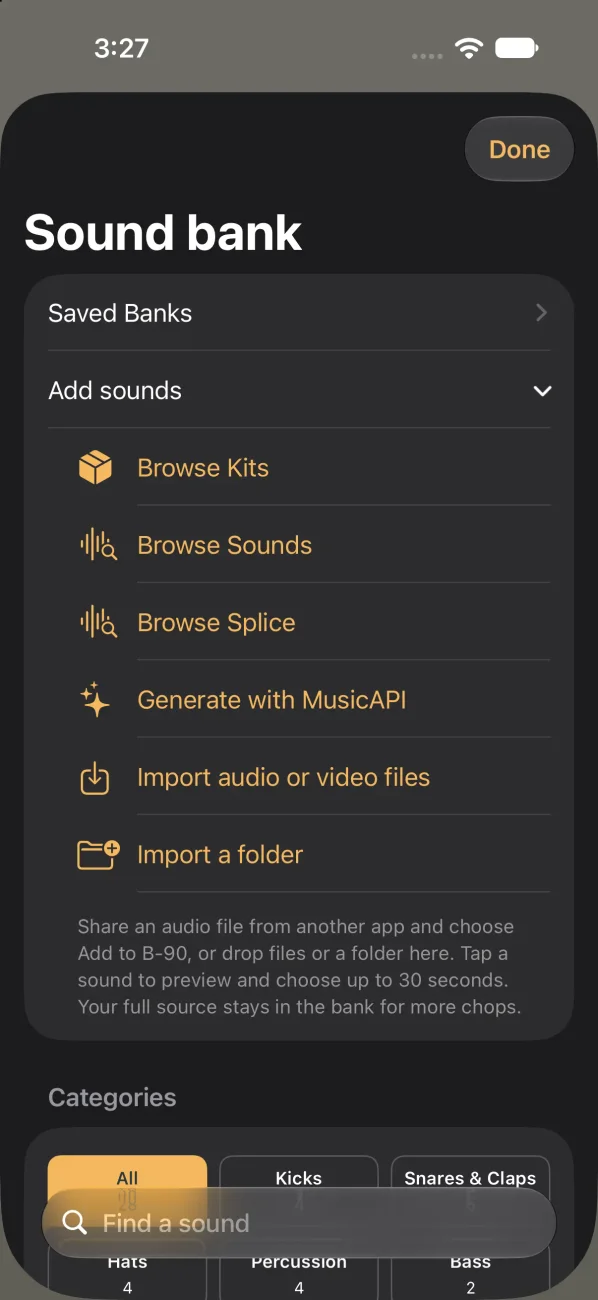
• Import audio or video files and folders
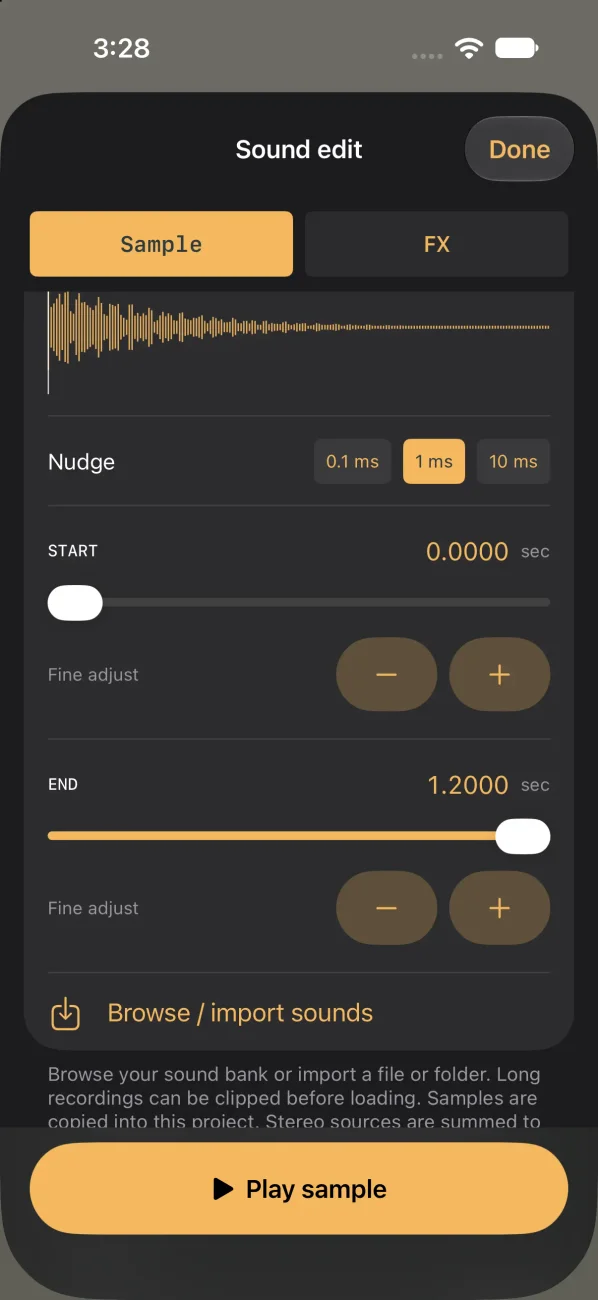
• Trim precisely, reverse, pitch, and adjust attack and decay
• Autochop recordings across multiple pads
• Shape each pad with EQ and compression, plus shared reverb and echo sends
• Sample processing inspired by vintage drum machines
BUILD YOUR SOUND BANK
• Preview and organize sounds into your own categories
• Save and load banks
• Browse thousands of free sounds
• Connect Splice to find and download samples
MAKE BEATS FOR FREE
Sampling, sequencing, effects, and saving sessions are free. A one-time in-app purchase unlocks unlimited WAV, stem, and live-performance exports. No B-90 subscription.
Third party features may require separate accounts and use provider credits. Their terms and sound licenses apply. Core beat making works without signing in.
Privacy: https://b-90.app/privacy/
Terms: https://b-90.app/terms/
Support: https://b-90.app/support/
新機能
バージョン 1.0.1 · 2026/11/22
• Tap an empty pad’s Edit control to open the sound bank with that pad selected. Record with your mic, import files or a whole folder, bring in samples from Splice, or browse kits and sounds. Pick a sound and tap Add to Pad.
• On a loaded pad, rename the sound, zoom into its waveform, and drag the start and end markers to trim. Tap Play Sample to hear the edit on its own. Copy the sound to another pad or use Autochop to spread slices across several pads.
• Tap Tempo in Clock to enter an exact BPM.
• Recorded “Hold until release” notes now play for their full duration when you switch between pads and piano.
アプリのプライバシー
このアプリのデータの取り扱いについて、Bo JacobsonがApp Storeで申告している内容です。
-
データの収集なし
開発元はこのアプリからデータを収集しません。
プライバシーの取り扱いは、ご利用の機能やお客様の年齢などに応じて異なる場合があります。
情報
- 販売元
- Bo Jacobson
- カテゴリ
- ミュージック
- バージョン
- 1.0.1
- 更新日
- 2026/11/22
- リリース
- 2026/10/23
- サイズ
- 2.7 MB
- 必要条件
- iOS 17.0以降
- 対象年齢
- 4+
- アプリ内課金
- あり
- 言語
- 英語
- 著作権
- © 2026 Bo Jacobson