- Classification d’âge4+
- CatégoriePhoto et vidéo
- DéveloppeurRaphael Hoheisel
- LanguesAnglais
- Taille3,9 Mo
Renvoie vers la page App Store officielle
Download.org n’héberge aucun fichier de BibbityLab. Le bouton ouvre la page de l’application sur App Store, où Raphael Hoheisel la publie. Fiche vérifiée pour la dernière fois le 12/11/2026.
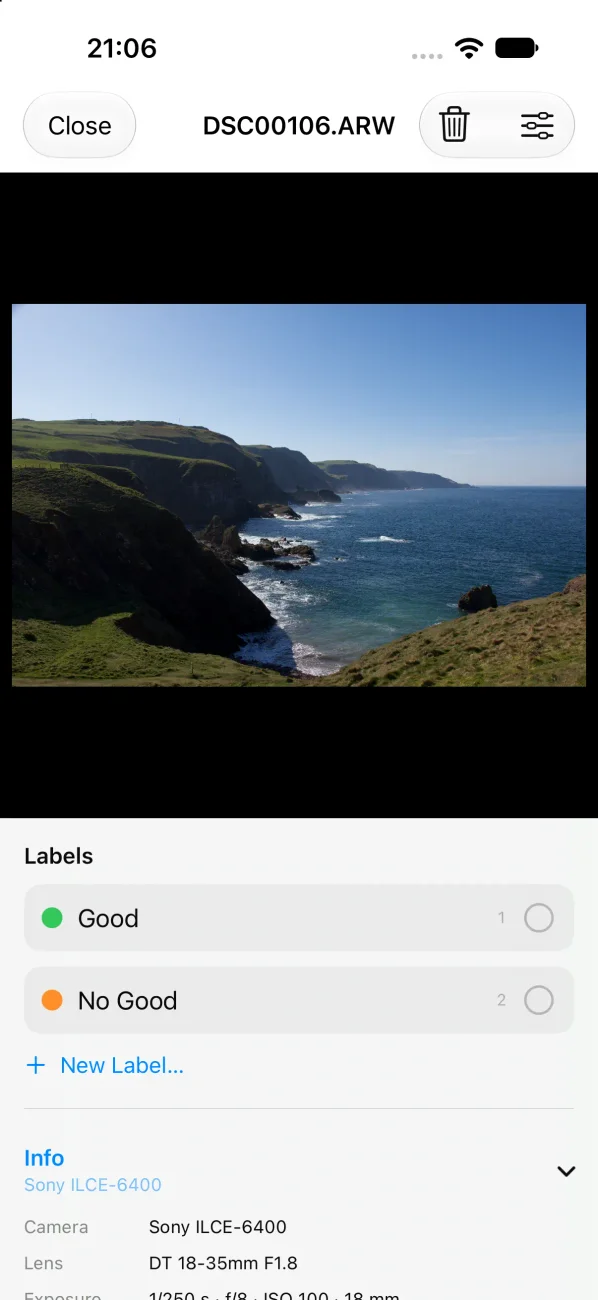
Captures d’écran
À propos
Le développeur n’a pas fourni ce texte dans votre langue.
BibbityLab develops RAW photos on iPad and iPhone. It does not support editing formats such as jpeg or png.
BibbityLab is a hobby project of the developer grown out of a need for simple RAW editing app.
PHOTOS
- Opens RAW photos from any folder in Files, including external drives and SD cards
- Imports RAW photos from the Photos app; only the photos you select are shared with the app
- Supported formats (not all tested): Adobe DNG (including Apple ProRAW), Canon CR2/CR3, Fujifilm RAF, Hasselblad 3FR, Nikon NEF, Olympus/OM System ORF, Panasonic RW2, Pentax PEF, Samsung SRW, Sony ARW
EDITING
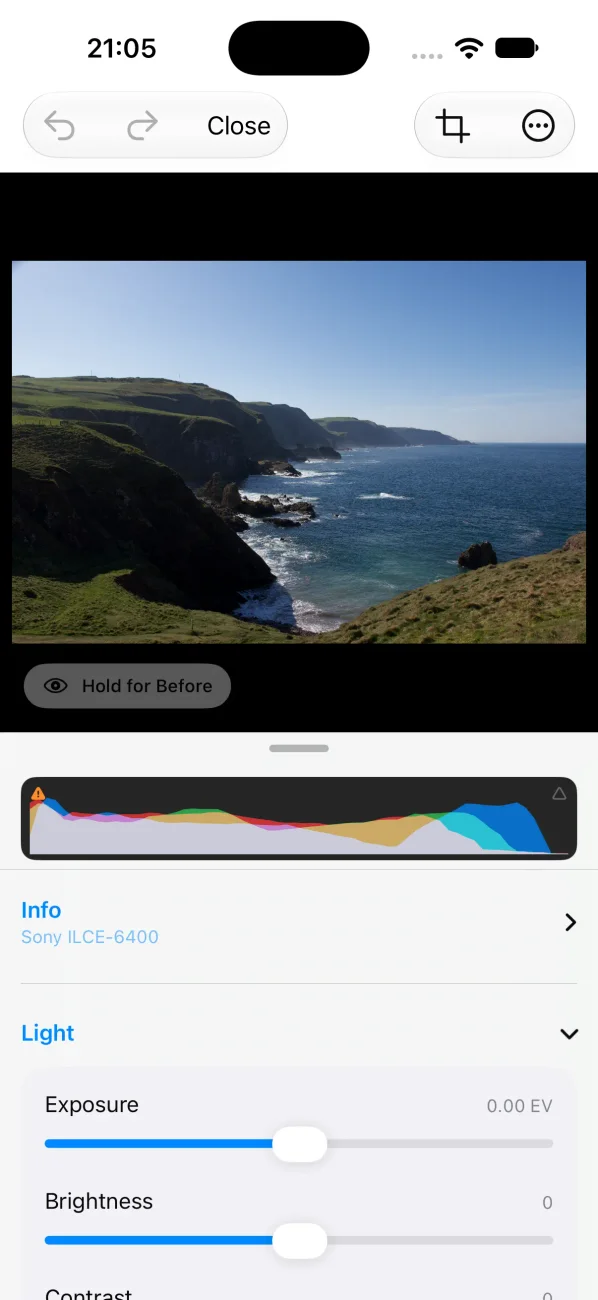
- Exposure, brightness, contrast, highlights, shadows, whites, blacks
- White balance, vibrance, saturation
- Clarity, sharpening, noise reduction, vignette
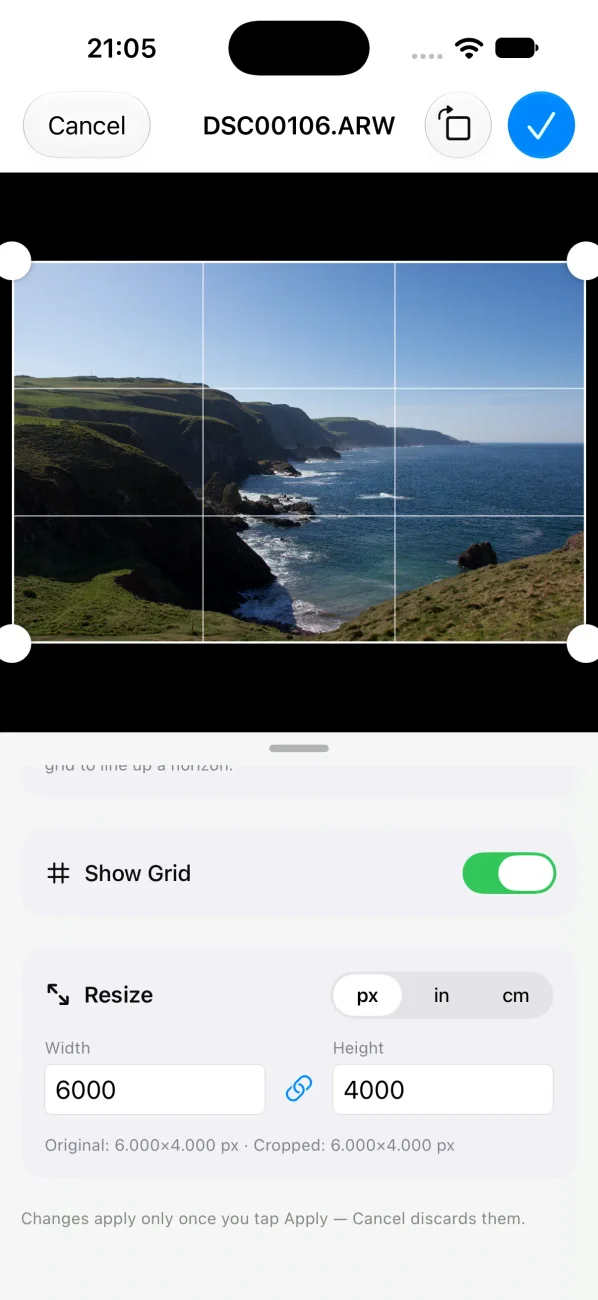
- Crop with fixed or custom aspect ratios, rotate, straighten
- Histogram, before/after comparison, undo and redo
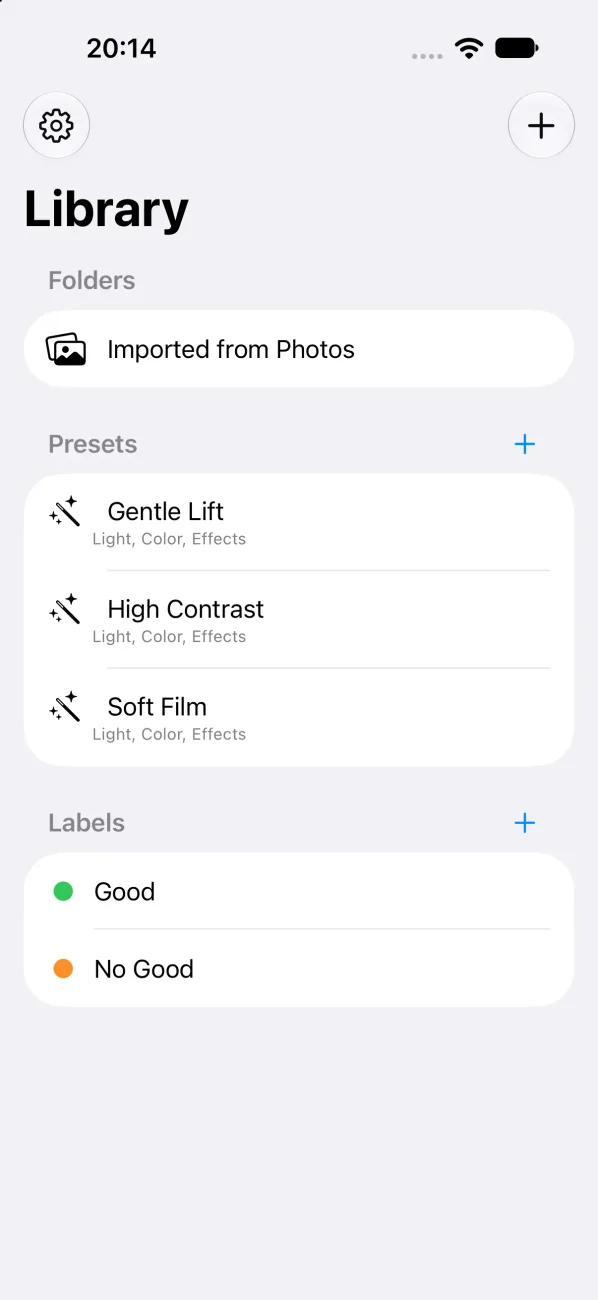
- Copy settings between photos, save presets, apply them to several photos at once
ORGANIZING
- Organize view for going through photos one by one
- Colour labels, with filtering and sorting by label
- Filters for camera, lens, capture date, edit state, file type and subfolder
- Hide photos from the library, or delete them from the device
- Move photos into subfolders without losing their edits
EXPORT
- JPEG, HEIC, PNG or TIFF
- Optional reesizing, metadata included or removed
- Save to Photos or to Files; export several photos at once
BACKUPS
- Edits and labels are stored in the app and, optionally, as small backup files in a hidden folder next to the photos, so they can be restored after reinstalling
PRIVACY
- No account and no data collection. Photos and edits stay on your device.
Confidentialité de l’application
Ce que Raphael Hoheisel déclare sur l’App Store au sujet du traitement des données par cette application.
-
Données non collectées
Le développeur ne collecte aucune donnée à partir de cette application.
Les pratiques en matière de confidentialité peuvent varier, notamment en fonction des fonctionnalités que vous utilisez ou de votre âge.
Informations
- Vendeur
- Raphael Hoheisel
- Catégorie
- Photo et vidéo
- Version
- 1.0
- Mis à jour
- 09/11/2026
- Publié
- 09/11/2026
- Taille
- 3,9 Mo
- Nécessite
- iOS 17.0 ou version ultérieure
- Classification d’âge
- 4+
- Prix
- Gratuit
- Langues
- Anglais
- Copyright
- © 2026 Raphael Hoheisel
Vous aimerez peut-être aussi
-
 Maple: Raw Photo EditorPhoto et vidéo
-
 Knurl CameraPhoto et vidéo
-
 LightEditor RAWPhoto et vidéo
-
 Fexer - Pro CameraPhoto et vidéo
-
 RAW Batch - RAW ConverterPhoto et vidéo
-
 Truly Simple RAW CameraPhoto et vidéo
-
 Pro Camera : IrisZero AI, Film Simulation & RAW
-
 multiborderCadres pour plusieurs photos
-
 Vidca - Appareil DSLRCaméra Manuelle & Vidéo RAW
-
 Apertura - Pro CamPhoto et vidéo