- Classification d’âge4+
- CatégorieÉducation
- DéveloppeurMaker Portal LLC
- LanguesAnglais
- Taille4,1 Mo
Renvoie vers la page App Store officielle
Download.org n’héberge aucun fichier de BLExAR. Le bouton ouvre la page de l’application sur App Store, où Maker Portal LLC la publie. Fiche vérifiée pour la dernière fois le 12/11/2026.
Captures d’écran

À propos
Le développeur n’a pas fourni ce texte dans votre langue.
BLExAR turns your iPhone or iPad into a pocket bench instrument for Arduino-class boards over Bluetooth Low Energy. Connect to a board with an HM-10 style UART module (CC2541, AT-09, JDY-08, SH-M08), an nRF52840 MakerBLE board or a Seeed XIAO ESP32-C6, then switch pins, stream sensor values, plot and record them, all without writing an app of your own.
BLExAR 3.0 is a complete rewrite that keeps working with the sketches and tutorials written for earlier versions: the same commands, the same pins and the same CSV files.
CONTROL
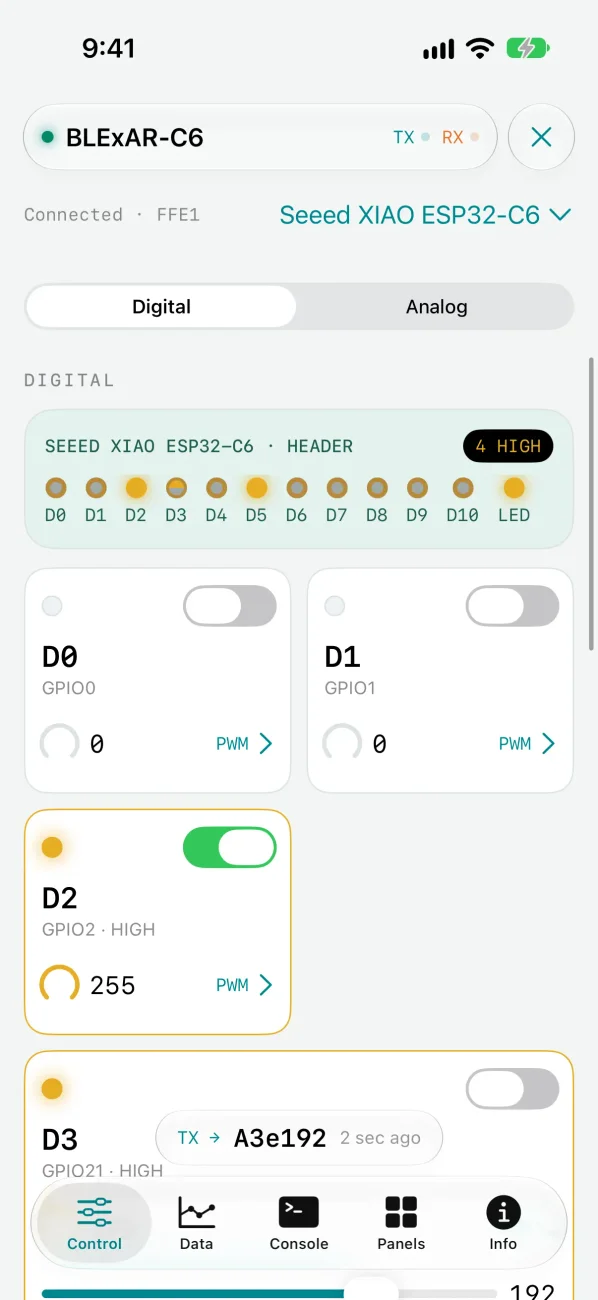
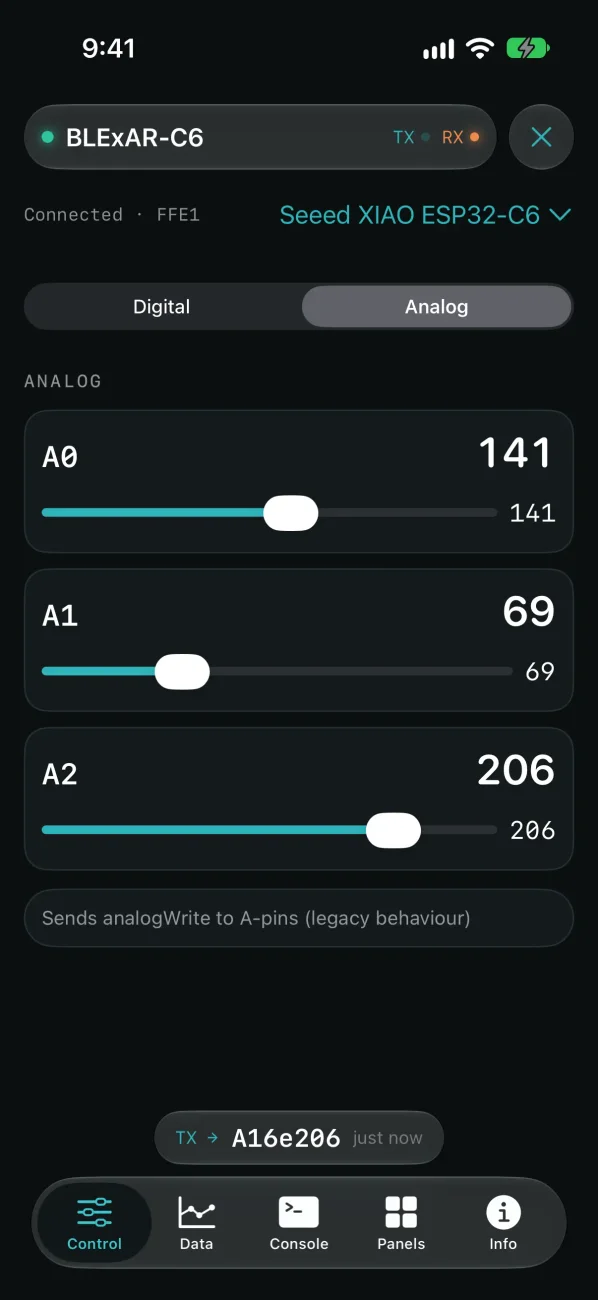
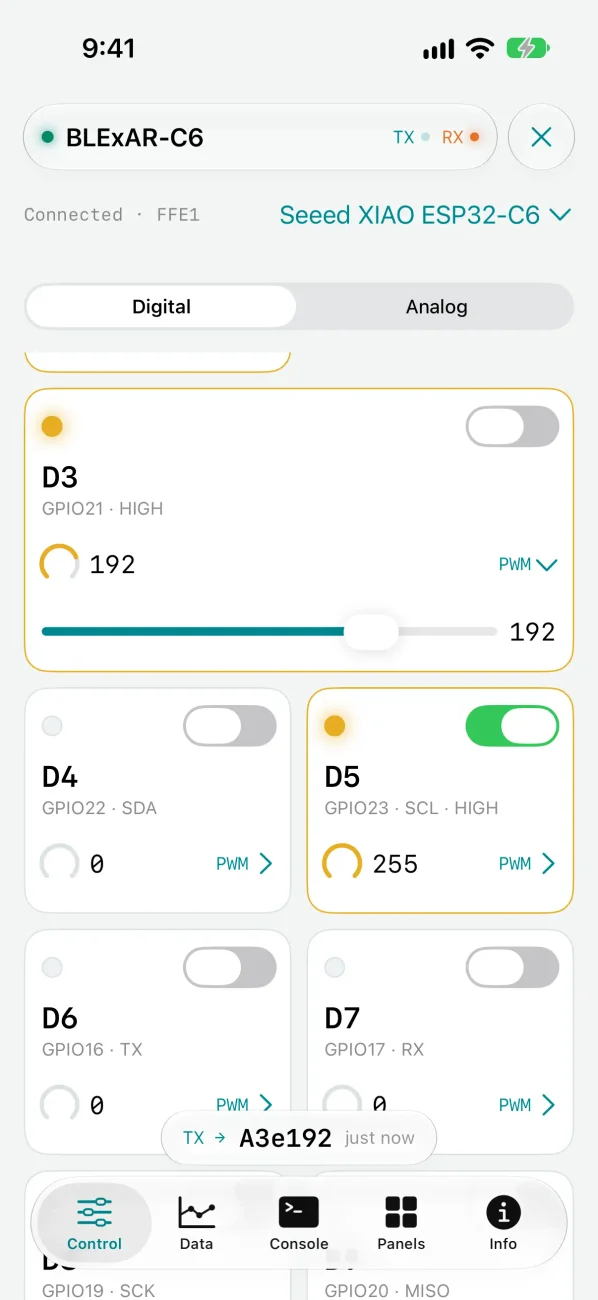
• Switch digital pins and set PWM from pin tiles laid out like your board's header
• Analog sliders for the A-pins
• Board profiles for Arduino Uno, Arduino Nano, MakerBLE (nRF52840), Seeed XIAO ESP32-C6 and the classic 2.7 layout
• TX/RX activity lights show every message to and from the board
DATA
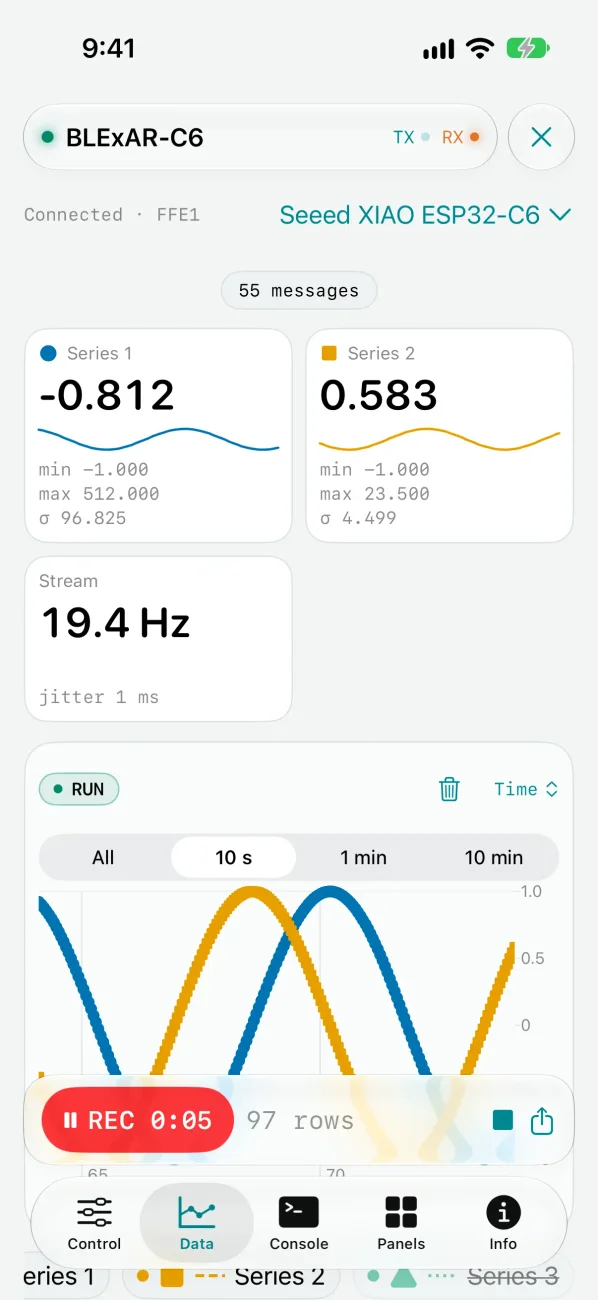
• Live chart of the comma-separated values your board sends, with Run/Hold and 10 s, 1 min and 10 min windows
• Readout cards with min, max and standard deviation for each series, plus the incoming stream rate
• Record sessions to CSV, optionally with your location on each row, and keep recording in the background
• Browse, reopen and share recorded sessions; they also appear in the Files app
CONSOLE
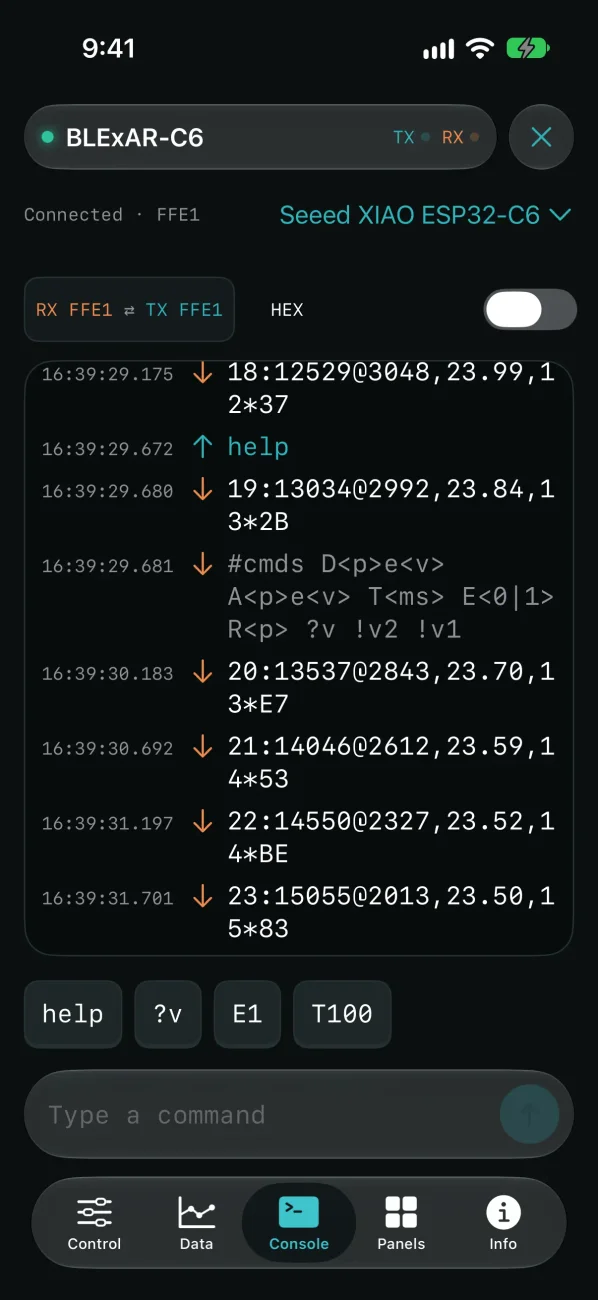
• Serial terminal to send and receive text, with a hex view and quick command keys
PANELS
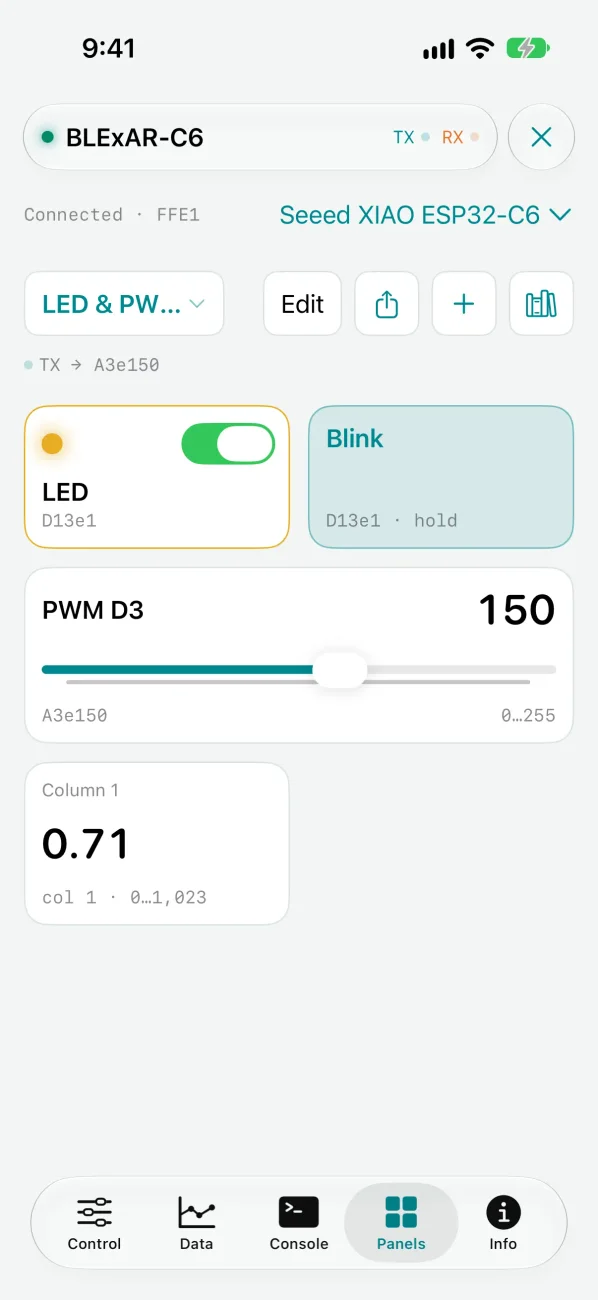
• Build your own control dashboards with buttons, toggles, sliders, a joystick and gauges bound to your board's commands and data columns
• Share panels with others as files
ALWAYS AT HAND
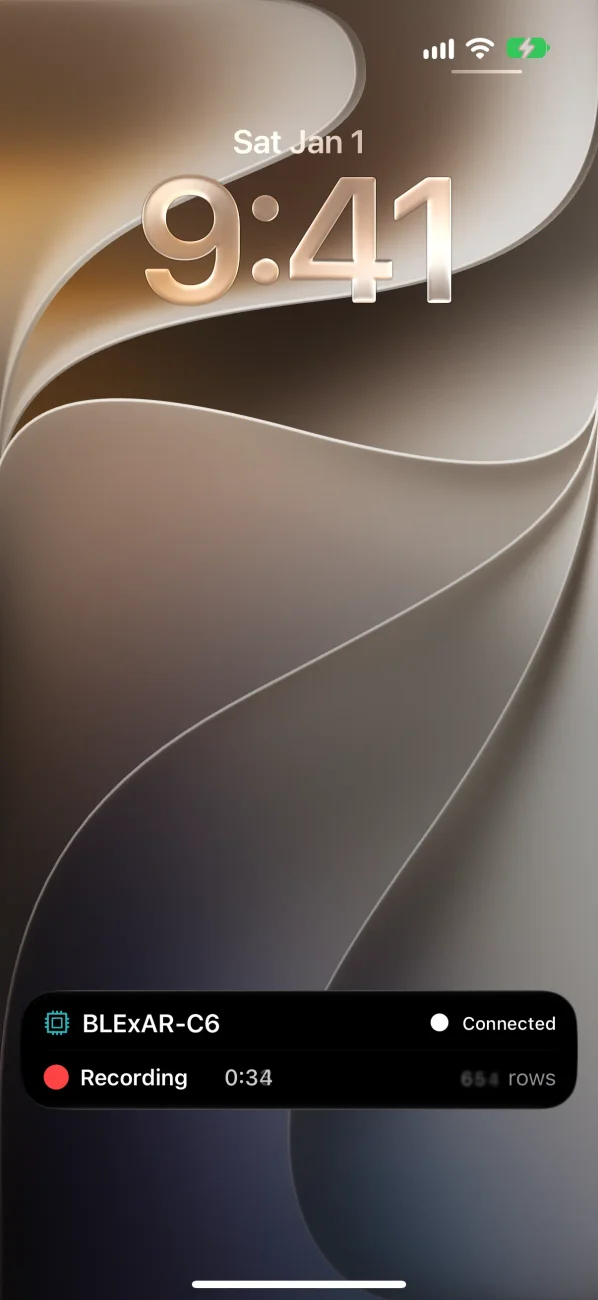
• Live Activity on the Lock Screen and in the Dynamic Island while connected or recording
• Control Center controls to toggle a pin without opening the app
• Scan list puts UART-ready boards first, ordered by signal strength
• Automatic reconnect after a dropped link
• Light and dark appearance and Dynamic Type
BLExAR is made for makers, students, teachers and engineers. Tutorials and example sketches are at makersportal.com.
Nouveautés
Version 3.0 · 10/10/2026
BLExAR 3.0 is a complete rewrite for iOS 17 and later.
• Workbench design: a bench-instrument look with pin LEDs, TX/RX activity lights, light and dark appearance and Dynamic Type
• Panels: build your own dashboards with buttons, toggles, sliders, a joystick and gauges, and share them as files
• Faster live plotting with Run/Hold, time windows and min, max and σ readouts for each series
• Recording to CSV with optional location, background recording, and a Sessions library that also appears in the Files app
• Live Activity and Dynamic Island while connected or recording, plus Control Center controls for pins
• Board profiles for Arduino Uno, Nano, MakerBLE (nRF52840) and Seeed XIAO ESP32-C6
• Scan list puts UART-ready boards first, ordered by signal strength
• Automatic reconnect after a dropped link
• Fully compatible with your existing sketches, commands and CSV files from BLExAR 2.7
Confidentialité de l’application
Ce que Maker Portal LLC déclare sur l’App Store au sujet du traitement des données par cette application.
-
Données non collectées
Le développeur ne collecte aucune donnée à partir de cette application.
Les pratiques en matière de confidentialité peuvent varier, notamment en fonction des fonctionnalités que vous utilisez ou de votre âge.
Informations
- Vendeur
- Maker Portal LLC
- Catégorie
- Éducation
- Version
- 3.0
- Mis à jour
- 10/10/2026
- Publié
- 24/10/2018
- Taille
- 4,1 Mo
- Nécessite
- iOS 17.0 ou version ultérieure
- Classification d’âge
- 4+
- Prix
- 5,99 €
- Langues
- Anglais
- Copyright
- © 2026 Maker Portal LLC
Vous aimerez peut-être aussi
-
 Arduino Programming ProArduino étape par étape
-
 Workshop for ArduinoÉducation
-
 iCircuitÉducation
-
 Arduino Programming TutorialArduino étape par étape
-
 Arduino Science JournalÉducation
-
 EE ToolKitÉducation
-
 MIT App InventorÉducation
-
 TinkercadÉducation
-
 phyphoxPhysical Phone Experiments
-
 Ukulélé par YousicianLeçons, accords et chansons