
- Classification d’âge4+
- CatégorieUtilitaires
- DéveloppeurRoman Paramzin
- LanguesAnglais
- Taille27,4 Mo
Renvoie vers la page App Store officielle
Download.org n’héberge aucun fichier de BlueMon. Le bouton ouvre la page de l’application sur App Store, où Roman Paramzin la publie. Fiche vérifiée pour la dernière fois le 16/11/2026.
Captures d’écran


À propos
Le développeur n’a pas fourni ce texte dans votre langue.
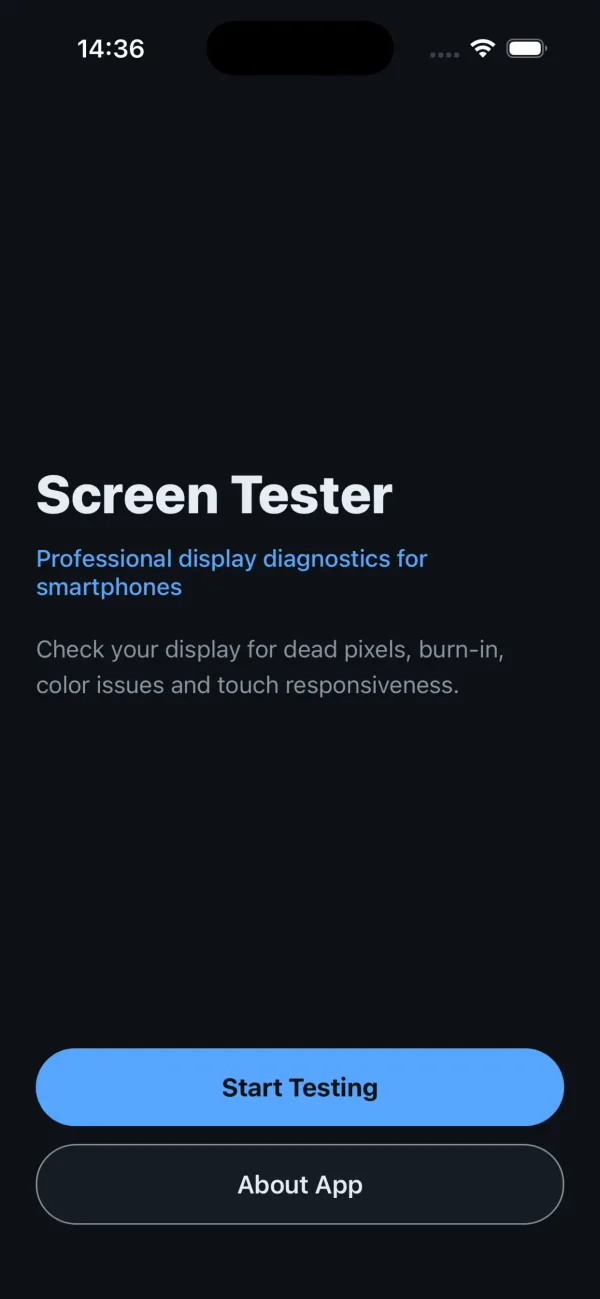
BlueMonitor is a professional display diagnostic tool for smartphones. Run a full suite of fullscreen tests to inspect your screen for dead pixels, burn-in, color issues, uneven backlight, and touch problems — right on your device.
Whether you are buying a used phone, checking a repair, or simply want peace of mind, BlueMonitor gives you clear, fullscreen patterns designed to reveal display defects that are easy to miss in everyday use.
HOW IT WORKS
Tap Start Testing and move through 18 guided fullscreen tests. Swipe or tap the sides of the screen to go to the next or previous test. Each pattern fills the entire display so you can spot stuck pixels, tinting, banding, and touch dead zones quickly.
18 BUILT-IN TESTS
Solid Colors
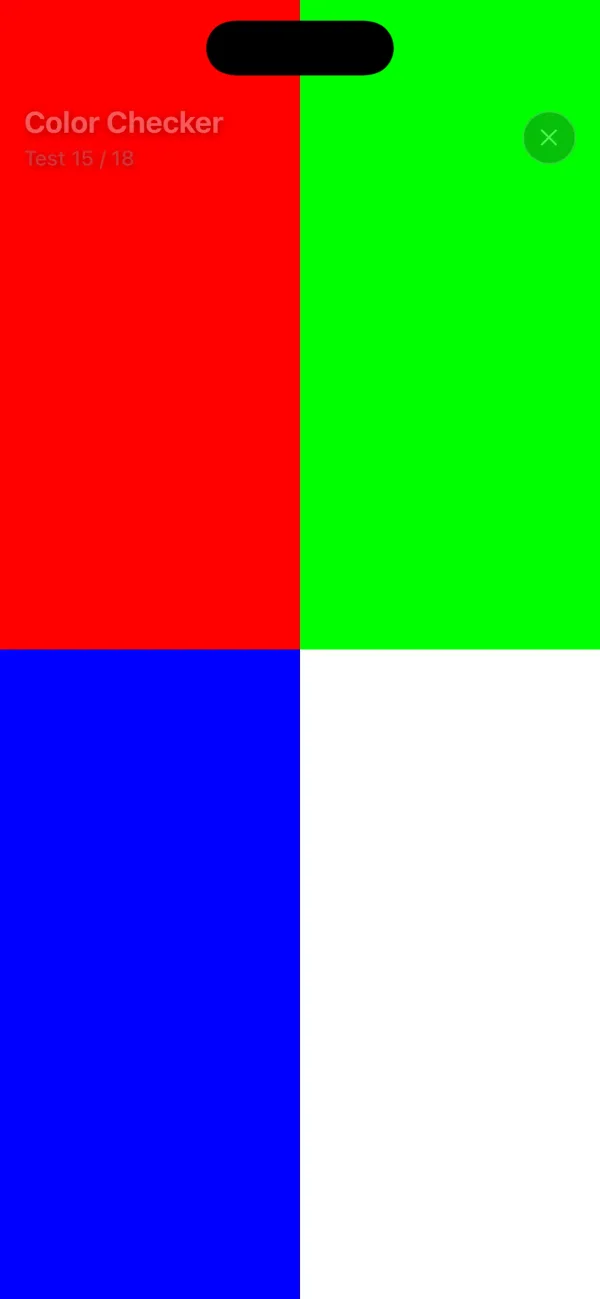
• Red, Green, Blue, White, Black, and Gray fullscreen fills — ideal for finding dead, stuck, or hot pixels.
Stripe Patterns
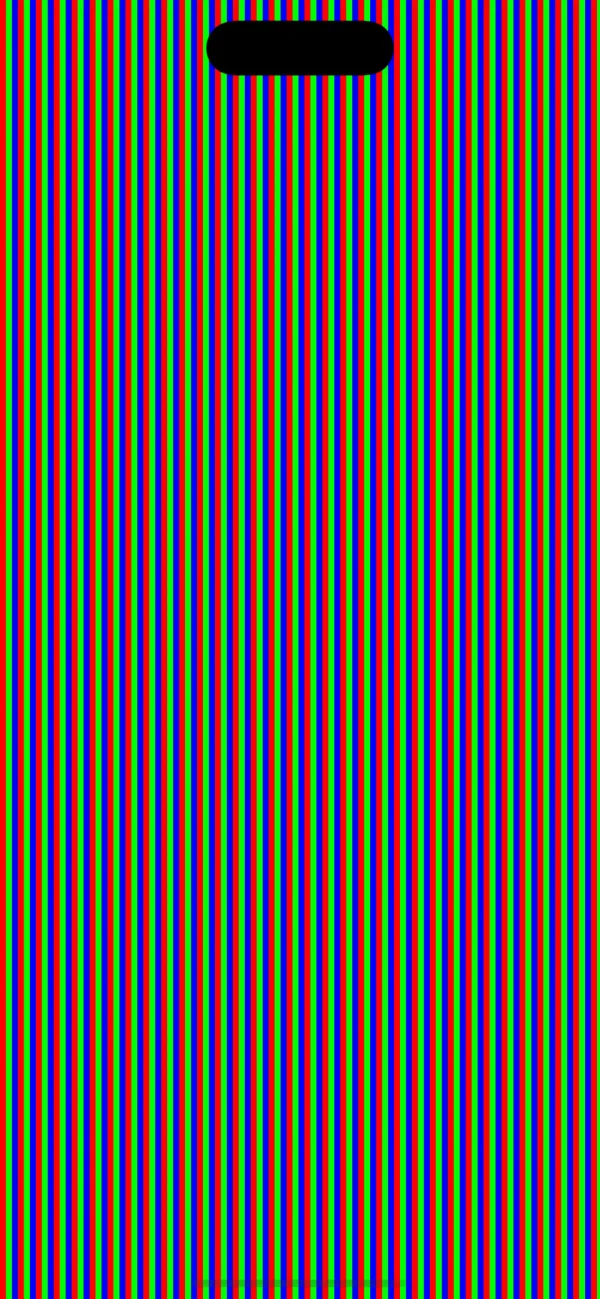
• Vertical and horizontal black-and-white stripes
• RGB stripe pattern for color channel checks
Gradients
• Black-to-white gradient for banding and uniformity
• Red, green, and blue gradients for tint and color transition issues
Advanced Patterns
• Pixel grid — inspect individual pixels and subpixel alignment
• Color checker — compare color blocks across the screen
• Dead pixel test — cycling colors to highlight defective pixels
• Burn-in test — detect ghosting and image retention
• Touch screen test — verify touch response across the entire display
KEY FEATURES
• 18 professional display tests in one app
• Fullscreen immersive test mode
• Simple tap navigation — no complicated setup
• Works offline — no account or internet required
• Lightweight and fast
• Designed for iPhone and iPad
PERFECT FOR
• Testing a new or used smartphone before purchase
• Verifying screen quality after a repair or replacement
• Checking for burn-in on OLED displays
• Finding dead or stuck pixels
• Diagnosing touch screen issues
• Comparing display quality between devices
BlueMonitor is a practical utility for anyone who cares about display quality. No ads, no subscriptions — just straightforward screen diagnostics when you need them.
Note: BlueMonitor is a diagnostic helper tool. Results depend on viewing conditions, brightness settings, and display type. It does not replace professional hardware calibration equipment.
Confidentialité de l’application
Ce que Roman Paramzin déclare sur l’App Store au sujet du traitement des données par cette application.
-
Données non collectées
Le développeur ne collecte aucune donnée à partir de cette application.
Les pratiques en matière de confidentialité peuvent varier, notamment en fonction des fonctionnalités que vous utilisez ou de votre âge.
Informations
- Vendeur
- Roman Paramzin
- Catégorie
- Utilitaires
- Version
- 1.0.0
- Mis à jour
- 17/06/2026
- Publié
- 17/06/2026
- Taille
- 27,4 Mo
- Nécessite
- iOS 16.6 ou version ultérieure
- Classification d’âge
- 4+
- Prix
- Gratuit
- Langues
- Anglais
- Copyright
- © 2026 Tech with Soul
Vous aimerez peut-être aussi
-
 bad pixel checkUtilitaires
-
 ScreenTest WKUtilitaires
-
 Screen Test: Display & TouchUtilitaires
-
 VeriPhone LiteUtilitaires
-
 Battery Sound - Charging PlayUtilitaires
-
 Kestrel LITEUtilitaires
-
 Vavus KeyboardUtilitaires
-
 Media joinerUtilitaires
-
 Flash Translation KeyboardUtilitaires
-
 Photo Transfer: Clone GalleryUtilitaires