
Budgetpeer
Private Budget & BNPL Tracker
Conçue pour iPhone, iPad, Mac
Gratuit · Achats intégrés
- Classification d’âge4+
- CatégorieFinance
- DéveloppeurDenis Korytchenko
- LanguesAnglais
- Taille55,5 Mo
Renvoie vers la page App Store officielle
Download.org n’héberge aucun fichier de Budgetpeer. Le bouton ouvre la page de l’application sur App Store, où Denis Korytchenko la publie. Fiche vérifiée pour la dernière fois le 29/11/2026.
Captures d’écran


À propos
Le développeur n’a pas fourni ce texte dans votre langue.
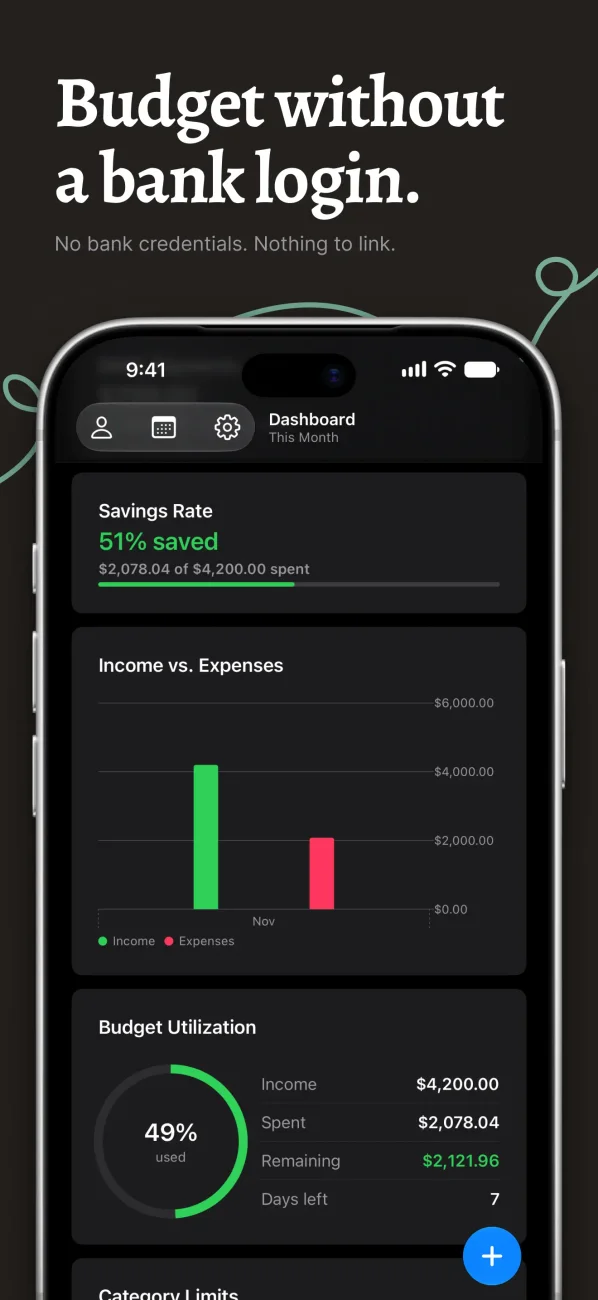
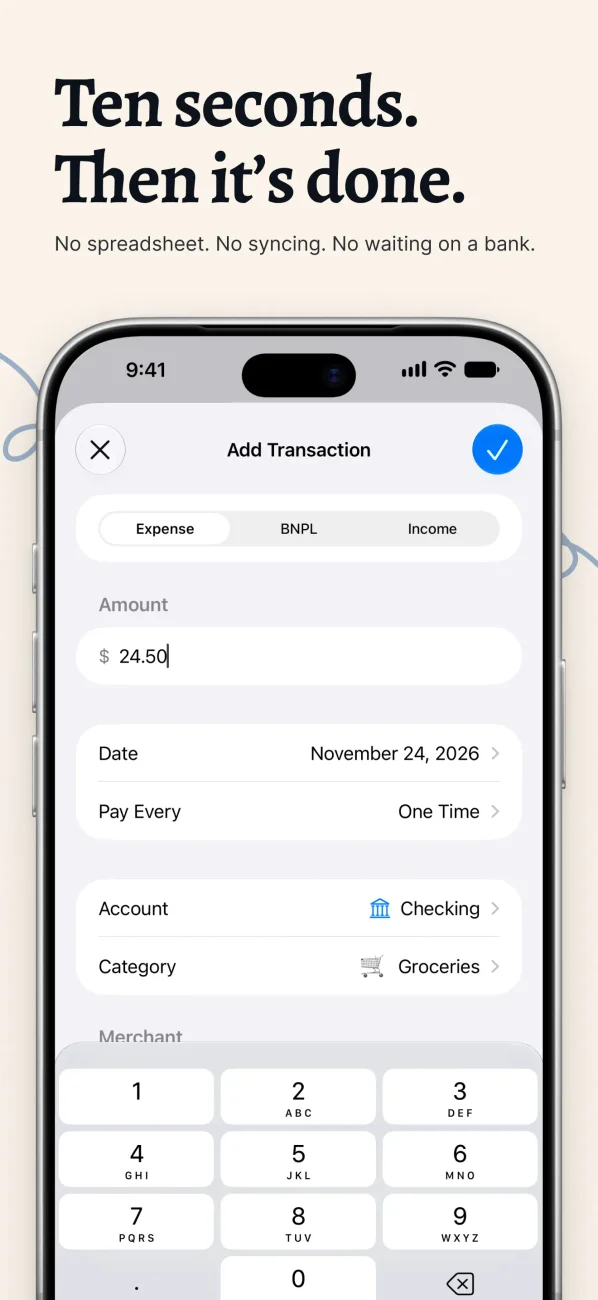
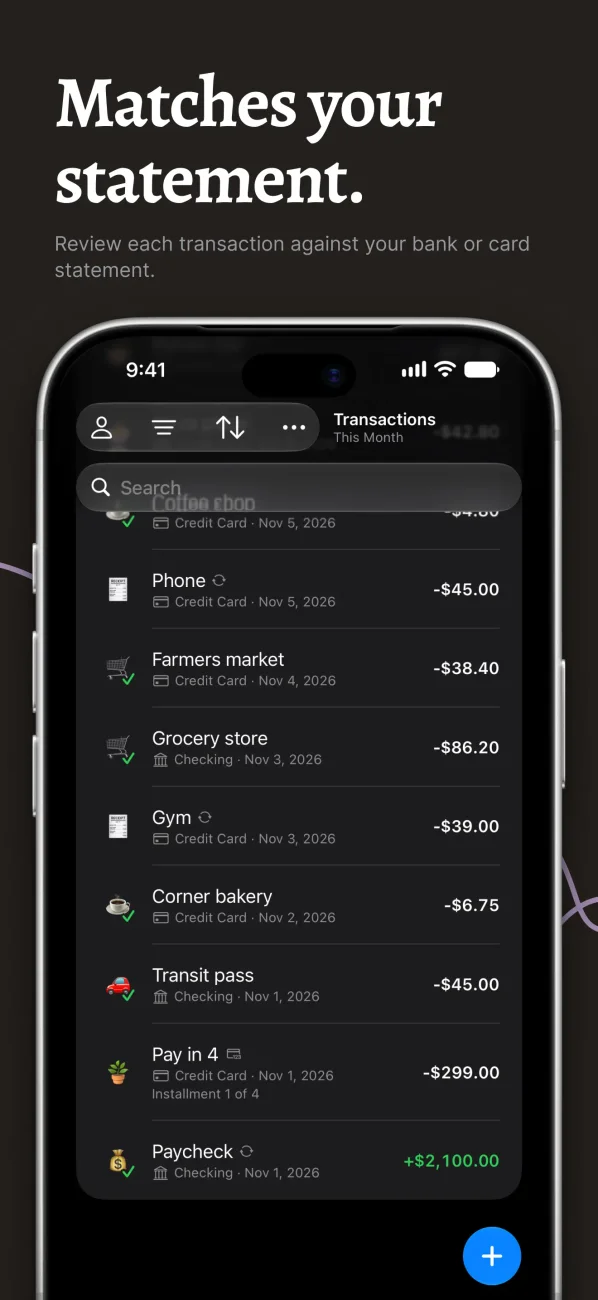
Budgetpeer is a manual budget tracker. There is no bank connection by design - all transactions are entered by hand. The supplied account is already populated so every screen has content.
ACCOUNT
Sign in with Email → "Sign in with Email" → use the supplied credentials. Do not create a new account: email confirmation is enabled, so a new sign-up requires clicking a link in a mailbox before first use.
NOTE
Apple Watch signs in through the iPhone.
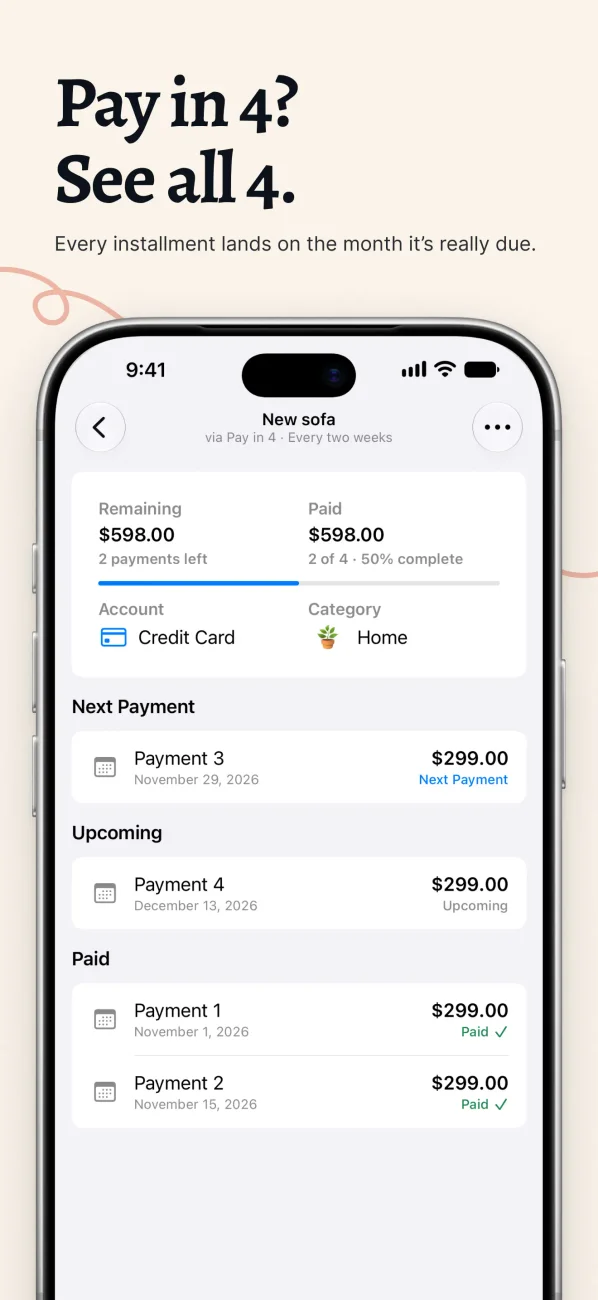
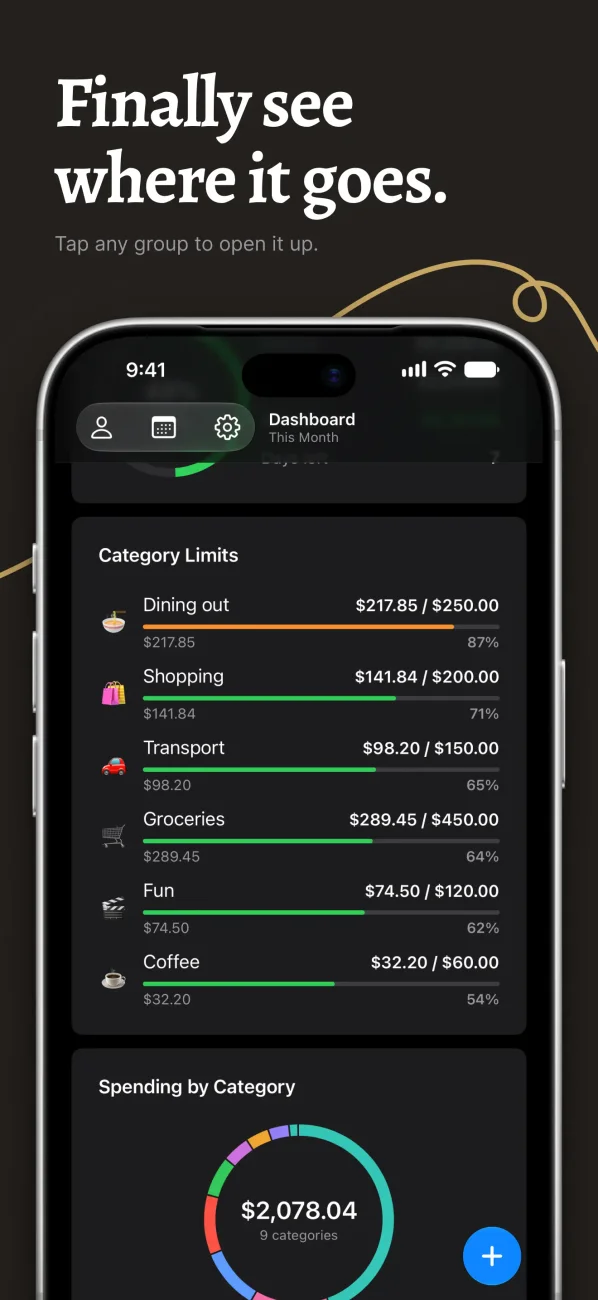
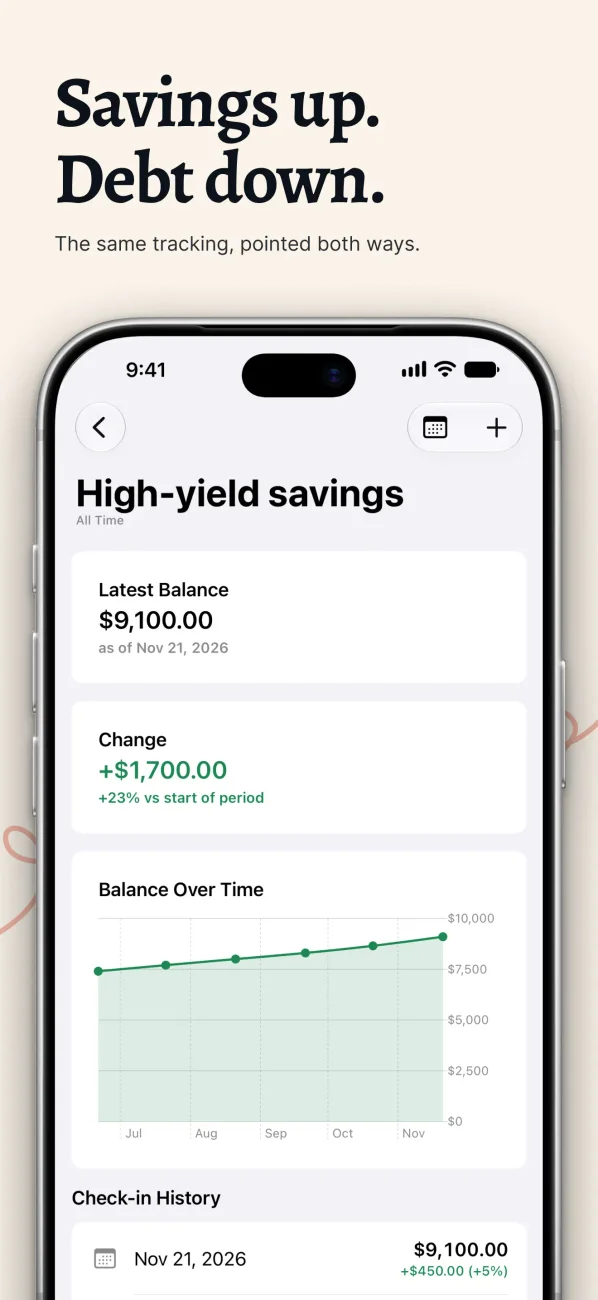
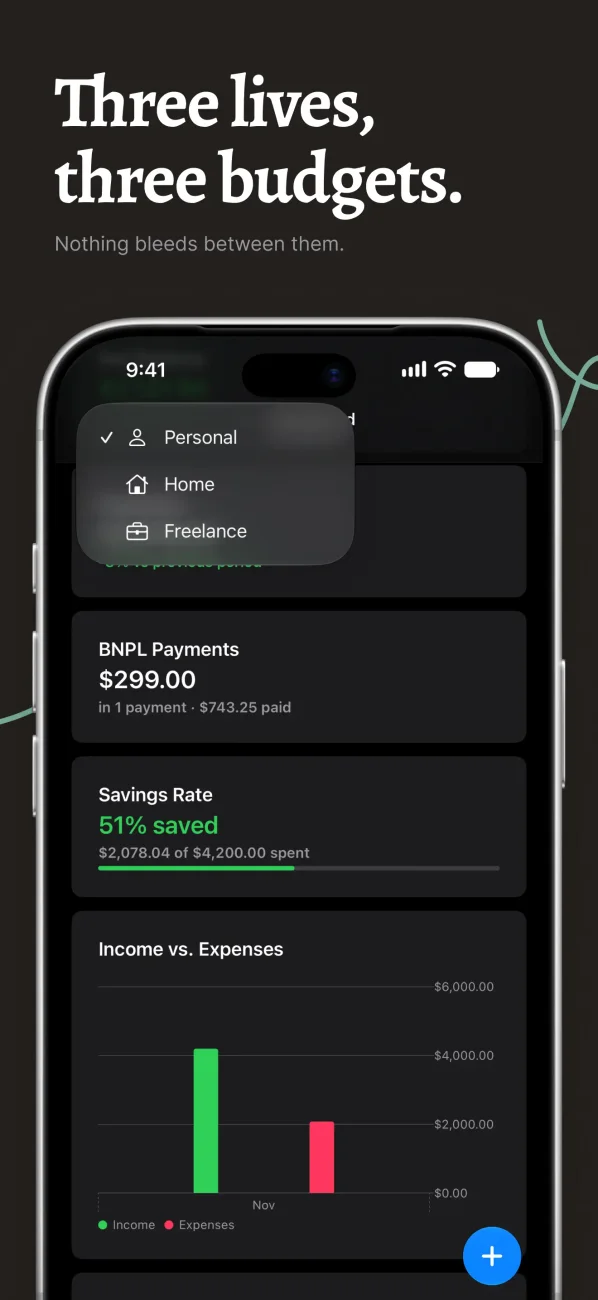
The account is on the FREE tier and holds: 1 budget (Everyday), 1 tracking account (Emergency Fund, several months of check-ins), 1 category spending limit (Food & Dining), 2 Buy Now Pay Later plans with all installments, and several months of transactions. A second, empty budget (My Budget) shows as locked, because the free plan keeps 1 budget.
SHARED BUDGETS
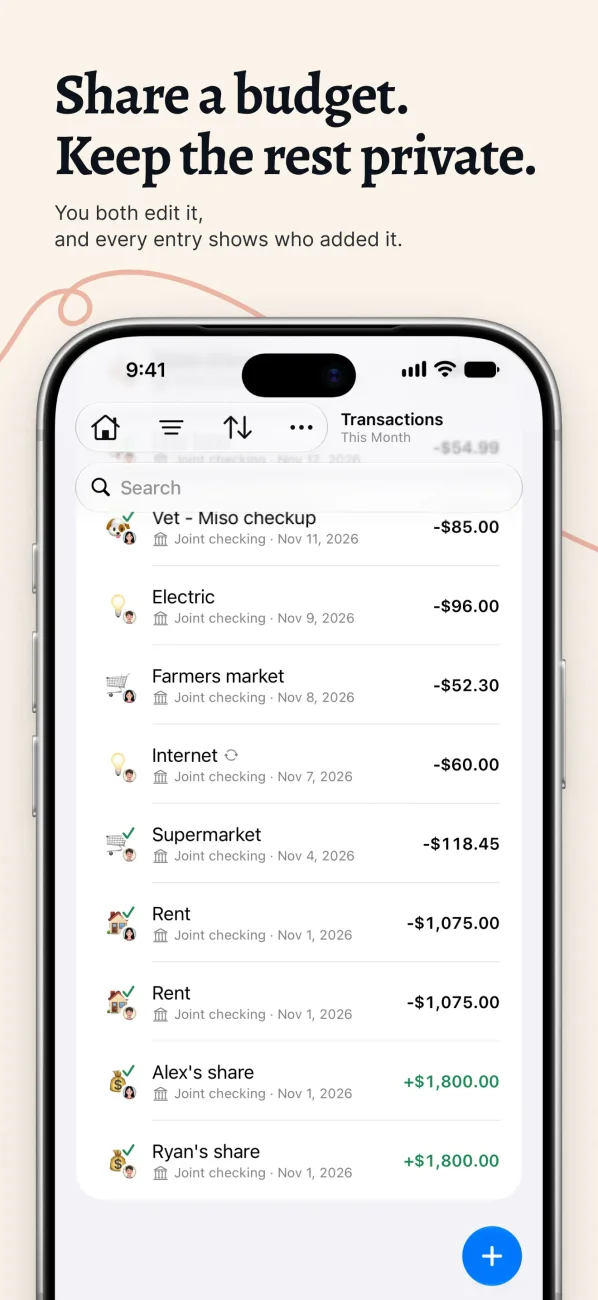
Everyday is shared with a second account, Alex. Open Settings → Budgets → Everyday → Members to see both members. Every transaction shows who added it, and the Dashboard has a Spending by Person card. Invites are one-use links sent through the share sheet, valid for 7 days. Members can leave or be removed; what they added stays in the budget.
FREE TIER LIMITS - these are gates, not bugs
Free plan: 1 budget, 1 tracking account, 1 category with a limit, 2 BNPL plans, 20 transactions per month, and sharing 1 budget with 1 person. The account sits exactly at these caps. Attempting to add a second budget, second tracking account, second category limit, or third BNPL plan shows a two-line notice - "Free plan: 1 budget" / "Upgrade for unlimited" - and the Save button stays enabled and opens the paywall instead of saving. Invite Someone on Everyday's Members page also opens the paywall, because Everyday already shares with 1 person. This is intended behaviour. Adding transactions works normally; the account may already be close to the 20/month cap, in which case the same notice appears.
IN-APP PURCHASES
Budgetpeer Pro: Monthly (auto-renewing), Annual (auto-renewing), Lifetime (non-consumable). All three appear on the paywall, reached from any upgrade notice or Settings → Plan. Restore Purchases is on the paywall and on the Plan card. Purchase and restore both show confirmation alerts; restore with no prior purchase shows "No purchases found".
If product prices appear blank on the paywall, the StoreKit product fetch has not completed - please allow a few seconds or reopen the paywall. Prices are fetched live from the App Store.
NOTIFICATIONS
Reminders are local notifications: 7 days and 1 day before each recurring transaction and BNPL installment, and when a category limit is approaching. The app asks permission from Settings → Notifications. Shared-budget alerts (someone joins or leaves, activity from others) arrive as push notifications, with their own switches in Settings → Notifications.
DATA
Settings → Import & Export → Export Data exports all budgets as CSV via the system share sheet. Settings → Profile → Delete Account permanently deletes the account and all server data after typing DELETE; this is immediate and cannot be undone. Because Everyday is shared, Delete Account first asks who becomes its new owner.
PRIVACY
No advertising SDK, no crash reporting SDK, no bank aggregator. Usage analytics (PostHog) can be turned off in Settings → Privacy → Help Improve Budgetpeer. Data is synced to the developer's own backend (Supabase) solely to provide the service. The Privacy Policy and Terms of Use are linked from the paywall and the App Store description.
CONTACT
Denis Korytchenko, hello@budgetpeer.com
Nouveautés
Version 1.40 · 28/11/2026
Budgetpeer now supports iPhone Duo! Plus, small fixes and improvements to keep your budget running smoothly. Thanks for using Budgetpeer!
Confidentialité de l’application
Ce que Denis Korytchenko déclare sur l’App Store au sujet du traitement des données par cette application.
-
Données établissant un lien avec vous
Peuvent être collectées et liées à votre identité.
- Achats
- Informations financières
- Coordonnées
- Contenu utilisateur
- Identifiants
- Données d’utilisation
Les pratiques en matière de confidentialité peuvent varier, notamment en fonction des fonctionnalités que vous utilisez ou de votre âge.
Informations
- Vendeur
- Denis Korytchenko
- Catégorie
- Finance
- Version
- 1.40
- Mis à jour
- 28/11/2026
- Publié
- 16/09/2026
- Taille
- 55,5 Mo
- Nécessite
- iOS 26.4 ou version ultérieure
- Classification d’âge
- 4+
- Prix
- Gratuit
- Achats intégrés
- Oui
- Langues
- Anglais
- Copyright
- © 2026 Denis Korytchenko
Vous aimerez peut-être aussi
-
 Millie: Budget & Debt PayoffFinance
-
 Zero Club: Debt PayoffFinance
-
 FSB Card WalletFinance
-
 PayDown: BNPL TrackerFinance
-
 BudgetLabs: Zero-Based BudgetFinance
-
 BillWise: Bill Payment TrackerFinance
-
 Zero Debt: Sans DettesSuivi : crédit, prêt et carte
-
 Adding Machine 10Key UniversalFinance
-
 Money Tracker InfiniteFinance
-
 Adding Machine 10Key iPhoneFinance