- Classification d’âge4+
- CatégorieUtilitaires
- DéveloppeurBrian Kenneth Vogel
- LanguesAnglais+ 1 de plus
- Taille1,8 Mo
Renvoie vers la page App Store officielle
Download.org n’héberge aucun fichier de BVCalc Lite. Le bouton ouvre la page de l’application sur App Store, où Brian Kenneth Vogel la publie. Fiche vérifiée pour la dernière fois le 28/11/2026.
Captures d’écran
À propos
Le développeur n’a pas fourni ce texte dans votre langue.
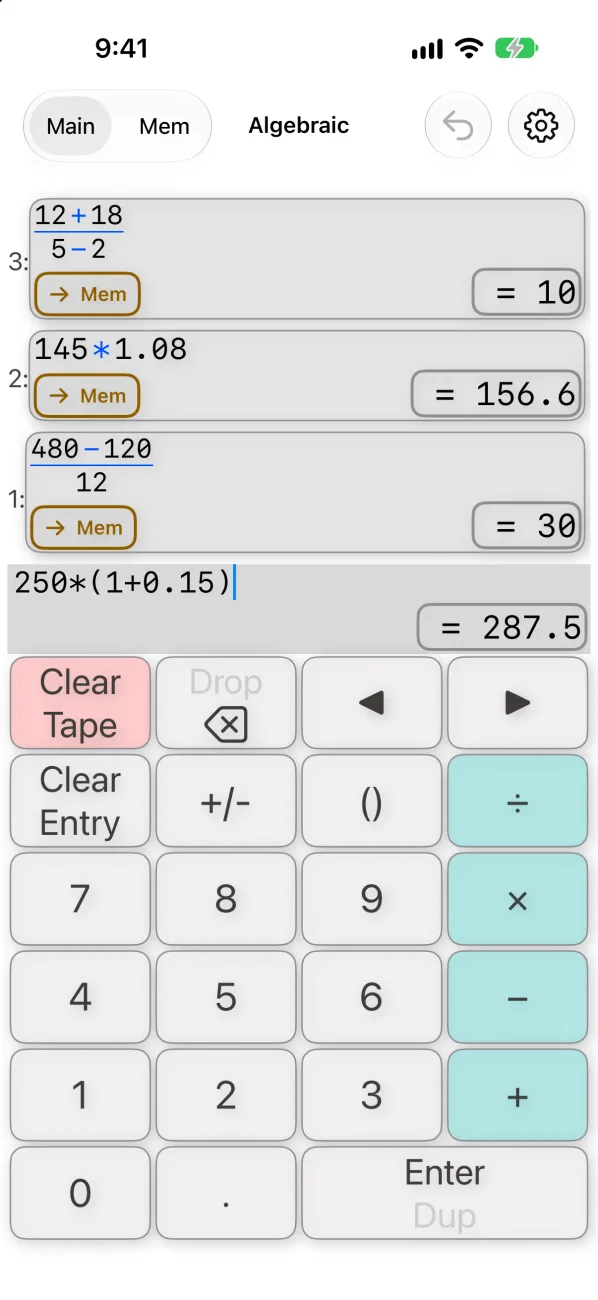
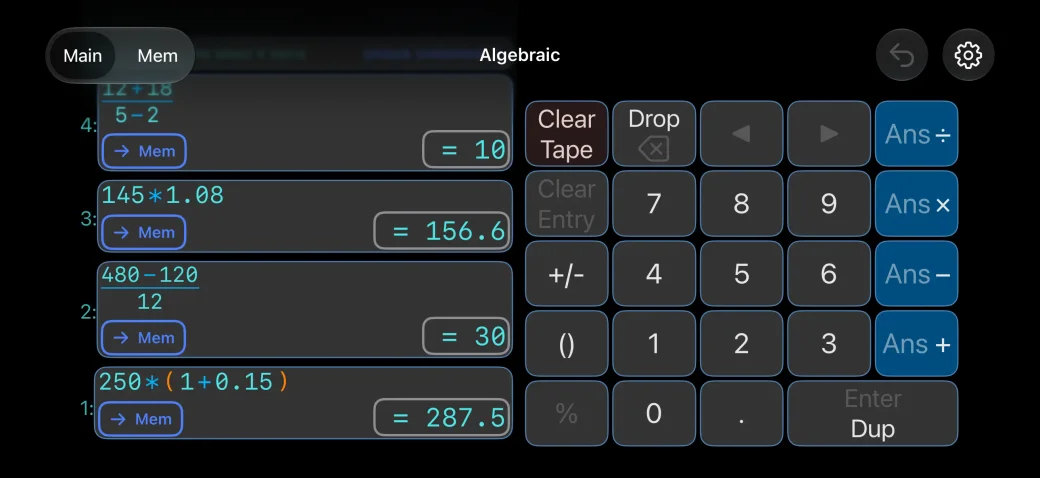
Try BVCalc for free, with no ads. Most calculators only show numbers. BVCalc Lite shows the math behind every result, in both Algebraic and RPN modes, so you never lose track of what a number means or how you got it.
BUILD BIG CALCULATIONS IN SMALL STEPS (ALGEBRAIC MODE)
• Live results as you type, with no “=” key required
• Tap any past result to use it in a new calculation. Instead of dropping in a bare number you might forget later, BVCalc Lite carries the original expression forward into your new formula, so you can see how the whole calculation fits together and catch typos right away
• Long-press (or right-click) any past entry to edit it, or copy and paste expressions and results
RPN WITHOUT THE GUESSWORK
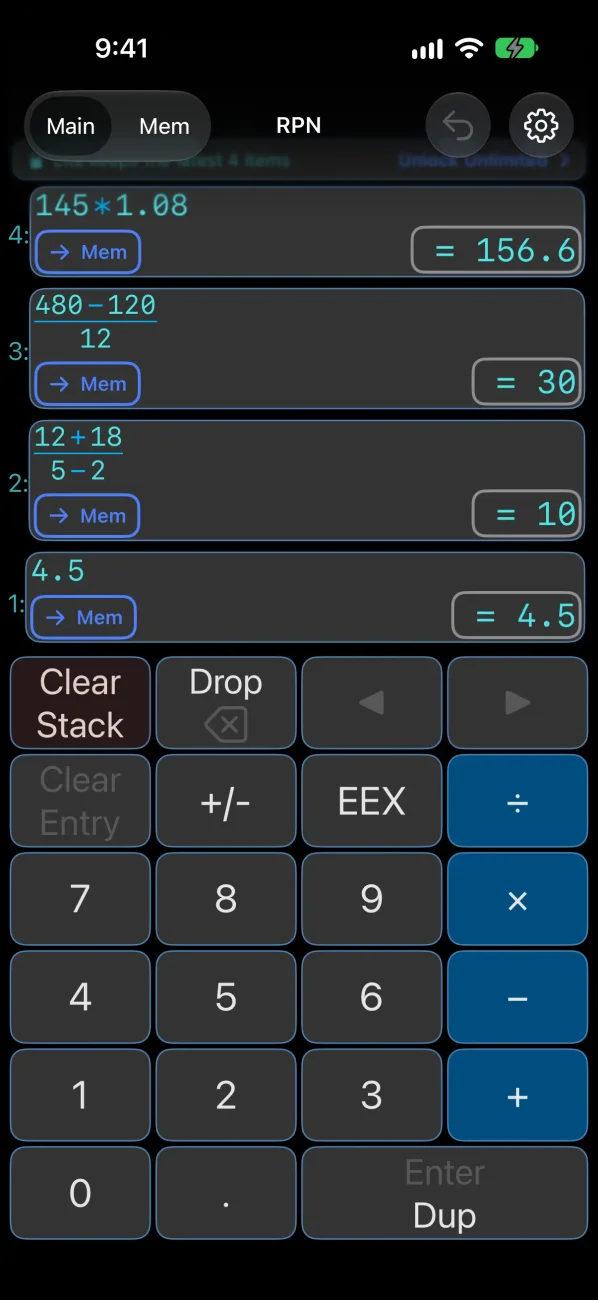
• Traditional RPN calculators only display bare numbers on the stack, making it easy to forget what each value represents or miss a typo. BVCalc Lite shows the full expression beside every stack value so you can check your work at a glance
• Touch-friendly stack control: tap items on the stack to swap or roll them right where you need them, or press Enter to duplicate
• Shared stack and history tape: switch between RPN and Algebraic mode anytime, even mid-calculation
DESIGNED TO PREVENT MISTAKES
• Smart keys: operations that would cause an error automatically dim, reducing accidental mis-taps while hinting at what you can do next
• Color-coded nested parentheses make complex expressions easy to read at a glance
• Undo almost anything, including accidentally clearing your history or memory
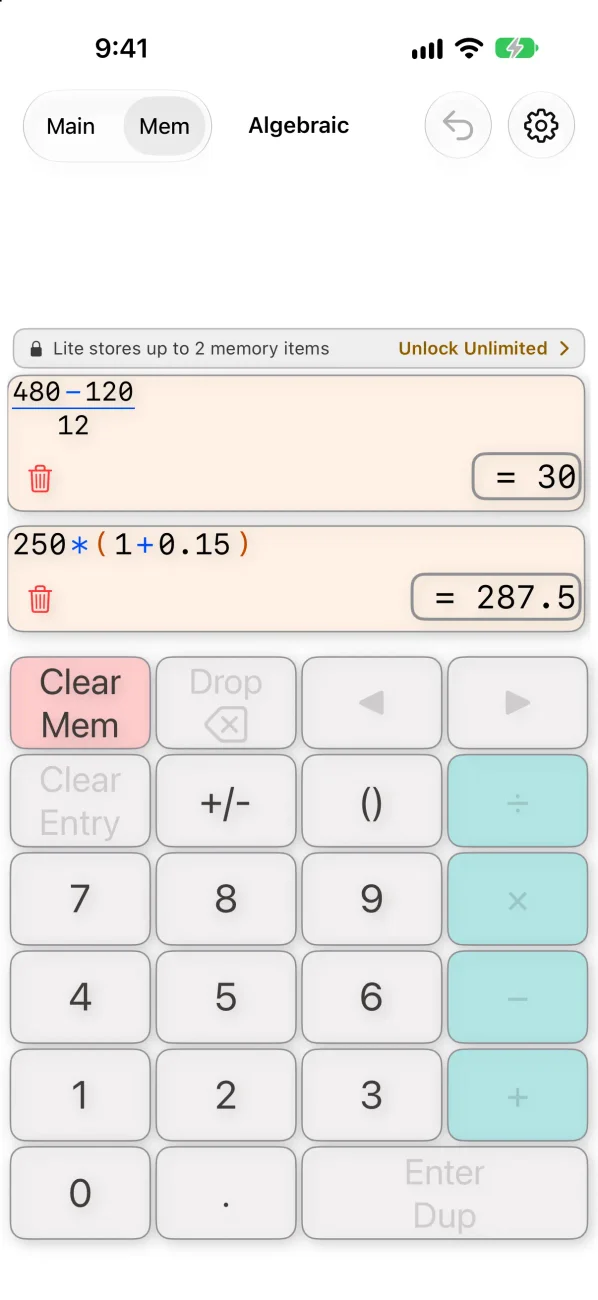
• Save useful results and formulas to Memory to keep your history tape compact
BUILT FOR COMFORT AND SPEED
• Clear Classic multi-line formatting for fractions, roots, and exponents
• Core light, dark, and high-contrast themes, plus a customizable toolbar button for quick access to Mode or Angle units
• Basic and Scientific keyboards, hardware keyboard support for numbers and operators, and a built-in Usage Guide with examples
• No ads
BVCALC LITE VS. FULL VERSION
BVCalc Lite is free to use and includes Classic expression formatting, up to 4 items on the history tape / RPN stack, up to 2 saved Memory items, results up to 5 decimal places, core themes, and reminder popups on the Scientific keyboard.
Upgrade to the full version of BVCalc (a separate one-time purchase app, no subscription) to unlock:
• Improved textbook-style math formatting with stacked fractions, scalable roots, and raised exponents
• Unlimited history tape, RPN stack, and Memory
• Popup-free Scientific keyboard
• Additional light and dark themes
• Additional toolbar quick-set options (Keyboard layout and Result decimals)
• Adjustable precision (2 to 12 decimal places), font sizes, input area visibility, and calculation depth
• Full external keyboard letter support for typing functions like sin, cos, ln, sqrt, and pi
Nouveautés
Version 1.0.5 · 27/11/2026
• Customizable center toolbar button for quick access to Mode or Angle units anytime (Keyboard layout and Result decimals available in the full version)
• Smarter [+/-] sign entry and clearer RPN operator key states
• Interactive preview of the improved textbook-style math formatting available in the full version of BVCalc
• Added natural logarithm (ln) support along with general accuracy, UI, and stability improvements
Confidentialité de l’application
Ce que Brian Kenneth Vogel déclare sur l’App Store au sujet du traitement des données par cette application.
-
Données non collectées
Le développeur ne collecte aucune donnée à partir de cette application.
Les pratiques en matière de confidentialité peuvent varier, notamment en fonction des fonctionnalités que vous utilisez ou de votre âge.
Informations
- Vendeur
- Brian Kenneth Vogel
- Catégorie
- Utilitaires
- Version
- 1.0.5
- Mis à jour
- 27/11/2026
- Publié
- 21/07/2024
- Taille
- 1,8 Mo
- Nécessite
- iOS 27.0 ou version ultérieure
- Classification d’âge
- 4+
- Prix
- Gratuit
- Langues
- Anglais, Japonais
- Copyright
- © 2024 Brian Vogel
Vous aimerez peut-être aussi
-
 SwiftRPNUtilitaires
-
 my11cUtilitaires
-
 AxiomeerUtilitaires
-
 Unit Converter - ATMUtilitaires
-
 COCO 3.14Calculez, créez et partagez
-
 Pebbl — Notepad CalculatorUtilitaires
-
 Color Calc+Utilitaires
-
 ThetaCalcUtilitaires
-
 RePNCalc - RPN Calculator ProUtilitaires
-
 CueCalc: CalculatriceScientifique, unités, formules