- Age rating4+
- CategoryUtilities
- DeveloperBrian Kenneth Vogel
- LanguagesEnglish
- Size1.5 MB
Links to the official App Store page
Download.org hosts no file of BVCalc Lite. The button opens its official App Store page, published by Brian Kenneth Vogel. Listing last checked on Nov 25, 2026.
Screenshots

About
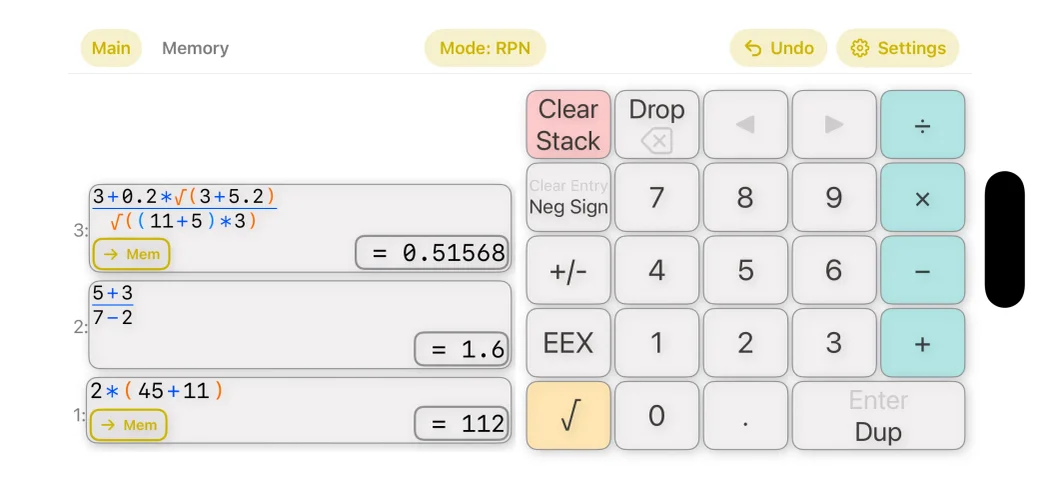
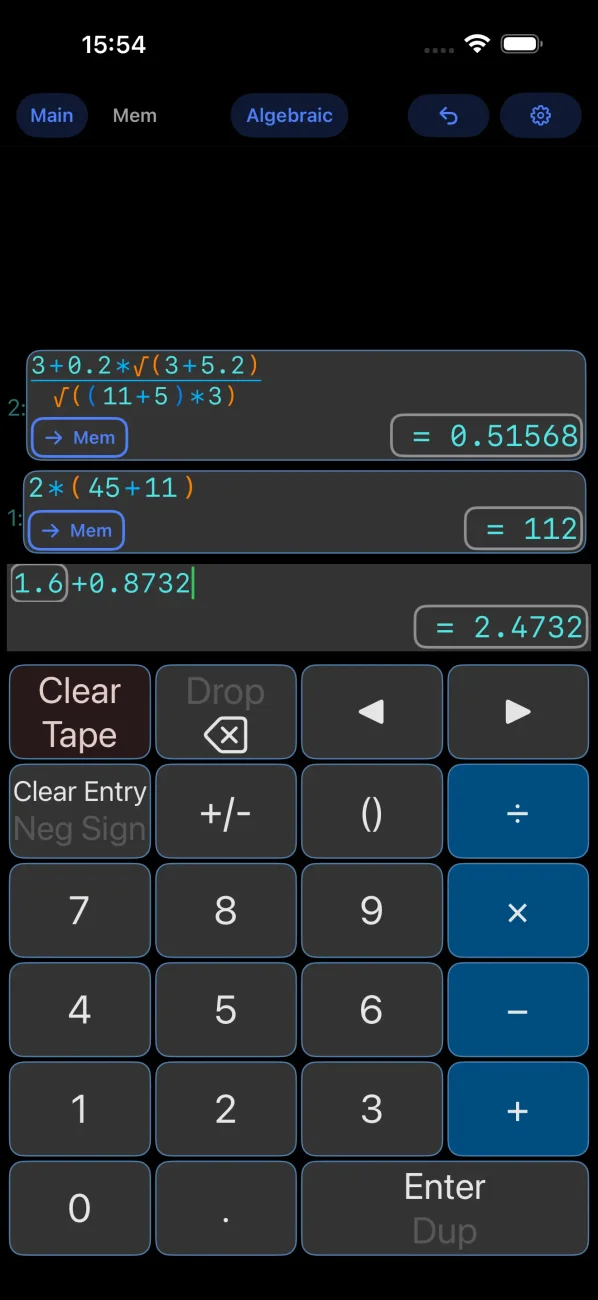
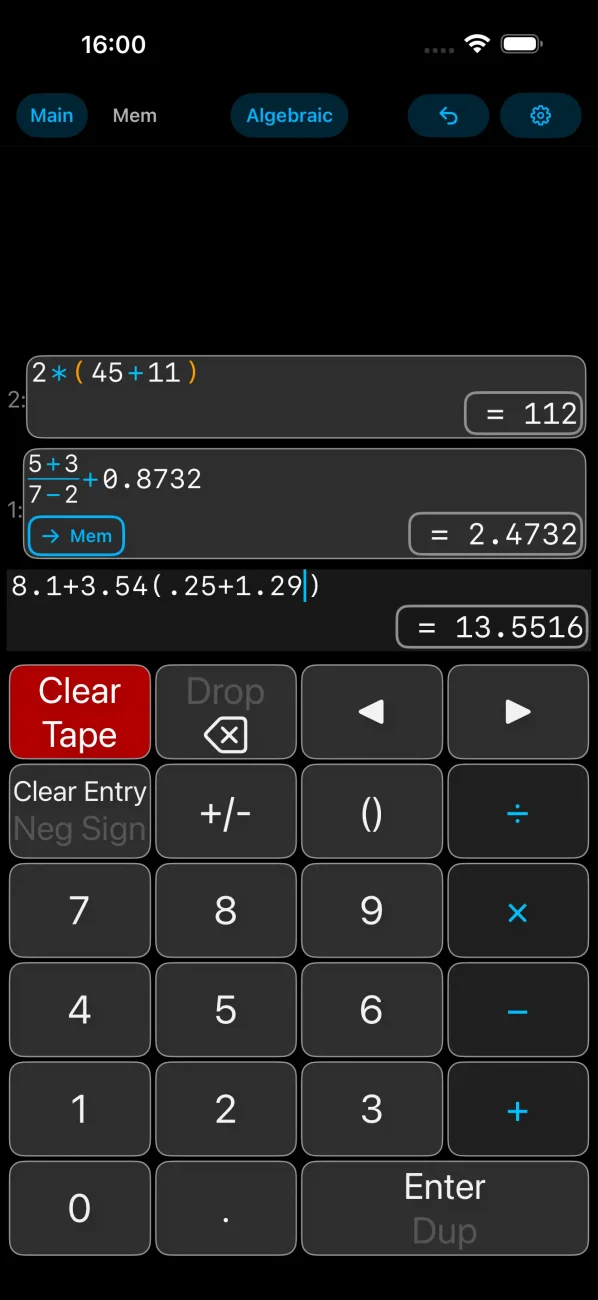
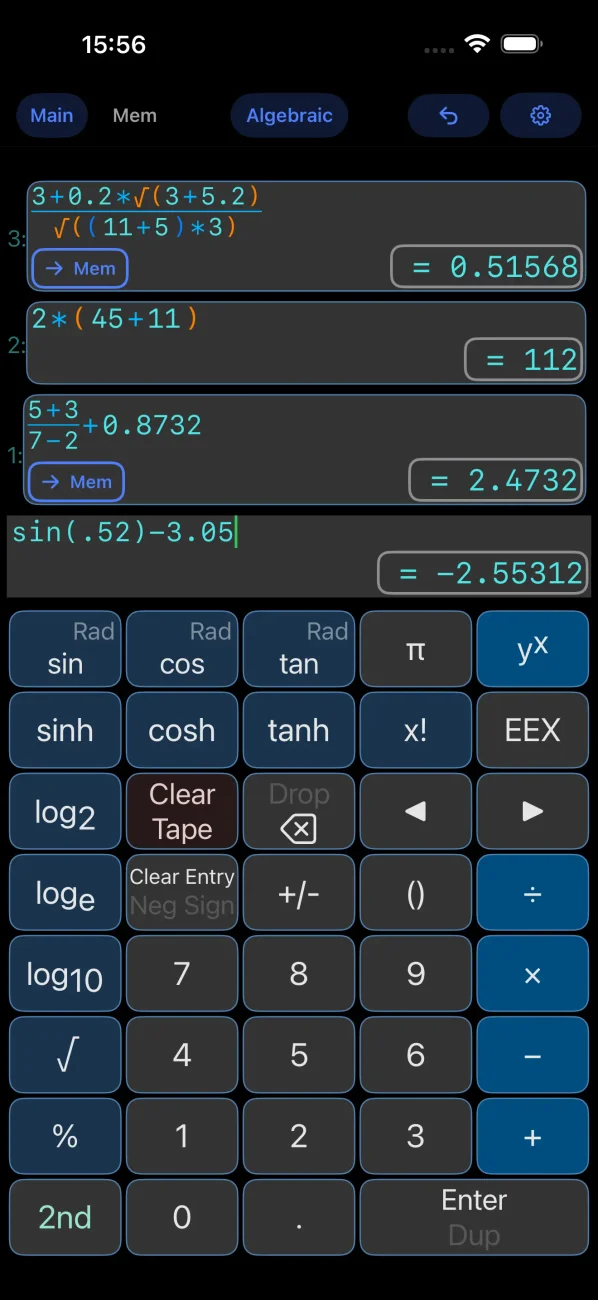
Try the BVCalc workflow for free, with no ads. Traditional calculators leave you staring at bare numbers with no easy way to verify how you got there. BVCalc Lite pairs live-updating Algebraic entry with a readable RPN stack, displaying the full textbook-style expression behind every result so you can catch mistakes instantly and build calculations in partial steps.
CORE WORKFLOW
• Live results as you type, with no “=” key required
• Textbook-style formatting for fractions, roots, exponents, and color-coded nested parentheses
• Tap any past result to reuse its full expression, not just its numeric value
• Shared history tape and RPN stack, always shown in clear algebraic notation
• Switch between Algebraic and RPN anytime, even mid-calculation
• Persistent Memory for saving expressions you reuse often
FAST & FORGIVING
• Touch-friendly RPN gestures (tap to swap or roll, press Enter to duplicate)
• Long-press (or right-click) any past entry to edit it; copy and paste expressions or results
• Undo nearly any action, including accidentally clearing the tape or memory
• Basic and Scientific keyboards, plus hardware keyboard support for numbers and operators
• Core light, dark, and high-contrast themes, plus a built-in Usage Guide
• No ads
BVCALC LITE VS. FULL VERSION
BVCalc Lite is free to use and includes up to 4 items on the history tape / RPN stack, up to 2 saved Memory items, results up to 5 decimal places, core themes, and reminder popups on the Scientific keyboard.
Upgrade to the full version of BVCalc (a separate one-time purchase app, no subscription) to unlock:
• Unlimited history tape, RPN stack, and Memory
• Popup-free Scientific keyboard
• Additional light and dark themes
• Adjustable precision (2 to 12 decimal places), font sizes, input area visibility, and calculation depth
• Full external keyboard letter support for typing functions like sin, cos, sqrt, and pi
BVCalc Lite makes multi-step math fast and reliable: what you see is the math you actually entered.
What’s new
Version 1.0.4 · Nov 23, 2026
Updated for iOS 27, iPadOS 27, and macOS 27 with a refreshed Liquid Glass toolbar, adaptive layouts for iPhone Duo, menu bar shortcuts, interactive theme previews, and core reliability improvements.
WHAT'S NEW
• Refreshed Liquid Glass toolbar with a native Main / Mem switcher, Algebraic / RPN mode toggle, Undo, and Settings that adapts across themes and window sizes
• Adaptive layouts for portrait, landscape, iPadOS Split View / Stage Manager, macOS window resizing, and iPhone Duo outer and unfolded displays
• Expanded implicit multiplication after parentheses, functions, and reused history or memory items (for example, (6-2)8 and sin(π/2)2)
• Quick jump-to-latest button when scrolling through long history tapes or memory lists
• New interactive preview sheet in Settings to preview paid themes (including Warm Paper, Nordic Slate, Nordic Night, and Obsidian Gold) and full-version features
• Improved accessibility and performance, including VoiceOver labels, better Dynamic Type scaling, and background autosave
• Expanded built-in Usage Guide covering keyboard shortcuts, menu bar commands, auto-hiding input area, and memory/RPN tips
BUG FIXES
• Prevented swiping down from scrolling the history tape or memory list completely out of view
• Fixed saving and restoring expressions using root(n, x) across app launches
• Improved handling of undefined/non-finite results (NaN / Infinity), RPN error edge cases, external keyboard comma entry in Algebraic mode, and fraction bar sizing
App privacy
What Brian Kenneth Vogel declares on the App Store about how this app handles data.
-
Data not collected
The developer does not collect any data from this app.
Privacy practices may vary, for example with the features you use or your age.
Information
- Seller
- Brian Kenneth Vogel
- Category
- Utilities
- Version
- 1.0.4
- Updated
- Nov 23, 2026
- Released
- Jul 21, 2024
- Size
- 1.5 MB
- Requires
- iOS 27.0 or later
- Age rating
- 4+
- Price
- Free
- Languages
- English
- Copyright
- © 2024 Brian Vogel
You might also like
-
 SwiftRPNRPN At The Speed Of Light
-
 my11cVoyager 11C Microcode Emulator
-
 AxiomeerRPN ALG Scientific Calculator
-
 Unit Converter - ATMFast & Simple Conversions
-
 COCO 3.14Calculate, create & share
-
 Pebbl — Notepad CalculatorNotepad Calculator
-
 Color Calc+Utilities
-
 ThetaCalcUtilities
-
 RePNCalc - RPN Calculator ProEasy Reverse Polish Notation
-
 CueCalc: Scientific CalculatorFormulas, Unit Converter, Loan