
- Classification d’âge4+
- CatégoriePhoto et vidéo
- DéveloppeurBytedance Pte. Ltd
- LanguesAnglais
- Taille1,3 Go
Renvoie vers la page App Store officielle
Download.org n’héberge aucun fichier de CapCut Pad. Le bouton ouvre la page de l’application sur App Store, où Bytedance Pte. Ltd la publie. Fiche vérifiée pour la dernière fois le 23/11/2026.
Captures d’écran


À propos
Le développeur n’a pas fourni ce texte dans votre langue.
Try out CapCut Pad version!
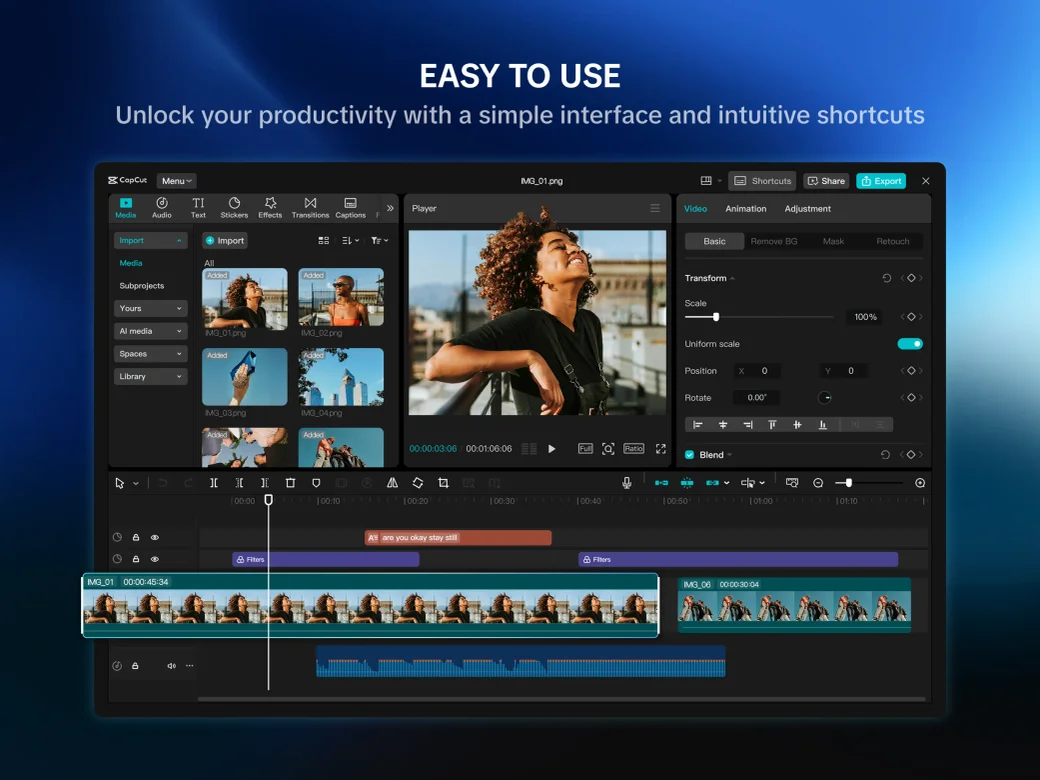
CapCut Pad brings desktop-level editing power to your fingertips. Enjoy precise multi-track timeline editing, smooth performance, and a creative workspace designed for touch.
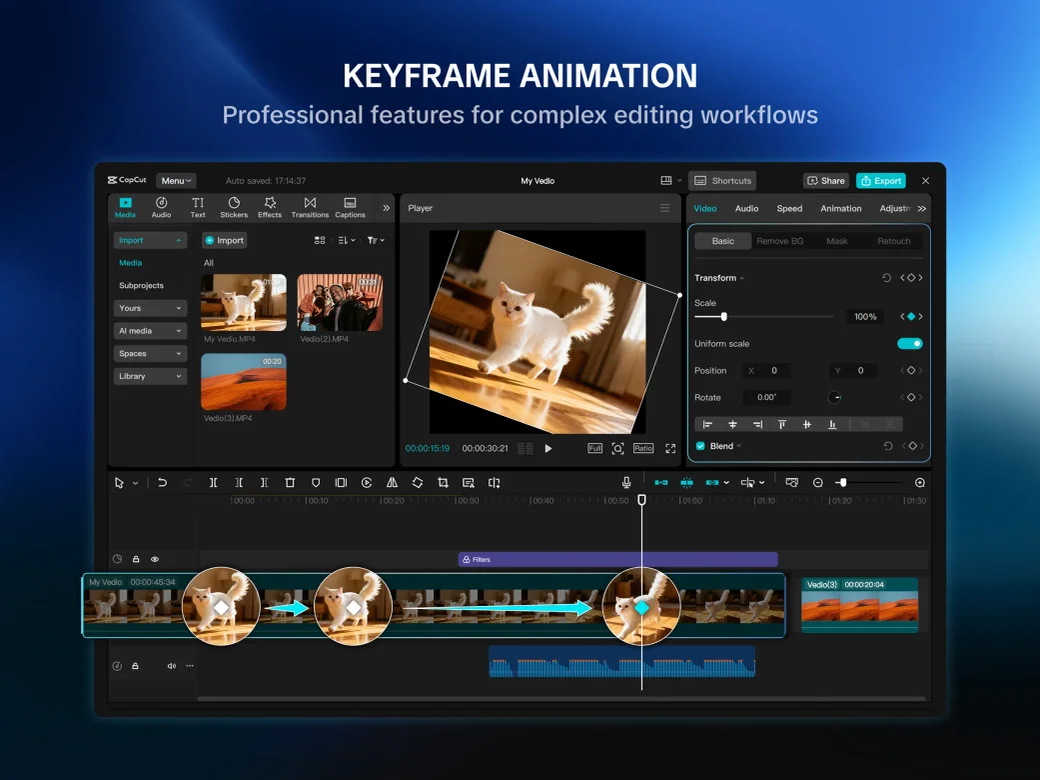
CapCut offers easy-to-use video and photo editing tools, a wide range of in-app fonts and effects, and powerful features like keyframe animation, smooth slow motion, chroma key, and video stabilization—everything you need to capture and refine your moments.
Create high-quality videos with other unique features: auto captions, text-to-speech, motion tracking, and background removal. Show your personality and go viral on TikTok, YouTube, Instagram, WhatsApp, and Facebook!
FEATURES
Basic Video Editing
• Trim and shorten clips, and split or merge videos.
• Adjust video speed from 0.1x to 100x, and apply smooth speed curves.
• Animate video clips with zoom in/out effects.
• Highlight your best moments with the freeze frame feature.
• Add creative transitions between clips.
Advanced Video Editing
• Keyframe animation supported for all settings.
• Create smooth slow motion with optical flow and speed curves.
• Use chroma key to remove specific colors.
• Arrange and preview multiple clips on a multi-track timeline.
• Apply stabilization to keep your footage steady.
Intelligent Features
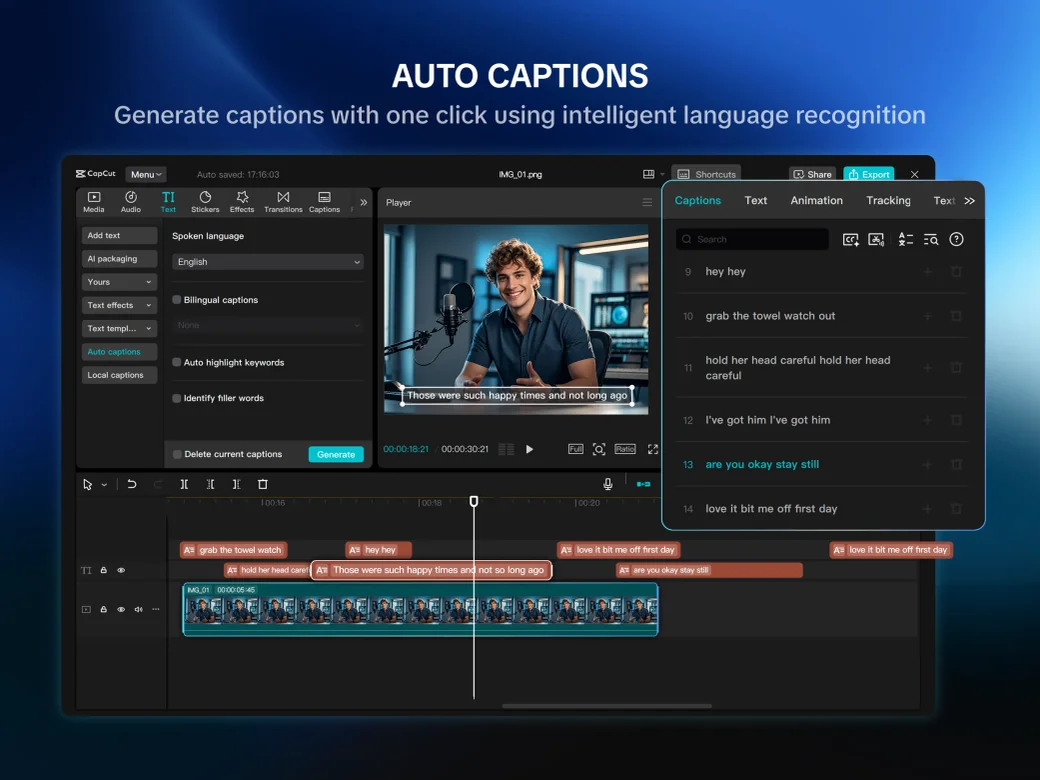
• Auto captions: generate subtitles automatically using speech recognition.
• Text-to-speech: convert text into voice in multiple languages and tones.
• Background removal: remove backgrounds automatically with one click.
Text & Stickers
• Add text with diverse fonts and styles, or use creative templates.
• Subtitles can be directly adjusted on the video timeline.
Trending Effects & Filters
• Explore weekly updated filters that match trending styles.
• Apply hundreds of visual effects including Glitch, Blur, and 3D.
• Adjust brightness, contrast, and saturation freely.
Music & Sound Effects
• Add music tracks or sound effects to your videos.
• Extract audio, clips, or recordings from existing footage.
Easy to Share
• Export videos up to 4K 60fps with smart HDR.
• Customize resolution and format, then share directly to social platforms.
CapCut is a all-in-one video editor and video maker application with everything you need to create stunning, high-quality videos. Beginners can get started with CapCut in a matter of seconds, while advanced users can enjoy all the functions they need to edit videos. Express your individuality with exclusive video editor and video maker functions. After your video is created, you can share it across social media with one click, accruing everyone's likes, comments and attention.
Terms of Service —
https://www.capcut.net/clause/user-agreement?region=us
Privacy Policy —
https://www.capcut.net/clause/privacy?region=us
Contact Us
Any questions about CapCut? Please contact us at capcut.support@bytedance.com.
Facebook: https://www.facebook.com/capcutapp/
Instagram: https://www.instagram.com/capcutapp/
YouTube: https://www.youtube.com/c/capcutofficial
TikTok: https://www.tiktok.com/@capcut
Nouveautés
Version 9.8.2 · 19/11/2026
- Fixed some known issues and improved the trimming experience.
We thank you for supporting CapCut and look forward to creating beautiful moments together.
Confidentialité de l’application
Ce que Bytedance Pte. Ltd déclare sur l’App Store au sujet du traitement des données par cette application.
-
Données utilisées pour vous suivre
Peuvent être utilisées pour vous suivre sur des applications et des sites web appartenant à d’autres sociétés.
- Identifiants
-
Données établissant un lien avec vous
Peuvent être collectées et liées à votre identité.
- Identifiants
-
Données n’établissant aucun lien avec vous
Peuvent être collectées, mais ne sont pas liées à votre identité.
- Emplacement
- Coordonnées
- Contenu utilisateur
- Identifiants
- Diagnostic
Les pratiques en matière de confidentialité peuvent varier, notamment en fonction des fonctionnalités que vous utilisez ou de votre âge.
Informations
- Vendeur
- BYTEDANCE PTE. LTD.
- Catégorie
- Photo et vidéo
- Version
- 9.8.2
- Mis à jour
- 19/11/2026
- Publié
- 27/05/2026
- Taille
- 1,3 Go
- Nécessite
- iOS 14.0 ou version ultérieure
- Classification d’âge
- 4+
- Prix
- Gratuit
- Langues
- Anglais
- Copyright
- © CapCut
Vous aimerez peut-être aussi
-
 DaVinci Resolve for iPadPhoto et vidéo
-
 Adobe Lightroom for iPadFiltres pour lA retouche image
-
 Adobe Premiere – Éditeur vidéoMettez vos vidéos en musique
-
 Alight MotionMotion design et effets vidéo
-
 Blurrr-NEW GEN Video EditorProfessional Effect & Animate
-
 Crsel: Carrousel & Story MakerCollages pour Réseaux Sociaux
-
 WEILO, My Last Video EditorÉditeur vidéo au-delà du PC
-
 Procreate DreamsEditez. Animez. Créez.
-
 Evoto-Édition & Retouche photoÉditeur, Présets et Filtres
-
 VLLO - Éditeur Vidéo IAÉdition Automatique/Shorts/GIF