
- Age rating4+
- CategoryPhoto & Video
- DeveloperBytedance Pte. Ltd
- LanguagesEnglish
- Size1.3 GB
Links to the official App Store page
Download.org hosts no file of CapCut Pad. The button opens its official App Store page, published by Bytedance Pte. Ltd. Listing last checked on Nov 23, 2026.
Screenshots


About
Try out CapCut Pad version!
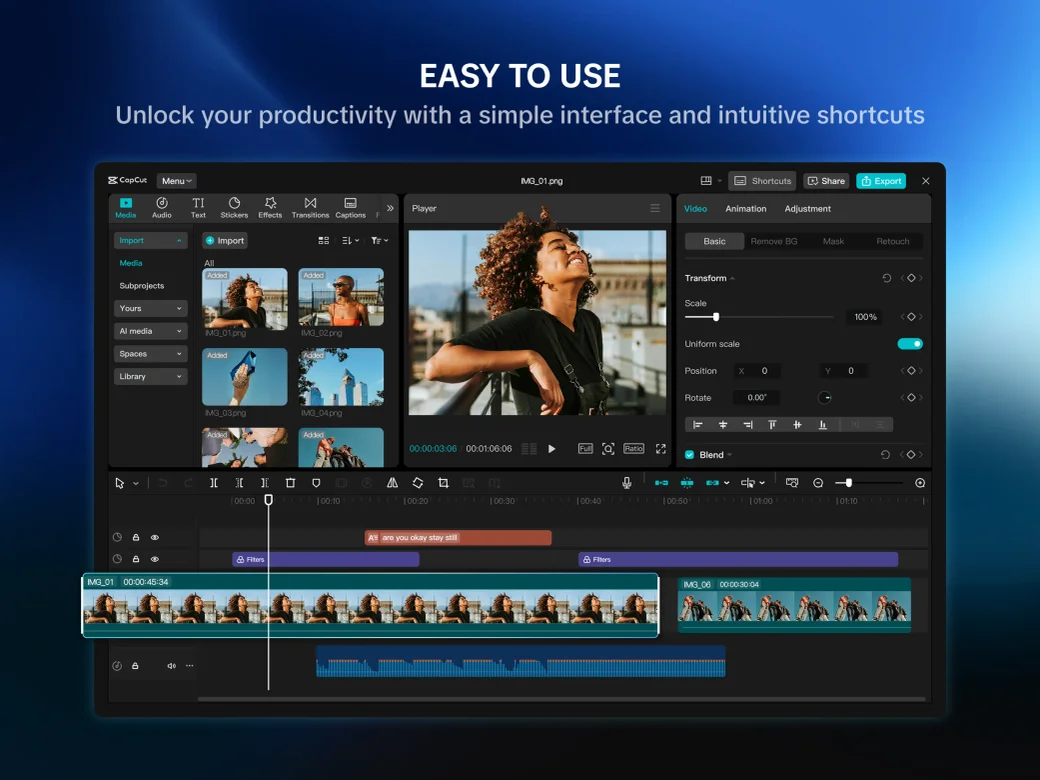
CapCut Pad brings desktop-level editing power to your fingertips. Enjoy precise multi-track timeline editing, smooth performance, and a creative workspace designed for touch.
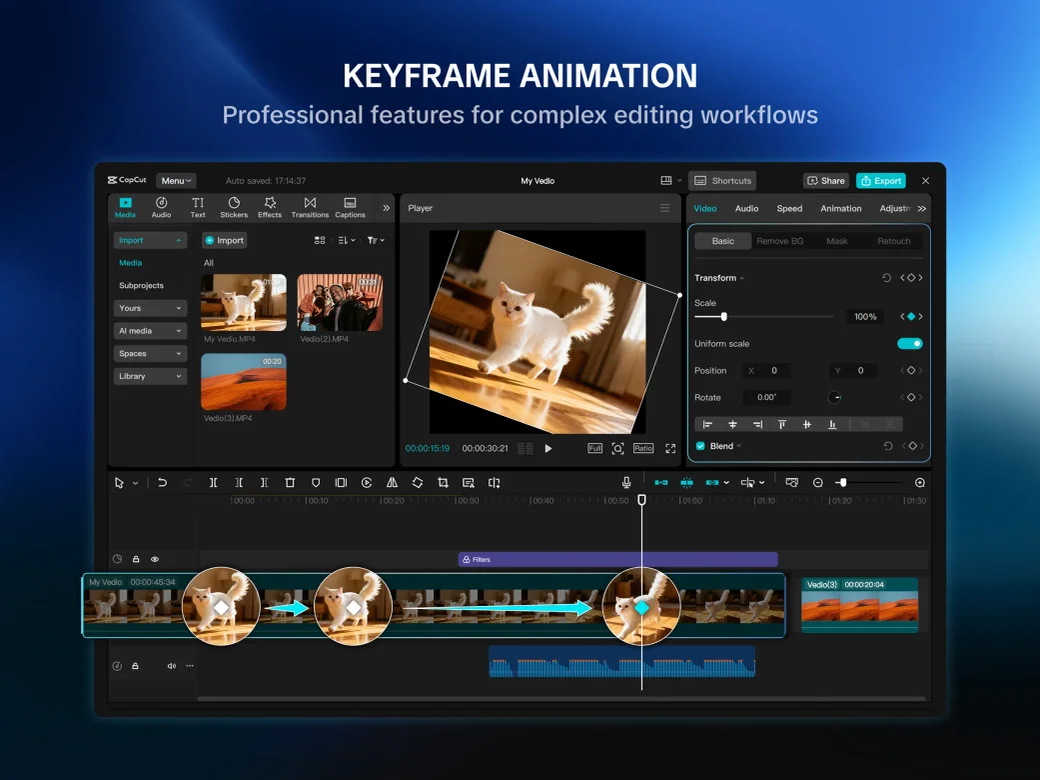
CapCut offers easy-to-use video and photo editing tools, a wide range of in-app fonts and effects, and powerful features like keyframe animation, smooth slow motion, chroma key, and video stabilization—everything you need to capture and refine your moments.
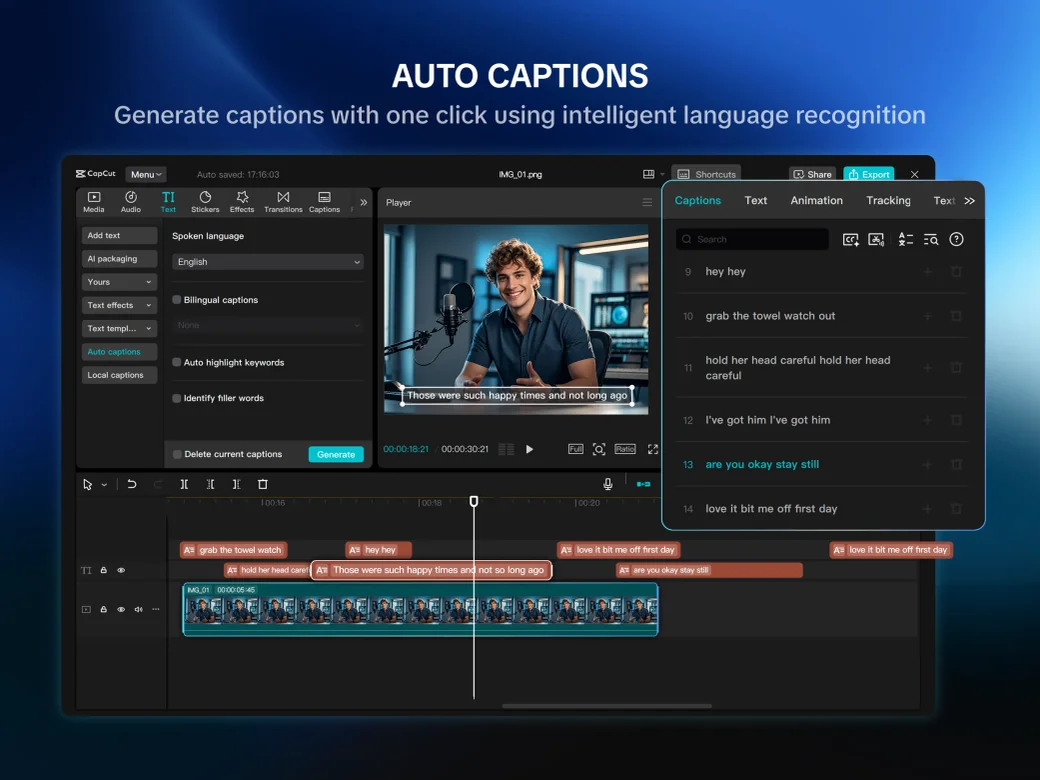
Create high-quality videos with other unique features: auto captions, text-to-speech, motion tracking, and background removal. Show your personality and go viral on TikTok, YouTube, Instagram, WhatsApp, and Facebook!
FEATURES
Basic Video Editing
• Trim and shorten clips, and split or merge videos.
• Adjust video speed from 0.1x to 100x, and apply smooth speed curves.
• Animate video clips with zoom in/out effects.
• Highlight your best moments with the freeze frame feature.
• Add creative transitions between clips.
Advanced Video Editing
• Keyframe animation supported for all settings.
• Create smooth slow motion with optical flow and speed curves.
• Use chroma key to remove specific colors.
• Arrange and preview multiple clips on a multi-track timeline.
• Apply stabilization to keep your footage steady.
Intelligent Features
• Auto captions: generate subtitles automatically using speech recognition.
• Text-to-speech: convert text into voice in multiple languages and tones.
• Background removal: remove backgrounds automatically with one click.
Text & Stickers
• Add text with diverse fonts and styles, or use creative templates.
• Subtitles can be directly adjusted on the video timeline.
Trending Effects & Filters
• Explore weekly updated filters that match trending styles.
• Apply hundreds of visual effects including Glitch, Blur, and 3D.
• Adjust brightness, contrast, and saturation freely.
Music & Sound Effects
• Add music tracks or sound effects to your videos.
• Extract audio, clips, or recordings from existing footage.
Easy to Share
• Export videos up to 4K 60fps with smart HDR.
• Customize resolution and format, then share directly to social platforms.
CapCut is a all-in-one video editor and video maker application with everything you need to create stunning, high-quality videos. Beginners can get started with CapCut in a matter of seconds, while advanced users can enjoy all the functions they need to edit videos. Express your individuality with exclusive video editor and video maker functions. After your video is created, you can share it across social media with one click, accruing everyone's likes, comments and attention.
Terms of Service —
https://www.capcut.net/clause/user-agreement?region=us
Privacy Policy —
https://www.capcut.net/clause/privacy?region=us
Contact Us
Any questions about CapCut? Please contact us at capcut.support@bytedance.com.
Facebook: https://www.facebook.com/capcutapp/
Instagram: https://www.instagram.com/capcutapp/
YouTube: https://www.youtube.com/c/capcutofficial
TikTok: https://www.tiktok.com/@capcut
What’s new
Version 9.8.2 · Nov 19, 2026
- Fixed some known issues and improved the trimming experience.
We thank you for supporting CapCut and look forward to creating beautiful moments together.
App privacy
What Bytedance Pte. Ltd declares on the App Store about how this app handles data.
-
Data used to track you
May be used to track you across apps and websites owned by other companies.
- Identifiers
-
Data linked to you
May be collected and linked to your identity.
- Identifiers
-
Data not linked to you
May be collected but is not linked to your identity.
- Location
- Contact info
- User content
- Identifiers
- Diagnostics
Privacy practices may vary, for example with the features you use or your age.
Information
- Seller
- BYTEDANCE PTE. LTD.
- Category
- Photo & Video
- Version
- 9.8.2
- Updated
- Nov 19, 2026
- Released
- May 27, 2026
- Size
- 1.3 GB
- Requires
- iOS 14.0 or later
- Age rating
- 4+
- Price
- Free
- Languages
- English
- Copyright
- © CapCut
You might also like
-
 DaVinci Resolve for iPadHollywood’s edit & color tools
-
 Adobe Lightroom for iPadEdit & Enhance Photos & Video
-
 Adobe Premiere AI Video EditorCreate shorts, reels & videos
-
 Alight MotionMotion Design & Video Effects
-
 Blurrr-Music video editorProfessional Effect & Animate
-
 Crsel: Carousel, Collage MakerEdit Photo - Template & Layout
-
 WEILO - My Last Video EditorPowerful Tools, Endless Assets
-
 Procreate DreamsEdit. Animate. Create.
-
 Evoto: Photo Editor & RetouchColor Match & Natural Beauty
-
 VLLO - AI Video EditorAI Auto Edit, Shorts & Reels