
- Classification d’âge4+
- CatégorieÉconomie et entreprise
- DéveloppeurTony Marouni
- LanguesAnglais
- Taille55,2 Mo
Clock-Clock n’est peut-être pas disponible sur App Store pour le moment
La fiche de la boutique était inaccessible lors de notre dernière vérification. Le lien mène toujours à la page App Store officielle.
Captures d’écran

À propos
Le développeur n’a pas fourni ce texte dans votre langue.
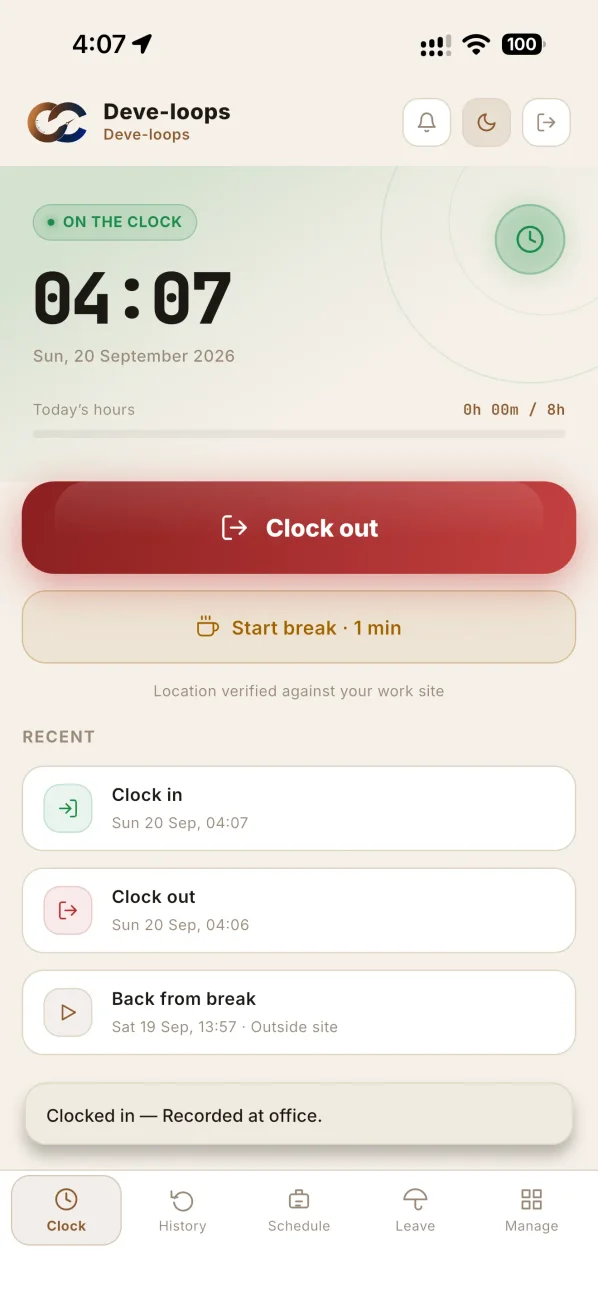
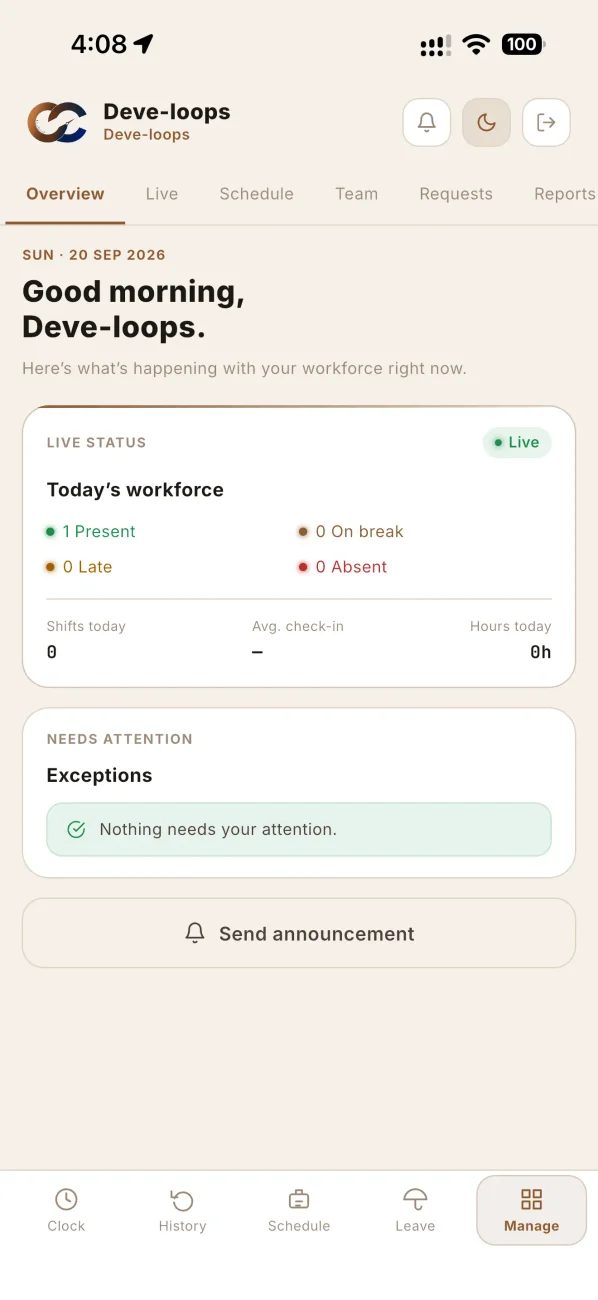
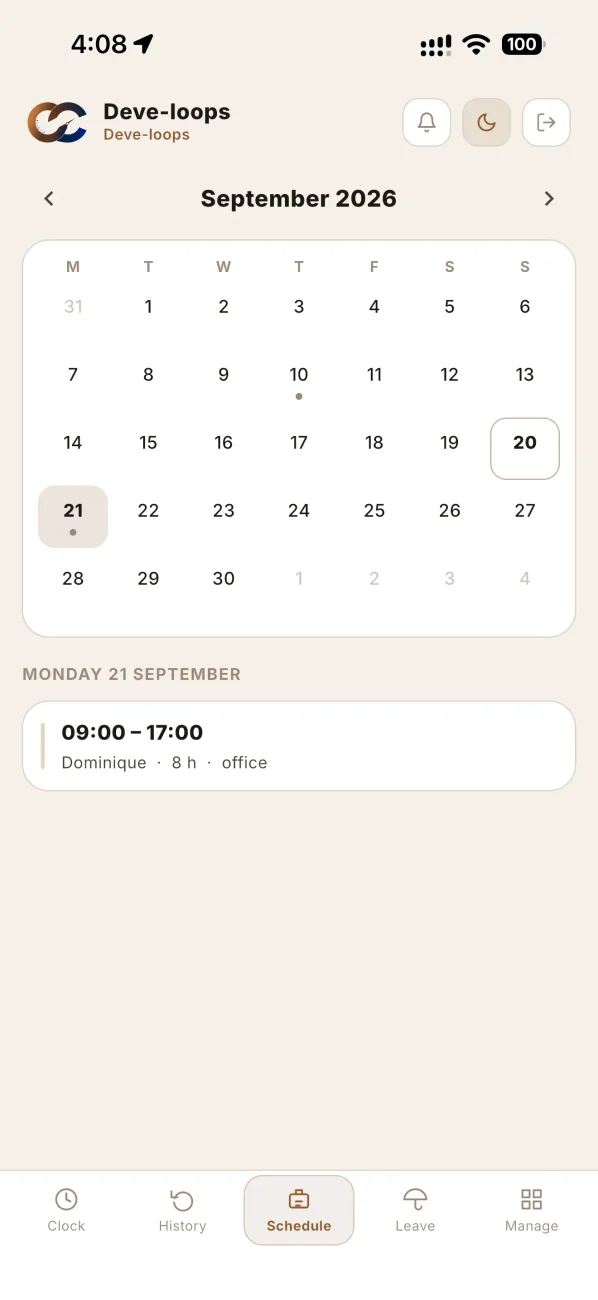
Clock-Clock is a simple, honest time clock for companies. Employees clock in and out from their own phone at the work site, and managers see hours, breaks, schedules and leave in one place.
FOR EMPLOYEES
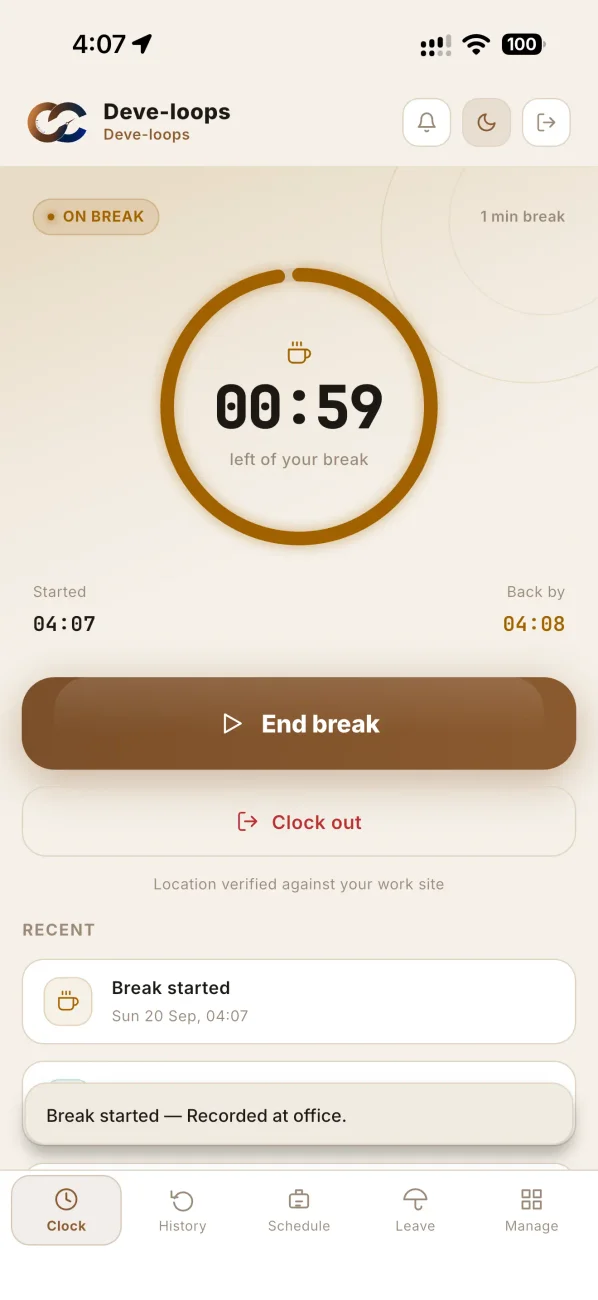
• Clock in and out with one tap. Your location is checked only at the moment you punch, never in the background.
• Take your break with a countdown, and get a notification when it ends.
• See your hours for the last 30 days, shift by shift.
• Request holiday, sick or unpaid leave, and follow what happens to it.
• No signal? Punches are saved on the phone and sent when you are back online.
FOR MANAGERS
• See who is on the clock, on a break, late or absent, live.
• Approve leave, phone changes and punches that need a second look, right from your phone.
• Build the weekly schedule and see who turned up.
• Reports of hours, breaks and exceptions, exported as Excel workbooks.
• Send an announcement to everyone or to one department.
BUILT TO BE TRUSTED
• Location checked against your work sites: a punch from outside is recorded and flagged for review, not refused.
• Optional code at the door: print a code for a work site and staff scan it when they clock in and out. Their location is still checked, so a code scanned away from the site is flagged with the distance.
• Phone flat, forgotten or in the repair shop? A manager adds the punch by hand, recorded as a manual entry with their name on it.
• Give each department supervisor exactly the powers you want them to have.
• One phone per person, so nobody clocks in for a colleague - or switch it off for a shared handset at the door.
• Fake GPS apps are detected and the punch is flagged.
• Every change a manager makes is kept in an audit log.
• Departments with supervisors who see only their own team.
GETTING STARTED
Employees join their company with the invite code their manager gives them, then clock in at their work site. Managers run the team from the Manage tab, or from the web dashboard at clockclock.app, in light and dark mode.
Questions? support@clockclock.app
Nouveautés
Version 1.1.5 · 21/11/2026
Bug fixes and improvements.
Confidentialité de l’application
Ce que Tony Marouni déclare sur l’App Store au sujet du traitement des données par cette application.
-
Données établissant un lien avec vous
Peuvent être collectées et liées à votre identité.
- Informations financières
- Emplacement
- Coordonnées
- Contenu utilisateur
- Identifiants
- Diagnostic
- Autres données
Les pratiques en matière de confidentialité peuvent varier, notamment en fonction des fonctionnalités que vous utilisez ou de votre âge.
Informations
- Vendeur
- Tony Marouni
- Catégorie
- Économie et entreprise
- Version
- 1.1.5
- Mis à jour
- 21/11/2026
- Publié
- 24/09/2026
- Taille
- 55,2 Mo
- Nécessite
- iOS 15.0 ou version ultérieure
- Classification d’âge
- 4+
- Langues
- Anglais
- Copyright
- © 2026 Deve-loops