
Conduck
Your AI, your keys, your voice
Conçue pour iPhone, iPad, Mac
Gratuit · Achats intégrés
- Classification d’âge17+
- CatégorieProductivité
- DéveloppeurGigaDuck OU
- LanguesAnglais+ 3 de plus
- Taille71,0 Mo
Renvoie vers la page App Store officielle
Download.org n’héberge aucun fichier de Conduck. Le bouton ouvre la page de l’application sur App Store, où GigaDuck OU la publie. Fiche vérifiée pour la dernière fois le 16/11/2026.
Captures d’écran


À propos
Le développeur n’a pas fourni ce texte dans votre langue.
Conduck is the native Apple client for your self-hosted or BYO-key AI - in your pocket, in the car, and on your wrist.
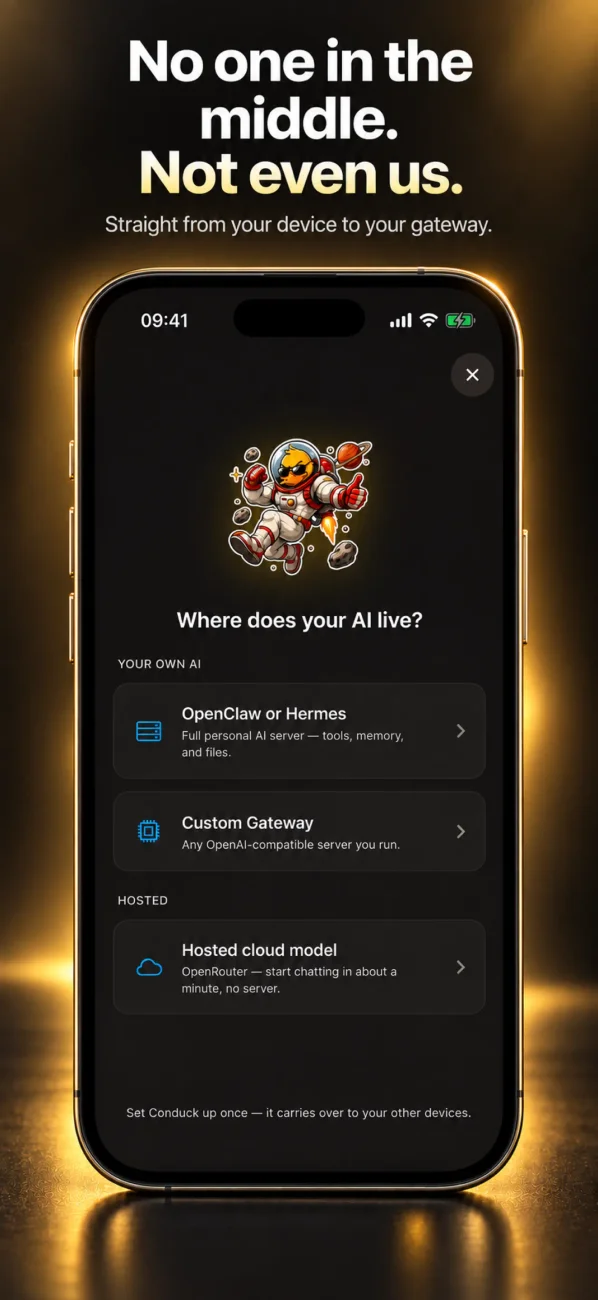
Connect your own AI server - OpenClaw, Hermes, or a compatible model server such as Pi or LM Aider - or bring an OpenRouter key for a hosted model and start in about a minute. Your keys, your AI. No Conduck account and no Conduck-operated intermediary server.
Ask from anywhere
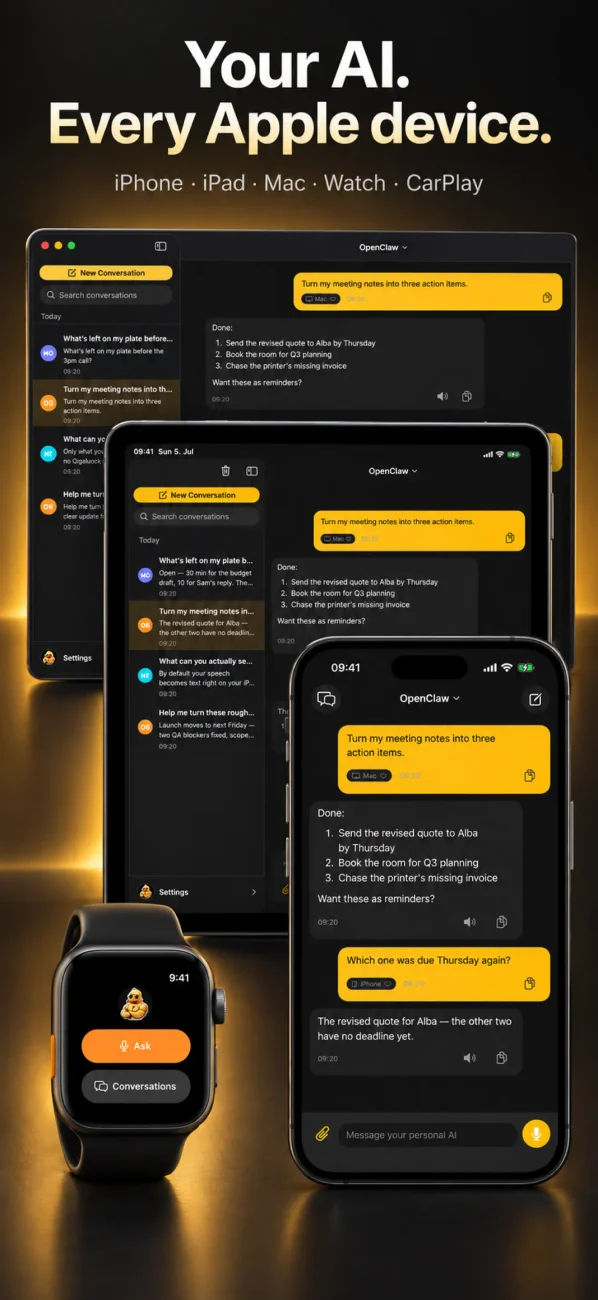
• iPhone & iPad: start a chat and type, or hold to talk
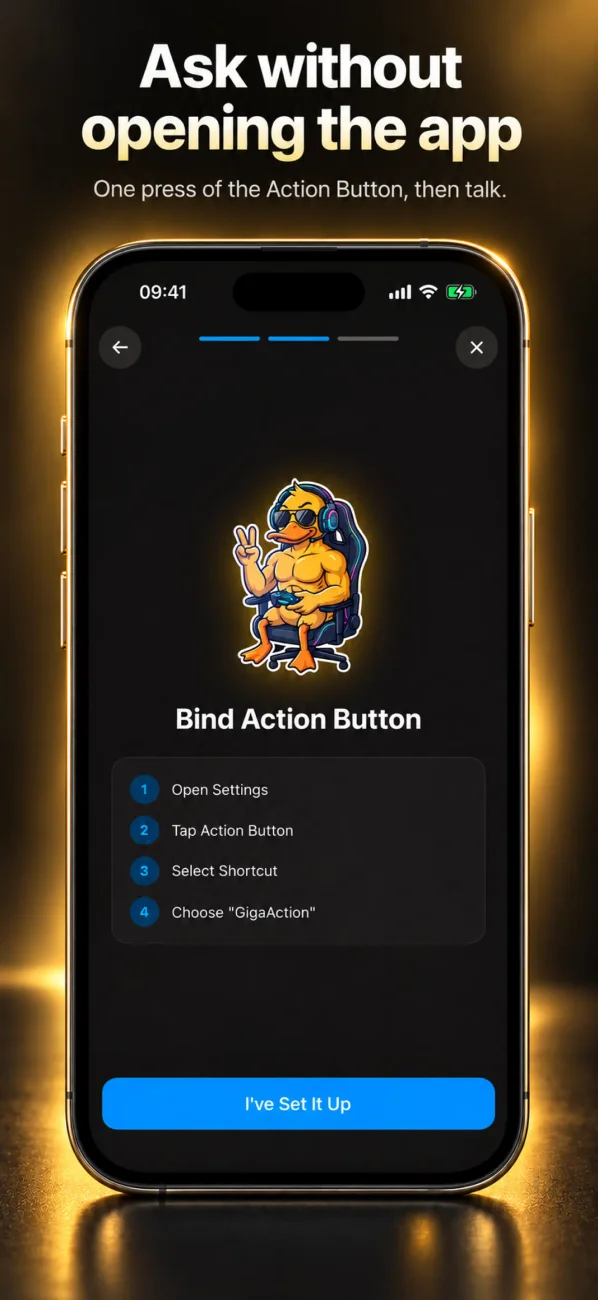
• Action Button, Shortcuts & Control Center: fire off a quick question without opening the app
• Apple Watch: ask straight from your wrist
• CarPlay: a hands-free voice conversation on the road
• Mac: a full desktop app and menu-bar companion, with a global hotkey and Screenshot & Ask
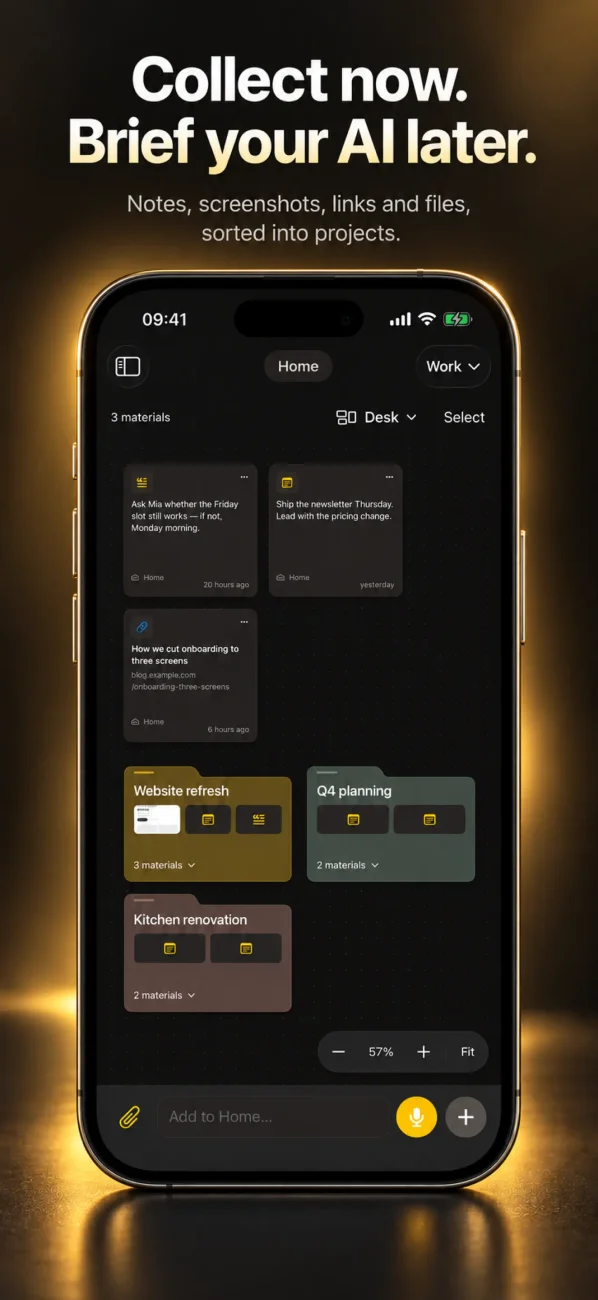
Work: collect now, brief your AI later
• A private desk beside your chats. Save thoughts, voice notes, screenshots, links and files from the app, the share sheet, Shortcuts, the Mac menu bar, Apple Watch or CarPlay. A voice note is saved as words.
• Adding to Work sends nothing to your AI. Arrange materials on Home, or file them into projects with their own background notes.
• When you're ready, write the task, pick the materials and choose your AI. Review the exact message, then send.
• With a self-hosted agent and file exchange set up, files your AI returns join the project.
• With content sync on, the desk syncs through your private iCloud. Very large files stay on the device that captured them.
Private by architecture, not by promise
• Conduck operates no intermediary server. No Conduck account, no analytics, no ads, no tracking.
• By default, your speech is turned into text by Apple on your own devices. Your voice never leaves them.
• Prefer a cloud transcription service? Your audio goes straight from your device to that provider with your own key. We're never in the middle.
• Your conversations stay on your device and sync through your own private iCloud. We can't read them.
• Your keys and tokens live in the Keychain, and every connection over the internet is HTTPS. A server on your own network can be reached without it if you choose, and Conduck says so on screen when you do.
See what you actually use
• Settings shows a private record of request attempts and conversations over the last 7, 30 or 90 days, typed and spoken compared.
• Broken down by connection, device and requested model, with the token counts your AI reports, and reliability split into first-try deliveries, retries, cancellations and failures.
• Recorded on your devices and synced through your private iCloud. Never sent to us.
Free plan and Conduck Pro
• Free: three active projects and three configured gateways in total across OpenClaw, Hermes and custom connections. Unconfigured options don't count, and OpenRouter never uses a slot.
• Pro: unlimited active projects and configured gateways on iPhone, iPad and Mac.
• Archive a project to free a slot. Above the free limits, choose which projects and gateways stay active; your materials, conversations and saved connection settings are kept.
Conduck Pro is an optional monthly subscription: USD 29.99 in the US or EUR 29.99 in euro-area storefronts. Other storefront prices are shown in the app. Payment is charged to your Apple Account. It renews automatically unless canceled; manage it in your App Store subscription settings.
AI and speech provider usage is billed separately by your chosen providers. Pro includes no model or voice credits.
Terms: https://conduck.com/terms/
Privacy: https://conduck.com/privacy/
Open source
The application source is available under Apache 2.0 at github.com/GigaDuckAI/conduck. Official App Store builds keep the Conduck identity and CarPlay; personal source builds use the Conduck Community identity without CarPlay.
What you'll need
Conduck is the interface, not the AI. You bring the AI and any key it needs; guided setup helps you connect. Conduck creates no account and hosts no model for you.
Nouveautés
Version 1.7 · 06/10/2026
Conduck now supports four interface languages.
• Use the app in English, Spanish, Simplified Chinese or Japanese.
• Choose your app language the first time you open this version, and change it anytime in Settings.
• iPhone and iPad keep separate choices. Apple Watch and CarPlay follow the connected iPhone.
• Translations include Chats, Work, setup, settings, errors, sharing controls and Shortcuts.
Confidentialité de l’application
Ce que GigaDuck OU déclare sur l’App Store au sujet du traitement des données par cette application.
-
Données non collectées
Le développeur ne collecte aucune donnée à partir de cette application.
Les pratiques en matière de confidentialité peuvent varier, notamment en fonction des fonctionnalités que vous utilisez ou de votre âge.
Informations
- Vendeur
- GigaDuck OU
- Catégorie
- Productivité
- Version
- 1.7
- Mis à jour
- 06/10/2026
- Publié
- 09/07/2026
- Taille
- 71,0 Mo
- Nécessite
- iOS 26.5 ou version ultérieure
- Classification d’âge
- 17+
- Prix
- Gratuit
- Achats intégrés
- Oui
- Langues
- Anglais, Japonais, Chinois simplifié, Espagnol
- Copyright
- © 2026 GigaDuck OÜ
Vous aimerez peut-être aussi
-
 Teika: Voice to Text NotesProductivité
-
 Recall OfflineProductivité
-
 Kiri - Private offline AI AppProductivité
-
 Codictate: Dictée par AIDictée AI privée et hors ligne
-
 ServeLog: Service Loan ArchiveProductivité
-
 WhisperkitProductivité
-
 ETasks : Tâches et alarmesPlanning de tâches & rappels
-
 Open Draft ScreenwritingProductivité
-
 Back to ThisProductivité
-
 Reopen in PrivateProductivité