
Conduck
Your AI, your keys, your voice
Dirancang untuk iPhone, iPad, Mac
Gratis · Pembelian dalam aplikasi
- Batasan usia17+
- KategoriProduktivitas
- PengembangGigaDuck OU
- BahasaInggris+ 3 lainnya
- Ukuran71,0 MB
Tertaut ke halaman resmi App Store
Download.org tidak menyimpan file Conduck apa pun. Tombol ini membuka halaman aplikasi di App Store, tempat GigaDuck OU menerbitkannya. Halaman terakhir diperiksa pada 16/11/2026.
Tangkapan layar


Tentang
Pengembang belum menyediakan teks ini dalam bahasa Anda.
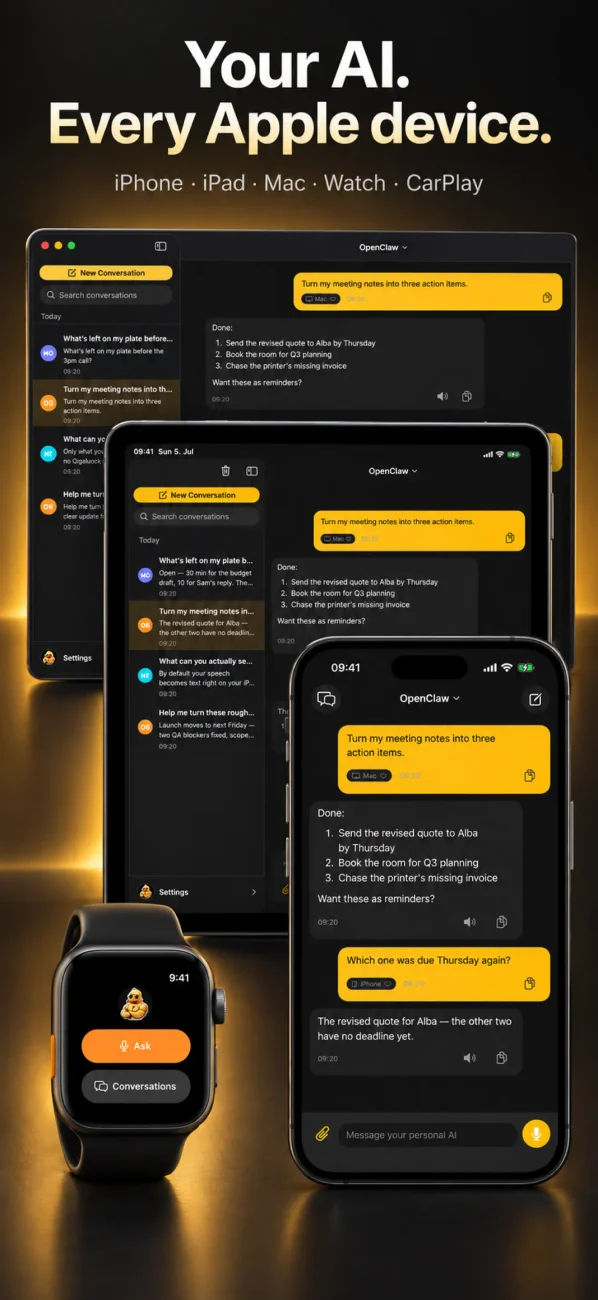
Conduck is the native Apple client for your self-hosted or BYO-key AI - in your pocket, in the car, and on your wrist.
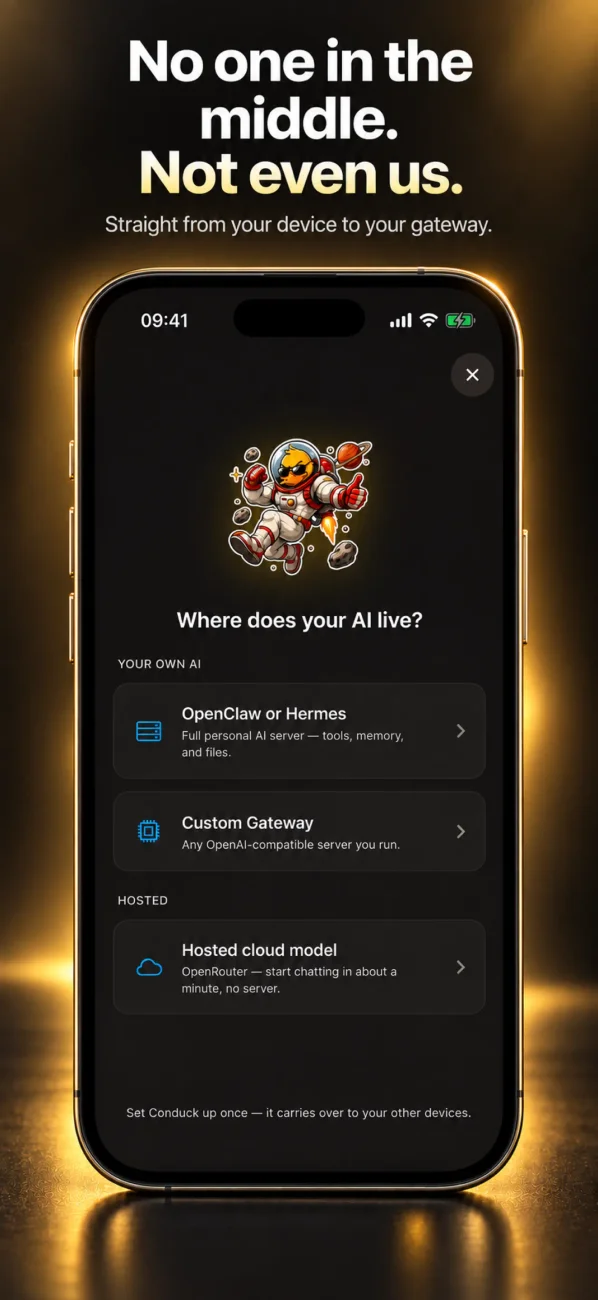
Connect your own AI server - OpenClaw, Hermes, or a compatible model server such as Pi or LM Aider - or bring an OpenRouter key for a hosted model and start in about a minute. Your keys, your AI. No Conduck account and no Conduck-operated intermediary server.
Ask from anywhere
• iPhone & iPad: start a chat and type, or hold to talk
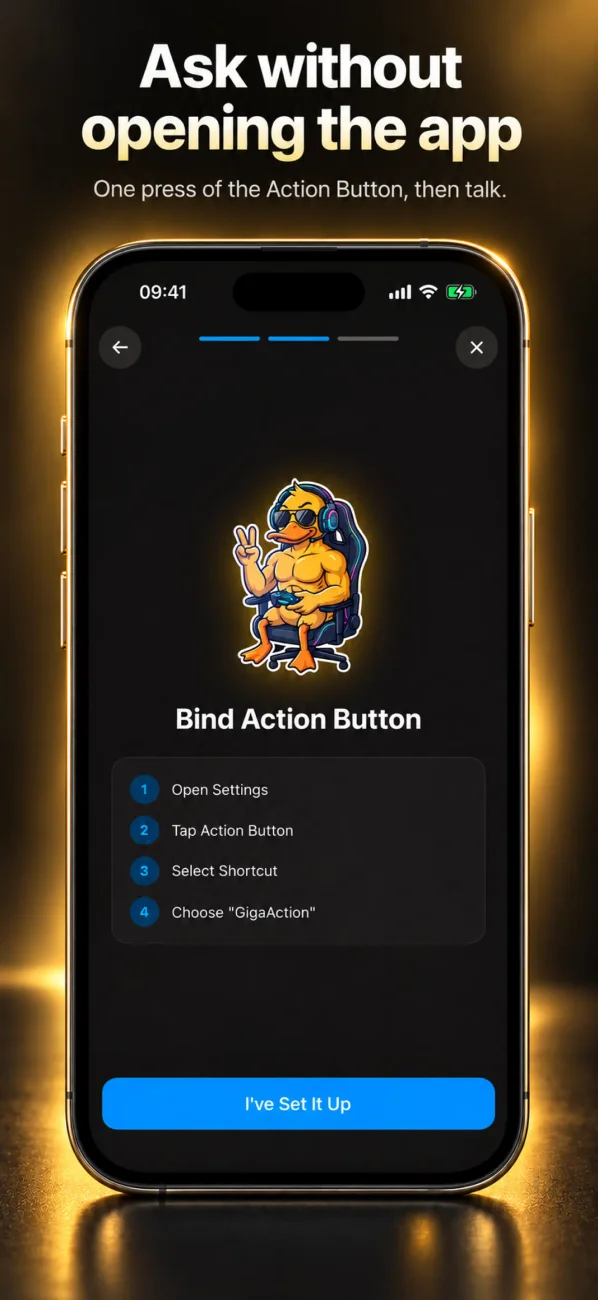
• Action Button, Shortcuts & Control Center: fire off a quick question without opening the app
• Apple Watch: ask straight from your wrist
• CarPlay: a hands-free voice conversation on the road
• Mac: a full desktop app and menu-bar companion, with a global hotkey and Screenshot & Ask
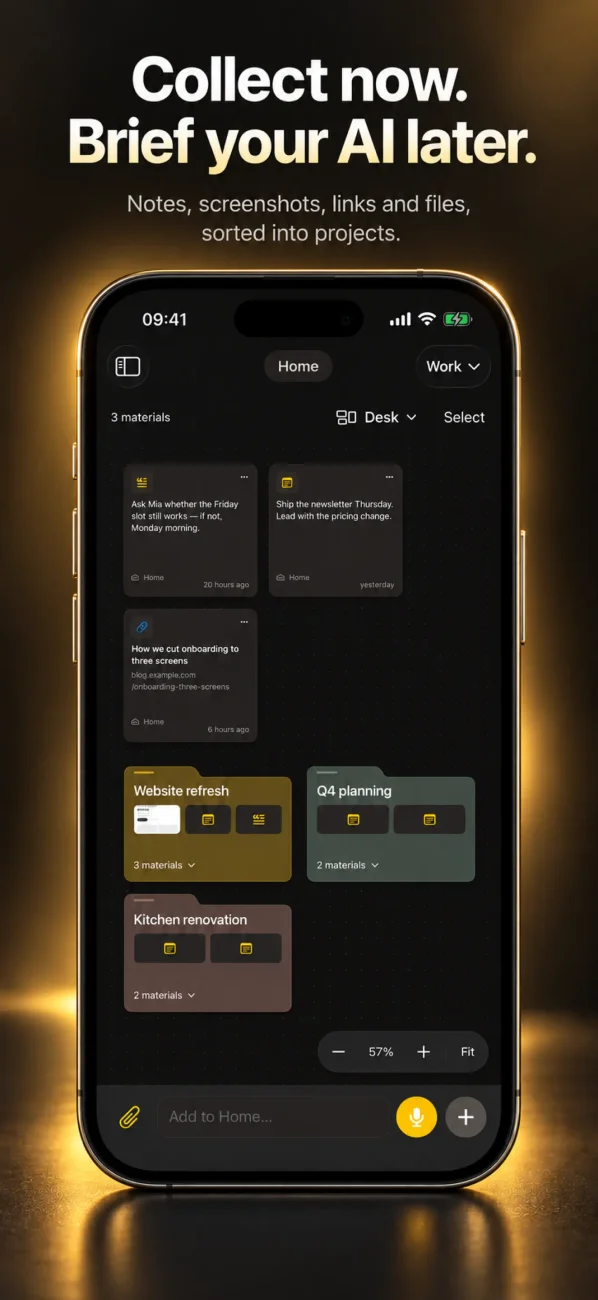
Work: collect now, brief your AI later
• A private desk beside your chats. Save thoughts, voice notes, screenshots, links and files from the app, the share sheet, Shortcuts, the Mac menu bar, Apple Watch or CarPlay. A voice note is saved as words.
• Adding to Work sends nothing to your AI. Arrange materials on Home, or file them into projects with their own background notes.
• When you're ready, write the task, pick the materials and choose your AI. Review the exact message, then send.
• With a self-hosted agent and file exchange set up, files your AI returns join the project.
• With content sync on, the desk syncs through your private iCloud. Very large files stay on the device that captured them.
Private by architecture, not by promise
• Conduck operates no intermediary server. No Conduck account, no analytics, no ads, no tracking.
• By default, your speech is turned into text by Apple on your own devices. Your voice never leaves them.
• Prefer a cloud transcription service? Your audio goes straight from your device to that provider with your own key. We're never in the middle.
• Your conversations stay on your device and sync through your own private iCloud. We can't read them.
• Your keys and tokens live in the Keychain, and every connection over the internet is HTTPS. A server on your own network can be reached without it if you choose, and Conduck says so on screen when you do.
See what you actually use
• Settings shows a private record of request attempts and conversations over the last 7, 30 or 90 days, typed and spoken compared.
• Broken down by connection, device and requested model, with the token counts your AI reports, and reliability split into first-try deliveries, retries, cancellations and failures.
• Recorded on your devices and synced through your private iCloud. Never sent to us.
Free plan and Conduck Pro
• Free: three active projects and three configured gateways in total across OpenClaw, Hermes and custom connections. Unconfigured options don't count, and OpenRouter never uses a slot.
• Pro: unlimited active projects and configured gateways on iPhone, iPad and Mac.
• Archive a project to free a slot. Above the free limits, choose which projects and gateways stay active; your materials, conversations and saved connection settings are kept.
Conduck Pro is an optional monthly subscription: USD 29.99 in the US or EUR 29.99 in euro-area storefronts. Other storefront prices are shown in the app. Payment is charged to your Apple Account. It renews automatically unless canceled; manage it in your App Store subscription settings.
AI and speech provider usage is billed separately by your chosen providers. Pro includes no model or voice credits.
Terms: https://conduck.com/terms/
Privacy: https://conduck.com/privacy/
Open source
The application source is available under Apache 2.0 at github.com/GigaDuckAI/conduck. Official App Store builds keep the Conduck identity and CarPlay; personal source builds use the Conduck Community identity without CarPlay.
What you'll need
Conduck is the interface, not the AI. You bring the AI and any key it needs; guided setup helps you connect. Conduck creates no account and hosts no model for you.
Yang baru
Versi 1.7 · 6/10/2026
Conduck now supports four interface languages.
• Use the app in English, Spanish, Simplified Chinese or Japanese.
• Choose your app language the first time you open this version, and change it anytime in Settings.
• iPhone and iPad keep separate choices. Apple Watch and CarPlay follow the connected iPhone.
• Translations include Chats, Work, setup, settings, errors, sharing controls and Shortcuts.
Privasi aplikasi
Yang dinyatakan GigaDuck OU di App Store tentang cara aplikasi ini menangani data.
-
Data tidak dikumpulkan
Pengembang tidak mengumpulkan data apa pun dari aplikasi ini.
Praktik privasi dapat bervariasi, misalnya berdasarkan fitur yang Anda gunakan atau usia Anda.
Informasi
- Penjual
- GigaDuck OU
- Kategori
- Produktivitas
- Versi
- 1.7
- Diperbarui
- 6/10/2026
- Dirilis
- 9/7/2026
- Ukuran
- 71,0 MB
- Memerlukan
- iOS 26.5 atau yang lebih baru
- Batasan usia
- 17+
- Harga
- Gratis
- Pembelian dalam aplikasi
- Ya
- Bahasa
- Inggris, Jepang, Tionghoa Sederhana, Spanyol
- Hak cipta
- © 2026 GigaDuck OÜ
Mungkin Anda juga suka
-
 Teika: Voice to Text NotesProduktivitas
-
 Recall OfflineProduktivitas
-
 Kiri - Private offline AI AppProduktivitas
-
 Codictate: AI DictationProduktivitas
-
 ServeLog: Service Loan ArchiveProduktivitas
-
 WhisperkitProduktivitas
-
 ETasks: Daftar Tugas & AlarmPerencana Tugas & Pengingat
-
 Open Draft ScreenwritingProduktivitas
-
 Back to ThisProduktivitas
-
 Reopen in PrivateProduktivitas