ControlHub Remote
Live DNS manager for Control D
Conçue pour iPhone, iPad
Gratuit · Achats intégrés
- Classification d’âge4+
- CatégorieUtilitaires
- DéveloppeurVishal Vijayashekkar
- LanguesAnglais
- Taille20,4 Mo
Renvoie vers la page App Store officielle
Download.org n’héberge aucun fichier de ControlHub Remote. Le bouton ouvre la page de l’application sur App Store, où Vishal Vijayashekkar la publie. Fiche vérifiée pour la dernière fois le 14/11/2026.
Captures d’écran


À propos
Le développeur n’a pas fourni ce texte dans votre langue.
Experience powerful, real-time DNS management for Control D.
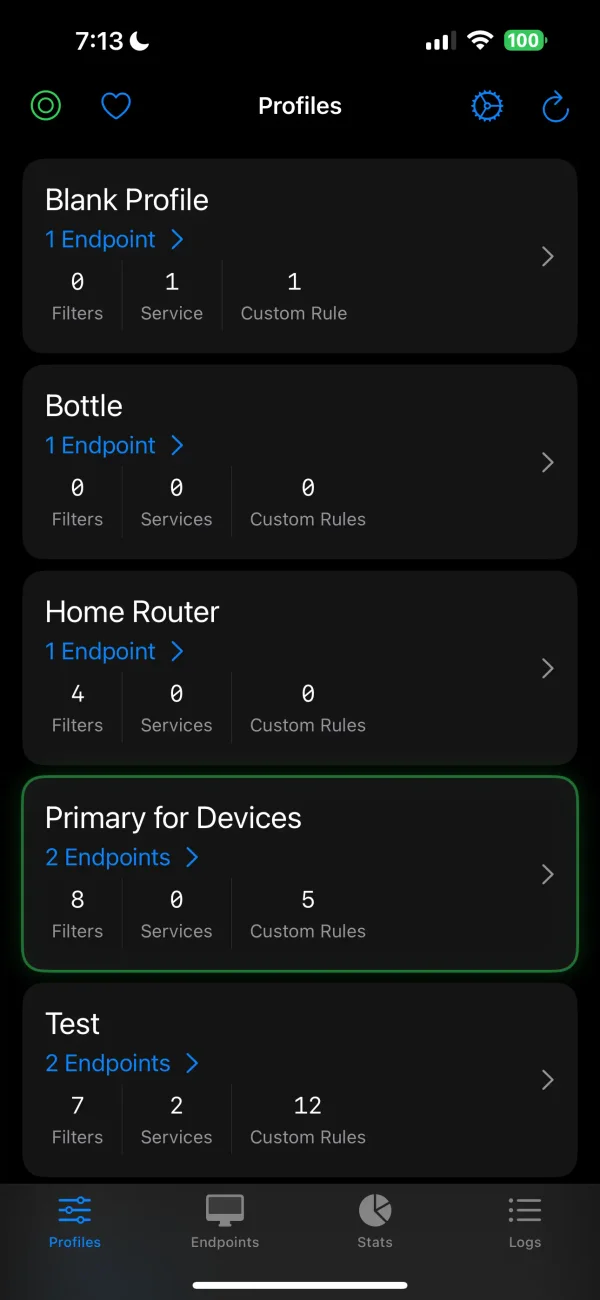
ControlHub is the native dashboard for Control D on iPhone, iPad, and Mac (Apple Silicon). Monitor DNS activity, manage Profiles, Endpoints, and Clients, and stay in full control of your privacy, security, and content filtering with a fast, modern SwiftUI interface and full VoiceOver accessibility.
What's New in 1.3
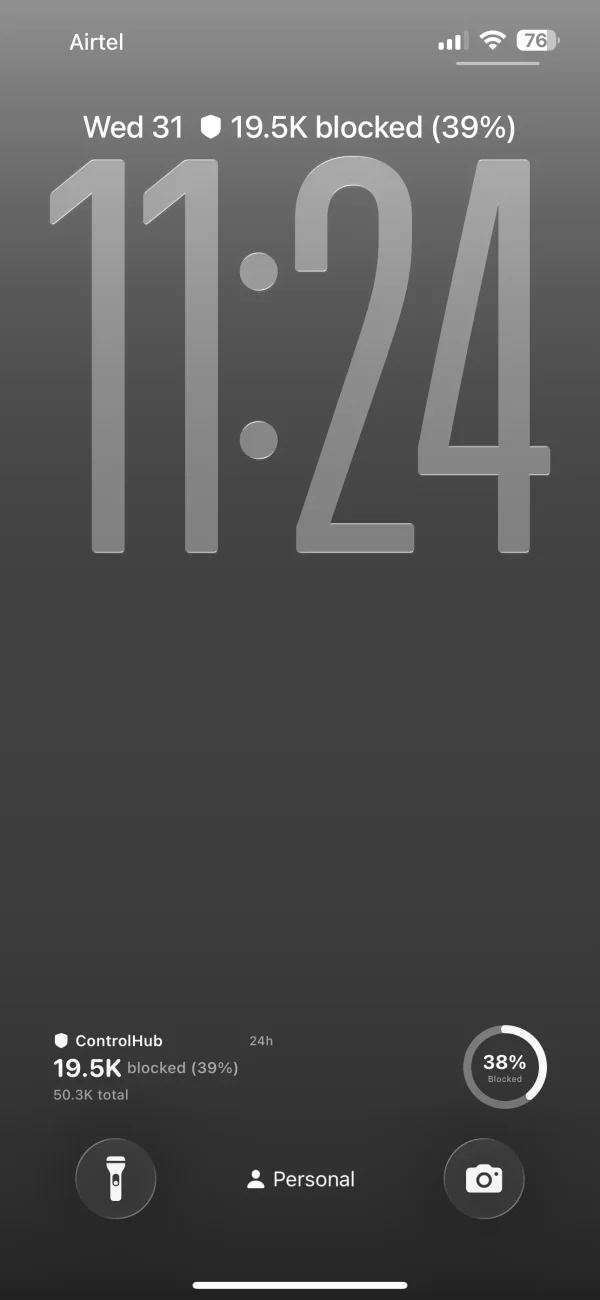
• Home Screen Widgets: Small (2x2) and Medium (4x2) widgets showing total queries, blocked count, and trend charts
• Lock Screen Widgets: Circular gauge, rectangular stats, and inline text widgets for iOS 16+
• VoiceOver Support: Full accessibility across all views with Audio Graph support for charts
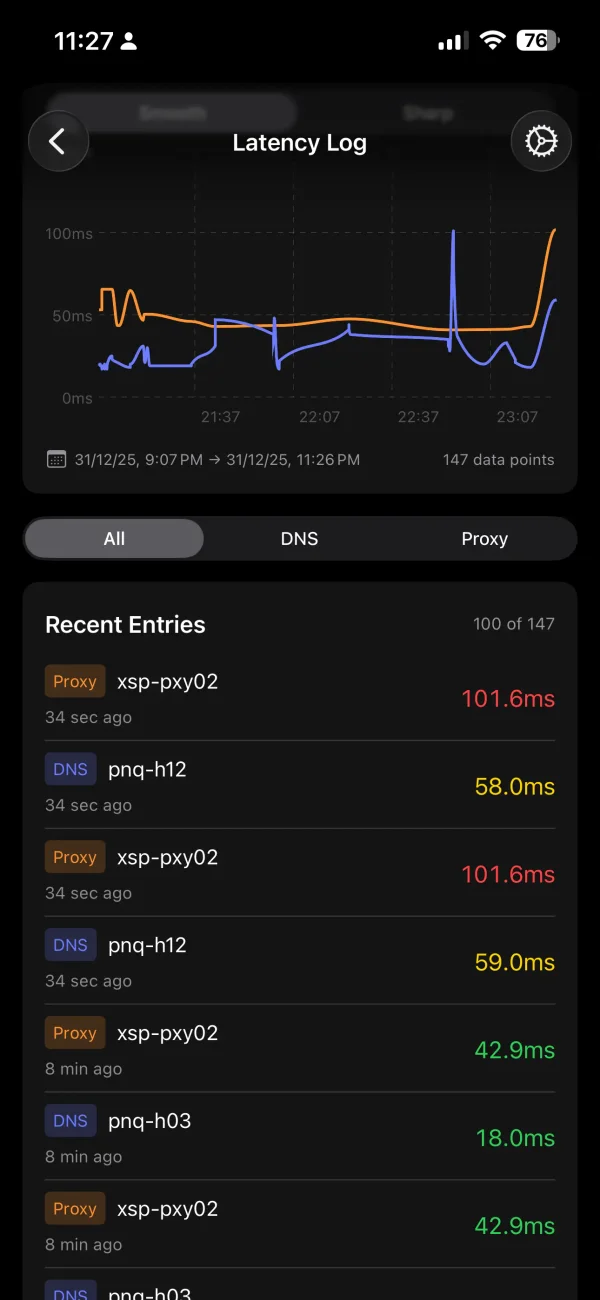
• Latency Logging: Track DNS and proxy latency over time with statistics and interactive charts
Key Features
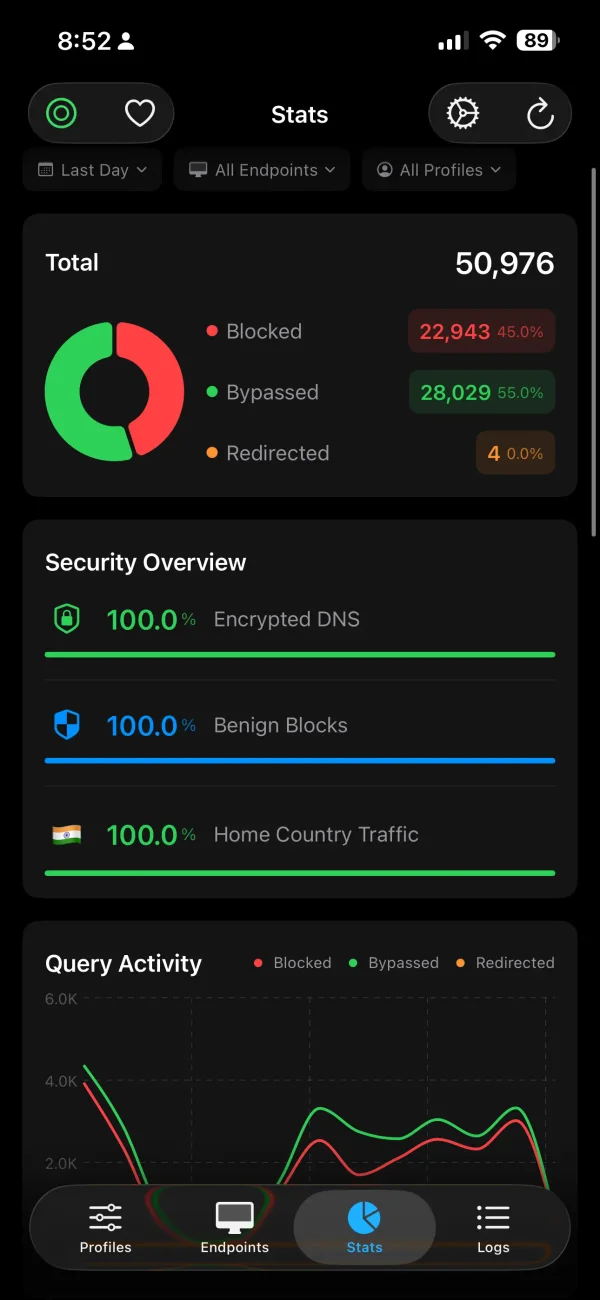
• Live Monitoring & Stats: Track DNS requests in real-time and explore trends with smooth, interactive charts. Quickly spot spikes, blocks, and performance issues across Profiles and Endpoints.
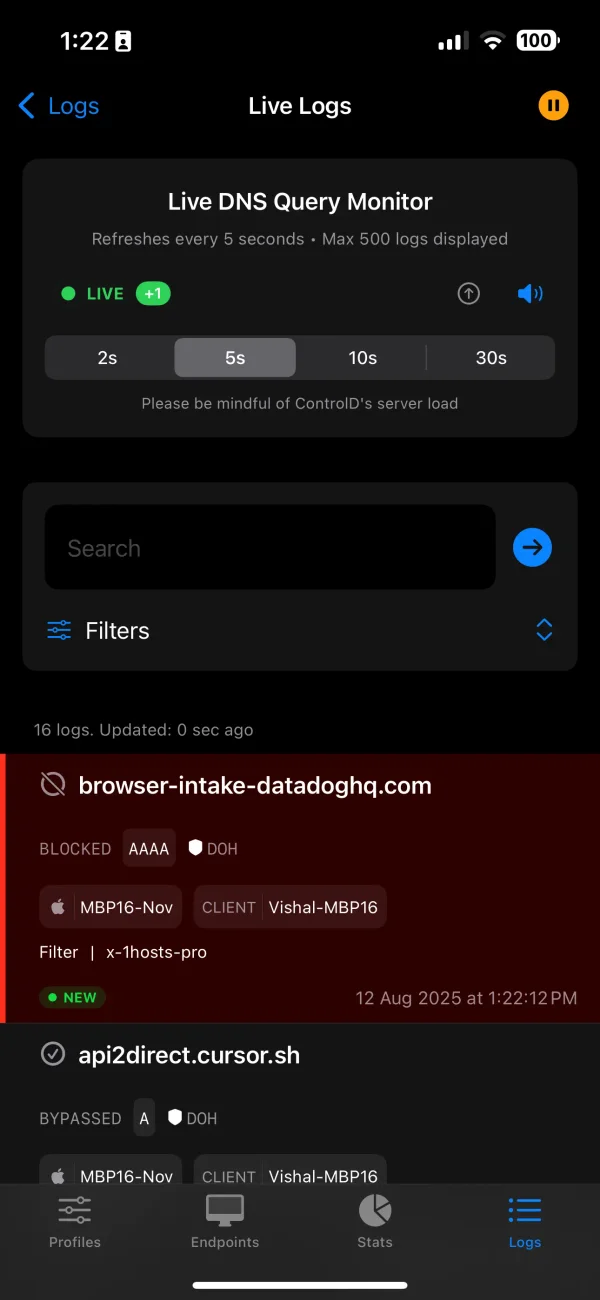
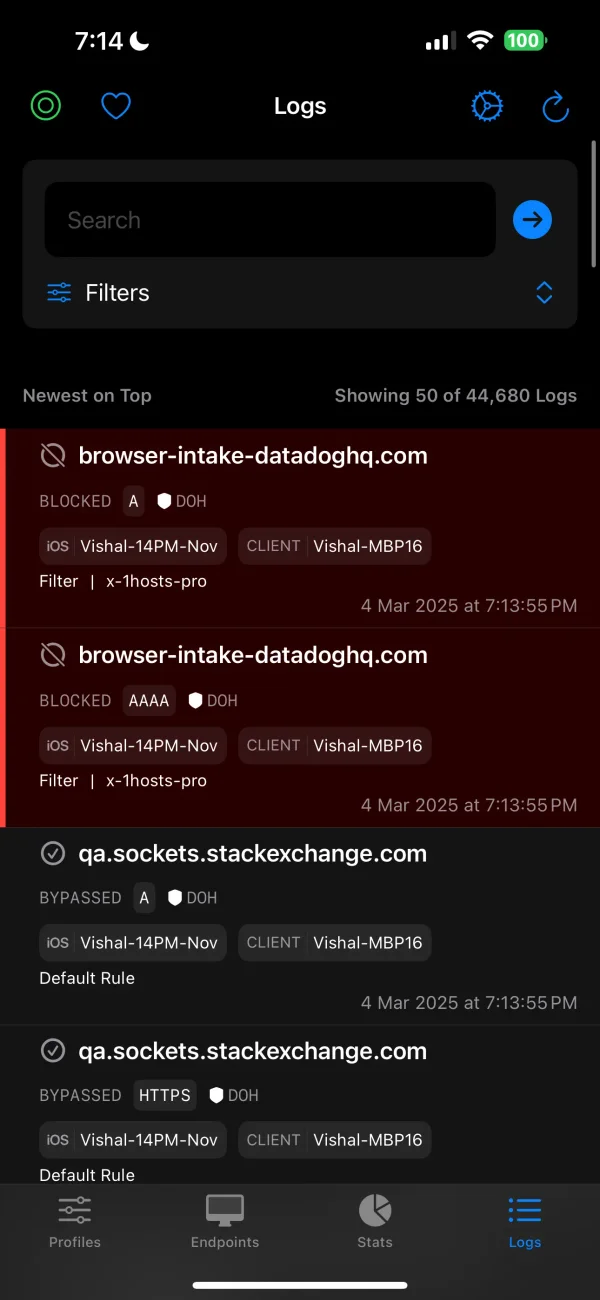
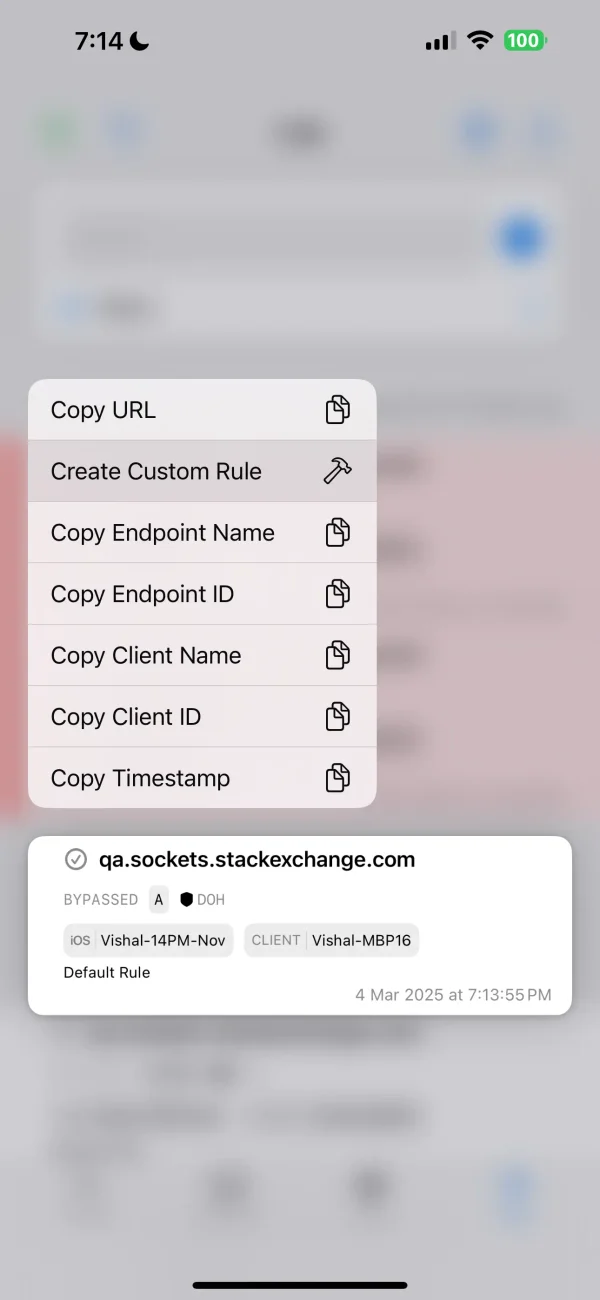
• Interactive Logs & Quick Actions: Filter by device, date, action, or keyword. Block, allow, redirect, or bypass directly from the logs to take immediate action on unwanted domains, trackers, ads, malware, or phishing.
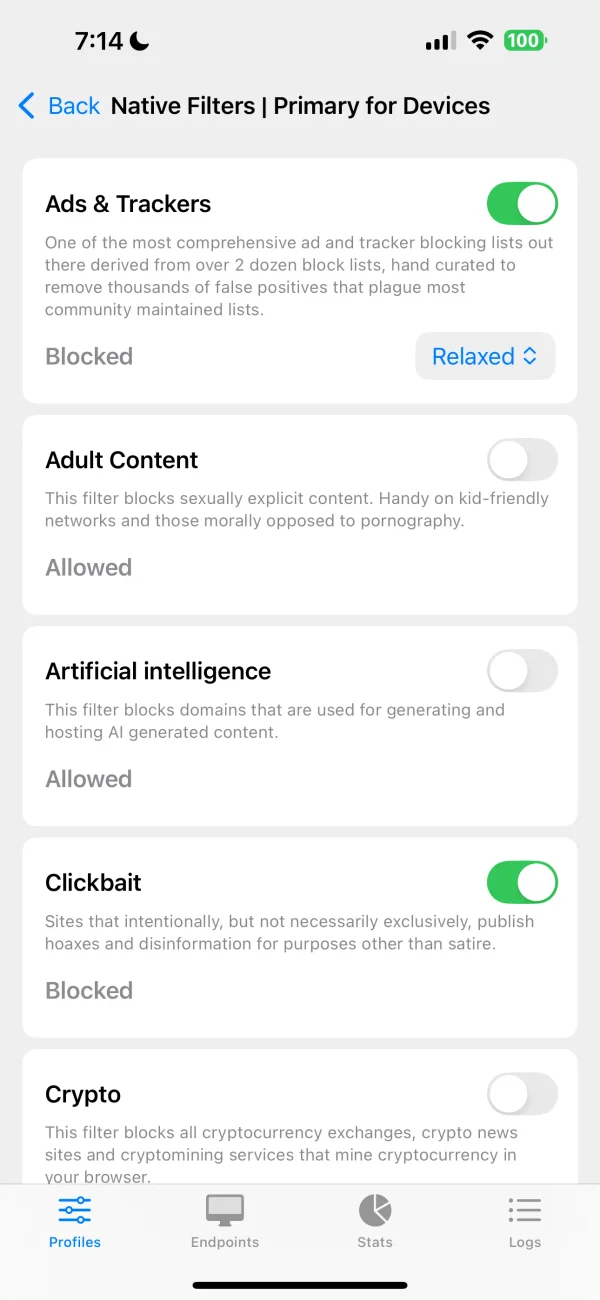
• Dynamic Rule Management: Enable/disable native or third-party filters with one tap. Create custom rules to block, bypass, or redirect including location-based routing to appear as if you're connecting from different regions.
• Live Logs: Real-time DNS query monitoring with instant updates and optional sound alerts.
• Device IPs & Resolvers: See all IPs associated with each endpoint and manage DNS resolvers.
• Folders for Rules: Organize custom rules into folders with inherited actions. Edit and move rules across folders.
• Connection Status: See your Control D connection at a glance with a native status view on Mac and detailed diagnostics when you need them.
• Polished UI, Built for Speed: Optimized layouts for iPad and large screens, faster data preloading for Stats and Logs, smarter sorting, and buttery-smooth scrolling.
• Saved Filters & Preferences: Your filters persist across sessions. Choose your preferred start tab in Settings.
• GitHub Feedback Integration: Request features, report bugs, or start discussions via a dedicated GitHub repository right from the app.
• Privacy by Design: No data collection. Your logs and stats remain on your device. ControlHub is a private, secure companion to your Control D setup.
• Free, With Optional Support: All features are free. Tip once or multiple times if you'd like, totally optional and unlocks nothing.
Download ControlHub to elevate your Control D DNS management with a privacy-focused, real-time dashboard for iOS, iPadOS, and macOS.
Privacy Policy: https://controlhub.vishalvshekkar.com/privacy
Terms of Service: https://controlhub.vishalvshekkar.com/terms
Contact: controlhub@vishalvshekkar.com
Nouveautés
Version 1.3.0 · 03/01/2026
Widgets, Accessibility & Latency Logging. This is a big release!
ControlHub now offers home and lock screen widgets, comprehensive VoiceOver support, and latency logging to monitor your DNS connection quality over time.
New in This Version
Widgets
- Home Screen Widgets: Small (2x2) and Medium (4x2) sizes showing total queries, blocked count, blocked percentage, and trend charts
- Lock Screen Widgets: Three styles for iOS 16+ including circular gauge, rectangular stats with sparkline, and inline text
- Widget Configuration: Choose your preferred time range (Hour, Day, Week, Month, Year) for each widget
- Widgets Guide: New Settings page with video tutorials showing exactly how to add and configure widgets
Accessibility
- VoiceOver Support: Full accessibility across all views including profiles, devices, stats, logs, and settings
- Audio Graph: Hear your query activity and latency charts as audio tones using VoiceOver's Audio Graph feature
- Meaningful Labels: Every interactive element and data display now has proper accessibility descriptions
Latency Logging
- Track DNS and proxy latency over time with detailed statistics and interactive charts
- View min, avg, max, P50, P75, P90, P95, and P99 percentiles for your connection quality
- Visualize latency trends with smooth or sharp chart interpolation options
- Auto-cleanup option to remove entries older than 30 days
Improvements
- Screen reader navigation with logical element grouping
- Status view reads each row as a single element (e.g., "DNS Latency: 45 milliseconds")
- Live logs announce new entries with domain and action details
- Geographic tabs work as adjustable picker with swipe gestures
- Compact number formatting: 1.2K, 3.4M for better readability
Bug Fixes
- Fixed timestamp parsing for Analytics V2 API responses
- Fixed pluralization issues ("endpointss", "Custom Ruless")
- Fixed spacing between status and IP pills in custom rules
Write to controlhub@vishalvshekkar.com for feedback or questions.
Confidentialité de l’application
Ce que Vishal Vijayashekkar déclare sur l’App Store au sujet du traitement des données par cette application.
-
Données n’établissant aucun lien avec vous
Peuvent être collectées, mais ne sont pas liées à votre identité.
- Données d’utilisation
- Diagnostic
Les pratiques en matière de confidentialité peuvent varier, notamment en fonction des fonctionnalités que vous utilisez ou de votre âge.
Informations
- Vendeur
- Vishal Vijayashekkar
- Catégorie
- Utilitaires
- Version
- 1.3.0
- Mis à jour
- 03/01/2026
- Publié
- 05/03/2025
- Taille
- 20,4 Mo
- Nécessite
- iOS 16.4 ou version ultérieure
- Classification d’âge
- 4+
- Prix
- Gratuit
- Achats intégrés
- Oui
- Langues
- Anglais
- Copyright
- © 2025 Vishal V. Shekkar
Vous aimerez peut-être aussi
-
 Remote for AdGuard DNSUtilitaires
-
 NextDNS RemoteStatistiques et filtrage DNS
-
 TechnitoUtilitaires
-
 TracearrSuivi Plex, Emby et Jellyfin
-
 Control D Quick SetupUtilitaires
-
 NS3 - DNS Security & PrivacyUtilitaires
-
 Icarus - Media ManagerUtilitaires
-
 Sable.Utilitaires
-
 Void: Pi-hole ManagerUtilitaires
-
 DashboarrUtilitaires