ControlHub Remote
Live DNS manager for Control D
Projetado para iPhone, iPad
Grátis · Compras no app
- Classificação etária4+
- CategoriaUtilidades
- DesenvolvedorVishal Vijayashekkar
- IdiomasInglês
- Tamanho20,4 MB
Leva à página oficial na App Store
O Download.org não hospeda nenhum arquivo de ControlHub Remote. O botão abre a página do app na App Store, onde Vishal Vijayashekkar o publica. Página verificada pela última vez em 14/11/2026.
Capturas de tela
Sobre
O desenvolvedor não forneceu este texto no seu idioma.
Experience powerful, real-time DNS management for Control D.
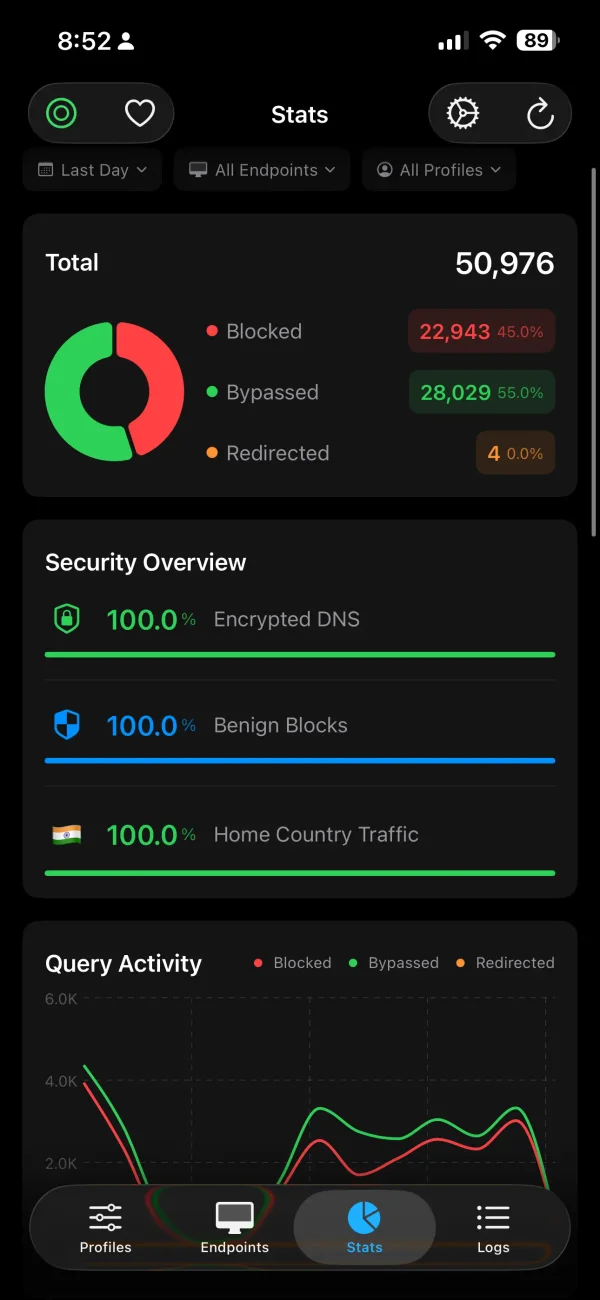
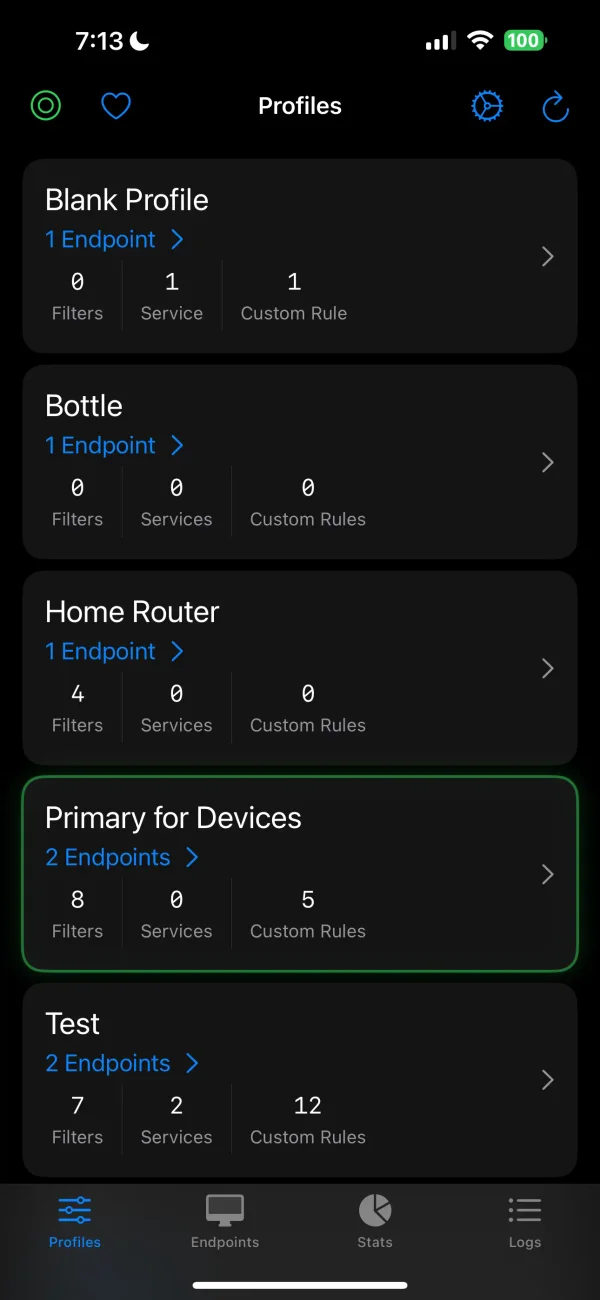
ControlHub is the native dashboard for Control D on iPhone, iPad, and Mac (Apple Silicon). Monitor DNS activity, manage Profiles, Endpoints, and Clients, and stay in full control of your privacy, security, and content filtering with a fast, modern SwiftUI interface and full VoiceOver accessibility.
What's New in 1.3
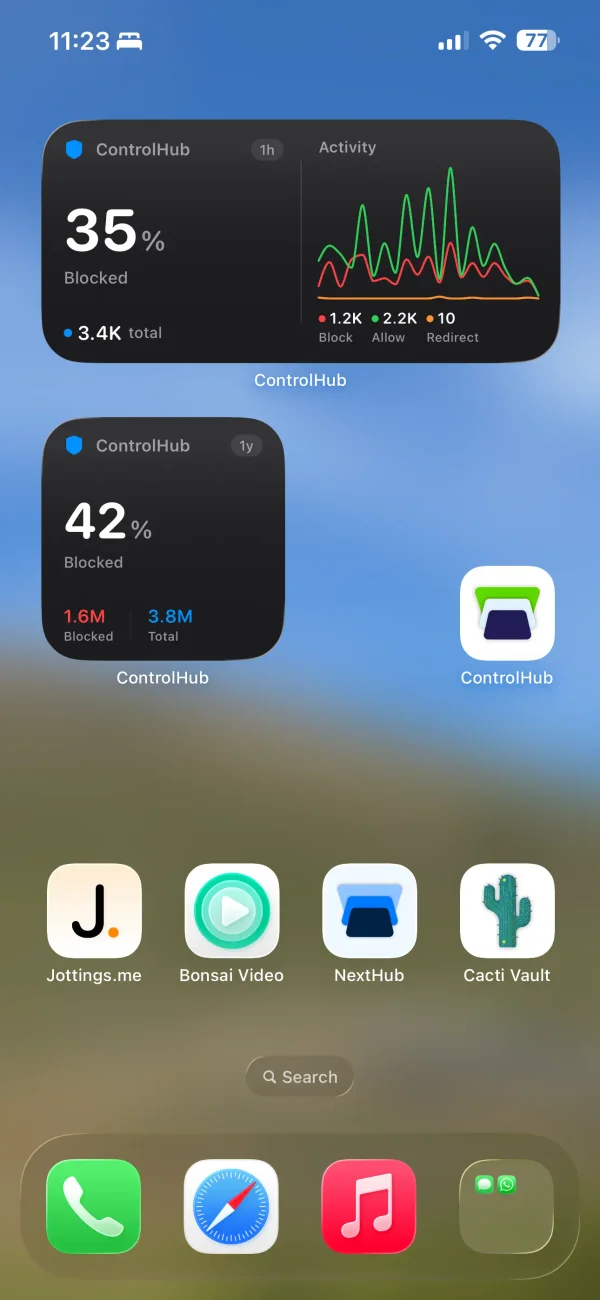
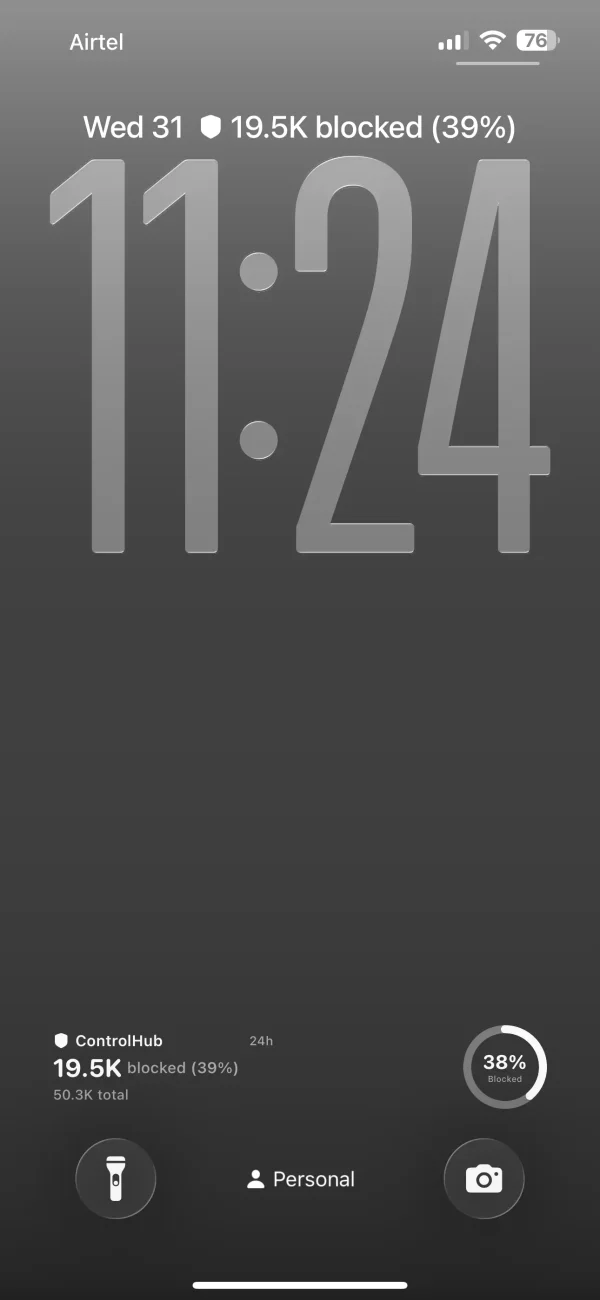
• Home Screen Widgets: Small (2x2) and Medium (4x2) widgets showing total queries, blocked count, and trend charts
• Lock Screen Widgets: Circular gauge, rectangular stats, and inline text widgets for iOS 16+
• VoiceOver Support: Full accessibility across all views with Audio Graph support for charts
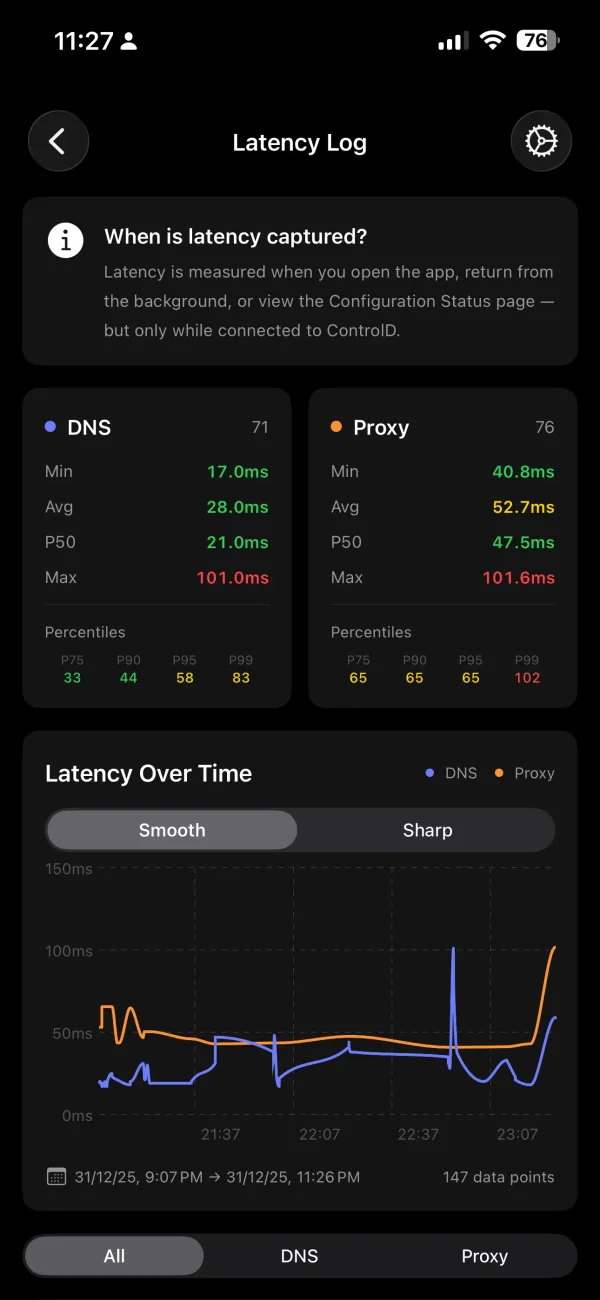
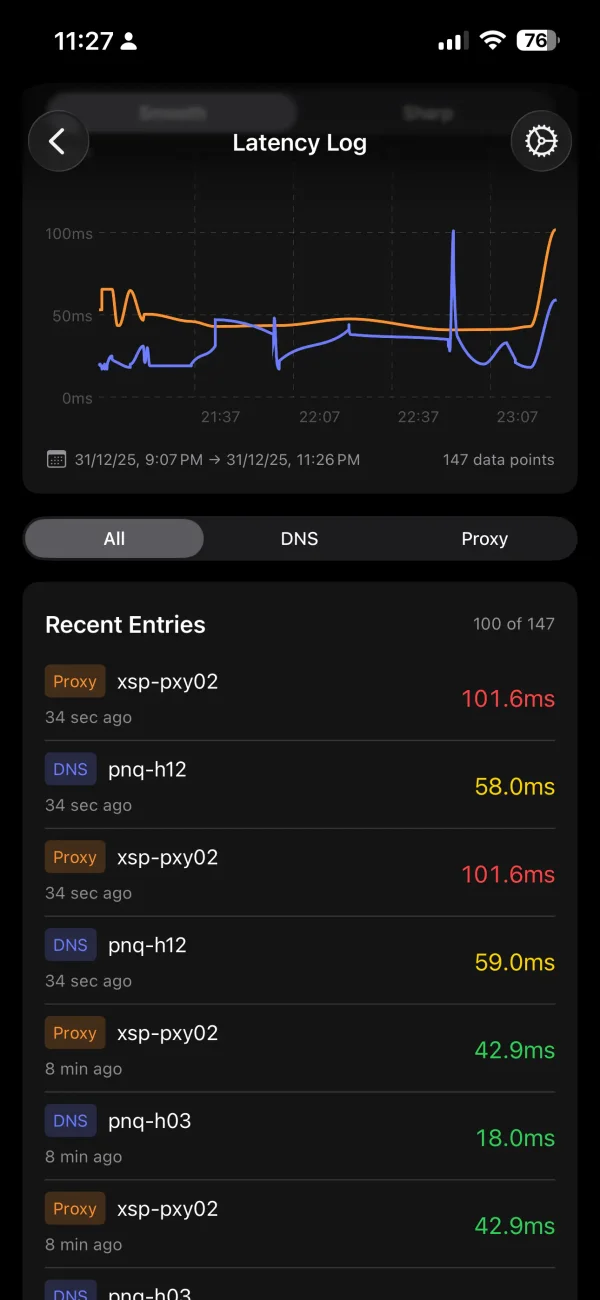
• Latency Logging: Track DNS and proxy latency over time with statistics and interactive charts
Key Features
• Live Monitoring & Stats: Track DNS requests in real-time and explore trends with smooth, interactive charts. Quickly spot spikes, blocks, and performance issues across Profiles and Endpoints.
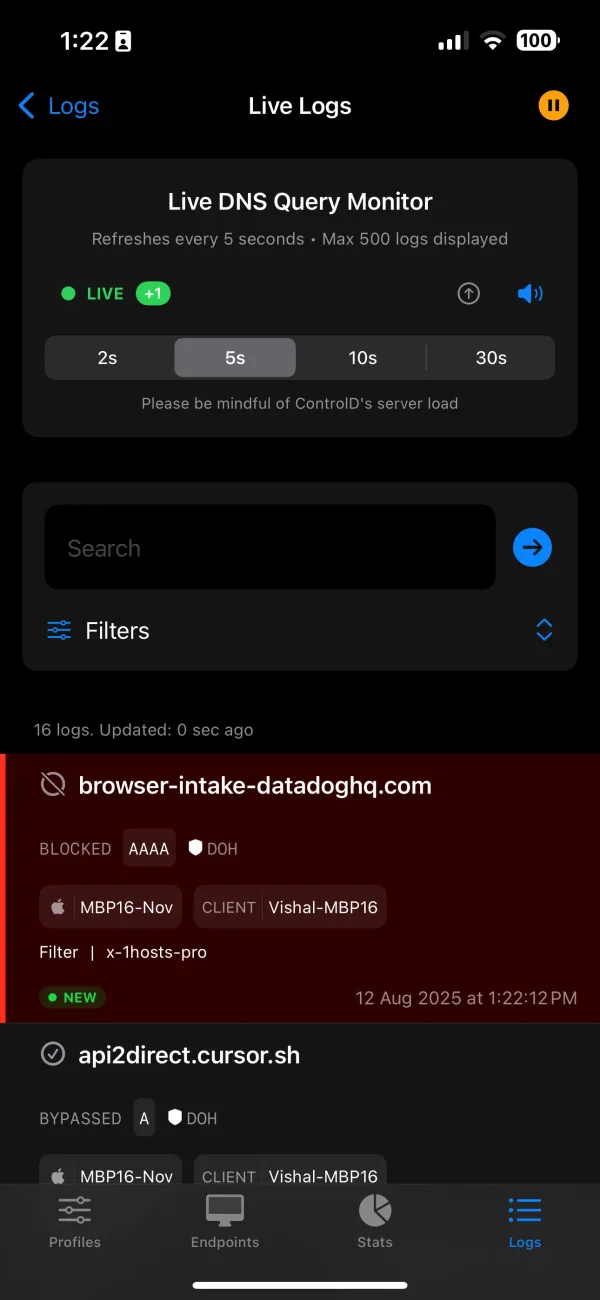
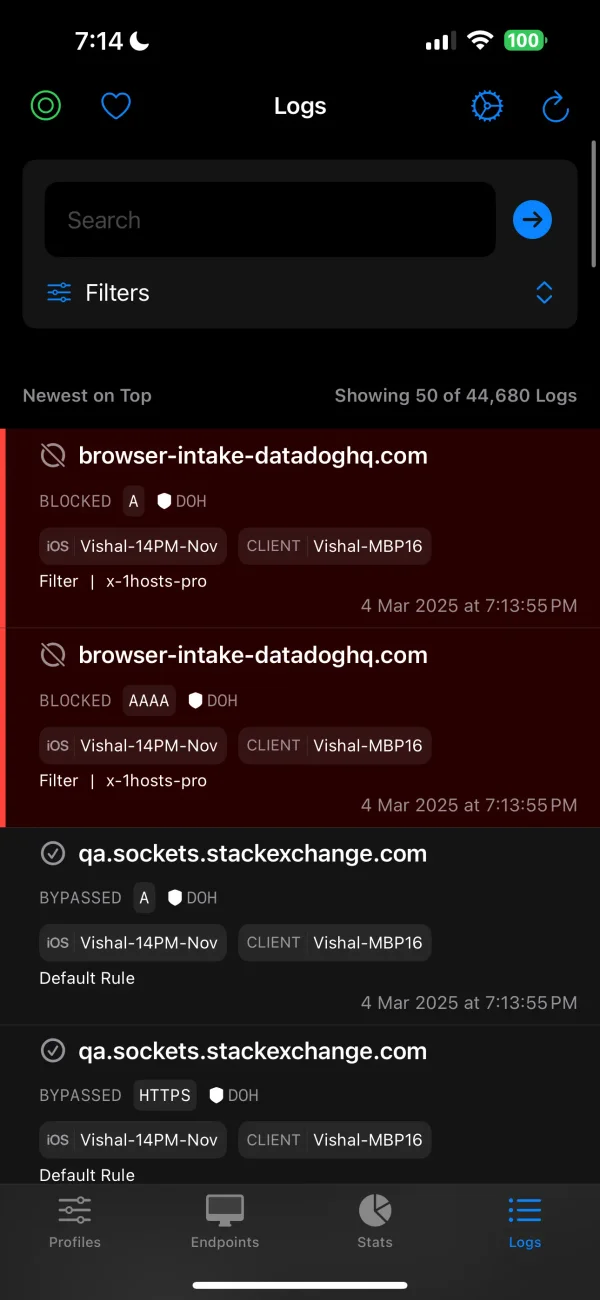
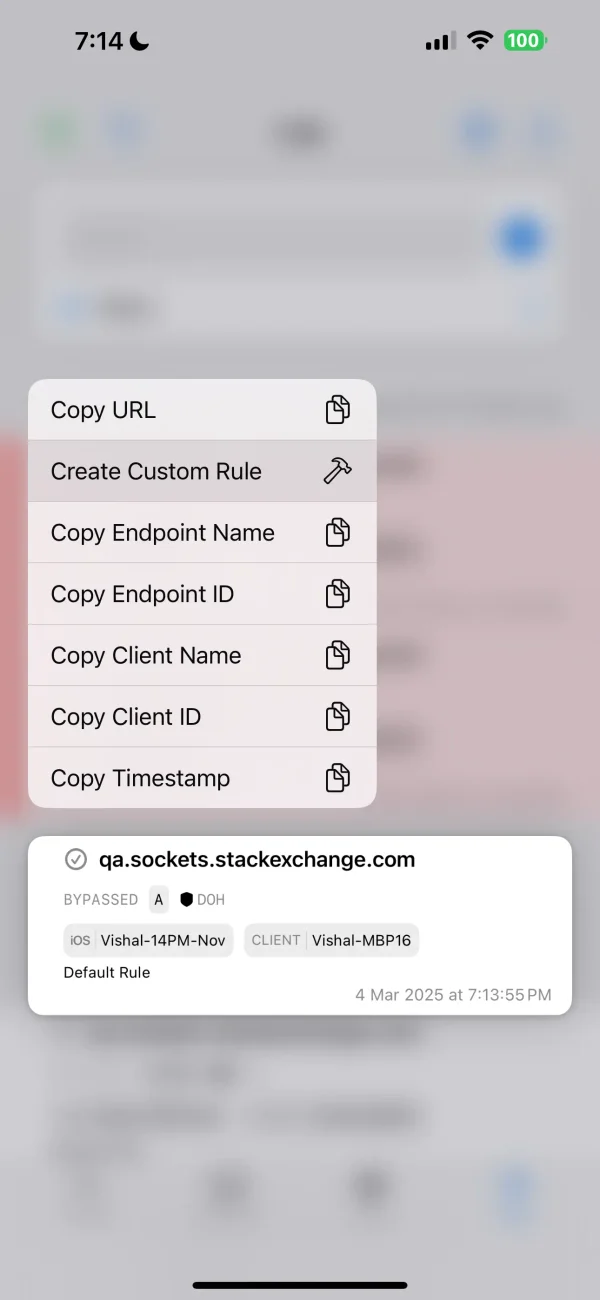
• Interactive Logs & Quick Actions: Filter by device, date, action, or keyword. Block, allow, redirect, or bypass directly from the logs to take immediate action on unwanted domains, trackers, ads, malware, or phishing.
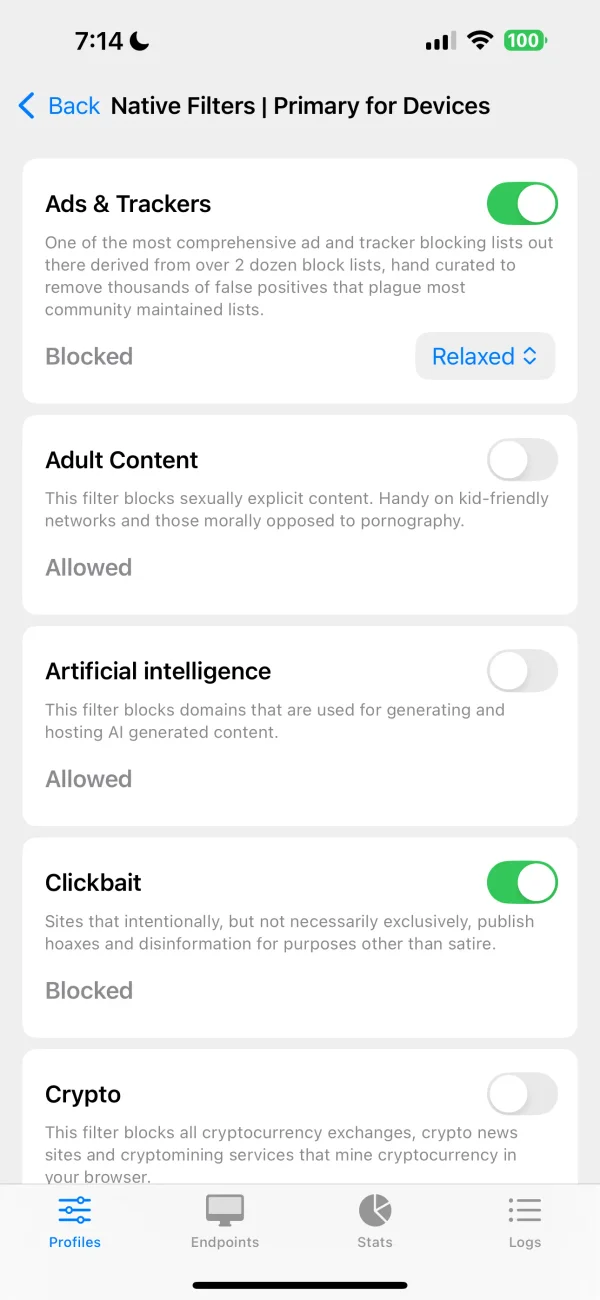
• Dynamic Rule Management: Enable/disable native or third-party filters with one tap. Create custom rules to block, bypass, or redirect including location-based routing to appear as if you're connecting from different regions.
• Live Logs: Real-time DNS query monitoring with instant updates and optional sound alerts.
• Device IPs & Resolvers: See all IPs associated with each endpoint and manage DNS resolvers.
• Folders for Rules: Organize custom rules into folders with inherited actions. Edit and move rules across folders.
• Connection Status: See your Control D connection at a glance with a native status view on Mac and detailed diagnostics when you need them.
• Polished UI, Built for Speed: Optimized layouts for iPad and large screens, faster data preloading for Stats and Logs, smarter sorting, and buttery-smooth scrolling.
• Saved Filters & Preferences: Your filters persist across sessions. Choose your preferred start tab in Settings.
• GitHub Feedback Integration: Request features, report bugs, or start discussions via a dedicated GitHub repository right from the app.
• Privacy by Design: No data collection. Your logs and stats remain on your device. ControlHub is a private, secure companion to your Control D setup.
• Free, With Optional Support: All features are free. Tip once or multiple times if you'd like, totally optional and unlocks nothing.
Download ControlHub to elevate your Control D DNS management with a privacy-focused, real-time dashboard for iOS, iPadOS, and macOS.
Privacy Policy: https://controlhub.vishalvshekkar.com/privacy
Terms of Service: https://controlhub.vishalvshekkar.com/terms
Contact: controlhub@vishalvshekkar.com
Novidades
Versão 1.3.0 · 03/01/2026
Widgets, Accessibility & Latency Logging. This is a big release!
ControlHub now offers home and lock screen widgets, comprehensive VoiceOver support, and latency logging to monitor your DNS connection quality over time.
New in This Version
Widgets
- Home Screen Widgets: Small (2x2) and Medium (4x2) sizes showing total queries, blocked count, blocked percentage, and trend charts
- Lock Screen Widgets: Three styles for iOS 16+ including circular gauge, rectangular stats with sparkline, and inline text
- Widget Configuration: Choose your preferred time range (Hour, Day, Week, Month, Year) for each widget
- Widgets Guide: New Settings page with video tutorials showing exactly how to add and configure widgets
Accessibility
- VoiceOver Support: Full accessibility across all views including profiles, devices, stats, logs, and settings
- Audio Graph: Hear your query activity and latency charts as audio tones using VoiceOver's Audio Graph feature
- Meaningful Labels: Every interactive element and data display now has proper accessibility descriptions
Latency Logging
- Track DNS and proxy latency over time with detailed statistics and interactive charts
- View min, avg, max, P50, P75, P90, P95, and P99 percentiles for your connection quality
- Visualize latency trends with smooth or sharp chart interpolation options
- Auto-cleanup option to remove entries older than 30 days
Improvements
- Screen reader navigation with logical element grouping
- Status view reads each row as a single element (e.g., "DNS Latency: 45 milliseconds")
- Live logs announce new entries with domain and action details
- Geographic tabs work as adjustable picker with swipe gestures
- Compact number formatting: 1.2K, 3.4M for better readability
Bug Fixes
- Fixed timestamp parsing for Analytics V2 API responses
- Fixed pluralization issues ("endpointss", "Custom Ruless")
- Fixed spacing between status and IP pills in custom rules
Write to controlhub@vishalvshekkar.com for feedback or questions.
Privacidade do app
O que Vishal Vijayashekkar declara na App Store sobre como este app lida com os dados.
-
Dados não vinculados a você
Podem ser coletados, mas não são vinculados à sua identidade.
- Dados de uso
- Diagnóstico
As práticas de privacidade podem variar, por exemplo, com base nos recursos que você usa ou na sua idade.
Informações
- Vendedor
- Vishal Vijayashekkar
- Categoria
- Utilidades
- Versão
- 1.3.0
- Atualizado
- 03/01/2026
- Lançamento
- 05/03/2025
- Tamanho
- 20,4 MB
- Requer
- iOS 16.4 ou posterior
- Classificação etária
- 4+
- Preço
- Grátis
- Compras no app
- Sim
- Idiomas
- Inglês
- Copyright
- © 2025 Vishal V. Shekkar