
Copy All: Text
Select All for web pages
Conçue pour iPhone, iPad, iPod touch
Gratuit
- Classification d’âge4+
- CatégorieUtilitaires
- DéveloppeurKohei Ishikawa
- LanguesAnglais+ 6 de plus
- Taille1,3 Mo
Renvoie vers la page App Store officielle
Download.org n’héberge aucun fichier de Copy All: Text. Le bouton ouvre la page de l’application sur App Store, où Kohei Ishikawa la publie. Fiche vérifiée pour la dernière fois le 17/11/2026.
Captures d’écran


À propos
Le développeur n’a pas fourni ce texte dans votre langue.
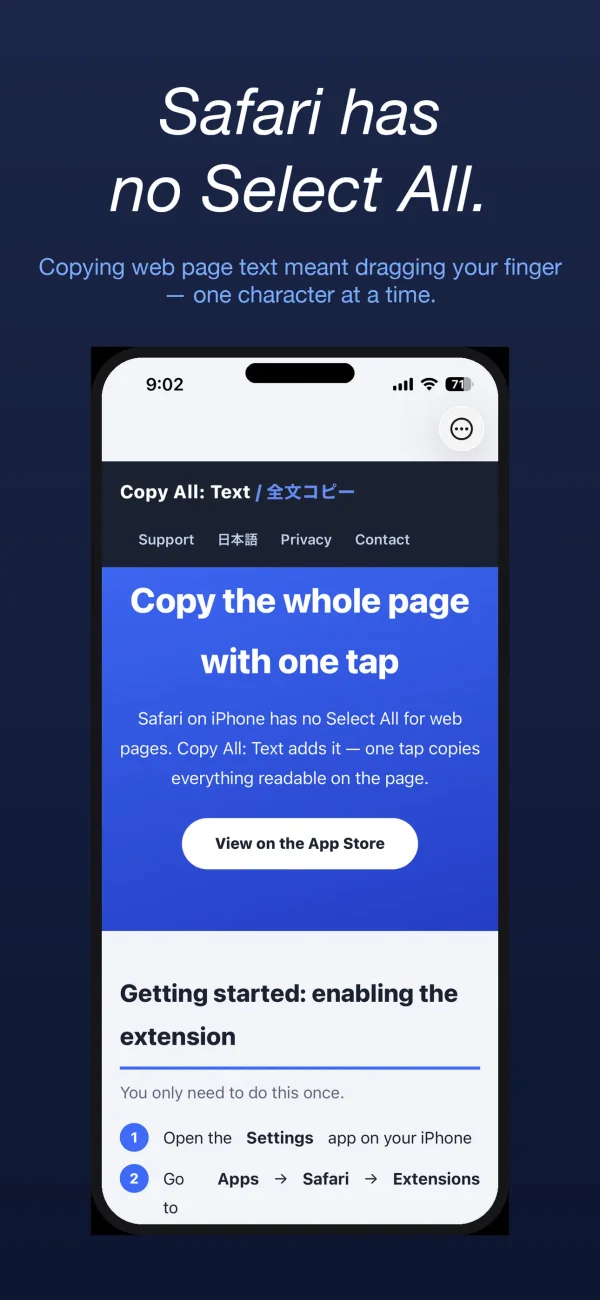
Safari on iPhone has no Select All for web pages.
On a computer, Command + A takes a second. On iPhone, there is no equivalent. Copying a long article means dragging your finger down the screen and starting over every time the selection slips.
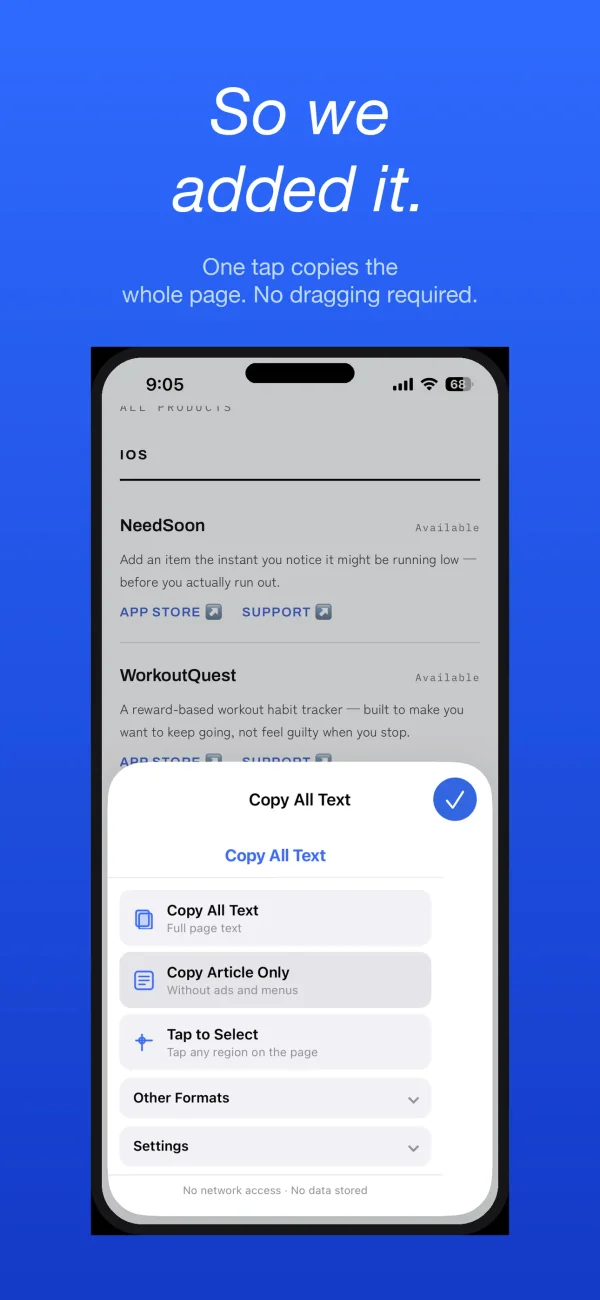
Copy All Text adds the Select All that Safari is missing. One tap copies the whole page.
COPY WHAT YOU NEED, IN A USEFUL FORMAT
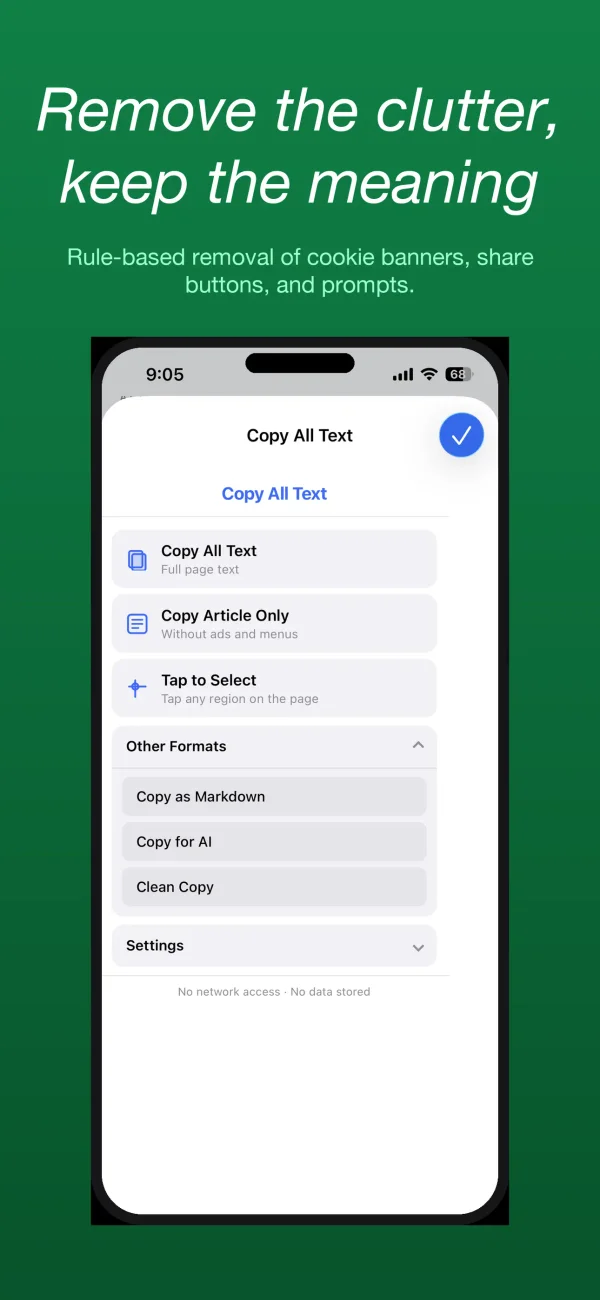
- Copy All Text: copies the page text readable in Safari.
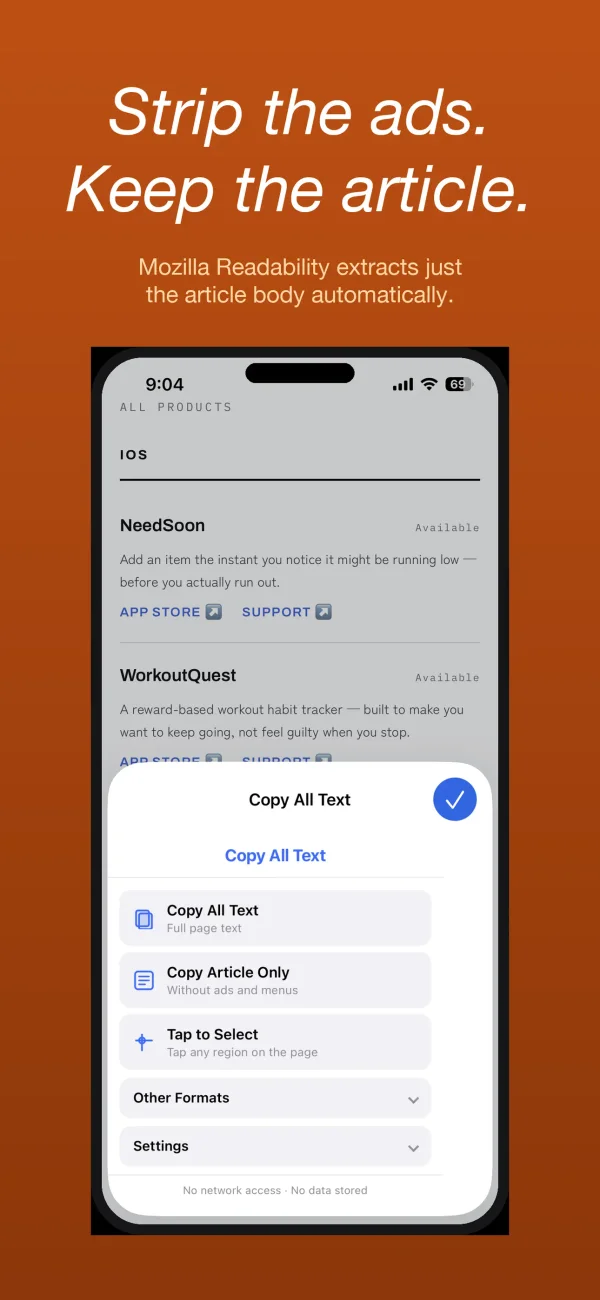
- Copy Article Only: removes ads, menus, and footers, then copies just the article body.
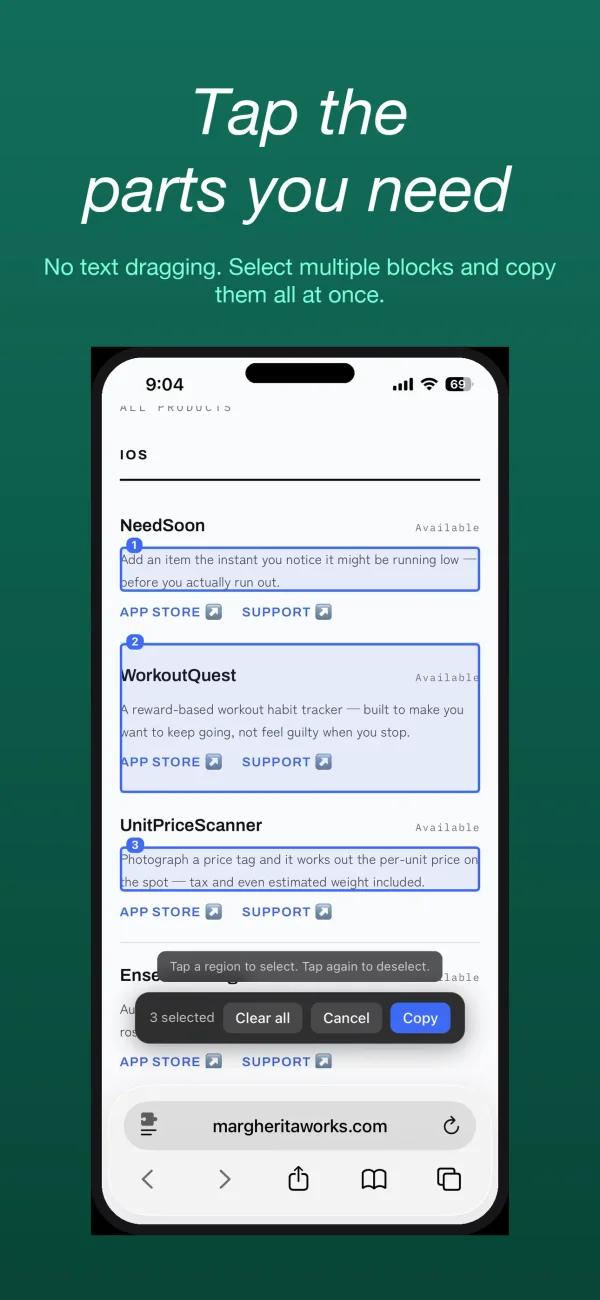
- Tap to Select: tap one or more page regions instead of dragging text handles.
- Copy for AI: locally formats content and an instruction for pasting into an AI chat. Nothing is sent.
- Clean Copy: removes cookie notices, sharing controls, subscription prompts, and repeated clutter.
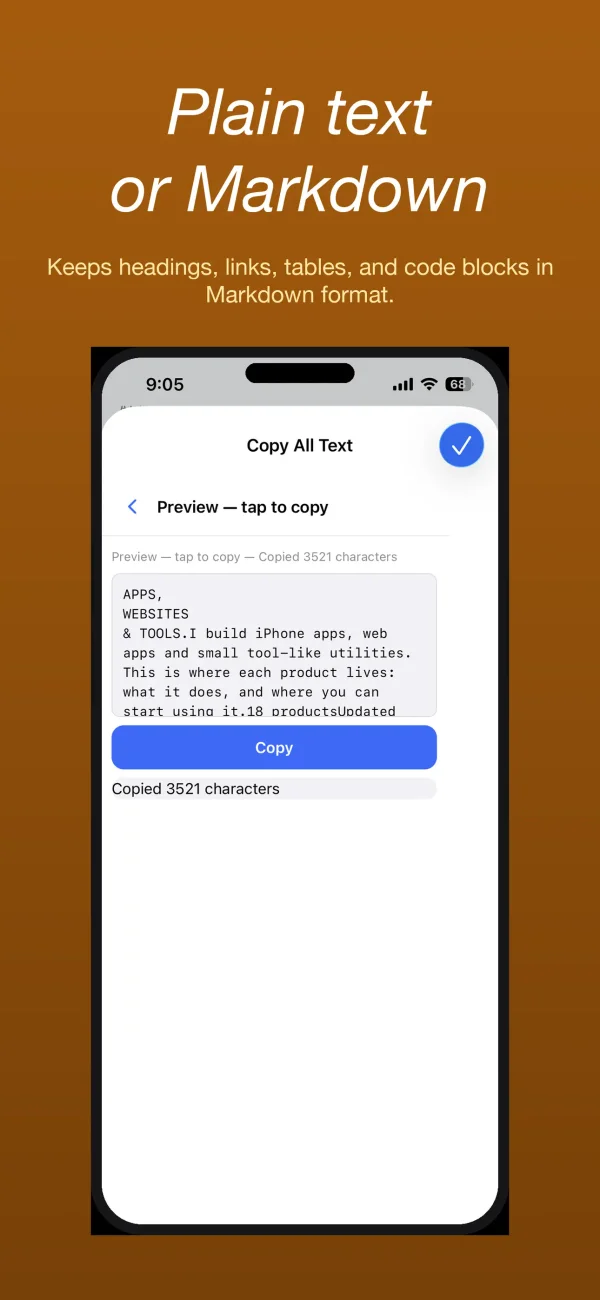
- Copy as Markdown: keeps headings, links, and lists intact.
If you already have text selected, only that selection is copied.
GOOD FOR
- Saving long articles into a notes app
- Moving research into another app in one go
- Passing page content to a translation service
PRIVACY AND PRICING
- Completely free. No ads. No in-app purchases.
- No network access at all. Page content never leaves your device.
- Nothing is stored or logged.
- The extension only runs on the page where you tap the button.
HOW TO USE
1. Enable the Safari extension in the Settings app.
2. Open any page in Safari.
3. Tap the extension icon in the address bar and choose a copy mode.
Supports VoiceOver and Dynamic Type. Available in Japanese, English, Korean, Traditional Chinese, Simplified Chinese, Spanish, and Arabic.
Note: Depending on the structure of a website or its access restrictions, some text may not be retrievable.
Nouveautés
Version 1.2.1 · 03/11/2026
Bug fixes
• Fixed an issue where the copy buttons could leave the previous clipboard content in place. One tap now reliably copies the text
• Fixed "Copied" being shown when nothing had been copied
• Popup headings and button labels are no longer selected by a long press
Confidentialité de l’application
Ce que Kohei Ishikawa déclare sur l’App Store au sujet du traitement des données par cette application.
-
Données non collectées
Le développeur ne collecte aucune donnée à partir de cette application.
Les pratiques en matière de confidentialité peuvent varier, notamment en fonction des fonctionnalités que vous utilisez ou de votre âge.
Informations
- Vendeur
- Kohei Ishikawa
- Catégorie
- Utilitaires
- Version
- 1.2.1
- Mis à jour
- 03/11/2026
- Publié
- 04/09/2026
- Taille
- 1,3 Mo
- Nécessite
- iOS 15.0 ou version ultérieure
- Classification d’âge
- 4+
- Prix
- Gratuit
- Langues
- Anglais, Arabe, Japonais, Coréen, Chinois simplifié, Espagnol, Chinois traditionnel
- Copyright
- © 2026 Margherita Works by Kohei Ishikawa
Vous aimerez peut-être aussi
-
 Shellcove · Cloud AgentUtilitaires
-
 Run Custom JS on BackgroundUtilitaires
-
 NasScaleVotre NAS, toujours à portée
-
 Playwall: Suivi de jeux vidéoBacklog, collection et notes
-
 WebClean: Bloqueur de pubAdblock Safari & mode sombre
-
 ProEncryptor: File EncryptionUtilitaires
-
 Matrix Alarm-A code rain alarmUtilitaires
-
 PearpipeUtilitaires
-
 TigerTextUtilitaires
-
 Smart Calculator: All In OneUtilitaires