- Classification d’âge17+
- CatégorieÉconomie et entreprise
- DéveloppeurBrainbean Technolabs Pvt Ltd
- LanguesAnglais
- Taille35,3 Mo
Crown POS n’est peut-être pas disponible sur App Store pour le moment
La fiche de la boutique était inaccessible lors de notre dernière vérification. Le lien mène toujours à la page App Store officielle.
Captures d’écran




À propos
Le développeur n’a pas fourni ce texte dans votre langue.
This POS (Point of Sale) app offers a streamlined interface for managing sales, customer interactions, and order history in a retail or service environment. Here’s a description of the key features:
Login Screen: Users can securely log into the app using their username and password, providing a personalized experience. There's a password visibility toggle to ensure ease of access while maintaining privacy.
Main Dashboard: After logging in, users are greeted with an overview of today’s sales, including the total sales amount. There are quick access buttons for easy navigation to the POS system, settings, and additional features like viewing past orders.
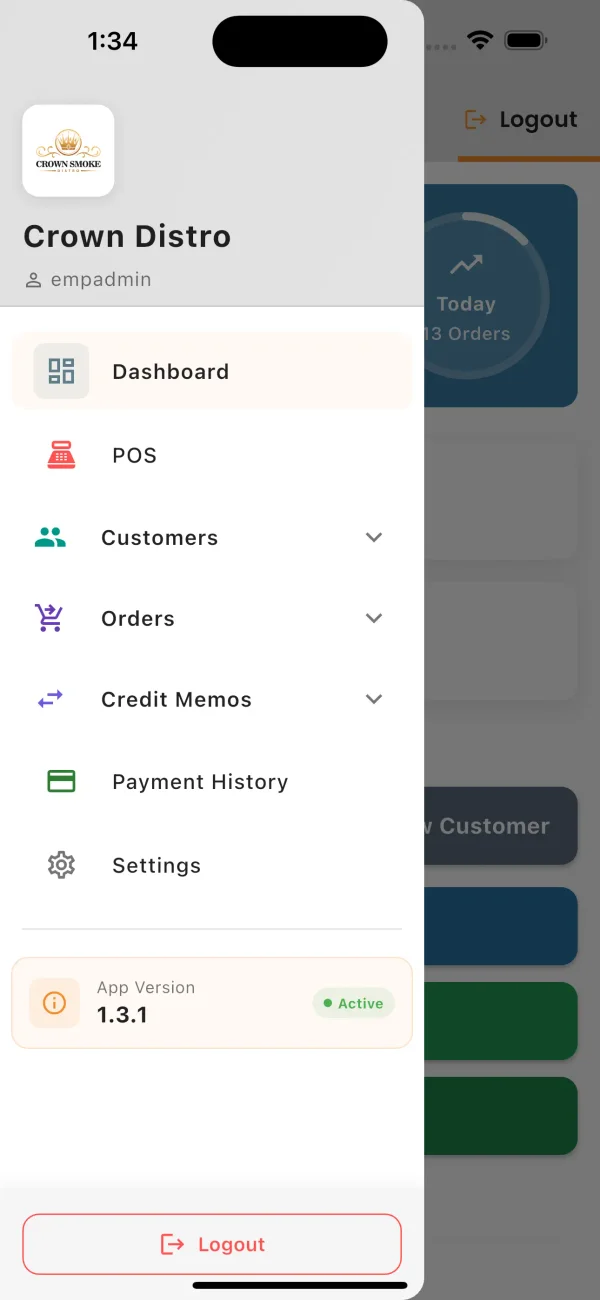
Menu Navigation: The side menu allows users to navigate between key areas such as Dashboard, POS, Order History, Settings, and Help & Support. This makes it easy to access different functionalities.
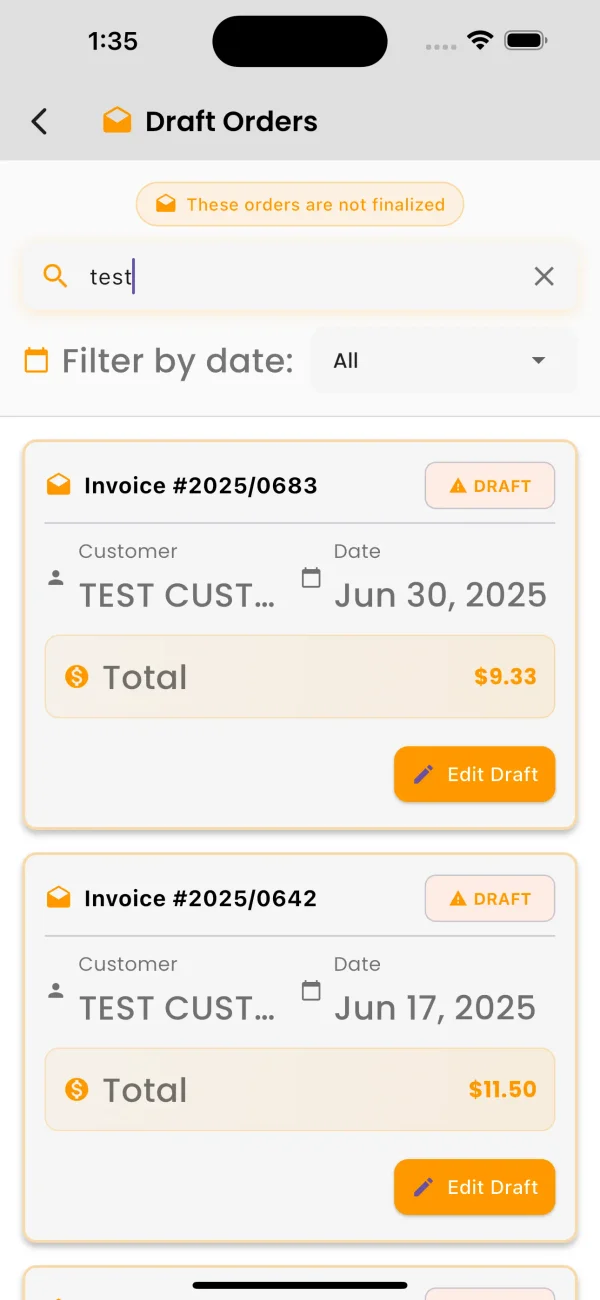
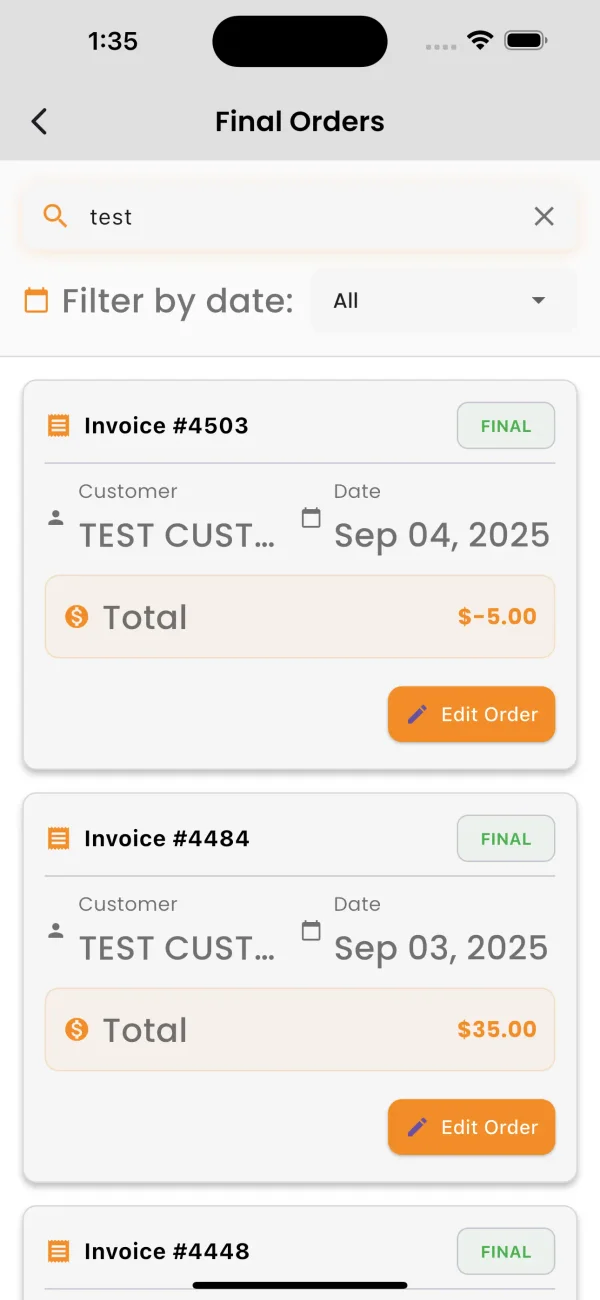
Order History: Users can view past orders with key details like the invoice number, customer name, date, total amount, and the status (Finalized or in Draft). The option to edit or finalize an order is available for users with the appropriate permissions.
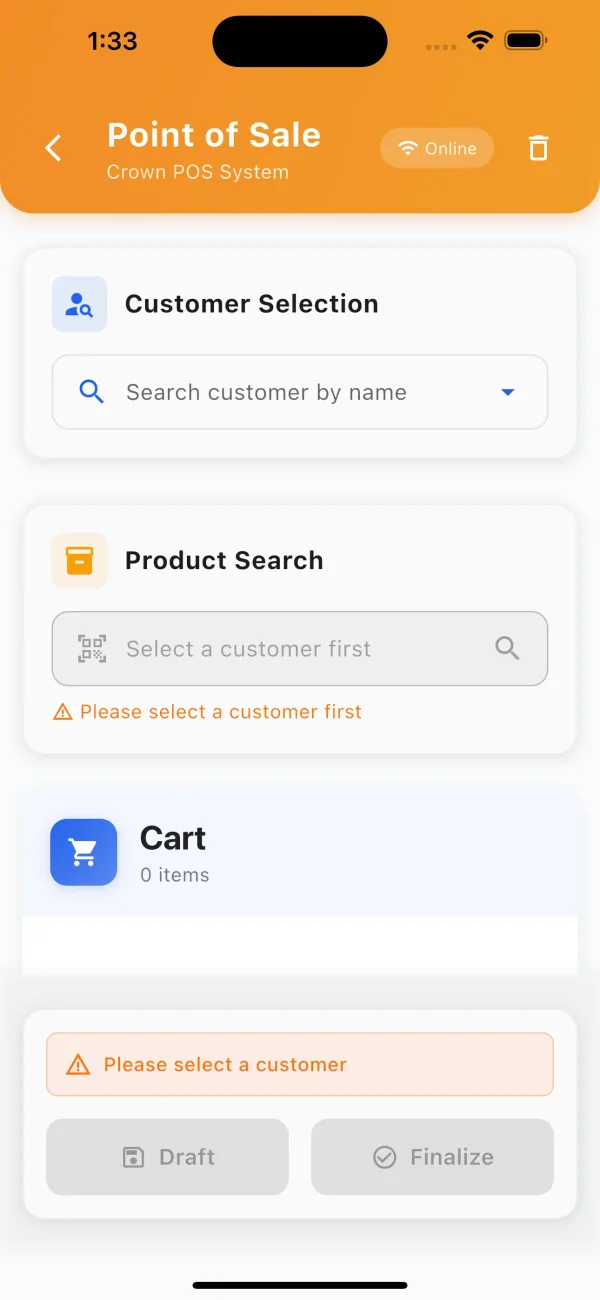
POS System: The POS interface enables users to search for customers, add products by name or SKU, apply discounts, and view order details like the subtotal, shipping charge, and total amount. It’s designed to provide a quick and easy checkout experience.
Settings: The settings page allows users to adjust preferences like theme mode, ensuring the app matches their personal or business environment.
This app is perfect for businesses looking to simplify their sales process with an intuitive, user-friendly interface and a focus on functionality like managing orders, viewing sales data, and customizing the app’s appearance.
Nouveautés
Version 2.0 · 28/10/2026
Crown POS 2.0 brings a completely redesigned app.
• Fresh, modern design across the app, with an option to switch back to the Classic design in Settings.
• New dashboard: see sales for Today, This Week, This Month and Year to Date.
• Search customers, orders and products right from the dashboard.
• Faster product search with brand and stock filters.
• View, print and share invoices as PDF.
• More reliable credit memos, including offline support.
• Performance improvements and bug fixes.
Confidentialité de l’application
Ce que Brainbean Technolabs Pvt Ltd déclare sur l’App Store au sujet du traitement des données par cette application.
-
Données non collectées
Le développeur ne collecte aucune donnée à partir de cette application.
Les pratiques en matière de confidentialité peuvent varier, notamment en fonction des fonctionnalités que vous utilisez ou de votre âge.
Informations
- Vendeur
- BRAINBEAN TECHNOLABS OPC PRIVATE LIMITED
- Catégorie
- Économie et entreprise
- Version
- 2.0
- Mis à jour
- 28/10/2026
- Publié
- 26/03/2025
- Taille
- 35,3 Mo
- Nécessite
- iOS 15.6 ou version ultérieure
- Classification d’âge
- 17+
- Langues
- Anglais
- Copyright
- © 2025 Crown POS
Vous aimerez peut-être aussi
-
 PayDAO PayerFinance
-
 RMFAR INCÉconomie et entreprise
-
 Falcon POSÉconomie et entreprise
-
 GNS Wholesale B2BÉconomie et entreprise
-
 GIS POS – Point of SaleÉconomie et entreprise
-
 CBNA Premier Business ConnectFinance
-
 Gokul POSÉconomie et entreprise
-
 Marfatia : Share4SureFinance
-
 LimoGridÉconomie et entreprise
-
 PayIt POSÉconomie et entreprise