Dashlight: Car Widgets
Parking spot, weather, photos
Conçue pour iPhone
Gratuit · Achats intégrés
- Classification d’âge4+
- CatégorieUtilitaires
- DéveloppeurYusuf Fuat Sarac
- LanguesAnglais+ 1 de plus
- Taille13,8 Mo
Renvoie vers la page App Store officielle
Download.org n’héberge aucun fichier de Dashlight: Car Widgets. Le bouton ouvre la page de l’application sur App Store, où Yusuf Fuat Sarac la publie. Fiche vérifiée pour la dernière fois le 12/11/2026.
Captures d’écran

À propos
Le développeur n’a pas fourni ce texte dans votre langue.
Your car's display, set up the way you like it.
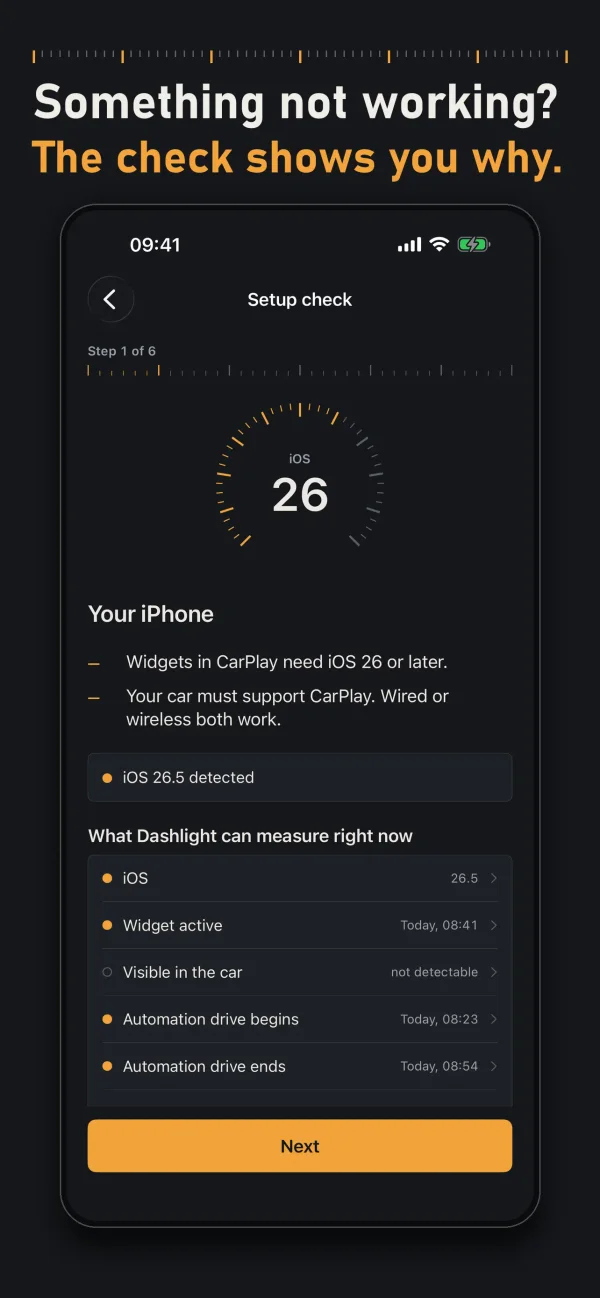
Check first, pay later: the setup check walks you through everything widgets need in your car and says plainly what iOS lets an app detect and what it doesn't – before you pay for anything.
And honest up front: Apple lets apps do some things and not others. Dashlight does not change the CarPlay wallpaper, does not replace your car's startup sound and cannot start or lock your car. What the app promises, it does.
Dashlight puts a clock, your parking spot, the weather, a photo or a countdown on your car's display as a widget (works with CarPlay on iOS 26 or later) – and on your iPhone Home Screen and Lock Screen.
SETUP CHECK (free)
• Checks your iOS version and walks you through adding widgets to CarPlay (Settings > General > CarPlay > your car > Customize)
• Shows when iOS last requested a widget
• Explains the two Shortcuts automations for "When CarPlay connects / disconnects"
WIDGETS
• Clock and date, 12 or 24 hour – free
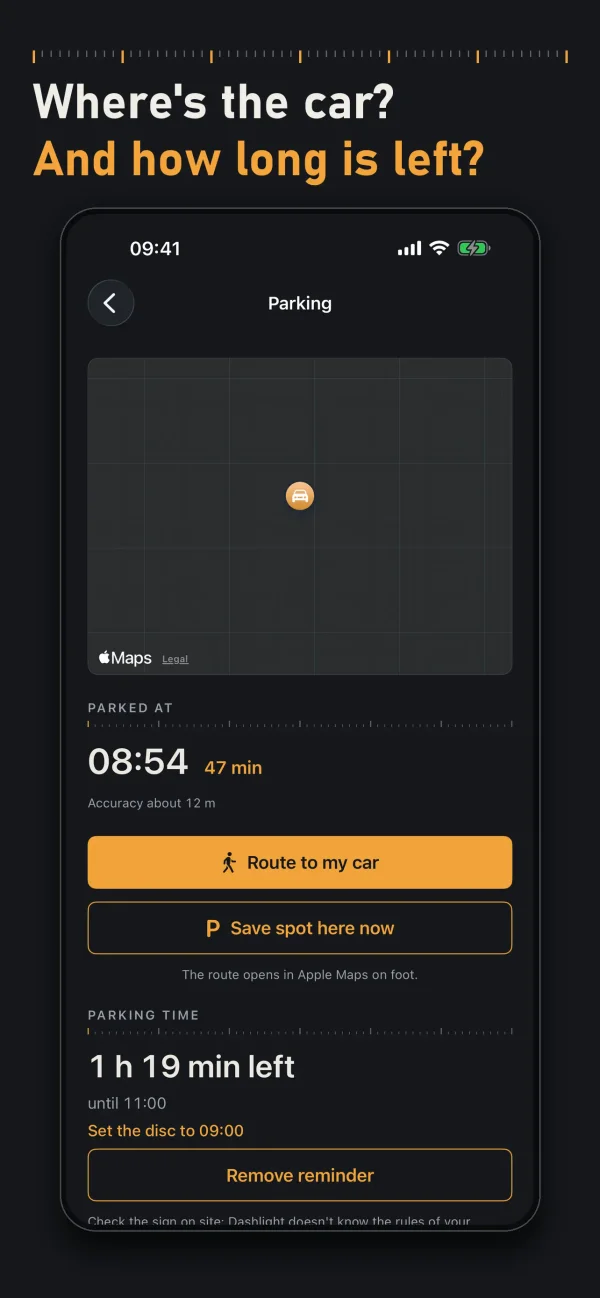
• Parking: where and since when you parked – free
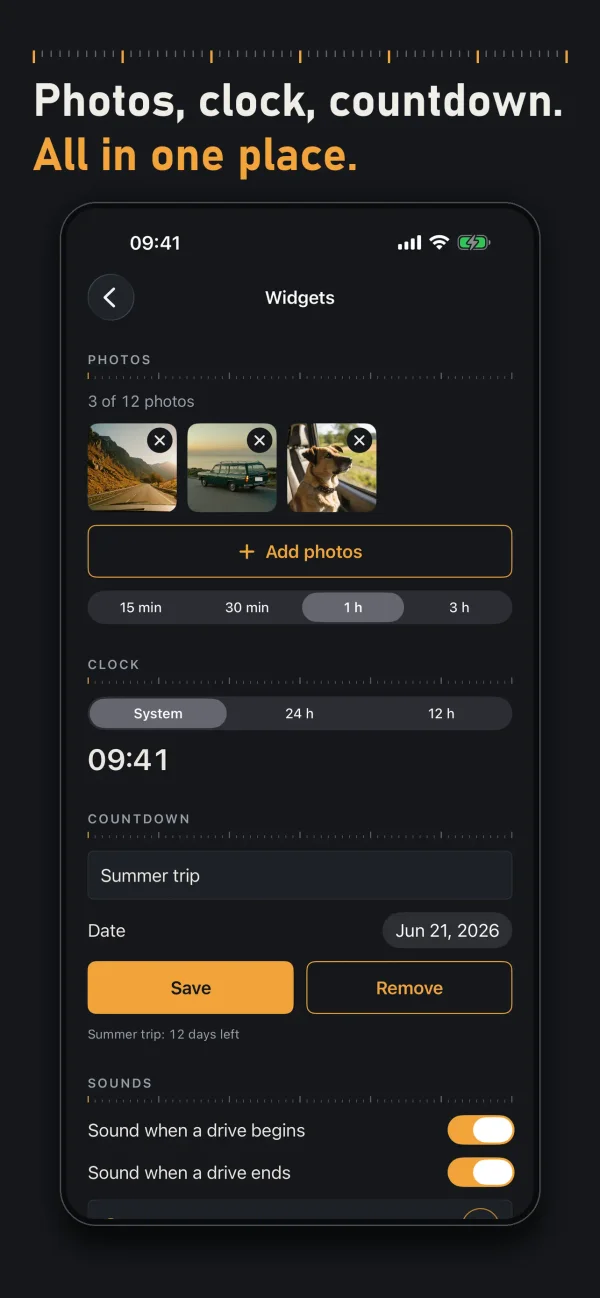
• Photo: one picture of your own – free; up to 12 in rotation – Pro
• Trips today: drive time and number of drives – Pro
• Weather now at your location (Apple Weather) – Pro
• Countdown to a date, such as a holiday or your next car inspection – Pro
Every widget shows one thing, large and high-contrast.
WIDGET STUDIO
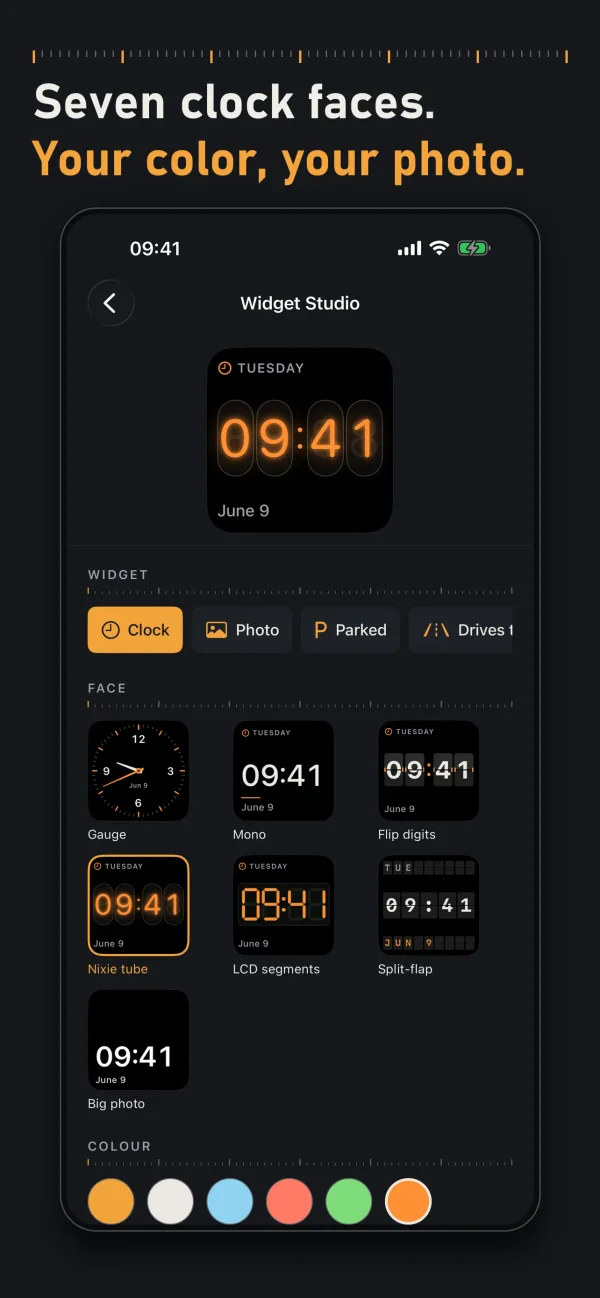
• Seven clock faces: gauge, mono, flip digits, Nixie tube, LCD segments, split-flap, large photo. Gauge and mono are free, the rest come with Pro
• Your accent color and your own photo as a background (Pro)
• Cockpit preview: see your widgets side by side on a model display before you get in the car
TRIP SHORTCUTS
• Two actions for the Shortcuts app: "Trip begins" and "Trip ends"
• "Trip ends" saves your parking spot. If iOS doesn't share the location in the background, the widget says "Tap to save parking spot"
• Optional greeting and arrival sounds, made just for this app. They play from your iPhone, not through your car's startup system
• Pro: a Live Activity with drive time, weather and countdown, which iOS shows on the CarPlay dashboard
REVIEW AND MAP
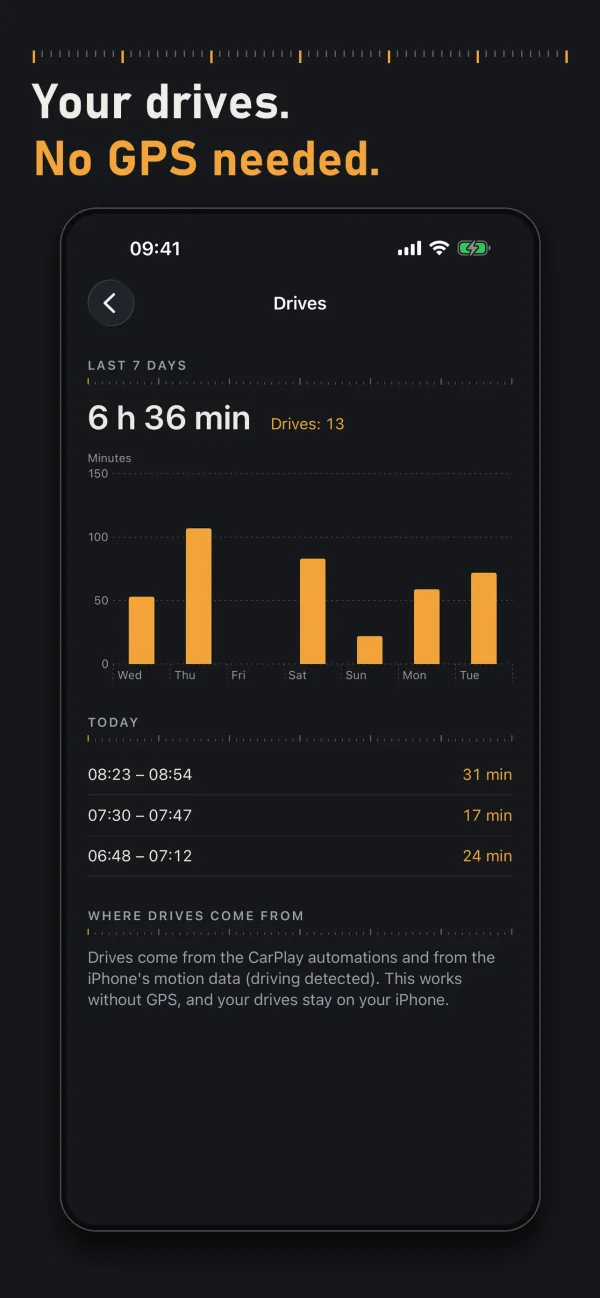
• A chart of your drives for the last 7 days (Pro)
• Your parked car on a map, with a route back to it
YOUR DATA
• No account, no server of our own. Trips, parking spot and photos stay on your iPhone
• Trips are counted from your iPhone's motion data, not by recording a GPS track. Your location stays on your iPhone – except for the weather: a position rounded to about 1 km goes to Apple Weather
PRICE
Free (with ads): setup check, clock, parking and one-photo widgets, trip shortcuts with one sound. The free version shows banners and occasional full-screen ads from an ad partner (Unity LevelPlay); personalised only with your consent and, where iOS requires it, your tracking permission. Withdraw any time in the ad settings.
Dashlight Pro: ad-free, all widgets, photo rotation, Live Activity, all sounds, weekly review.
• Monthly 5.99 EUR (local price in the App Store) – cancel any time
• Yearly 34.99 EUR – cancel any time
• One-time 39.99 EUR – pay once, keep it
No weekly plan. Subscriptions renew automatically unless cancelled at least 24 hours before the period ends in your Apple ID settings.
Requires iOS 26. How the widgets look in your car depends on your car and its CarPlay version. Weather data by Apple Weather: https://weatherkit.apple.com/legal-attribution.html
Terms of Use (EULA): https://www.apple.com/legal/internet-services/itunes/dev/stdeula/
Confidentialité de l’application
Ce que Yusuf Fuat Sarac déclare sur l’App Store au sujet du traitement des données par cette application.
-
Données utilisées pour vous suivre
Peuvent être utilisées pour vous suivre sur des applications et des sites web appartenant à d’autres sociétés.
- Emplacement
- Identifiants
-
Données n’établissant aucun lien avec vous
Peuvent être collectées, mais ne sont pas liées à votre identité.
- Emplacement
- Identifiants
- Données d’utilisation
- Diagnostic
- Autres données
Les pratiques en matière de confidentialité peuvent varier, notamment en fonction des fonctionnalités que vous utilisez ou de votre âge.
Informations
- Vendeur
- Yusuf Fuat Sarac
- Catégorie
- Utilitaires
- Version
- 1.0
- Mis à jour
- 09/11/2026
- Publié
- 09/11/2026
- Taille
- 13,8 Mo
- Nécessite
- iOS 26.0 ou version ultérieure
- Classification d’âge
- 4+
- Prix
- Gratuit
- Achats intégrés
- Oui
- Langues
- Anglais, Allemand
- Copyright
- © 2026 Yusuf Fuat Sarac
Vous aimerez peut-être aussi
-
 Declutter: Nettoie GalerieNettoie Ta Galerie Photo
-
 CarTV Play: IPTV Player & CastUtilitaires
-
 DCP Event CompanionUtilitaires
-
 Authenticator App "Codes OTP sécurisés
-
 Diesel+Utilitaires
-
 Hidden Camera Detector SpyUtilitaires
-
 MirasonUtilitaires
-
 TBS Agent MUtilitaires
-
 SolarMateUtilitaires
-
 Car Widgets & Dashboard: CarUpWidgets CarPlay et sons auto