
Ditto: Meeting Notes
Private meeting recorder
Conçue pour iPhone, iPad
Gratuit
- Classification d’âge4+
- CatégorieProductivité
- DéveloppeurChakravarthi Sakhamuri
- LanguesAnglais
- Taille21,3 Mo
Renvoie vers la page App Store officielle
Download.org n’héberge aucun fichier de Ditto: Meeting Notes. Le bouton ouvre la page de l’application sur App Store, où Chakravarthi Sakhamuri la publie. Fiche vérifiée pour la dernière fois le 23/11/2026.
Captures d’écran
À propos
Le développeur n’a pas fourni ce texte dans votre langue.
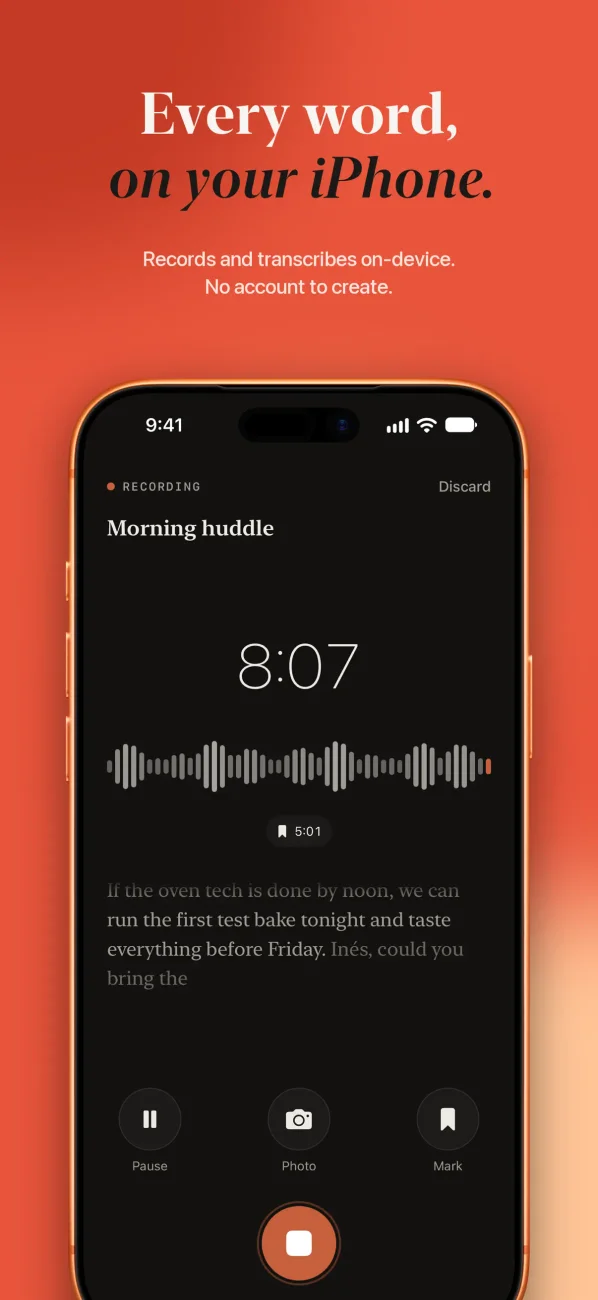
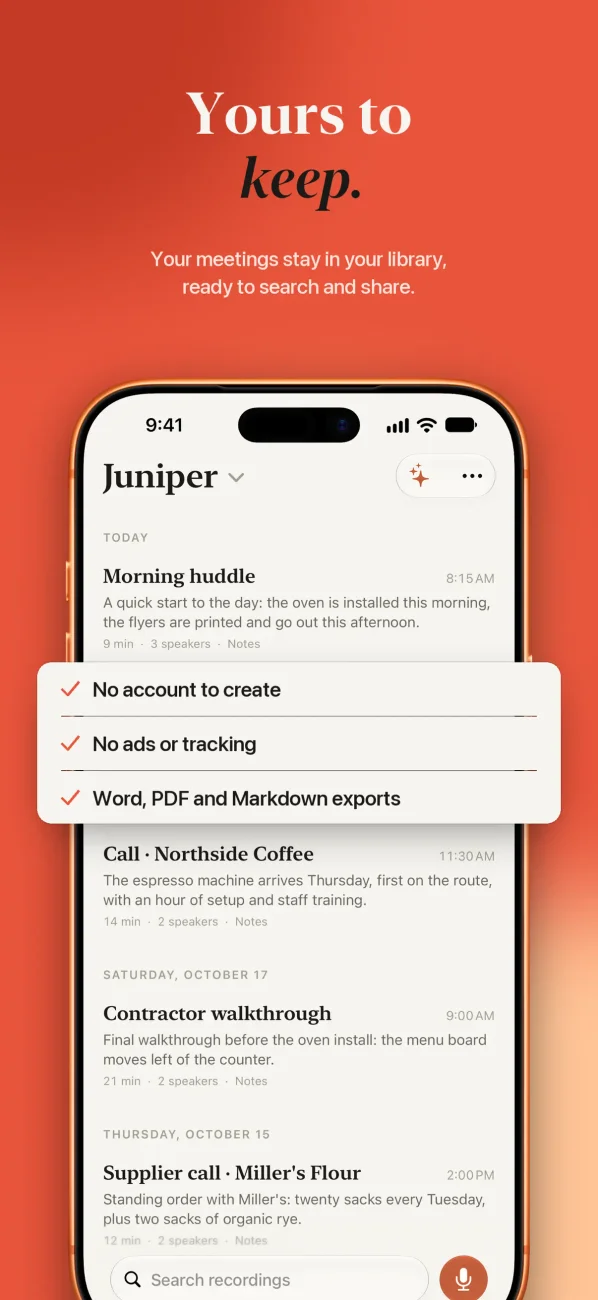
Ditto records a meeting and turns it into a transcript, a summary and a list of action items, on your iPhone or iPad. It's free: no subscription, no account, no ads, no limit on hours.
RECORD OR IMPORT
Tap record and watch the transcript appear as people talk. Drop a bookmark when something matters. Recording keeps going with the screen locked, and you can start it from the Lock Screen, Control Center, the Action Button, Siri or Shortcuts. Already have the audio? Import a voice memo, a call recording or a video file and Ditto transcribes it.
KNOWS WHO SAID WHAT
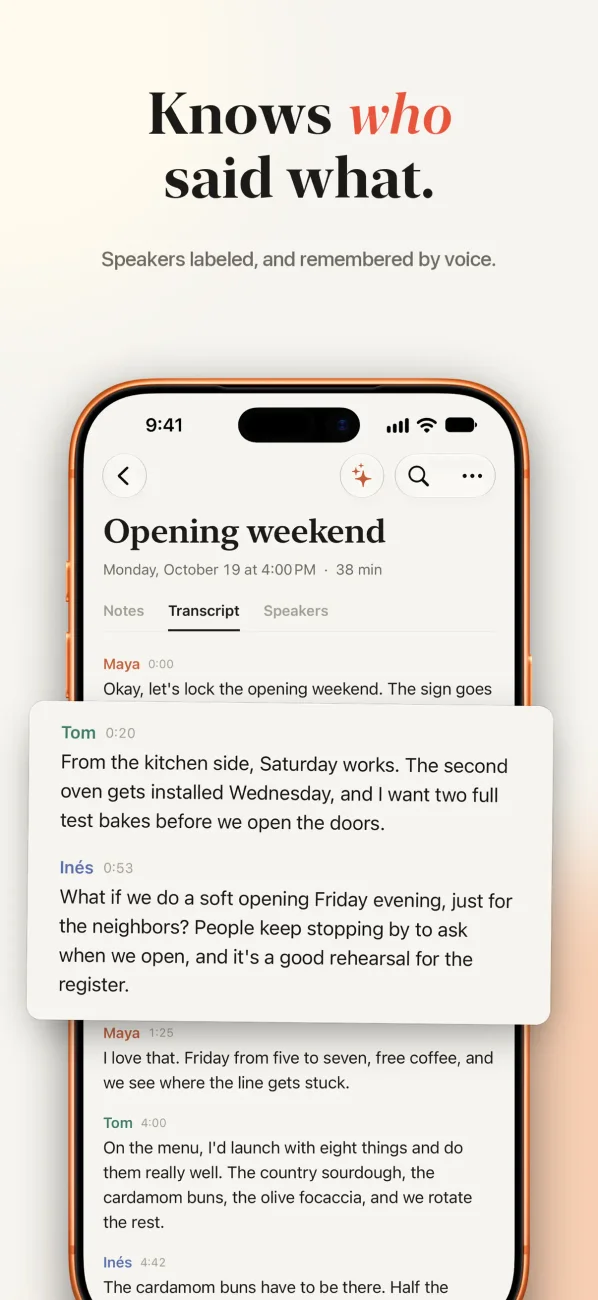
Ditto labels each speaker. Name someone once and Ditto recognizes their voice in later meetings. Voices are stored on your device only. When it isn't sure who's who, Ditto asks you, with a voice clip of each person. You can also reassign a paragraph, merge speakers, or tell it how many people were in the room. For hard recordings, turn on High accuracy speaker detection.
NOTES YOU CAN ACT ON
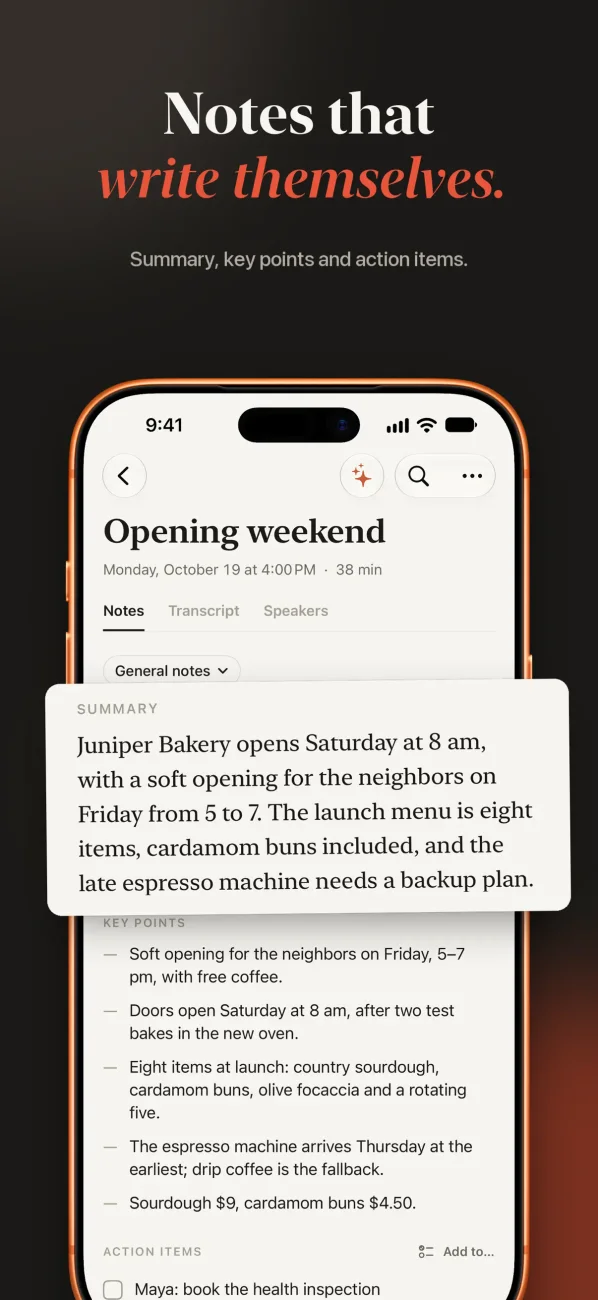
Each meeting gets a short summary, key points and action items. Pick a template for the kind of meeting: general, 1:1, standup, interview, lecture or sales call, or write your own. Send action items to Reminders and tick them off as you go. Moments you bookmark get extra attention in the notes. (Notes and Ask need an iPhone that supports Apple Intelligence.)
ASK YOUR MEETINGS
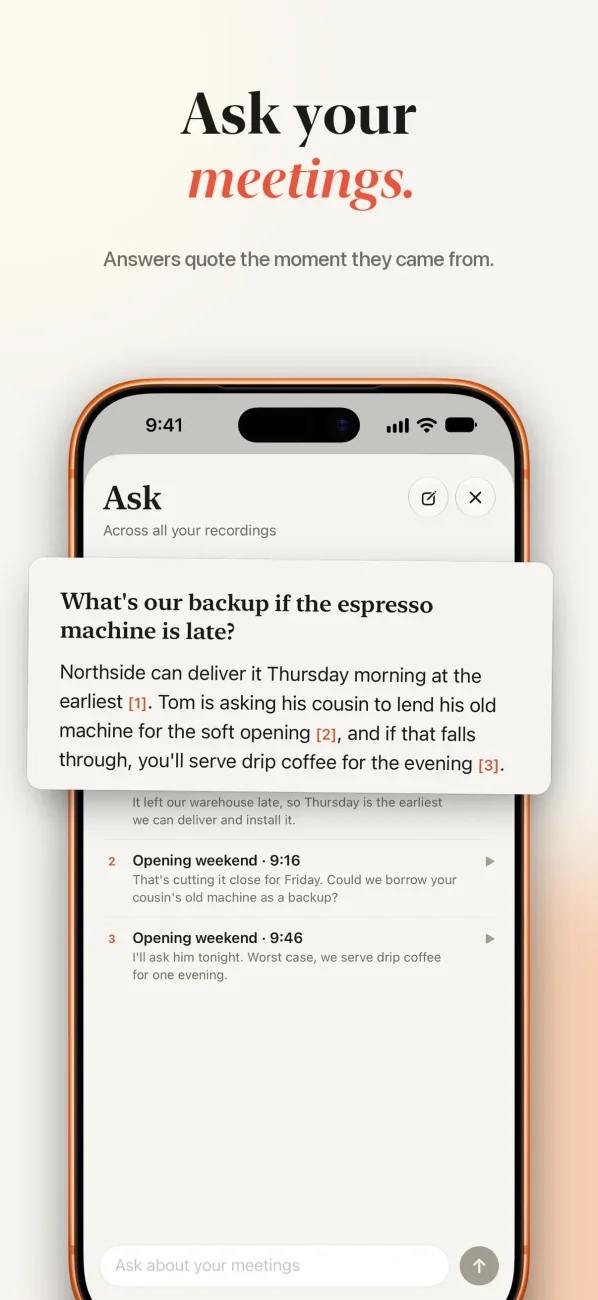
"What did we decide about pricing?" Ask searches every transcript you have, answers from what was actually said, and cites the moments. Tap a citation to hear it.
FIX ONCE
Correct a misheard name and Ditto offers to fix it in the rest of the recording and its notes, then remembers it for your next meetings. Nothing changes without a tap.
SHARE A QUOTE
Turn any paragraph into a quote card, plain text, Markdown with a link back to the meeting, or a short audio clip.
PRIVATE BY DESIGN
Transcription, speaker detection, notes and search run on your device. Your recordings are never uploaded, and Ditto has no accounts, ads or tracking. Ditto spots phone numbers, emails, addresses, card numbers and other sensitive details, lists them in a Private tab and asks before putting them in an export. Require Face ID to open the app. Delete a recording and its audio and transcript are gone.
ON YOUR WRIST
Record on Apple Watch and Ditto transcribes it on your iPhone. While your iPhone records, pause, bookmark or stop it from your wrist.
FITS YOUR WORKFLOW
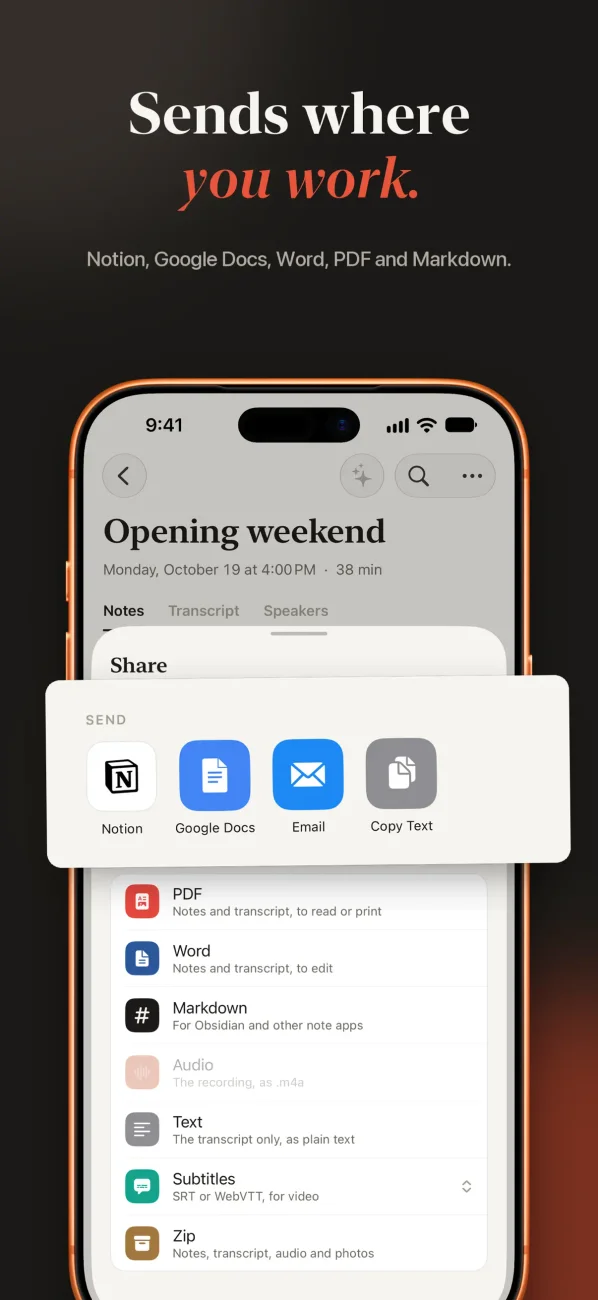
Mirror each meeting as a Markdown note into a folder, such as an Obsidian vault. Send it to Notion or Google Docs, or export Word, PDF, text, SRT, VTT or a zip. Send action items to Reminders or Things, and tick them off from a widget. Recordings take the name of your calendar event. Shortcuts can transcribe a file and return your notes.
MANY LANGUAGES
Apple's speech recognition covers many languages. For higher accuracy you can download a larger on-device model in Settings (English and 24 European languages).
Requires iOS 26.0 or later (watchOS 26 for the watch app).
Terms of Use: https://useditto.dev/terms
Privacy Policy: https://useditto.dev/privacy
Nouveautés
Version 2.3 · 18/11/2026
Automatic Corrections
Turn on Settings > Corrections > Apply Automatically to apply your word fixes to new transcripts without asking.
Remember Word Fixes
After correcting a word in a transcript, Ditto can remember it for future recordings—even if it only appears once.
Link Calendar Events
Connect any recording (including imports) to a calendar event to pull in the title, organizer, invitees, and location. Invitees are suggested as speaker names and added to Markdown notes.
Catch Up While Recording
Tap the live text during a recording to read the last two minutes or everything said so far.
Apple Watch Support
Start or stop a recording with Siri ("Record with Ditto") or the Action Button on Apple Watch Ultra (Settings > Action Button > Shortcut).
Ready Out of the Box
Speech models now download with Ditto so you can record and transcribe right away.
Expanded Compatibility
Now works on iOS 26.0 and later.
Fixes
• Control Center buttons now open Ditto and start recording properly.
• Starting a recording via Siri no longer fails with "No microphone input is available," and the Record button keeps working afterward.
• Correction suggestions no longer disappear if you leave an edit unanswered.
• Spotlight now shows Record Meeting, Add a Task, and Latest Notes next to Ditto.
Confidentialité de l’application
Ce que Chakravarthi Sakhamuri déclare sur l’App Store au sujet du traitement des données par cette application.
-
Données non collectées
Le développeur ne collecte aucune donnée à partir de cette application.
Les pratiques en matière de confidentialité peuvent varier, notamment en fonction des fonctionnalités que vous utilisez ou de votre âge.
Informations
- Vendeur
- Chakravarthi Sakhamuri
- Catégorie
- Productivité
- Version
- 2.3
- Mis à jour
- 18/11/2026
- Publié
- 09/11/2026
- Taille
- 21,3 Mo
- Nécessite
- iOS 26.0 ou version ultérieure
- Classification d’âge
- 4+
- Prix
- Gratuit
- Langues
- Anglais
- Copyright
- © 2026 Toasty
Vous aimerez peut-être aussi
-
 Glimpsed: Screenshot SearchProductivité
-
 LocalGateKeys Mots de passeGestionnaire hors ligne, 2FA
-
 Remindio: Reminders & AlarmsProductivité
-
 Little Things: Task BreakdownProductivité
-
 Mote : Notes écran verrouilléMémos rapides et rappels
-
 TextSwapEditor-AI Text RemoverProductivité
-
 KeepSpotProductivité
-
 Interview : transcriptionLa voix en texte, sans cloud
-
 SnipMark : Saisie d’écranAnnoter, compresser, renommer
-
 Notes IA privées : BasilComptes rendus et dictaphone