
- 対象年齢4+
- カテゴリ仕事効率化
- 開発元Chakravarthi Sakhamuri
- 言語英語
- サイズ21.3 MB
App Storeの公式ページにリンクしています
Download.orgはDitto: Meeting Notesのファイルを一切ホストしていません。ボタンを押すと、Chakravarthi Sakhamuriが公開しているApp Storeのアプリページが開きます。ページの最終確認:2026/11/23。
スクリーンショット
概要
開発元はこのテキストをお使いの言語で提供していません。
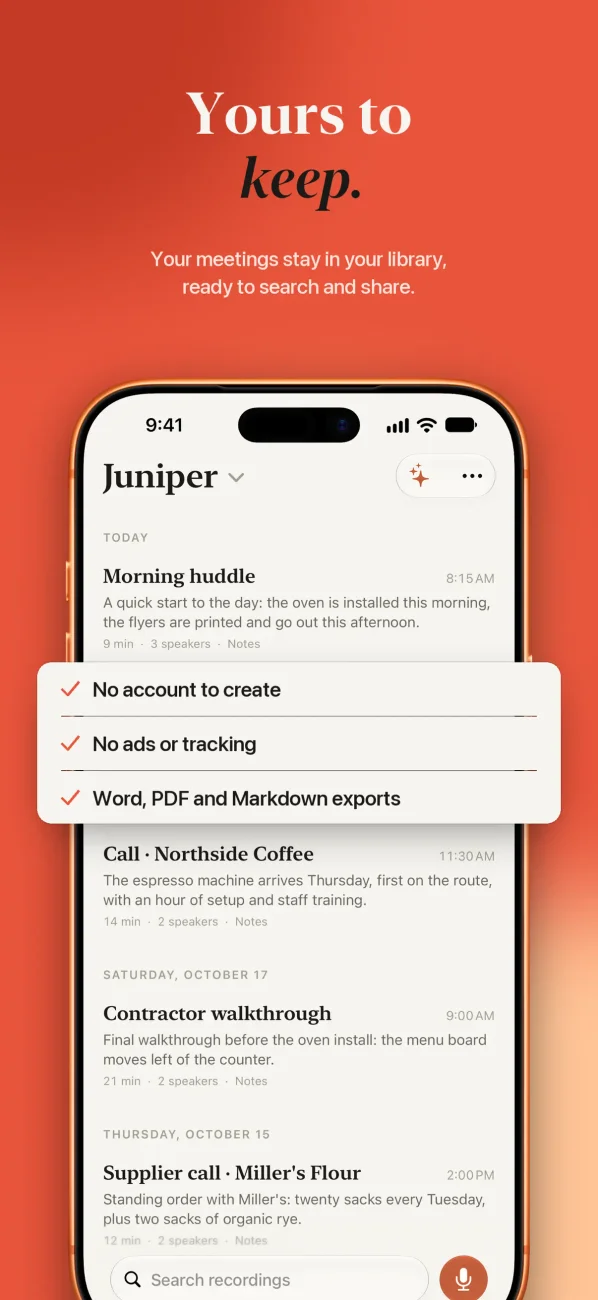
Ditto records a meeting and turns it into a transcript, a summary and a list of action items, on your iPhone or iPad. It's free: no subscription, no account, no ads, no limit on hours.
RECORD OR IMPORT
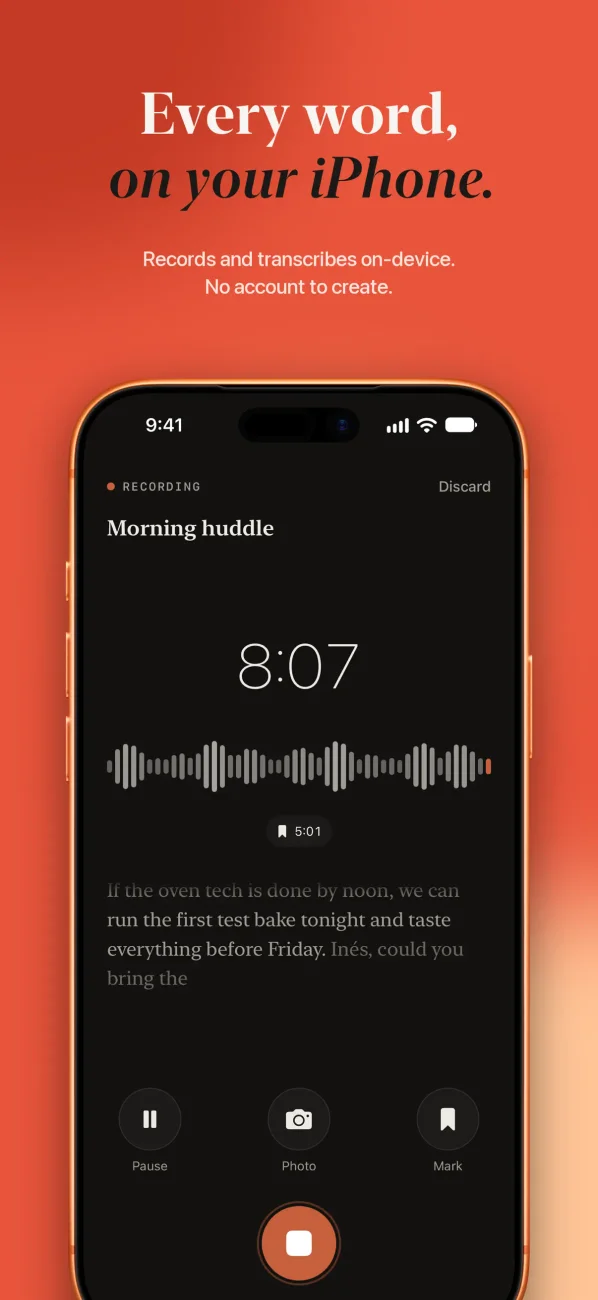
Tap record and watch the transcript appear as people talk. Drop a bookmark when something matters. Recording keeps going with the screen locked, and you can start it from the Lock Screen, Control Center, the Action Button, Siri or Shortcuts. Already have the audio? Import a voice memo, a call recording or a video file and Ditto transcribes it.
KNOWS WHO SAID WHAT
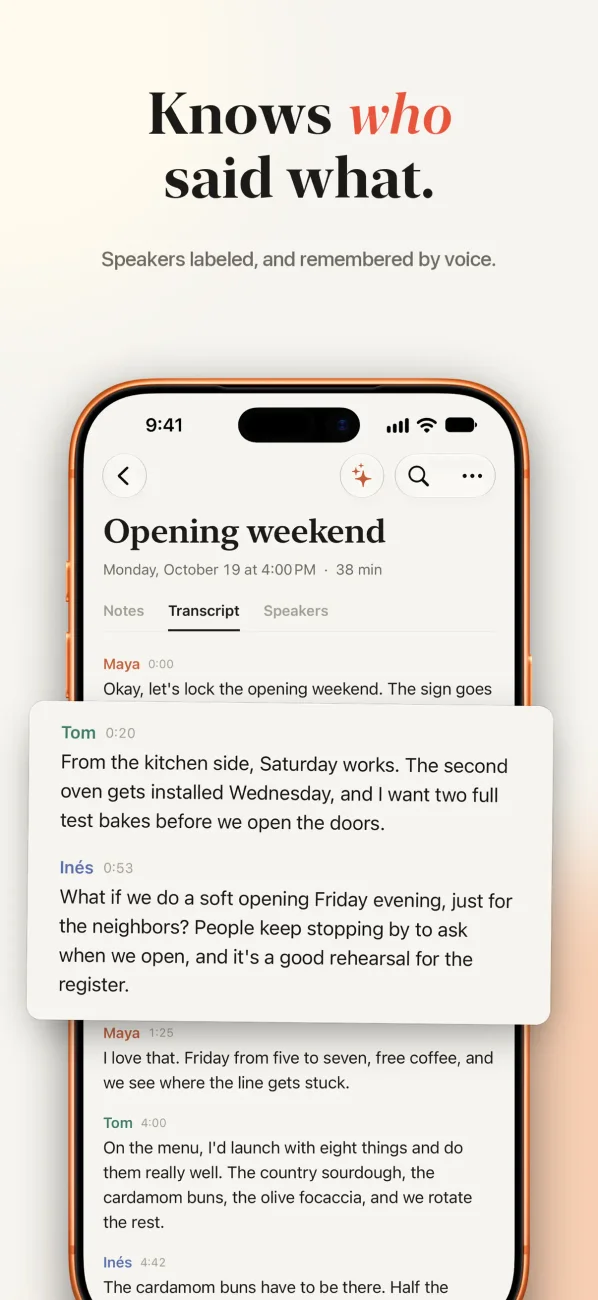
Ditto labels each speaker. Name someone once and Ditto recognizes their voice in later meetings. Voices are stored on your device only. When it isn't sure who's who, Ditto asks you, with a voice clip of each person. You can also reassign a paragraph, merge speakers, or tell it how many people were in the room. For hard recordings, turn on High accuracy speaker detection.
NOTES YOU CAN ACT ON
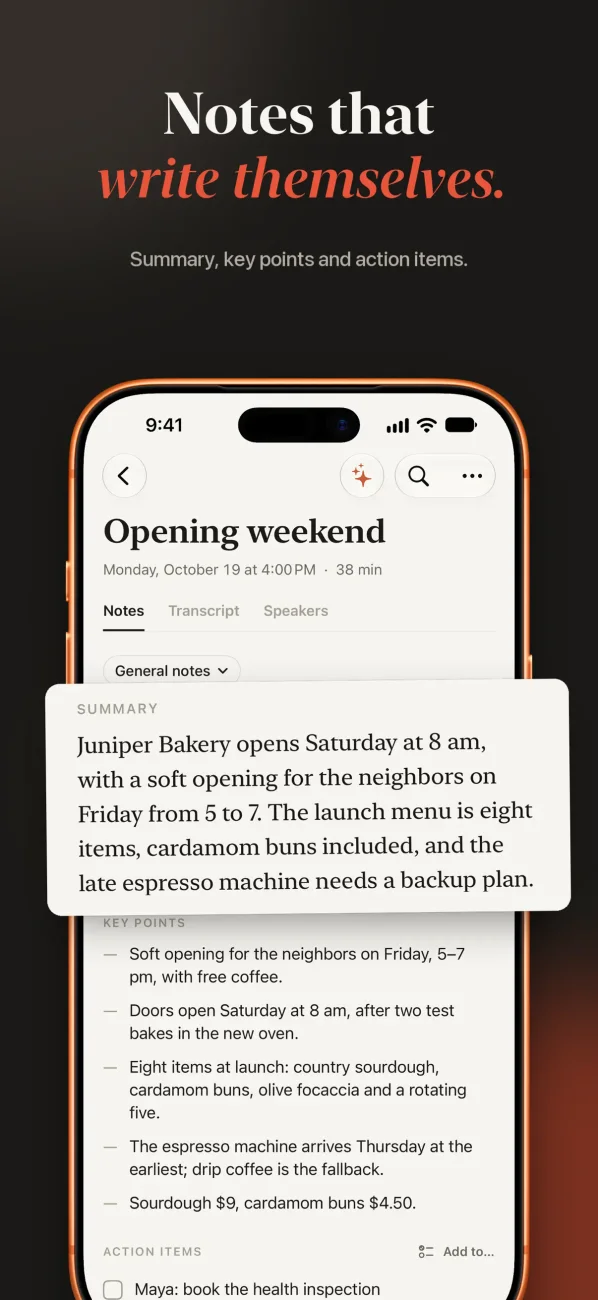
Each meeting gets a short summary, key points and action items. Pick a template for the kind of meeting: general, 1:1, standup, interview, lecture or sales call, or write your own. Send action items to Reminders and tick them off as you go. Moments you bookmark get extra attention in the notes. (Notes and Ask need an iPhone that supports Apple Intelligence.)
ASK YOUR MEETINGS
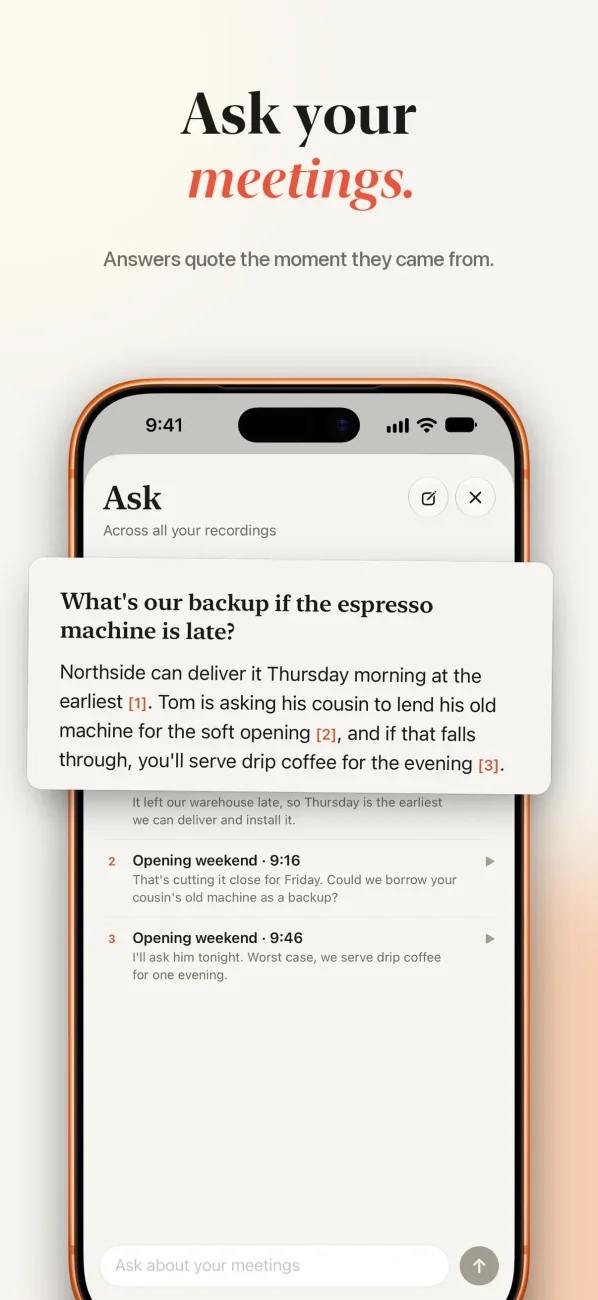
"What did we decide about pricing?" Ask searches every transcript you have, answers from what was actually said, and cites the moments. Tap a citation to hear it.
FIX ONCE
Correct a misheard name and Ditto offers to fix it in the rest of the recording and its notes, then remembers it for your next meetings. Nothing changes without a tap.
SHARE A QUOTE
Turn any paragraph into a quote card, plain text, Markdown with a link back to the meeting, or a short audio clip.
PRIVATE BY DESIGN
Transcription, speaker detection, notes and search run on your device. Your recordings are never uploaded, and Ditto has no accounts, ads or tracking. Ditto spots phone numbers, emails, addresses, card numbers and other sensitive details, lists them in a Private tab and asks before putting them in an export. Require Face ID to open the app. Delete a recording and its audio and transcript are gone.
ON YOUR WRIST
Record on Apple Watch and Ditto transcribes it on your iPhone. While your iPhone records, pause, bookmark or stop it from your wrist.
FITS YOUR WORKFLOW
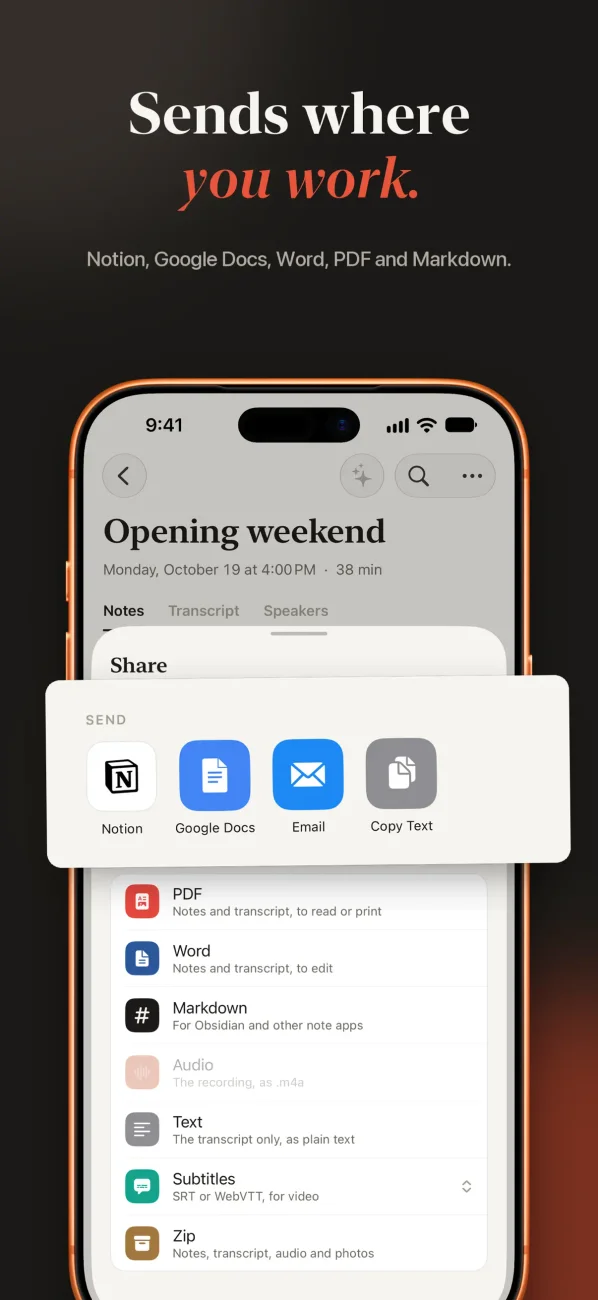
Mirror each meeting as a Markdown note into a folder, such as an Obsidian vault. Send it to Notion or Google Docs, or export Word, PDF, text, SRT, VTT or a zip. Send action items to Reminders or Things, and tick them off from a widget. Recordings take the name of your calendar event. Shortcuts can transcribe a file and return your notes.
MANY LANGUAGES
Apple's speech recognition covers many languages. For higher accuracy you can download a larger on-device model in Settings (English and 24 European languages).
Requires iOS 26.0 or later (watchOS 26 for the watch app).
Terms of Use: https://useditto.dev/terms
Privacy Policy: https://useditto.dev/privacy
新機能
バージョン 2.3 · 2026/11/18
Automatic Corrections
Turn on Settings > Corrections > Apply Automatically to apply your word fixes to new transcripts without asking.
Remember Word Fixes
After correcting a word in a transcript, Ditto can remember it for future recordings—even if it only appears once.
Link Calendar Events
Connect any recording (including imports) to a calendar event to pull in the title, organizer, invitees, and location. Invitees are suggested as speaker names and added to Markdown notes.
Catch Up While Recording
Tap the live text during a recording to read the last two minutes or everything said so far.
Apple Watch Support
Start or stop a recording with Siri ("Record with Ditto") or the Action Button on Apple Watch Ultra (Settings > Action Button > Shortcut).
Ready Out of the Box
Speech models now download with Ditto so you can record and transcribe right away.
Expanded Compatibility
Now works on iOS 26.0 and later.
Fixes
• Control Center buttons now open Ditto and start recording properly.
• Starting a recording via Siri no longer fails with "No microphone input is available," and the Record button keeps working afterward.
• Correction suggestions no longer disappear if you leave an edit unanswered.
• Spotlight now shows Record Meeting, Add a Task, and Latest Notes next to Ditto.
アプリのプライバシー
このアプリのデータの取り扱いについて、Chakravarthi SakhamuriがApp Storeで申告している内容です。
-
データの収集なし
開発元はこのアプリからデータを収集しません。
プライバシーの取り扱いは、ご利用の機能やお客様の年齢などに応じて異なる場合があります。
情報
- 販売元
- Chakravarthi Sakhamuri
- カテゴリ
- 仕事効率化
- バージョン
- 2.3
- 更新日
- 2026/11/18
- リリース
- 2026/11/9
- サイズ
- 21.3 MB
- 必要条件
- iOS 26.0以降
- 対象年齢
- 4+
- 価格
- 無料
- 言語
- 英語
- 著作権
- © 2026 Toasty
こちらもおすすめ
-
 Glimpsed:スクショ検索・画像の文字検索スクリーンショットの文字をOCRで読み取り・コピー・整理
-
 LocalGateKeys パスワード管理オフライン保管庫・2段階認証・パスキー
-
 Remindio: Reminders & Alarms仕事効率化
-
 Little Things: Task Breakdown仕事効率化
-
 Mote: Lock Screen Notes仕事効率化
-
 TextSwapEditor-AI Text Remover仕事効率化
-
 KeepSpot仕事効率化
-
 Interview: 文字起こしレコーダー録音も書き起こしも、スマホの中だけで
-
 SnipMark:スクショ撮影・注釈・圧縮画面キャプチャを加工して一括書き出し
-
 Private AI Note Taker: Basil仕事効率化