DocScanner: PDF Scan
Private scans, saved on device
Conçue pour iPhone, iPad
Gratuit · Achats intégrés
- Classification d’âge4+
- CatégorieProductivité
- DéveloppeurYoussef Dhibi
- LanguesAnglais
- Taille4,0 Mo
Renvoie vers la page App Store officielle
Download.org n’héberge aucun fichier de DocScanner: PDF Scan. Le bouton ouvre la page de l’application sur App Store, où Youssef Dhibi la publie. Fiche vérifiée pour la dernière fois le 22/11/2026.
Captures d’écran
À propos
Le développeur n’a pas fourni ce texte dans votre langue.
Turn your iPhone or iPad into a private document scanner for receipts, contracts, invoices, forms, and notes. DocScanner creates searchable PDF files with offline OCR, keeps your library on your device, and makes scans easy to organize, preview, and share.
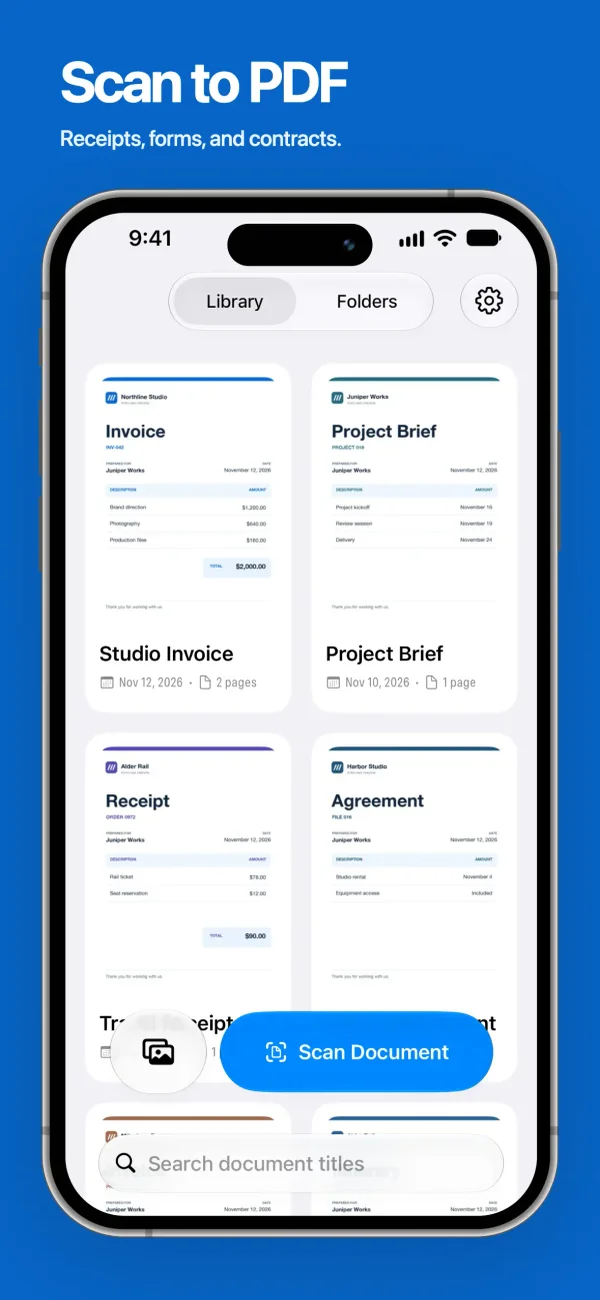
SCAN DOCUMENTS TO PDF
• Capture single-page and multi-page documents with the camera scanner
• Create PDF files automatically
• Add selectable and searchable text with on-device OCR
• Choose preferred OCR languages in Settings
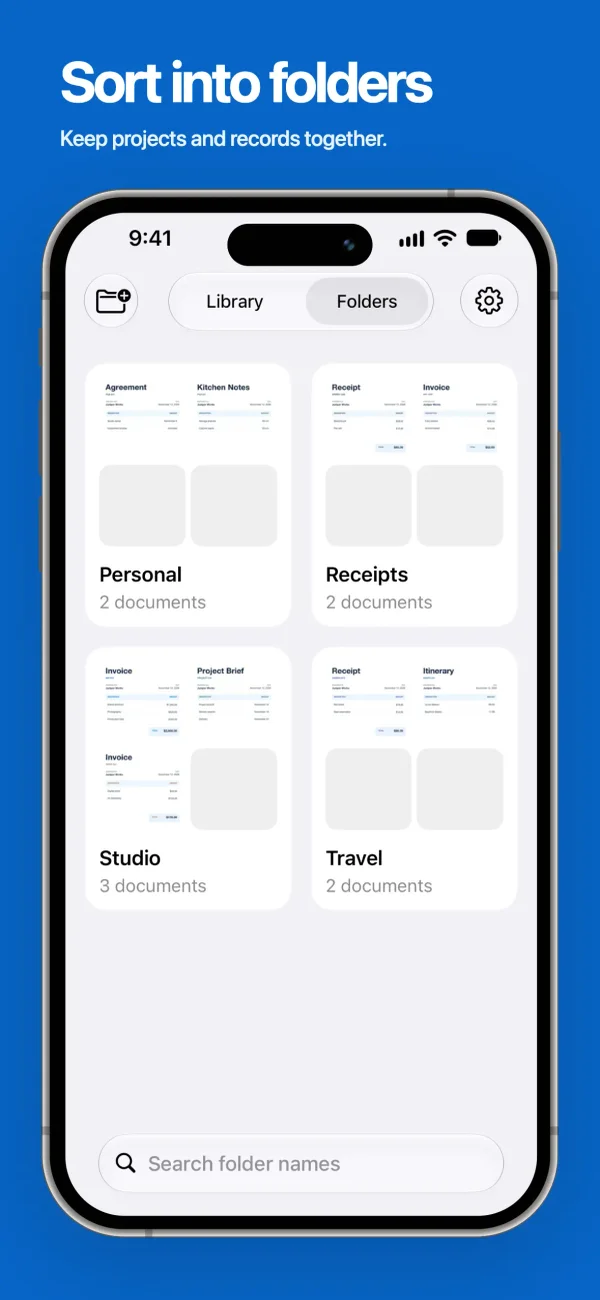
ORGANIZE YOUR LIBRARY
• Create and rename folders for work, school, receipts, or personal records
• Scan directly into a folder or move existing documents into one
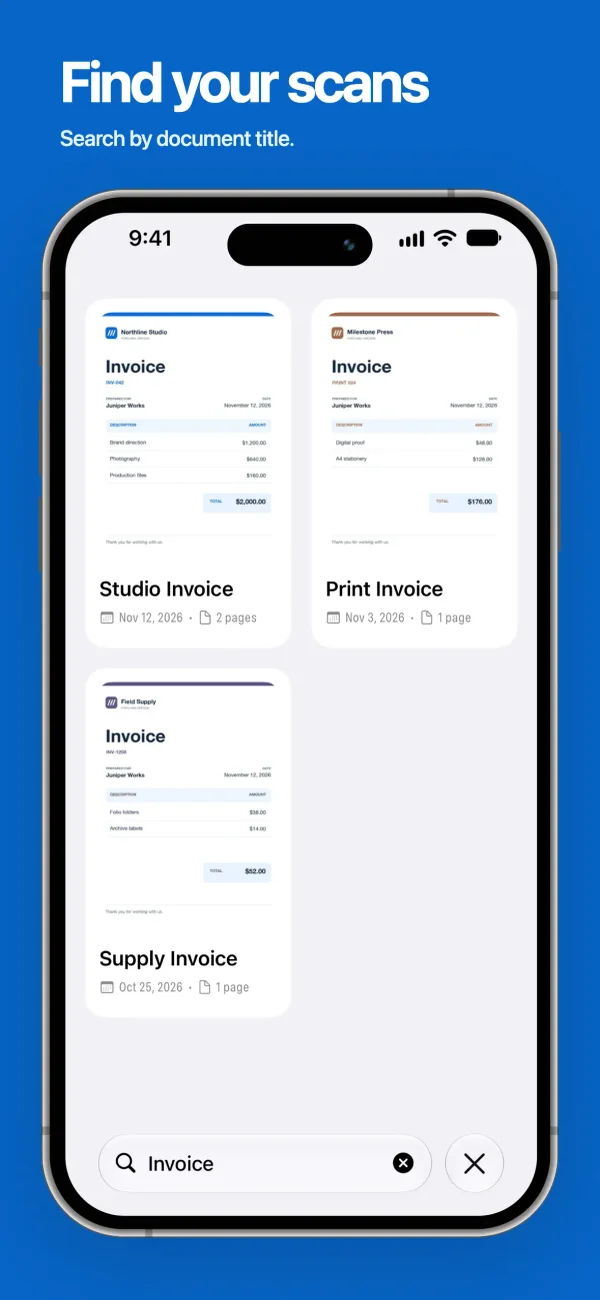
• Search document titles and folder names
• Rename, sort, select, move, and delete documents
PREVIEW AND SHARE
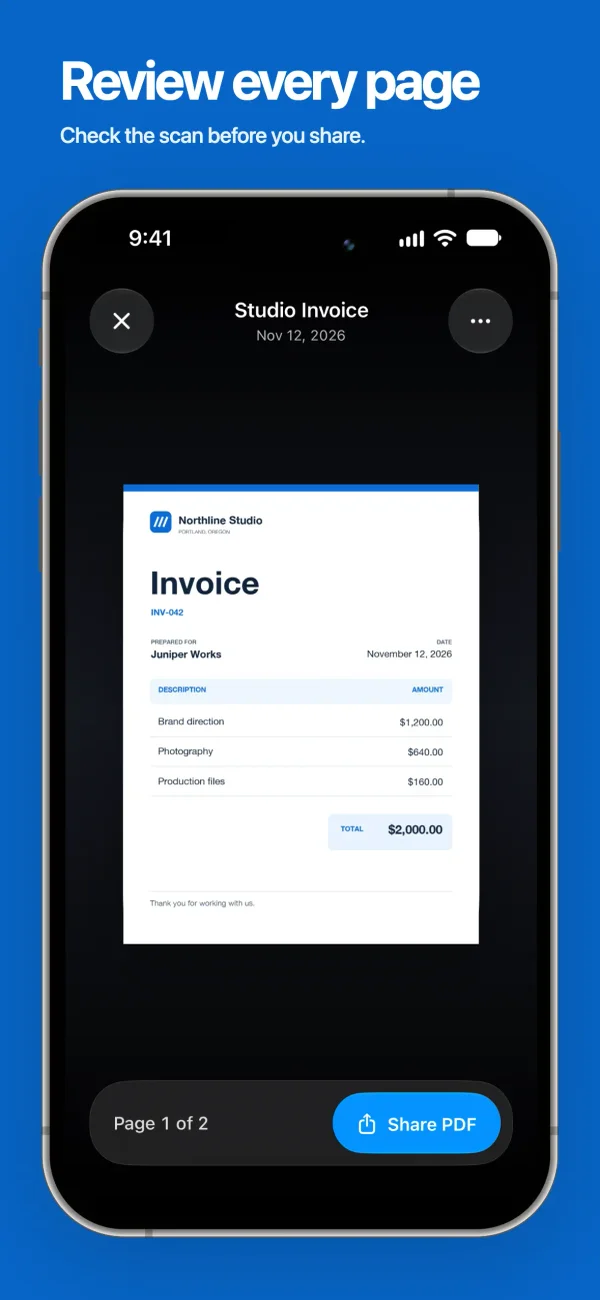
• Review every page in the built-in PDF viewer
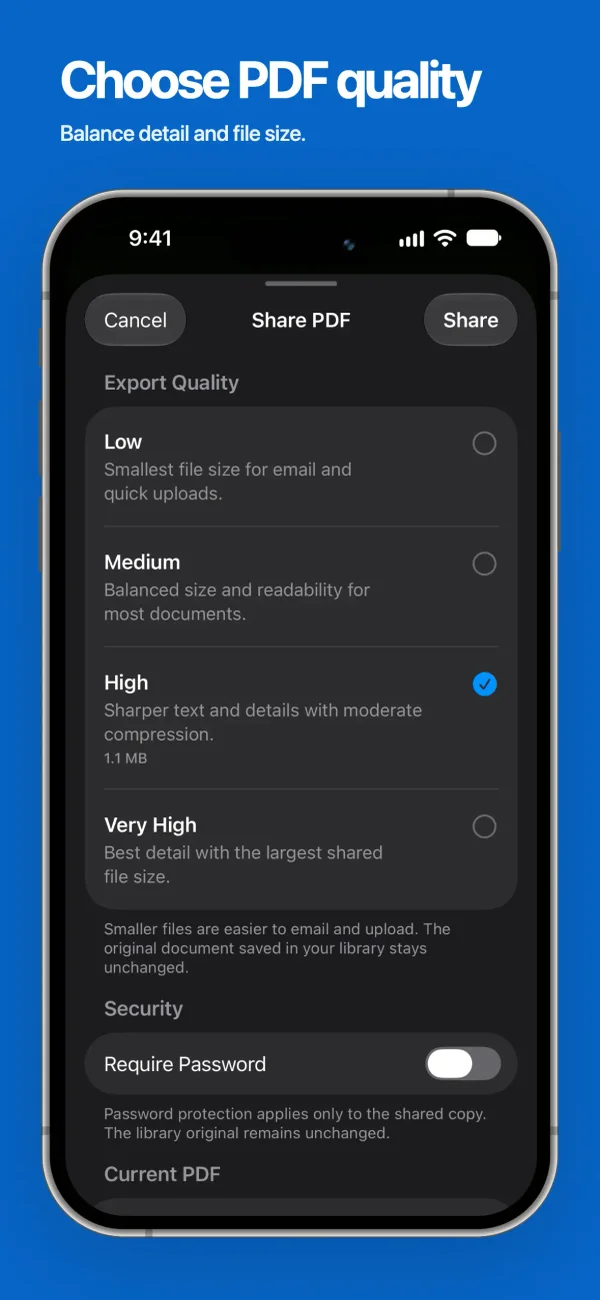
• Choose Low, Medium, High, or Very High export quality
• Check the exported file size before sharing
• Send PDF copies through the iOS share sheet
PRIVATE BY DESIGN
Your documents, previews, folders, and OCR processing stay on your device. DocScanner does not require an account or cloud setup and has no ads or third-party analytics.
DOCSCANNER PRO
A one-time in-app purchase unlocks:
• Secure folders that encrypt folder names, PDFs, and previews on your device
• Face ID, Touch ID, or device passcode access to secure folders
• Password-protected PDF copies for sharing
DocScanner Pro is a one-time purchase with no subscription. Previous purchases can be restored.
Use DocScanner to digitize receipts, invoices, contracts, signed forms, school notes, home records, and other paperwork on iPhone or iPad.
Nouveautés
Version 2.0.4 · 16/11/2026
• Back up and restore secure folders with an encrypted backup and a recovery code. Find Vault Transfer & Backup in Settings.
• If you already use a secure folder, DocScanner will remind you to unlock it once to finish the security update.
• Secure folders now open more smoothly after Face ID verification.
Confidentialité de l’application
Ce que Youssef Dhibi déclare sur l’App Store au sujet du traitement des données par cette application.
-
Données non collectées
Le développeur ne collecte aucune donnée à partir de cette application.
Les pratiques en matière de confidentialité peuvent varier, notamment en fonction des fonctionnalités que vous utilisez ou de votre âge.
Informations
- Vendeur
- Youssef Dhibi
- Catégorie
- Productivité
- Version
- 2.0.4
- Mis à jour
- 16/11/2026
- Publié
- 12/03/2026
- Taille
- 4,0 Mo
- Nécessite
- iOS 16.0 ou version ultérieure
- Classification d’âge
- 4+
- Prix
- Gratuit
- Achats intégrés
- Oui
- Langues
- Anglais
- Copyright
- © 2026 Youssef Dhibi
Vous aimerez peut-être aussi
-
 ScanPro: PDF Scanner & QR CodeProductivité
-
 FreePDF : Scan & Convertir PDFScanner, convertir, fusionner
-
 Scanner PDF : ScanlyGoSigner, compresser, fusionner
-
 PDFly: PDF Scanner & EditProductivité
-
 Scanner • PDF Document ScannerProductivité
-
 Document: ScannerScanner Document ,Scan to PDF
-
 Cam PDF ScannerProductivité
-
 Doc Scanner .Productivité
-
 CamVision: Scanner PDF & OCROCR rapide pour PDF et texte
-
 PDF Scanner: Éditeur de TexteNumeriser un document, fichier