ePrinter
Where Easy Meets Enjoyable.
Conçue pour iPhone, iPad, iPod touch
Gratuit · Achats intégrés
- Classification d’âge4+
- CatégorieUtilitaires
- DéveloppeurZHUHAI QUIN TECHNOLOGY CO., LTD.
- LanguesAnglais+ 15 de plus
- Taille107,2 Mo
Renvoie vers la page App Store officielle
Download.org n’héberge aucun fichier de ePrinter. Le bouton ouvre la page de l’application sur App Store, où ZHUHAI QUIN TECHNOLOGY CO., LTD. la publie. Fiche vérifiée pour la dernière fois le 12/11/2026.
Captures d’écran

À propos
Le développeur n’a pas fourni ce texte dans votre langue.
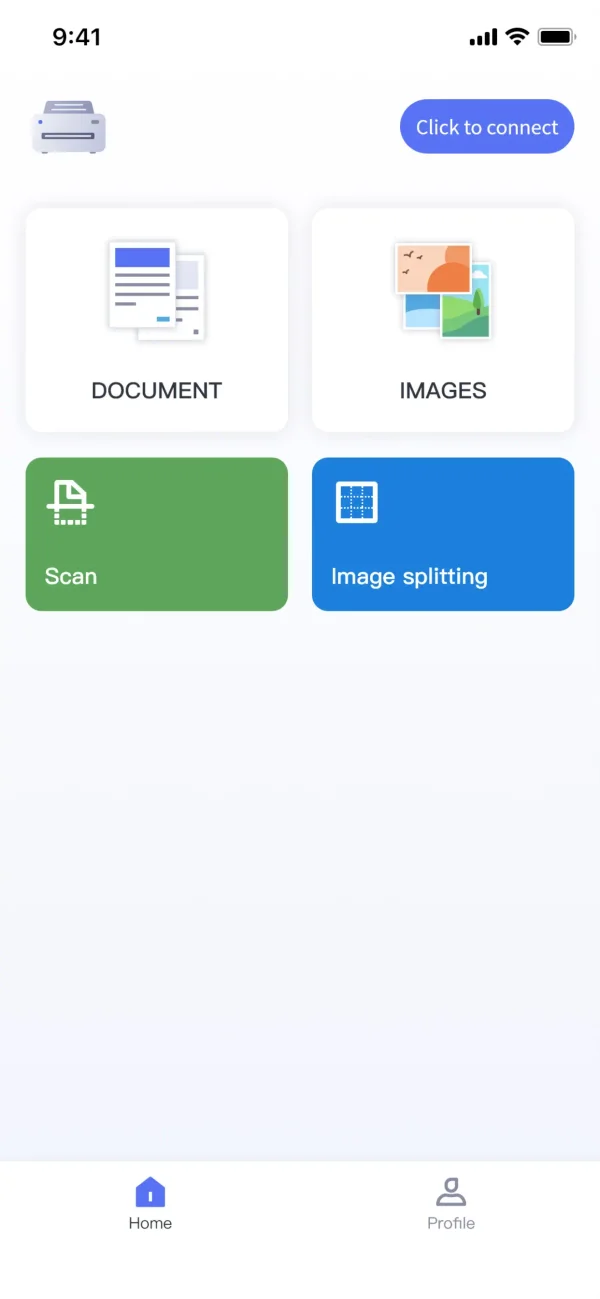
ePrinter is a versatile printing application that provides an unparalleled experience for document printing, photo printing, and scanning. Not only that, but we also offer an image cropping feature to ensure your printouts are flawless. Over time, we will continually introduce more rich printing features to meet all your printing needs.
Key Features:
1. Document Printing:
Effortlessly print your documents, including text documents, PDFs, spreadsheets, and more.
Support for multiple document formats and printing options to cater to both professional and personal needs.
2. Photo Printing:
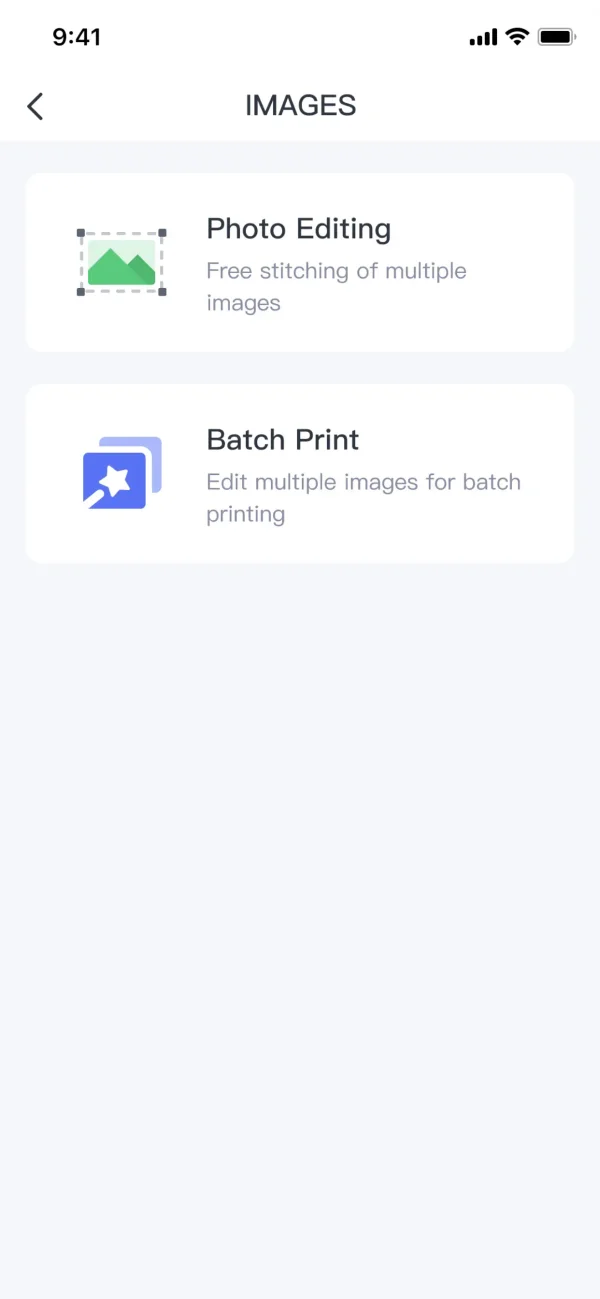
Transform your cherished photos into high-quality printouts.
Choose from various print sizes and textures to meet your preferences.
3. Scan Printing:
Utilize your device's camera for scan printing.
Convert physical documents, photos, or illustrations into digital documents for archiving or sharing.
4. Image Cropping:
Precisely crop large-sized images to obtain the desired sections.
Customize cropping options to ensure perfect output.
5. More Features Coming Soon:
We will continuously update the application, introducing powerful printing features.
Look forward to more print templates, filter effects, and additional output options.
Why Choose ePrinter:
User-friendly interface suitable for all users.
High-quality print output.
Ongoing feature updates to meet growing demands.
Secure and reliable, ensuring the protection of your data.
How to Use:
Download and install the "ePrinter" application.
Open the app and connect your printer device.
Select the printing function you desire.
Adjust settings and options to meet your needs.
Preview and confirm, then start printing.
Enjoy your exquisite printouts or digitized documents!
ePrinter is the ideal companion for your daily work and creative
requirements. Download it now and embark on a journey of seamless printing!
Term of Use:https://www.apple.com/legal/internet-services/itunes/dev/stdeula/
EULA:https://www.apple.com/legal/internet-services/itunes/dev/stdeula/
Nouveautés
Version 1.24.0 · 23/10/2026
This update targets T08FS, M08F-WS and other models
1. [Tattoo Preview Upgraded] New virtual try-on fits your body curves, hides clothing automatically, and once you confirm the effect it shows a realistic faded look and a natural result on skin. See it before you ink – decide with zero risk!
2. New AI styles added – create even more tattoo ideas!
Confidentialité de l’application
Ce que ZHUHAI QUIN TECHNOLOGY CO., LTD. déclare sur l’App Store au sujet du traitement des données par cette application.
-
Données non collectées
Le développeur ne collecte aucune donnée à partir de cette application.
Les pratiques en matière de confidentialité peuvent varier, notamment en fonction des fonctionnalités que vous utilisez ou de votre âge.
Informations
- Vendeur
- ZHUHAI QUIN TECHNOLOGY CO., LTD.
- Catégorie
- Utilitaires
- Version
- 1.24.0
- Mis à jour
- 23/10/2026
- Publié
- 03/11/2023
- Taille
- 107,2 Mo
- Nécessite
- iOS 13.0 ou version ultérieure
- Classification d’âge
- 4+
- Prix
- Gratuit
- Achats intégrés
- Oui
- Langues
- Anglais, Tchèque, Français, Allemand, Indonésien, Italien, Japonais, Coréen, Polonais, Portugais, Chinois simplifié, Espagnol + 4 de plus
- Copyright
- © Zhuhai Quyin Technology Co., Ltd.