EverDay: Weekly Task Planner
Time Blocking & Reminders
Conçue pour iPhone
Gratuit · Achats intégrés
- Classification d’âge4+
- CatégorieProductivité
- DéveloppeurKrishna Sagar
- LanguesAnglais
- Taille17,2 Mo
Renvoie vers la page App Store officielle
Download.org n’héberge aucun fichier de EverDay: Weekly Task Planner. Le bouton ouvre la page de l’application sur App Store, où Krishna Sagar la publie. Fiche vérifiée pour la dernière fois le 23/11/2026.
Captures d’écran

À propos
Le développeur n’a pas fourni ce texte dans votre langue.
Plan your whole week in one calm place.
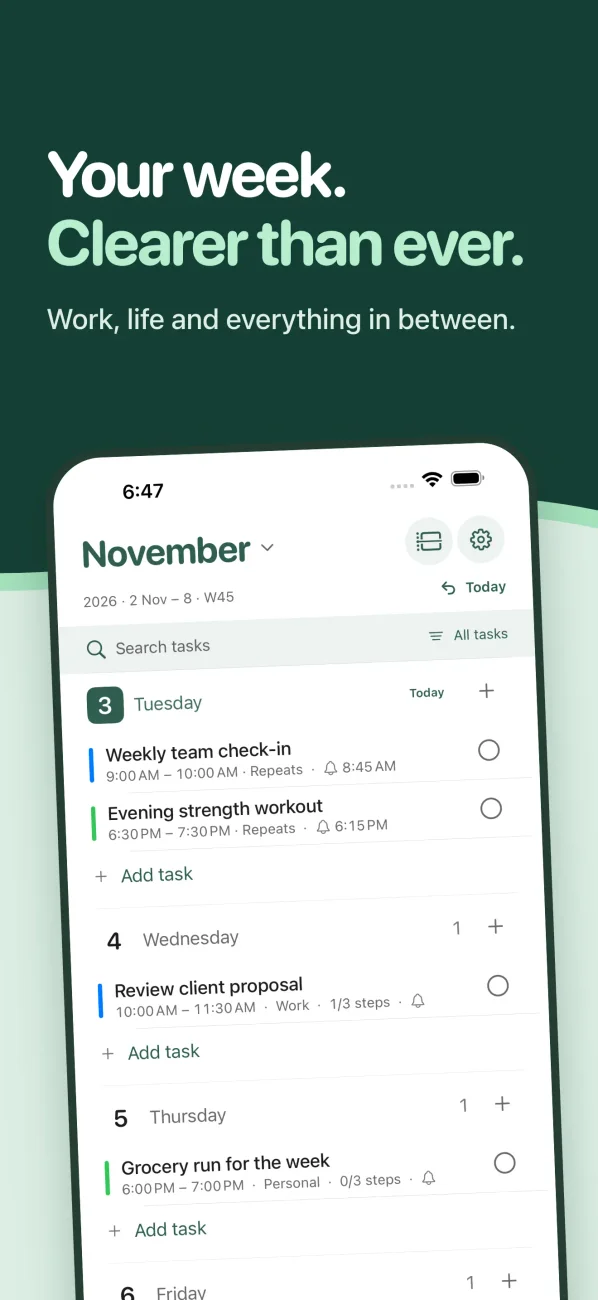
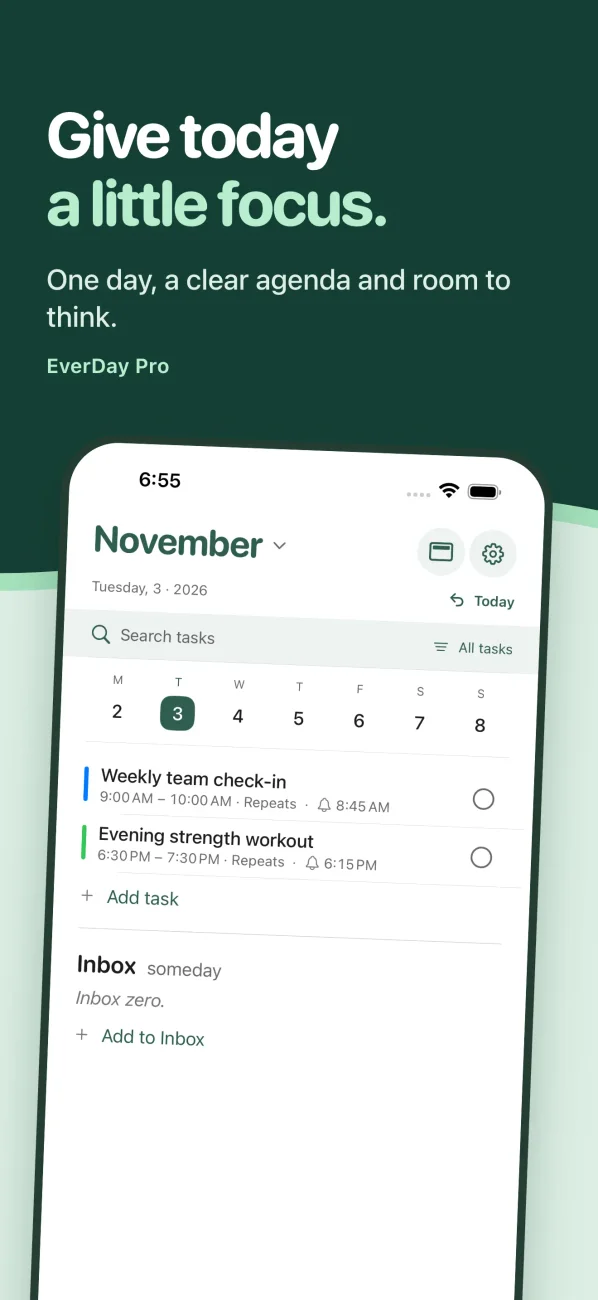
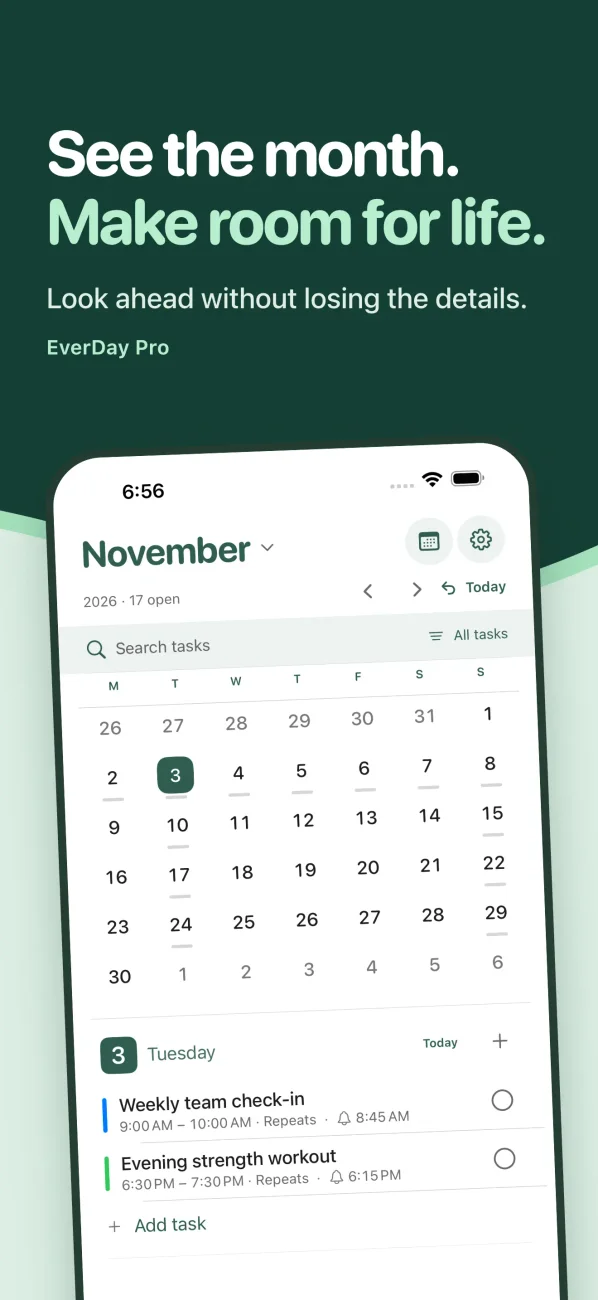
EverDay is a private weekly task planner for iPhone that brings time blocking, reminders, a visual agenda and selected Apple Calendar events together on one clear board. Organize personal plans, work checklists and recurring routines without turning life into a dashboard. See the week, focus on today or look across the month.
PLAN YOUR WEEK
• See every day on one continuous weekly board
• Add tasks and reminders inline, then open Details when you need more
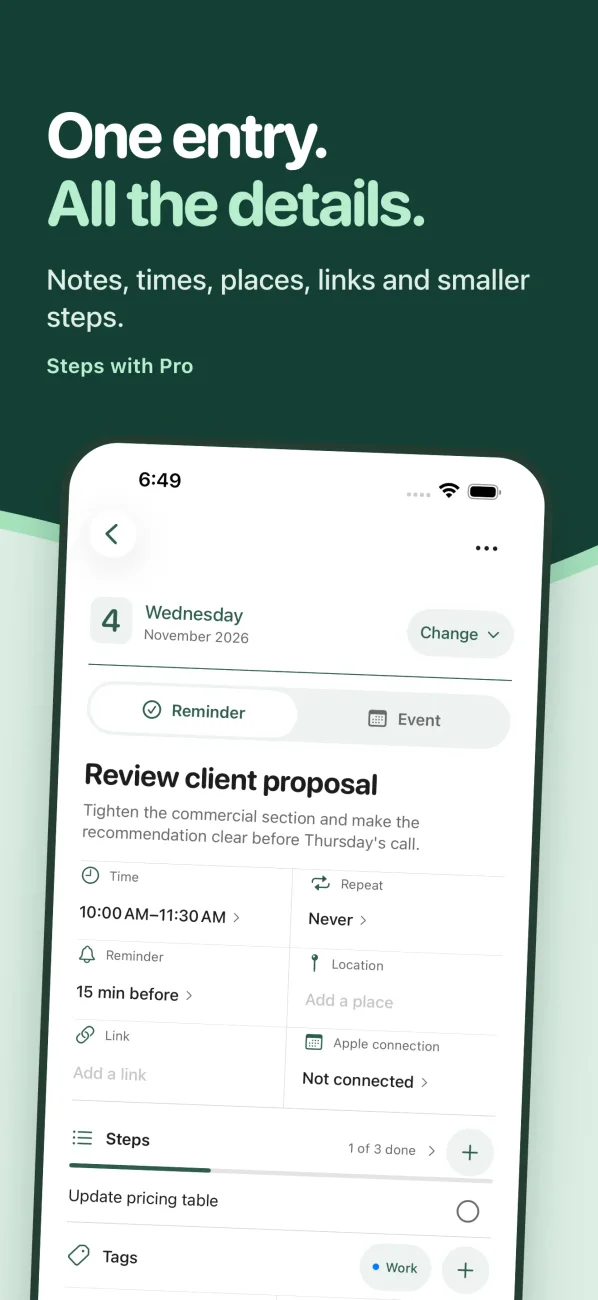
• Keep notes, dates, times, alerts, locations and links with an entry
• Move plans between days as your schedule changes
• Keep undated ideas in your Inbox
• Recover deleted EverDay tasks for 30 days
• Check your plans with Home Screen and Lock Screen widgets
• Use Siri and Shortcuts to add and complete tasks
• Sync EverDay planner content through your private iCloud when available
• On iPhone Duo, keep the planner beside an entry's details in open landscape
GO FURTHER WITH EVERDAY PRO
• Day and Month views, with your preferred opening view
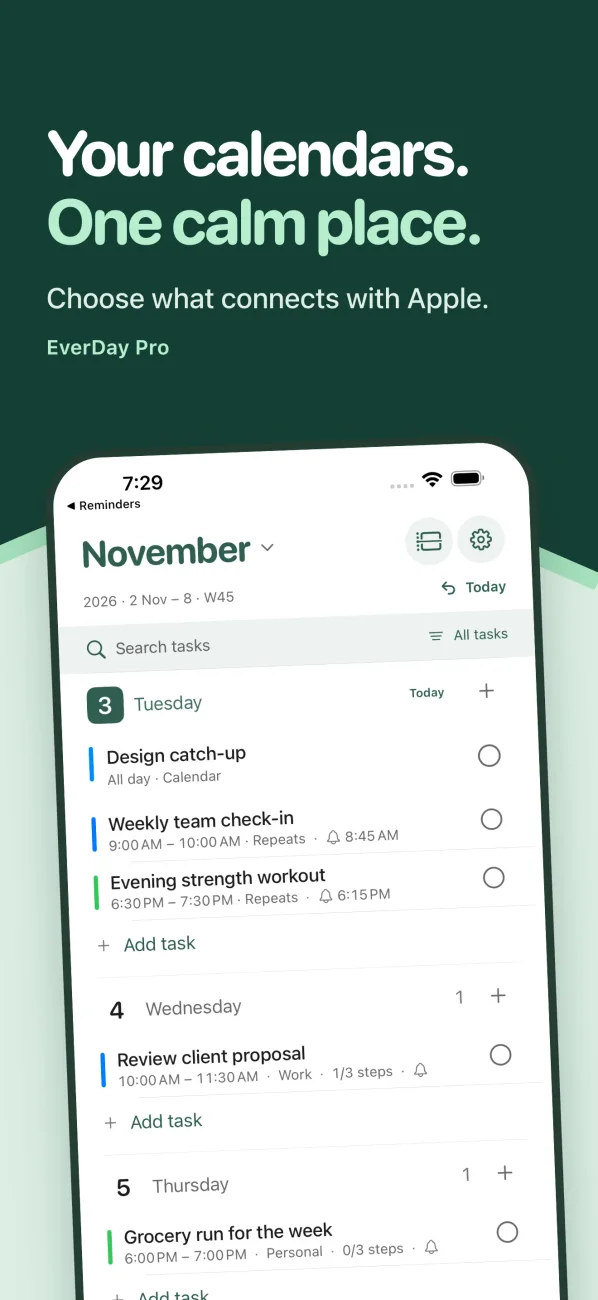
• View and edit supported details in selected Apple Calendar calendars
• Link individual dated reminders to Apple Reminders, including two-way completion
• Switch between reminders and events in the same simple detail view
• Choose Today's three, filter tasks by tag and see daily workload
• Spot overlapping time blocks and calendar commitments
• Repeating tasks, smaller steps and automatic rollover
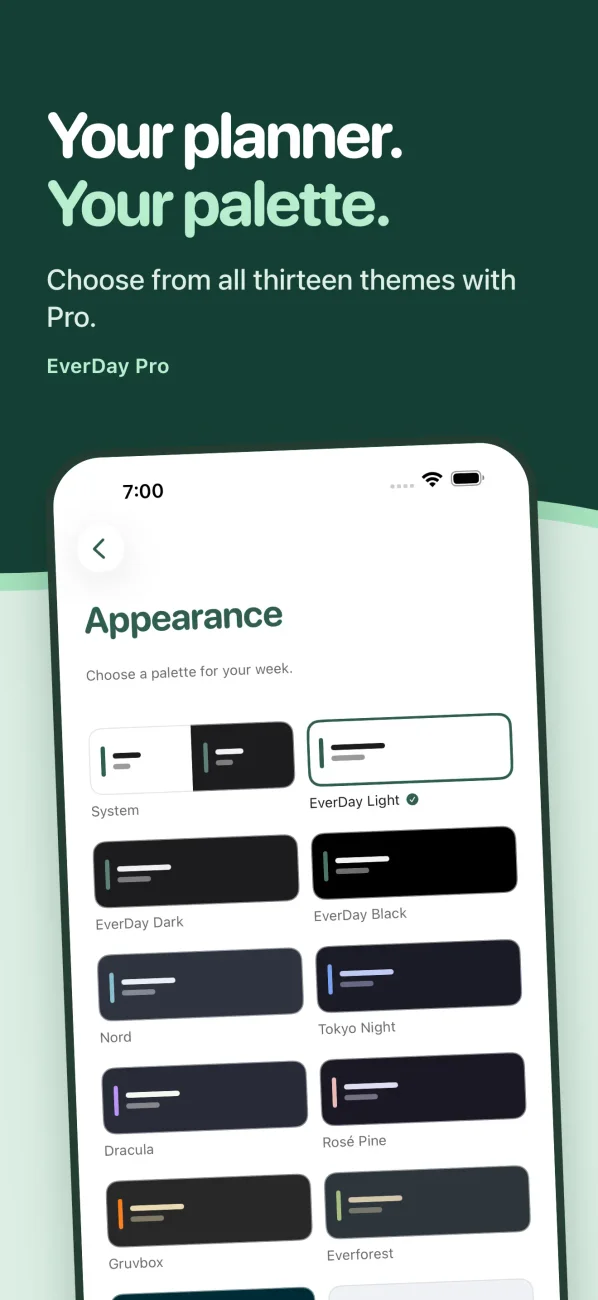
• Unlimited tags and all 13 themes
• Lock EverDay with Face ID, Touch ID, or your device passcode
• Selected calendar events and a Today's Three option in supported widgets
APPLE CONNECTIONS, ON YOUR TERMS
Calendar and Reminders connections are optional and require your permission. Choose which calendars to show and which individual reminders to link. Supported details sync through Apple's EventKit; tags, steps and focus stay in EverDay. Advanced event options remain available in Apple Calendar. A dated Apple reminder appears in Apple Calendar when Scheduled Reminders is enabled there. Sync availability depends on your accounts, permissions and providers.
ONE LIFETIME UNLOCK
The weekly planner and core task tools remain free. EverDay Pro is an optional, non-consumable one-time purchase, not a subscription. Existing eligible Pro owners receive the new Pro tools without buying again. Restore with the Apple Account used for purchase.
PRIVATE PLANS, CLEAR PURCHASES
No EverDay account or advertising. We do not operate a server that receives your planner. RevenueCat manages Pro validation, restoration and limited purchase/paywall analytics; it does not receive your tasks, Calendar events or Reminders content. Apple processes payment. Connected Apple accounts and providers handle their own synchronization.
Privacy: https://array94.com/apps/everday/privacy/
Terms: https://array94.com/apps/everday/terms/
Support: https://array94.com/apps/everday/support/
Requires iOS 18 or later. Duo-specific layouts require a supported iPhone Duo system.
Nouveautés
Version 2.1 · 17/11/2026
EverDay 2.1 adds more privacy and a little more personality.
New with EverDay Pro
• Lock EverDay automatically with Face ID.
• Unlock with Touch ID or your device passcode when needed.
• Keep planner content concealed while EverDay is inactive.
Improved for everyone
• A refreshed adaptive app icon now includes default, dark, tinted and clear appearances.
• Discover other available apps from Array 94 in Settings.
• Product, support, privacy and terms links now open EverDay's canonical Array 94 pages.
Fixed
• App Lock now responds safely when Pro access changes.
• Duplicate and unavailable apps are no longer shown in More Great Apps.
• More Great Apps now falls back gracefully when there are no other available listings.
Already own Pro? App Lock is included in your existing lifetime unlock. No subscription and no need to buy again.
Confidentialité de l’application
Ce que Krishna Sagar déclare sur l’App Store au sujet du traitement des données par cette application.
-
Données n’établissant aucun lien avec vous
Peuvent être collectées, mais ne sont pas liées à votre identité.
- Achats
- Identifiants
- Données d’utilisation
Les pratiques en matière de confidentialité peuvent varier, notamment en fonction des fonctionnalités que vous utilisez ou de votre âge.
Informations
- Vendeur
- Krishna Sagar
- Catégorie
- Productivité
- Version
- 2.1
- Mis à jour
- 17/11/2026
- Publié
- 08/08/2026
- Taille
- 17,2 Mo
- Nécessite
- iOS 18.0 ou version ultérieure
- Classification d’âge
- 4+
- Prix
- Gratuit
- Achats intégrés
- Oui
- Langues
- Anglais
- Copyright
- © 2026 Krishna Sagar
Vous aimerez peut-être aussi
-
 Noter: Sticky NotesProductivité
-
 QuirepadProductivité
-
 Task Compass for RemindersProductivité
-
 Sunday: Agenda SemaineListe de Tâches & To-Do
-
 Plans: Notes & TâchesAgenda, to-do list et rappels
-
 Classycal – Agenda et tâchesCalendrier, rappels et style
-
 Weeklane : Planning semaineTo-do list & bloqueur d’apps
-
 OneFocus: Deep WorkProductivité
-
 Prazo: Calendrier & tâchesAgenda, listes et rappels
-
 Weekvu - Weekly PlannerProductivité