
File Manager
Files, Media & Office Viewer
Conçue pour iPhone, iPad
Gratuit · Achats intégrés
- Classification d’âge4+
- CatégorieUtilitaires
- DéveloppeurHeavenbrook Software Inc.
- LanguesAnglais+ 1 de plus
- Taille10,0 Mo
Renvoie vers la page App Store officielle
Download.org n’héberge aucun fichier de File Manager. Le bouton ouvre la page de l’application sur App Store, où Heavenbrook Software Inc. la publie. Fiche vérifiée pour la dernière fois le 16/11/2026.
Captures d’écran

À propos
Le développeur n’a pas fourni ce texte dans votre langue.
ile Manager is a powerful, all-in-one file management app for iPhone and iPad. Organize, browse, play, edit, and share your files — no subscriptions, no cloud accounts required.
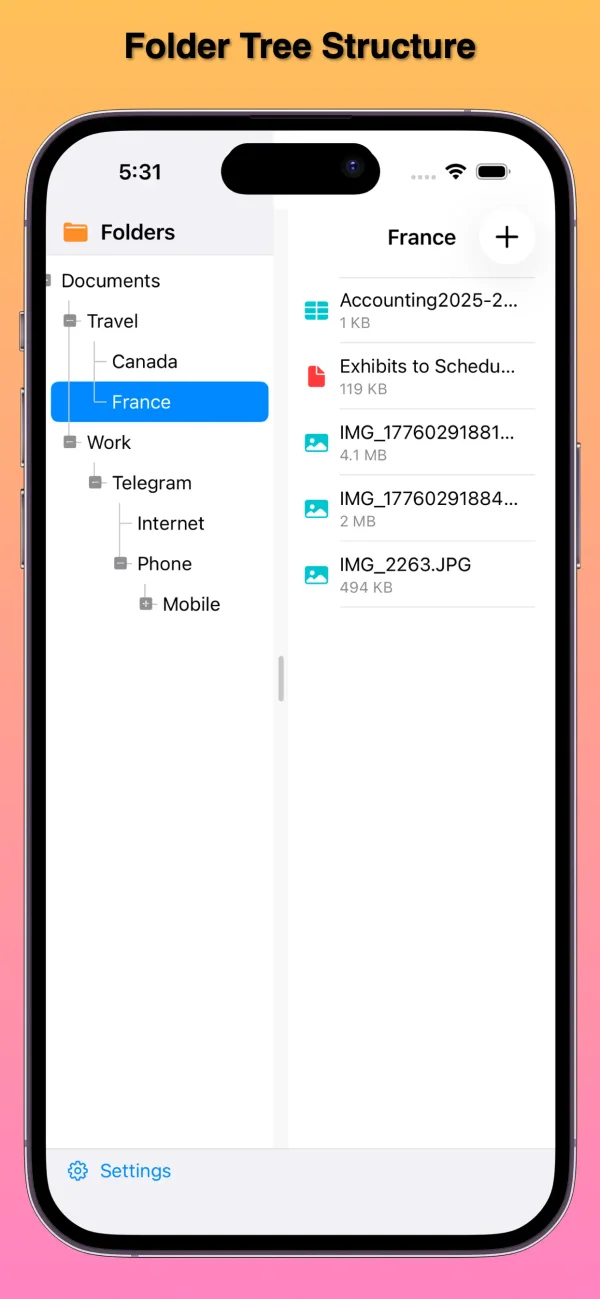
FOLDER TREE STRUCTURE
• Split-panel layout with an expandable folder tree on the left and file list on the right
• Create, rename, move, and delete folders with drag-and-drop support
• Swipe to delete files quickly, or use the context menu for more options
WI-FI TRANSFER & AIRDROP
• Transfer files wirelessly from any computer or device using a web browser on the same Wi-Fi network
• Receive files via AirDrop and "Open In" from other apps
• No cables, no cloud — your files stay on your device
AUDIO & VIDEO PLAYER
• Built-in player for MP3, M4A, WAV, FLAC, AAC, and more
• Video playback for MP4, MOV, MKV, AVI, and other formats with HDR support
• Background audio playback — keep listening while using other apps
• Loop, shuffle, and play all tracks in a folder
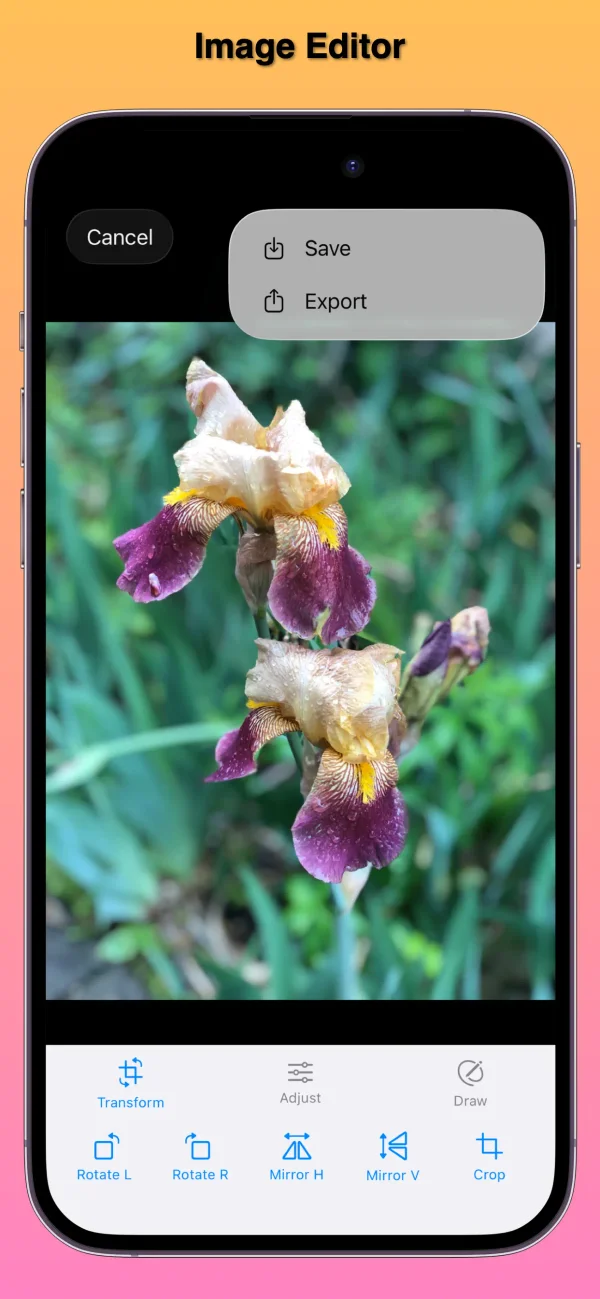
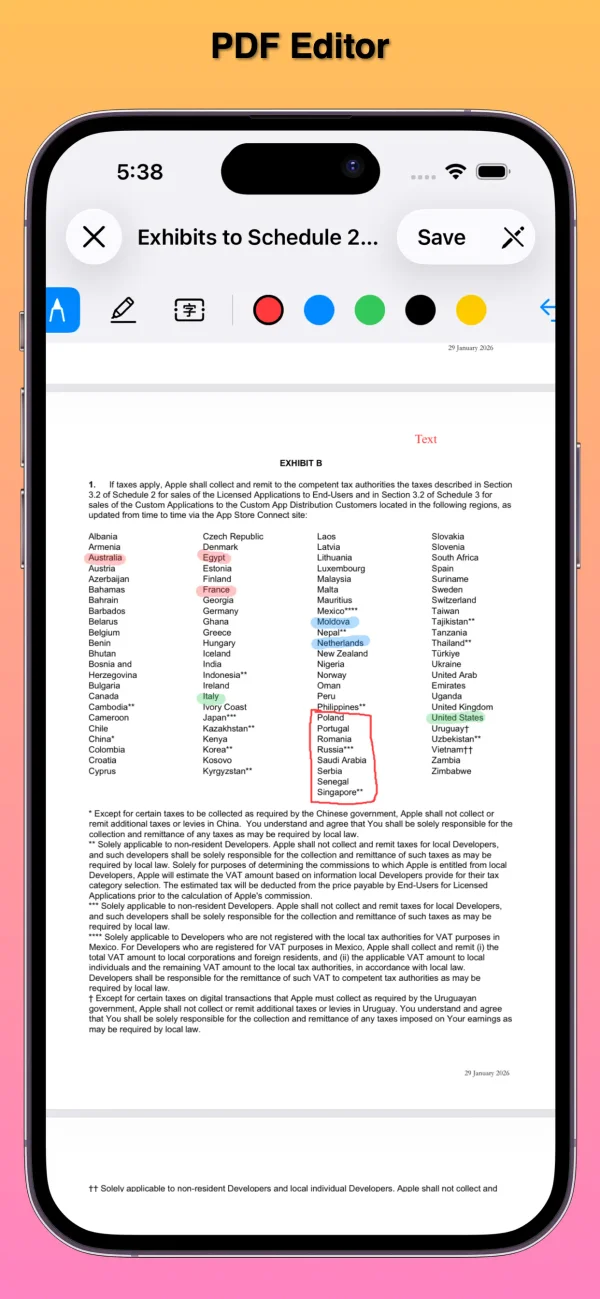
IMAGE & PDF EDITOR
• View images in full screen with zoom and swipe gestures
• Edit images: rotate, mirror, crop, resize, and adjust brightness, contrast, and saturation
• Annotate and mark up PDF documents with the built-in editor
• Export edited images directly to your library
OFFICE FILES VIEWER
• Open and view Word (.doc, .docx), Excel (.xls, .xlsx), and PowerPoint (.ppt, .pptx) files
• View Rich Text Format (.rtf) documents
• No third-party apps or conversions needed
ZIP & UNZIP
• Compress files and folders into .zip archives
• Extract .zip files with one tap
• Long-press any file or folder to zip, or any .zip file to unzip
TEXT EDITOR
• Create and edit plain text (.txt), Markdown (.md), and JSON files
• Spreadsheet editor for CSV files with add/delete rows and columns
BILINGUAL INTERFACE
• Full English and Chinese (Simplified) interface
• Automatically detects your device language on first launch
• Switch languages anytime in Settings
Nouveautés
Version 3.4 · 20/04/2026
• Zip and unzip files and folders directly from the file list
• Swipe-to-delete for quick file removal
• Onboarding walkthrough for new users
• Automatic language detection based on device settings
• Image editor with crop, resize, rotate, and adjustments
• Video player with HDR support
• Improved folder tree refresh after file operations
Confidentialité de l’application
Ce que Heavenbrook Software Inc. déclare sur l’App Store au sujet du traitement des données par cette application.
-
Données non collectées
Le développeur ne collecte aucune donnée à partir de cette application.
Les pratiques en matière de confidentialité peuvent varier, notamment en fonction des fonctionnalités que vous utilisez ou de votre âge.
Informations
- Vendeur
- Heavenbrook Software Inc.
- Catégorie
- Utilitaires
- Version
- 3.4
- Mis à jour
- 20/04/2026
- Publié
- 28/08/2012
- Taille
- 10,0 Mo
- Nécessite
- iOS 17.6 ou version ultérieure
- Classification d’âge
- 4+
- Prix
- Gratuit
- Achats intégrés
- Oui
- Langues
- Anglais, Chinois simplifié
- Copyright
- © Heavenbrook Software Inc.
Vous aimerez peut-être aussi
-
 XFiles: SFTP, FTP & NASGestionnaire de fichiers + SSH
-
 Filio - Gestionnaire fichiersNAS et cloud, tout en un
-
 MyFiles: File Manager & UnzipUtilitaires
-
 TS Explorateur de fichiersExtraire, convertir, lire
-
 FileArkFichiers, recherche et QR
-
 Pure PrivacySupprimez les métadonnées
-
 Carnival - Lecteur SMB NASStreaming Vidéo, Audio, Doc
-
 ZT File ManagerUtilitaires
-
 Qiqi MusicUtilitaires
-
 SafeSkan : scanner QR et code-Scan photo, générateur et vCar