
File Manager
Files, Media & Office Viewer
Designed for iPhone, iPad
Free · In-app purchases
- Age rating4+
- CategoryUtilities
- DeveloperHeavenbrook Software Inc.
- LanguagesEnglish+ 1 more
- Size10.0 MB
Links to the official App Store page
Download.org hosts no file of File Manager. The button opens its official App Store page, published by Heavenbrook Software Inc. Listing last checked on Nov 16, 2026.
Screenshots

About
ile Manager is a powerful, all-in-one file management app for iPhone and iPad. Organize, browse, play, edit, and share your files — no subscriptions, no cloud accounts required.
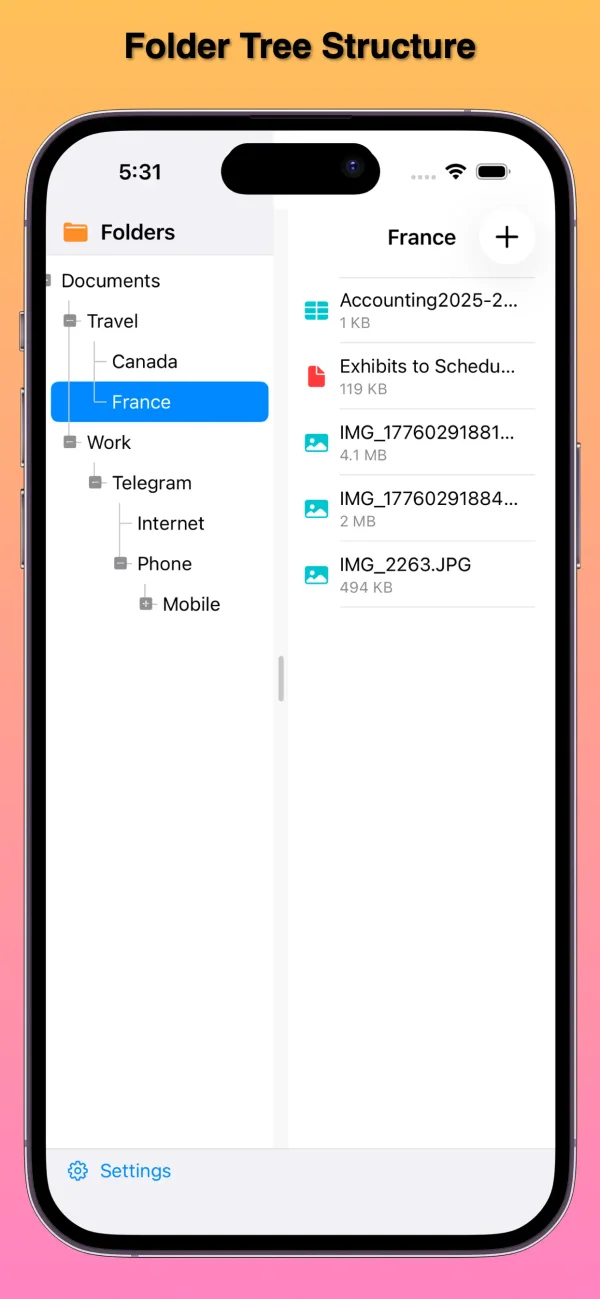
FOLDER TREE STRUCTURE
• Split-panel layout with an expandable folder tree on the left and file list on the right
• Create, rename, move, and delete folders with drag-and-drop support
• Swipe to delete files quickly, or use the context menu for more options
WI-FI TRANSFER & AIRDROP
• Transfer files wirelessly from any computer or device using a web browser on the same Wi-Fi network
• Receive files via AirDrop and "Open In" from other apps
• No cables, no cloud — your files stay on your device
AUDIO & VIDEO PLAYER
• Built-in player for MP3, M4A, WAV, FLAC, AAC, and more
• Video playback for MP4, MOV, MKV, AVI, and other formats with HDR support
• Background audio playback — keep listening while using other apps
• Loop, shuffle, and play all tracks in a folder
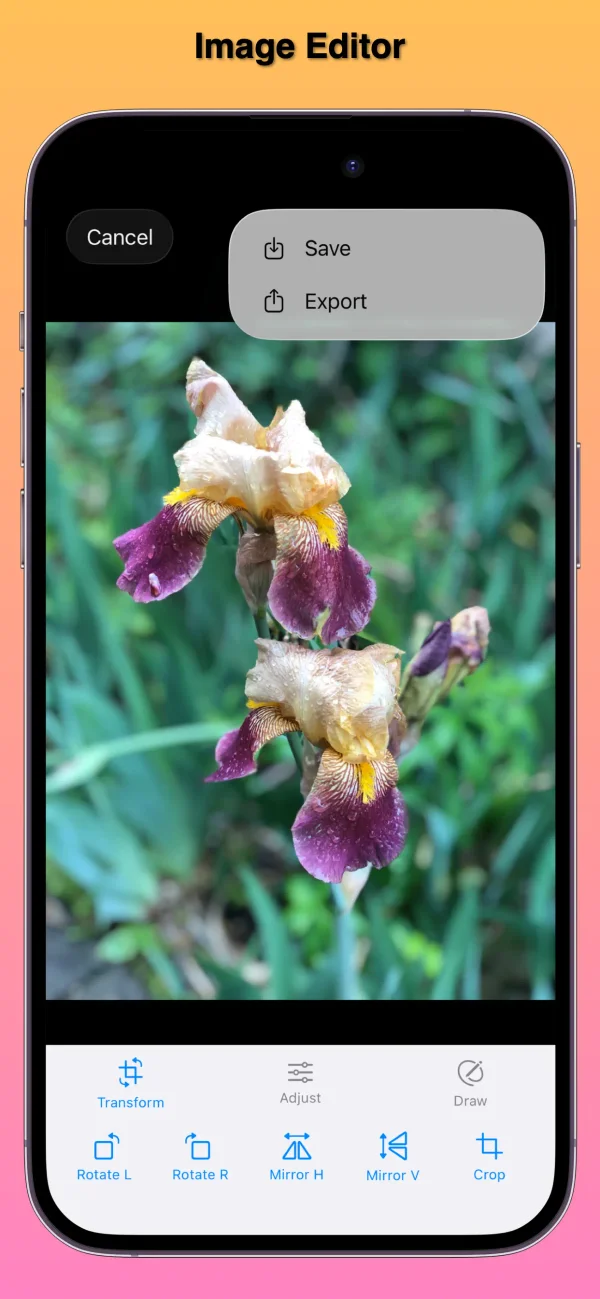
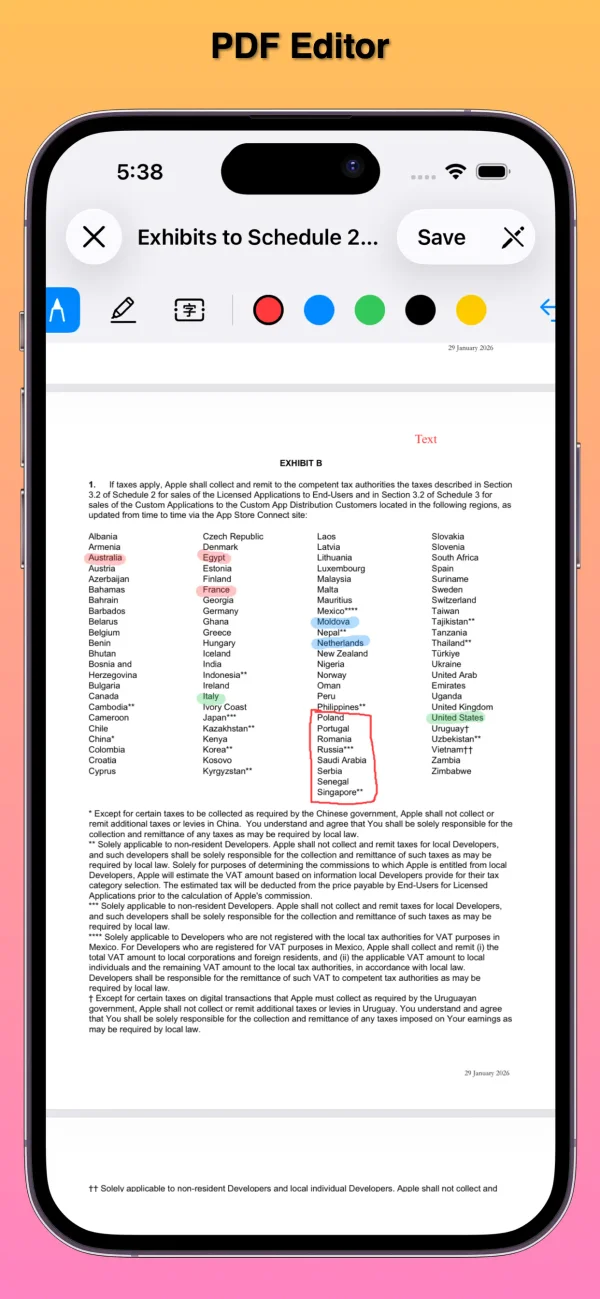
IMAGE & PDF EDITOR
• View images in full screen with zoom and swipe gestures
• Edit images: rotate, mirror, crop, resize, and adjust brightness, contrast, and saturation
• Annotate and mark up PDF documents with the built-in editor
• Export edited images directly to your library
OFFICE FILES VIEWER
• Open and view Word (.doc, .docx), Excel (.xls, .xlsx), and PowerPoint (.ppt, .pptx) files
• View Rich Text Format (.rtf) documents
• No third-party apps or conversions needed
ZIP & UNZIP
• Compress files and folders into .zip archives
• Extract .zip files with one tap
• Long-press any file or folder to zip, or any .zip file to unzip
TEXT EDITOR
• Create and edit plain text (.txt), Markdown (.md), and JSON files
• Spreadsheet editor for CSV files with add/delete rows and columns
BILINGUAL INTERFACE
• Full English and Chinese (Simplified) interface
• Automatically detects your device language on first launch
• Switch languages anytime in Settings
What’s new
Version 3.4 · Apr 20, 2026
• Zip and unzip files and folders directly from the file list
• Swipe-to-delete for quick file removal
• Onboarding walkthrough for new users
• Automatic language detection based on device settings
• Image editor with crop, resize, rotate, and adjustments
• Video player with HDR support
• Improved folder tree refresh after file operations
App privacy
What Heavenbrook Software Inc. declares on the App Store about how this app handles data.
-
Data not collected
The developer does not collect any data from this app.
Privacy practices may vary, for example with the features you use or your age.
Information
- Seller
- Heavenbrook Software Inc.
- Category
- Utilities
- Version
- 3.4
- Updated
- Apr 20, 2026
- Released
- Aug 28, 2012
- Size
- 10.0 MB
- Requires
- iOS 17.6 or later
- Age rating
- 4+
- Price
- Free
- In-app purchases
- Yes
- Languages
- English, Simplified Chinese
- Copyright
- © Heavenbrook Software Inc.
You might also like
-
 XFiles: SFTP, FTP & NAS FilesDual-Pane File Manager & SSH
-
 Filio - File ManagerNAS and cloud, all in one
-
 MyFiles: File Manager & UnzipWi-Fi Transfer & Private Space
-
 TS File ExplorerUnzip, Compress & Convert
-
 FileArkFiles, search and QR sharing
-
 Pure PrivacyErase Hidden Photo Metadata
-
 Carnival - SMB Media PlayerStream Video, Music & Books
-
 ZT File ManagerYour smart file & photo tool
-
 Qiqi MusicPlay & Edit Local Music
-
 SafeSkan: QR Scanner & BarcodePhoto Scan, Generator & vCard