FileSync: Cloud File Manager
Cloud files and photo backups
Conçue pour iPhone, iPad
- Classification d’âge4+
- CatégorieProductivité
- Développeurtomotaka ohta
- LanguesAnglais+ 5 de plus
- Taille49,4 Mo
FileSync: Cloud File Manager n’est peut-être pas disponible sur App Store pour le moment
La fiche de la boutique était inaccessible lors de notre dernière vérification. Le lien mène toujours à la page App Store officielle.
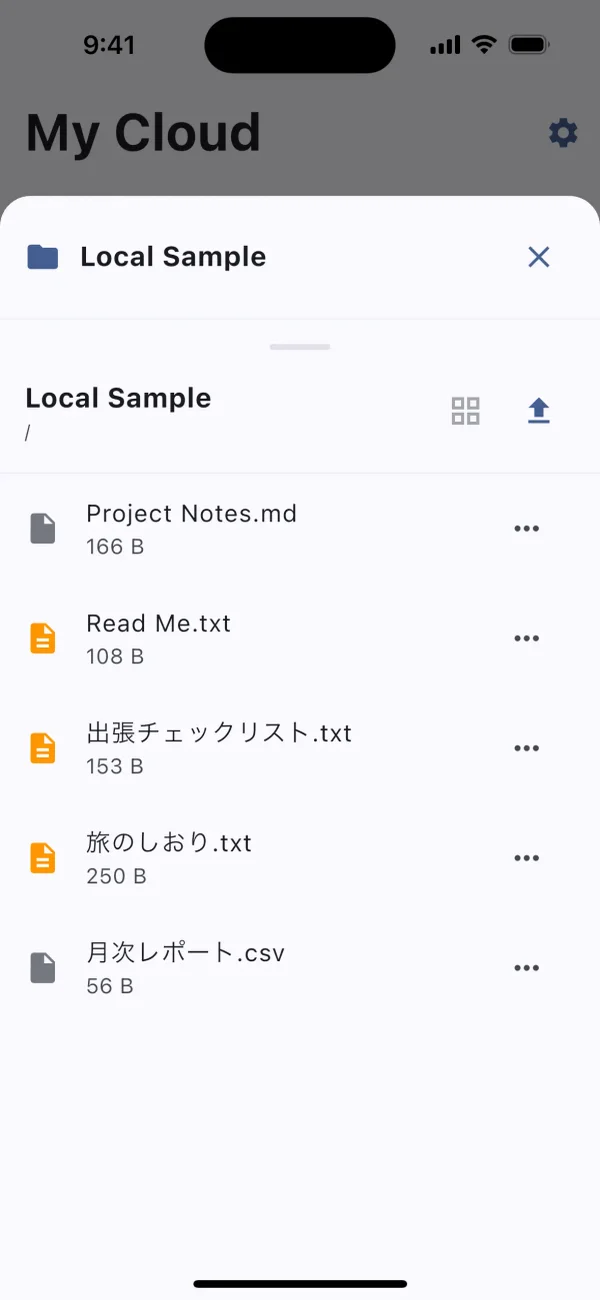
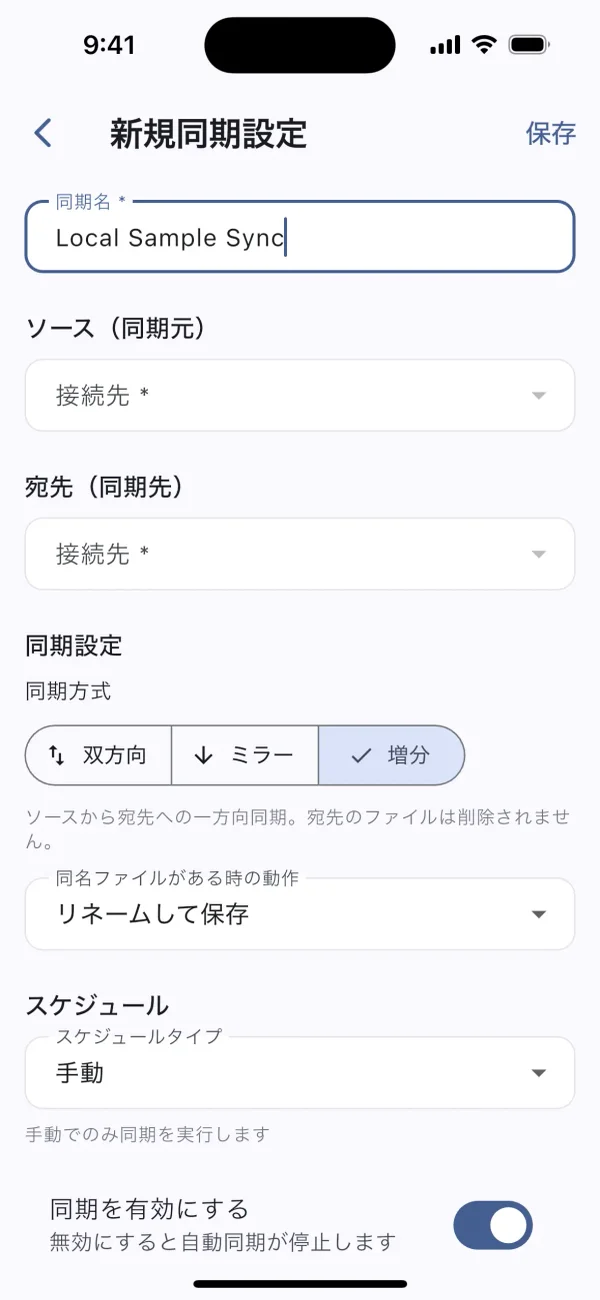
Captures d’écran


À propos
Le développeur n’a pas fourni ce texte dans votre langue.
Keep your cloud files and photo backups together.
FileSync lets you browse connected storage, back up photos and videos, and follow transfer progress from one app.
CONNECT YOUR STORAGE
• Browse Dropbox, WebDAV-compatible services such as pCloud and Koofr, and SFTP / FTP servers.
• Open supported images, videos and other files for a quick preview.
PHOTO AND VIDEO BACKUP
• Back up photos and videos to compatible WebDAV storage.
• Upload selected files and choose where to save them.
• Choose Wi-Fi and charging conditions for backup transfers.
CLEAR TRANSFER RESULTS
• View transfer progress and upload history.
• See when a backup is waiting for Wi-Fi, charging or a network connection.
• See when there are no new files to back up, or a destination is out of space.
CONTROL SAME-NAME FILES
• Choose to skip, keep both, overwrite or cancel when files have the same name.
• Remembered user skip decisions are checked against the source and remote file before reuse.
SYNC AND APP LOCK
• Sync folders between supported storage connections.
• Protect app access with Face ID or Touch ID on compatible devices.
• No ads.
AVAILABLE IN SIX LANGUAGES
Japanese, English, German, Spanish, Simplified Chinese and Traditional Chinese.
Requires iOS 16.0 or later. Available for iPhone and iPad.
Transfer capabilities depend on the storage service. Backup, sync and upload destinations must support safe writes. iOS may limit background processing.
Nouveautés
Version 1.0.5 · 11/11/2026
Upload history now shows when backups are waiting for Wi-Fi, charging or a network connection.
Clearer explanations when there are no new files to back up.
Improved connection reliability.
Confidentialité de l’application
Ce que tomotaka ohta déclare sur l’App Store au sujet du traitement des données par cette application.
-
Données n’établissant aucun lien avec vous
Peuvent être collectées, mais ne sont pas liées à votre identité.
- Diagnostic
Les pratiques en matière de confidentialité peuvent varier, notamment en fonction des fonctionnalités que vous utilisez ou de votre âge.
Informations
- Vendeur
- tomotaka ohta
- Catégorie
- Productivité
- Version
- 1.0.5
- Mis à jour
- 11/11/2026
- Publié
- 06/11/2026
- Taille
- 49,4 Mo
- Nécessite
- iOS 16.0 ou version ultérieure
- Classification d’âge
- 4+
- Langues
- Anglais, Allemand, Japonais, Chinois simplifié, Espagnol, Chinois traditionnel
- Copyright
- © 2026 tomotaka ohta
Vous aimerez peut-être aussi
-
 ArchiveVault: Media BackupProductivité
-
 ClipSave: Copy & SyncPresse-papiers synchronisé
-
 InnerAgentsVos agents IA dans la poche
-
 MyClouDriveProductivité
-
 Scanila: Scanner PDF par IAScanner, éditer & résumer
-
 Simple USBVideoProductivité
-
 Photos vers USB - BackNestSauvegarde photos et vidéos
-
 Cloud Drive: Secure StorageProductivité
-
 GrumpyTodoProductivité
-
 CloudikeProductivité