FileSync: Cloud File Manager
Cloud files and photo backups
Designed for iPhone, iPad
Free
- Age rating4+
- CategoryProductivity
- Developertomotaka ohta
- LanguagesEnglish+ 5 more
- Size49.4 MB
Links to the official App Store page
Download.org hosts no file of FileSync: Cloud File Manager. The button opens its official App Store page, published by tomotaka ohta. Listing last checked on Nov 23, 2026.
Screenshots
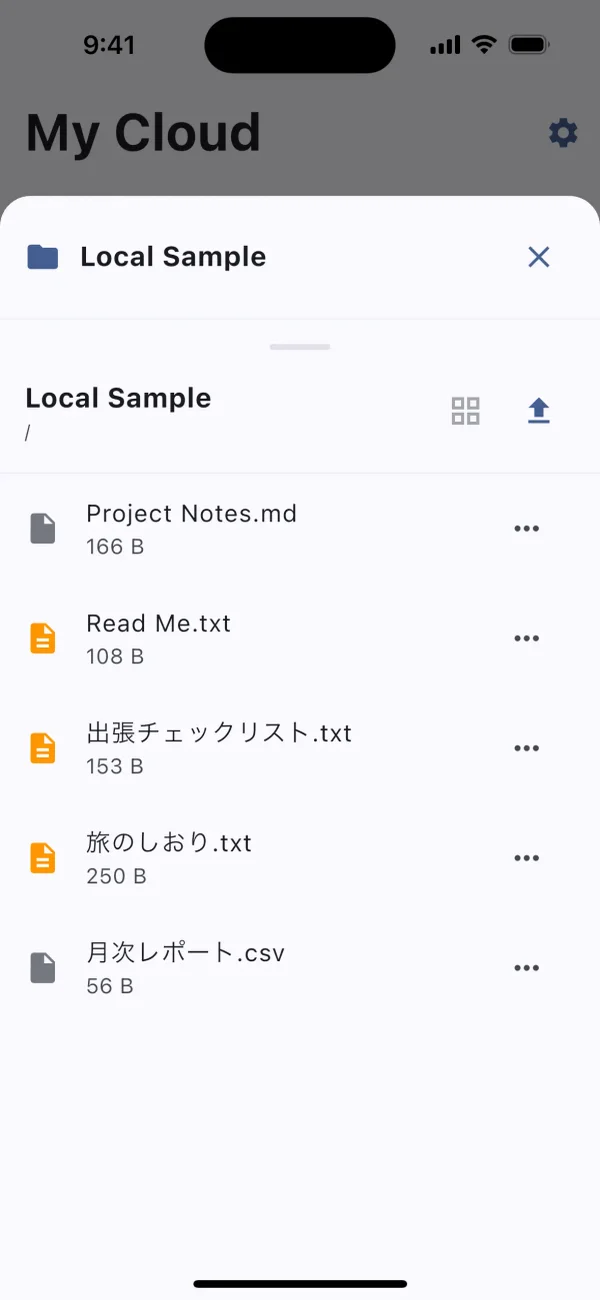


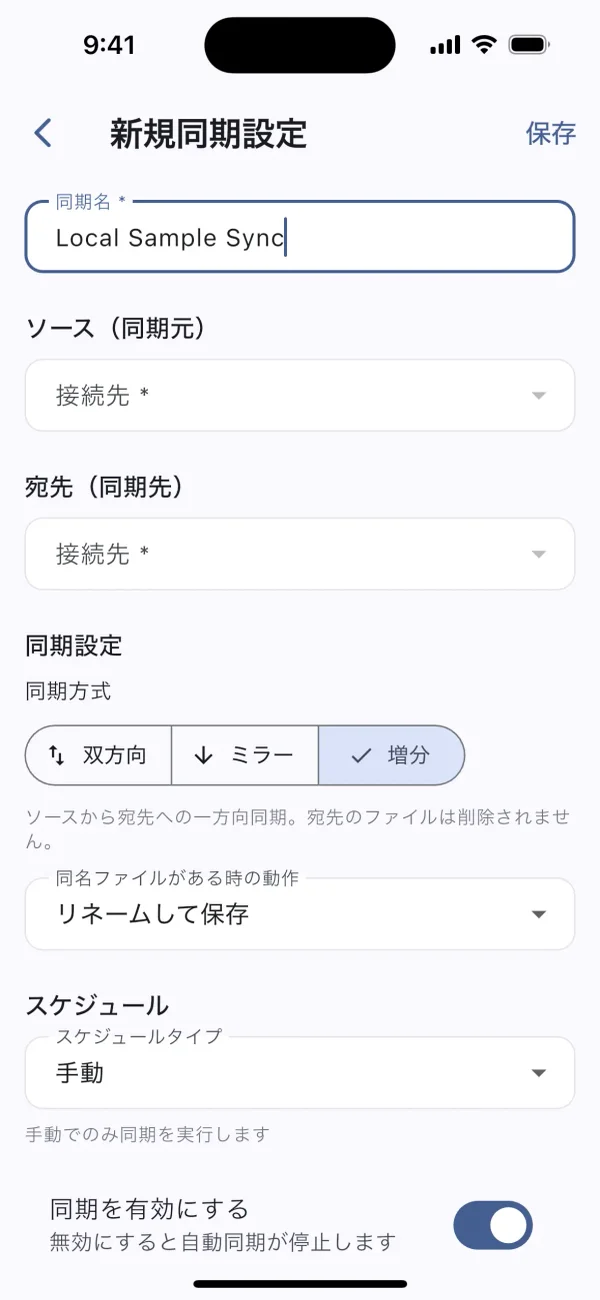
About
Keep your cloud files and photo backups together.
FileSync lets you browse connected storage, back up photos and videos, and follow transfer progress from one app.
CONNECT YOUR STORAGE
• Browse Dropbox, WebDAV-compatible services such as pCloud and Koofr, and SFTP / FTP servers.
• Open supported images, videos and other files for a quick preview.
PHOTO AND VIDEO BACKUP
• Back up photos and videos to compatible WebDAV storage.
• Upload selected files and choose where to save them.
• Choose Wi-Fi and charging conditions for backup transfers.
CLEAR TRANSFER RESULTS
• View transfer progress and upload history.
• See when a backup is waiting for Wi-Fi, charging or a network connection.
• See when there are no new files to back up, or a destination is out of space.
CONTROL SAME-NAME FILES
• Choose to skip, keep both, overwrite or cancel when files have the same name.
• Remembered user skip decisions are checked against the source and remote file before reuse.
SYNC AND APP LOCK
• Sync folders between supported storage connections.
• Protect app access with Face ID or Touch ID on compatible devices.
• No ads.
AVAILABLE IN SIX LANGUAGES
Japanese, English, German, Spanish, Simplified Chinese and Traditional Chinese.
Requires iOS 16.0 or later. Available for iPhone and iPad.
Transfer capabilities depend on the storage service. Backup, sync and upload destinations must support safe writes. iOS may limit background processing.
What’s new
Version 1.0.5 · Nov 11, 2026
Upload history now shows when backups are waiting for Wi-Fi, charging or a network connection.
Clearer explanations when there are no new files to back up.
Improved connection reliability.
App privacy
What tomotaka ohta declares on the App Store about how this app handles data.
-
Data not linked to you
May be collected but is not linked to your identity.
- Diagnostics
Privacy practices may vary, for example with the features you use or your age.
Information
- Seller
- tomotaka ohta
- Category
- Productivity
- Version
- 1.0.5
- Updated
- Nov 11, 2026
- Released
- Nov 6, 2026
- Size
- 49.4 MB
- Requires
- iOS 16.0 or later
- Age rating
- 4+
- Price
- Free
- Languages
- English, German, Japanese, Simplified Chinese, Spanish, Traditional Chinese
- Copyright
- © 2026 tomotaka ohta
You might also like
-
 ArchiveVault: Media BackupPhoto, Video & File Backup
-
 ClipSave: Copy & SyncProductivity
-
 InnerAgentsVos agents IA dans la poche
-
 MyClouDriveSync & backup your files
-
 Scanila: AI PDF ScannerScan, edit & summarize docs
-
 Simple USBVideoTablet as external monitor
-
 Photo Backup to USB - BackNestSave Photos & Videos to Stick
-
 Cloud Drive: Secure StorageSave All Files in One Drive
-
 GrumpyTodoSmall tasks. Satisfying wins.
-
 CloudikeProductivity