- Classification d’âge4+
- CatégorieMusique
- DéveloppeurPatrick Q. Kelly
- LanguesAnglais
- Taille58,4 Mo
Renvoie vers la page App Store officielle
Download.org n’héberge aucun fichier de Fingering Strings •. Le bouton ouvre la page de l’application sur App Store, où Patrick Q. Kelly la publie. Fiche vérifiée pour la dernière fois le 17/11/2026.
Captures d’écran
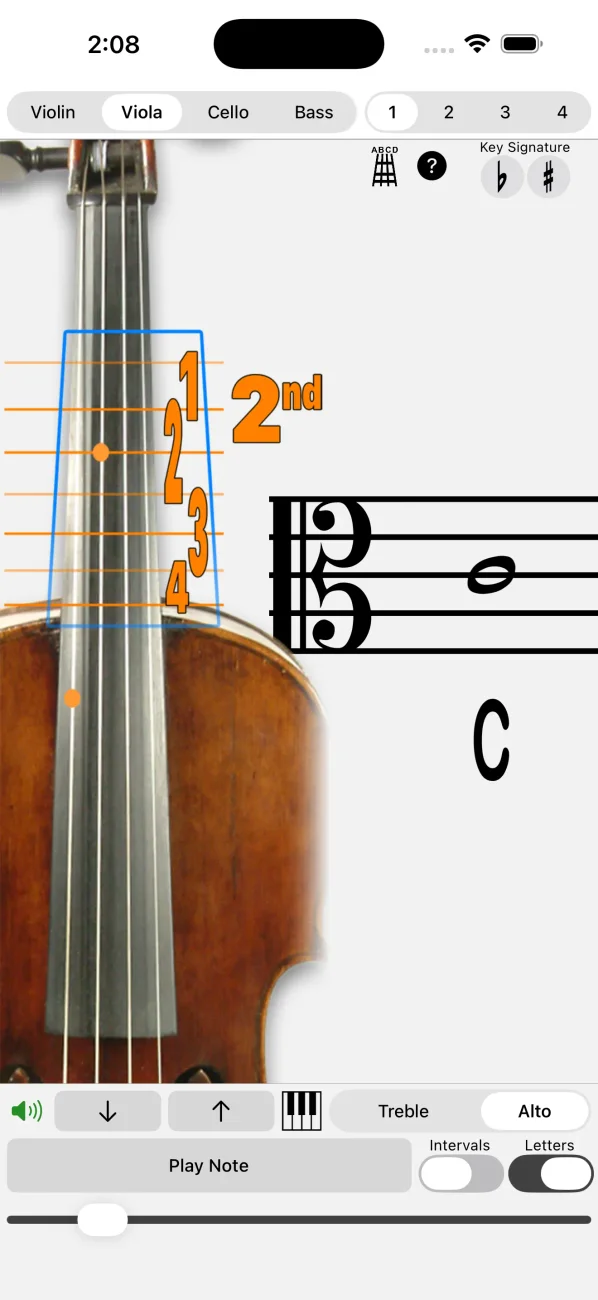
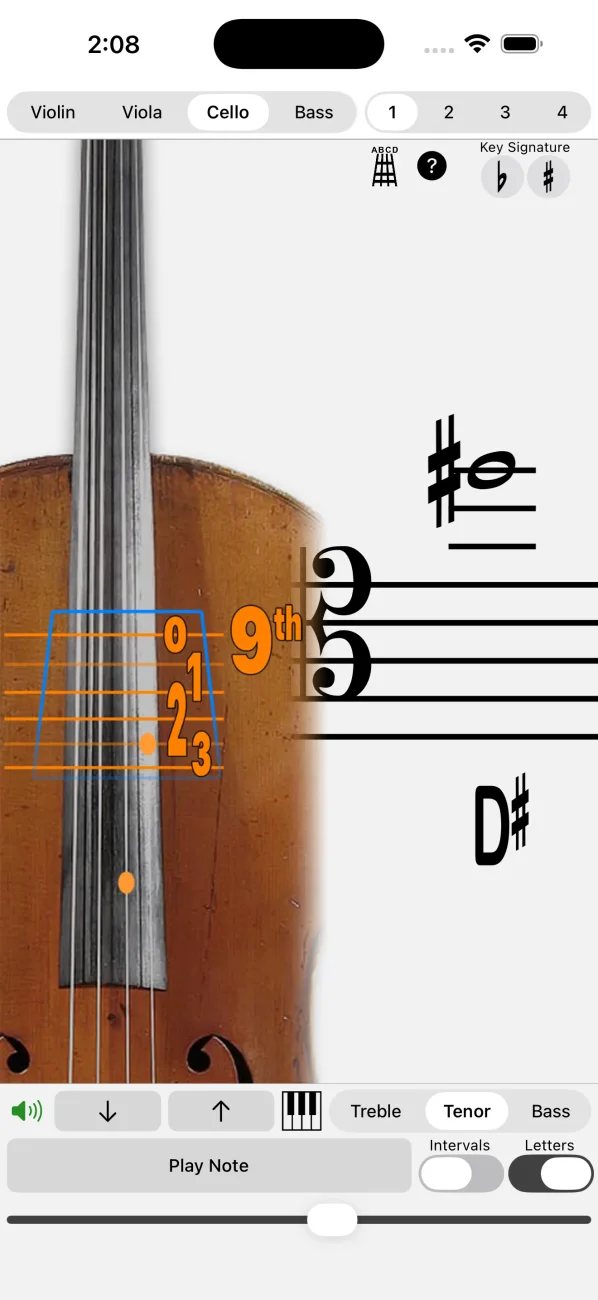
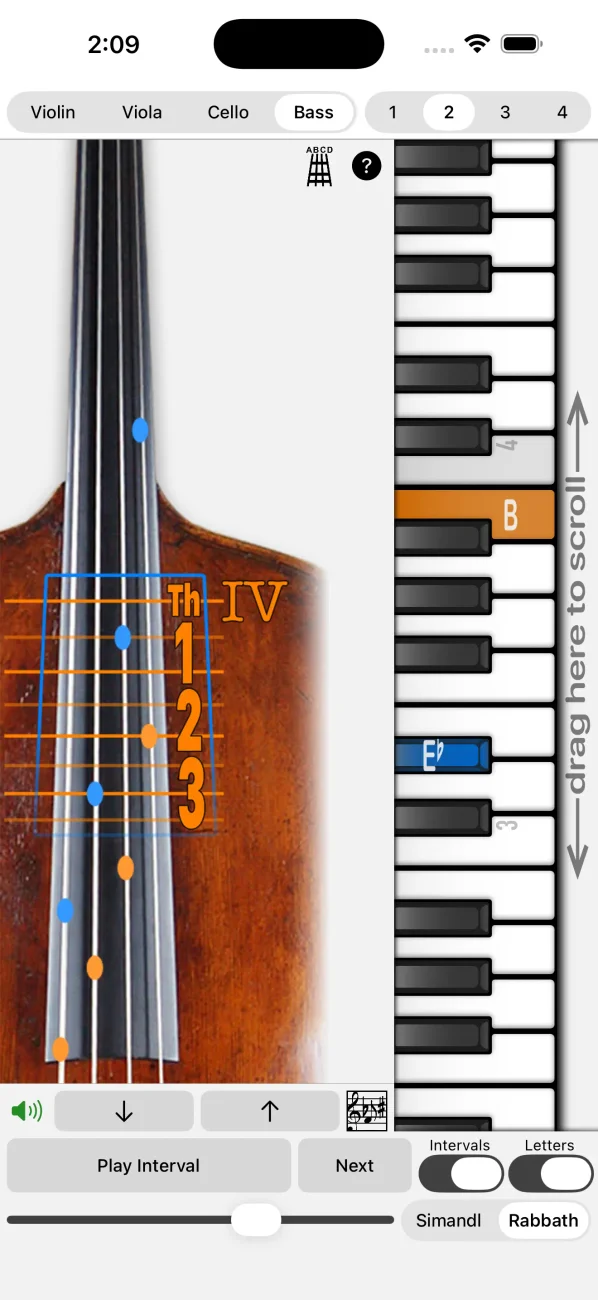
À propos
Le développeur n’a pas fourni ce texte dans votre langue.
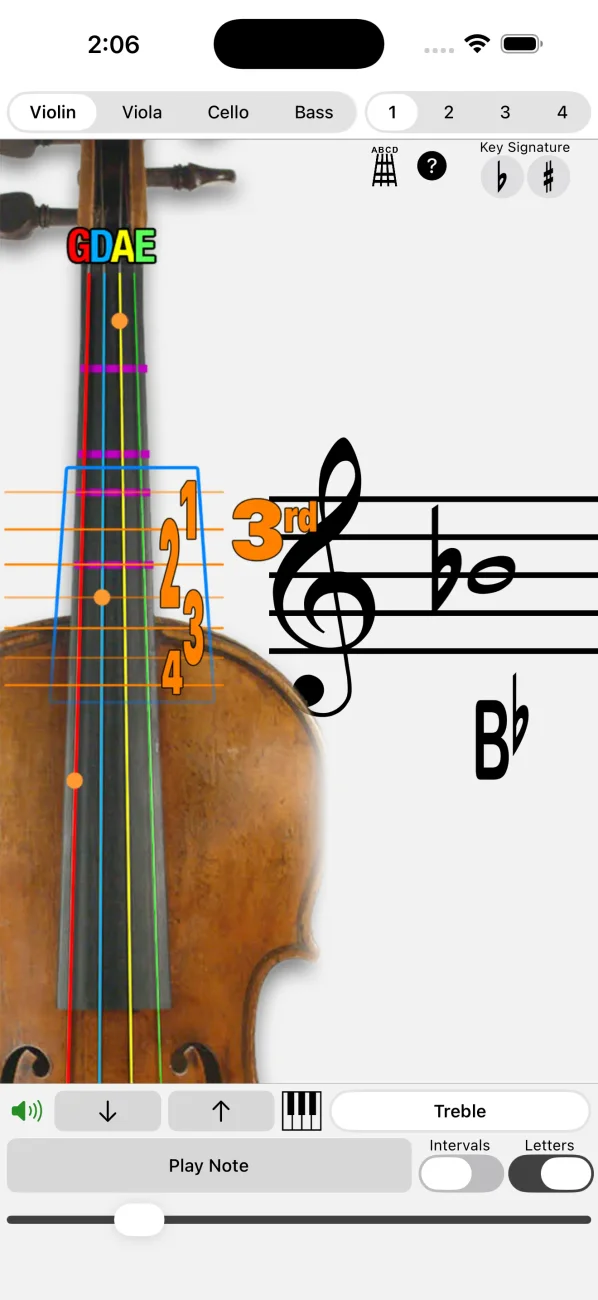
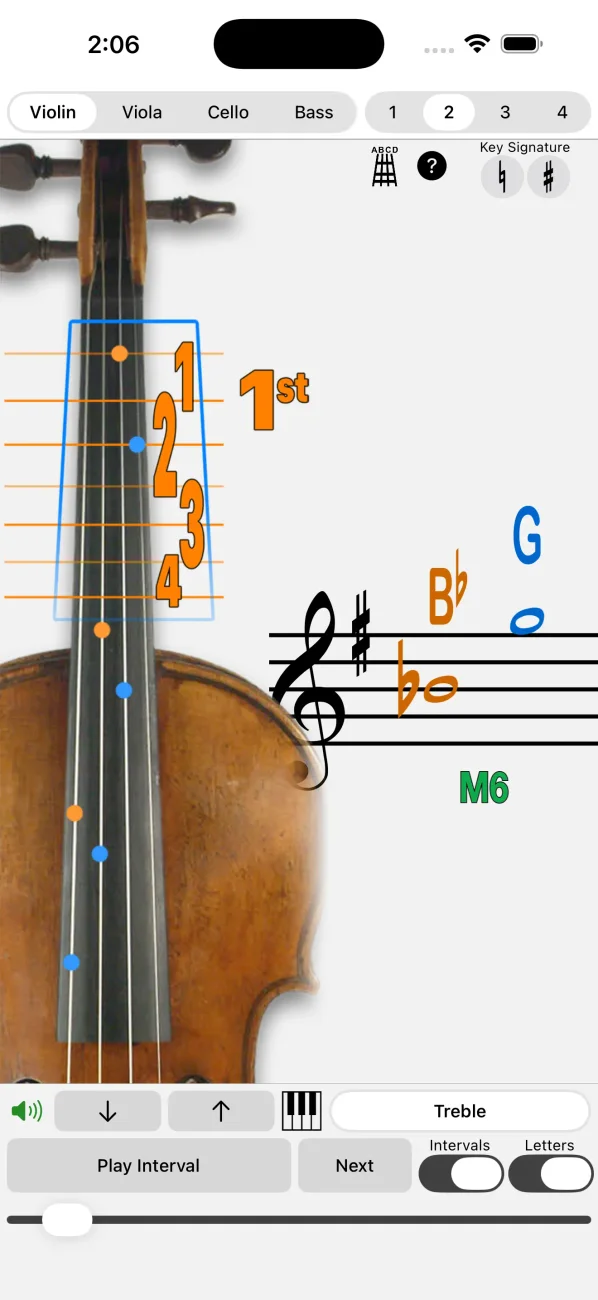
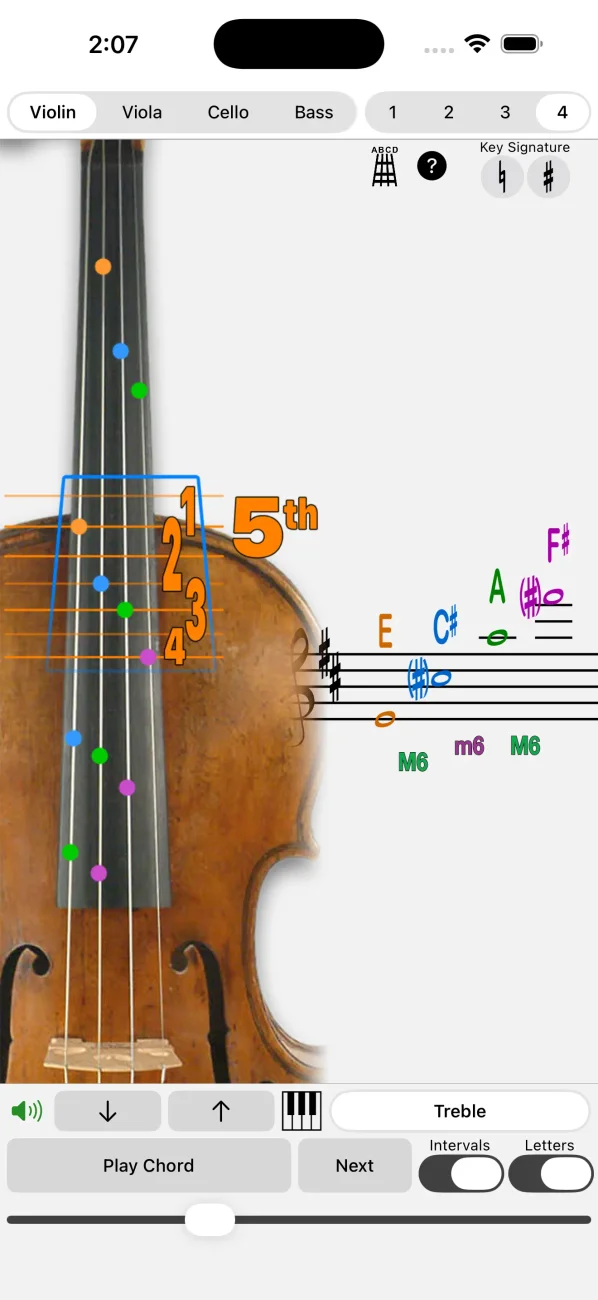
The highest rated and most comprehensive fingering guide available for Violin, Viola, Cello and Double Bass (Simandl and Rabbath positions). Includes double stops! Decide which hand position would be best for the interval or passage. Instantly switch between written note and piano key at the touch of a button.
Support for Key Signatures to more easily find a fingering in the music you're working on.
• Hand Positions: 15 positions on the Violin, 15 positions on the Viola, 16 positions on the Cello, and 12 Simandl positions or 6 Rabbath positions on the Double Bass.
• Display "beginner tape" on the fingerboard as well as string names and colors.
• Notate one or two notes in Treble, Alto, Tenor or Bass clef.
How to Use:
Pick a written note (touch the staff) and have the fingering displayed and concert pitch played. Touch a button and reveal the note on the piano.
Play a concert pitch on the piano, and have that pitch's fingering displayed. Touch a button and reveal the transposed note written on the staff.
Written and concert pitches are the same for all but the double bass, which transposes, sounding an octave below what is written.
• Use the ‘Play' button to repeatedly hear the note or interval being displayed.
Selecting a Pitch:
Using the Staff (transposed for the current instrument): Simply touch and slide up and down on the staff to select the note, slide to the right or left of the note for sharps and flats.
Using the Piano (concert pitch): drag in the area below the keyboard to move the keyboard, touch to play notes, touch & slide to change the pitch. When you glissando up the keyboard, notes will be notated as a raised value (sharps), when you glissando down, notes will be notated as lowered values (flats).
Use the up and down arrows to move chromatically up and down without touching the music staff or piano keyboard.
Nouveautés
Version 8.0 · 17/06/2026
Support for Key Signatures to more easily find a fingering in the music you're working on.
Minor updates and stability improvements.
Confidentialité de l’application
Ce que Patrick Q. Kelly déclare sur l’App Store au sujet du traitement des données par cette application.
-
Données non collectées
Le développeur ne collecte aucune donnée à partir de cette application.
Les pratiques en matière de confidentialité peuvent varier, notamment en fonction des fonctionnalités que vous utilisez ou de votre âge.
Informations
- Vendeur
- Patrick Kelly
- Catégorie
- Musique
- Version
- 8.0
- Mis à jour
- 17/06/2026
- Publié
- 20/10/2010
- Taille
- 58,4 Mo
- Nécessite
- iOS 26.0 ou version ultérieure
- Classification d’âge
- 4+
- Prix
- 3,99 €
- Langues
- Anglais
- Copyright
- © 2010 - 2026 Patrick Q. Kelly. All Rights Reserved.
Vous aimerez peut-être aussi
-
 String Position ProMusique
-
 Learn & Play Cello - tonestroMusique
-
 Violon Vista: Accordeur/Prat.Doigtés et intonation
-
 Accordeur de VioloncelleAccord précis et rapide
-
 Cello Tuner - Simple TunerMusique
-
 Andante : Métronome et suiviPratique musicale
-
 LASIDOaméliore ta lecture de notes
-
 Partitions TomplayJouez votre musique préférée
-
 TonalEnergy Accordeur et MétroOutils de pratique musicale
-
 Piano Chords and ScalesAccords, gammes et solfège