
- Age rating4+
- CategoryMusic
- DeveloperPatrick Q. Kelly
- LanguagesEnglish
- Size58.4 MB
Links to the official App Store page
Download.org hosts no file of Fingering Strings •. The button opens its official App Store page, published by Patrick Q. Kelly. Listing last checked on Nov 17, 2026.
Screenshots
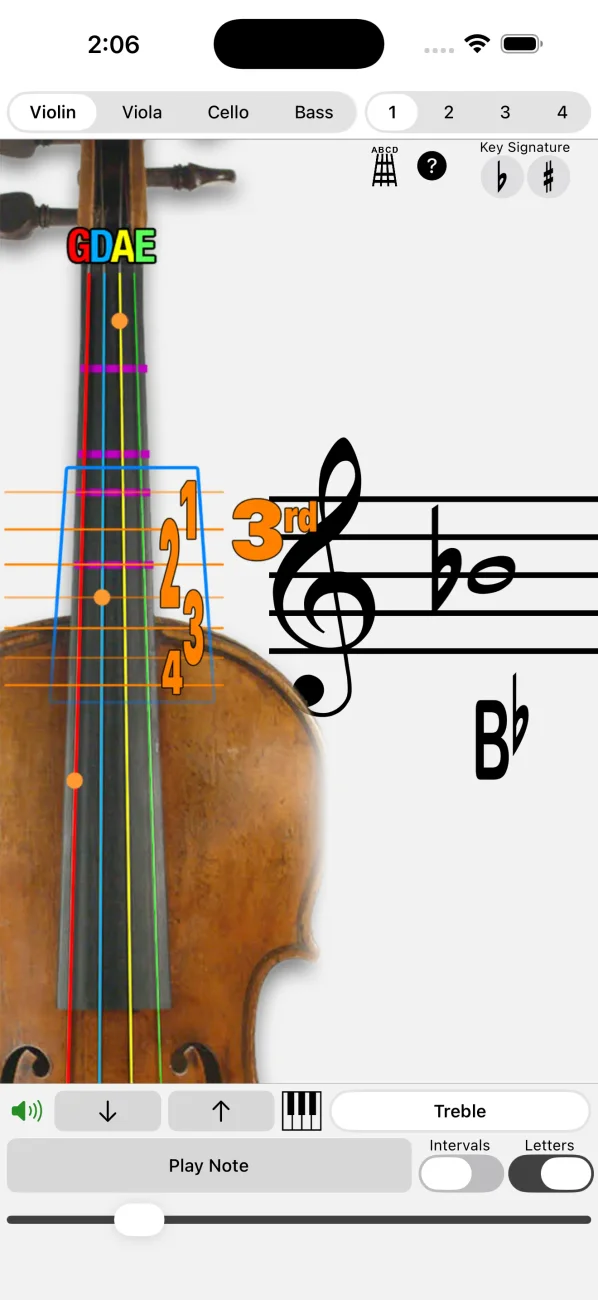

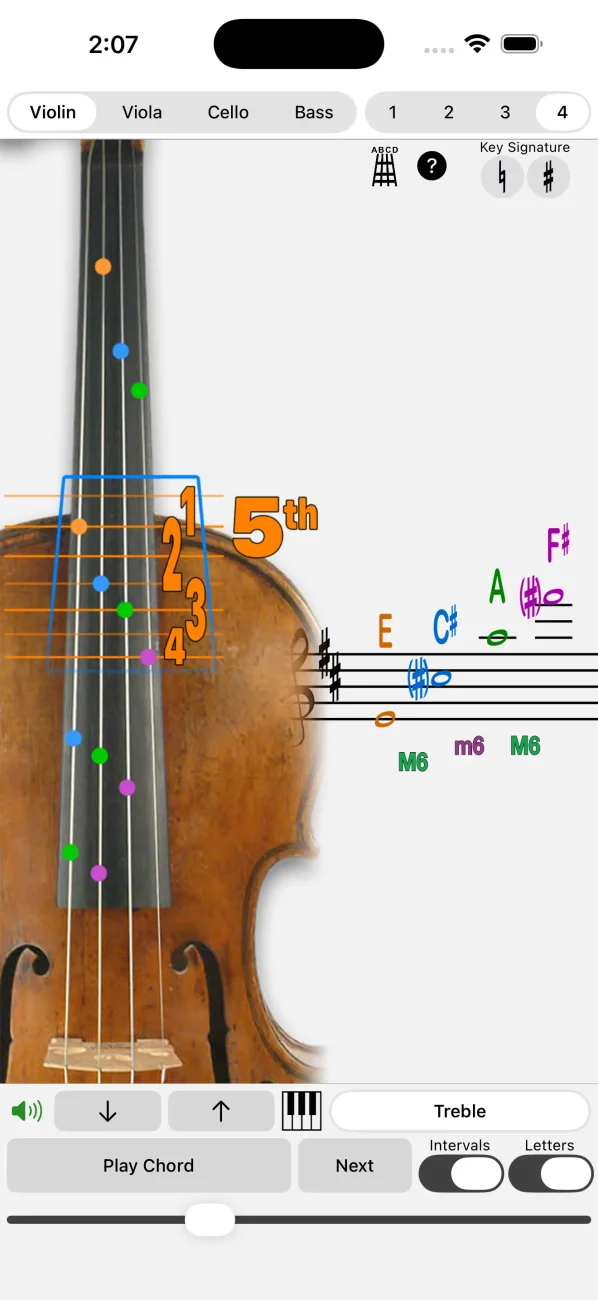


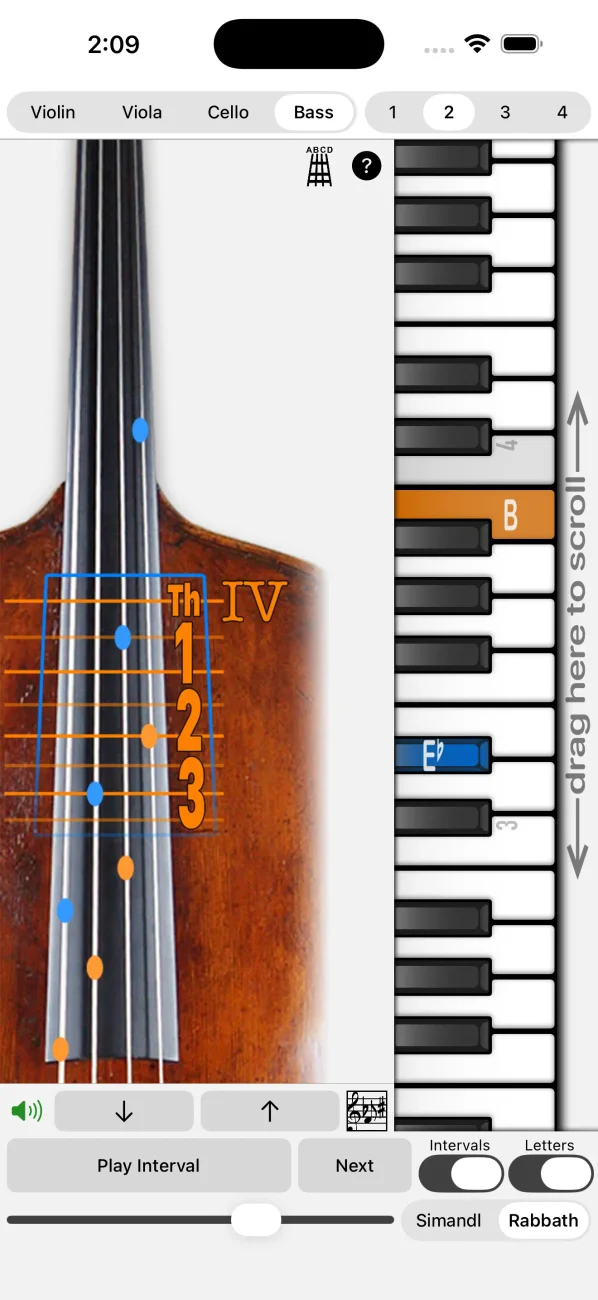
About
The highest rated and most comprehensive fingering guide available for Violin, Viola, Cello and Double Bass (Simandl and Rabbath positions). Includes double stops! Decide which hand position would be best for the interval or passage. Instantly switch between written note and piano key at the touch of a button.
Support for Key Signatures to more easily find a fingering in the music you're working on.
• Hand Positions: 15 positions on the Violin, 15 positions on the Viola, 16 positions on the Cello, and 12 Simandl positions or 6 Rabbath positions on the Double Bass.
• Display "beginner tape" on the fingerboard as well as string names and colors.
• Notate one or two notes in Treble, Alto, Tenor or Bass clef.
How to Use:
Pick a written note (touch the staff) and have the fingering displayed and concert pitch played. Touch a button and reveal the note on the piano.
Play a concert pitch on the piano, and have that pitch's fingering displayed. Touch a button and reveal the transposed note written on the staff.
Written and concert pitches are the same for all but the double bass, which transposes, sounding an octave below what is written.
• Use the ‘Play' button to repeatedly hear the note or interval being displayed.
Selecting a Pitch:
Using the Staff (transposed for the current instrument): Simply touch and slide up and down on the staff to select the note, slide to the right or left of the note for sharps and flats.
Using the Piano (concert pitch): drag in the area below the keyboard to move the keyboard, touch to play notes, touch & slide to change the pitch. When you glissando up the keyboard, notes will be notated as a raised value (sharps), when you glissando down, notes will be notated as lowered values (flats).
Use the up and down arrows to move chromatically up and down without touching the music staff or piano keyboard.
What’s new
Version 8.0 · Jun 17, 2026
Support for Key Signatures to more easily find a fingering in the music you're working on.
Minor updates and stability improvements.
App privacy
What Patrick Q. Kelly declares on the App Store about how this app handles data.
-
Data not collected
The developer does not collect any data from this app.
Privacy practices may vary, for example with the features you use or your age.
Information
- Seller
- Patrick Kelly
- Category
- Music
- Version
- 8.0
- Updated
- Jun 17, 2026
- Released
- Oct 20, 2010
- Size
- 58.4 MB
- Requires
- iOS 26.0 or later
- Age rating
- 4+
- Price
- $3.99
- Languages
- English
- Copyright
- © 2010 - 2026 Patrick Q. Kelly. All Rights Reserved.
You might also like
-
 String Position ProViolin Viola Cello Double Bass
-
 Learn & Play Cello - tonestroLessons, Feedback, Sheet Music
-
 Violin Vista: Tuner & PracticeFingering Charts & Intonation
-
 Cello Tuner BasicPrecise & easy cello tuning
-
 Cello Tuner - Simple TunerTuner for Cello
-
 Andante Music Practice JournalMetronome, tuner, and tracker
-
 LASIDO: learn to read musicimprove your sight-reading
-
 Tomplay Sheet MusicPlay and learn favorite music
-
 TonalEnergy Tuner & MetronomePowerful Music Practice Tools
-
 Piano Chords and ScalesLearn, play and compose songs