
- Classification d’âge4+
- CatégorieProductivité
- DéveloppeurNingyu Ding
- LanguesAnglais
- Taille32,8 Mo
FluxTime n’est peut-être pas disponible sur App Store pour le moment
La fiche de la boutique était inaccessible lors de notre dernière vérification. Le lien mène toujours à la page App Store officielle.
Captures d’écran
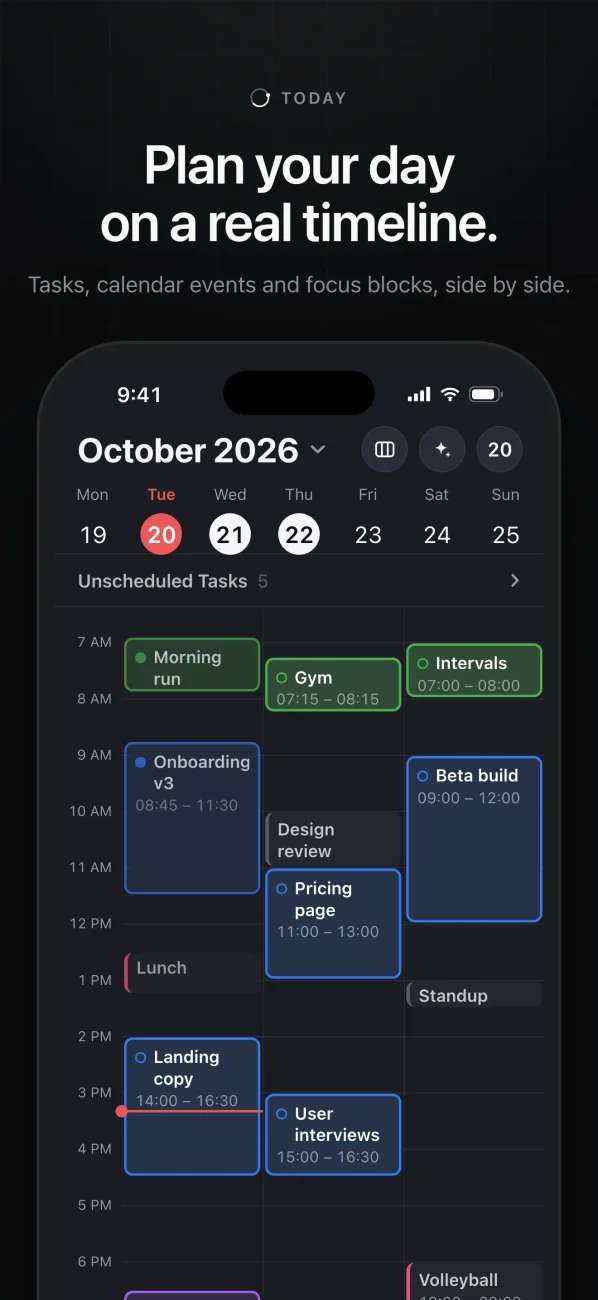
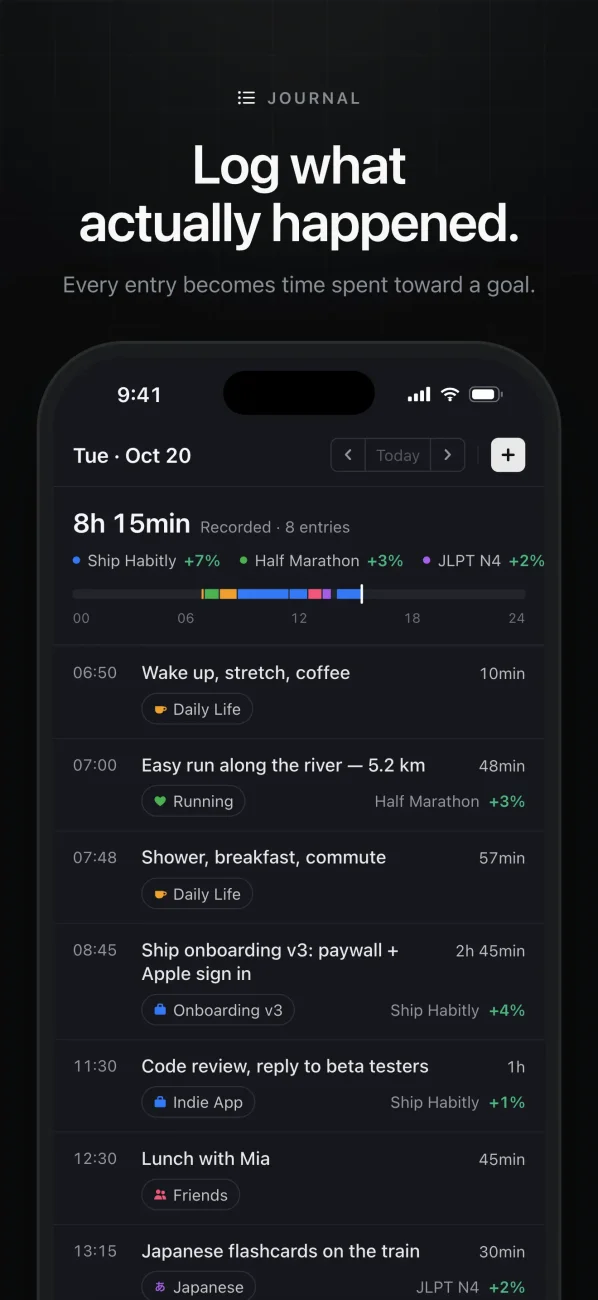
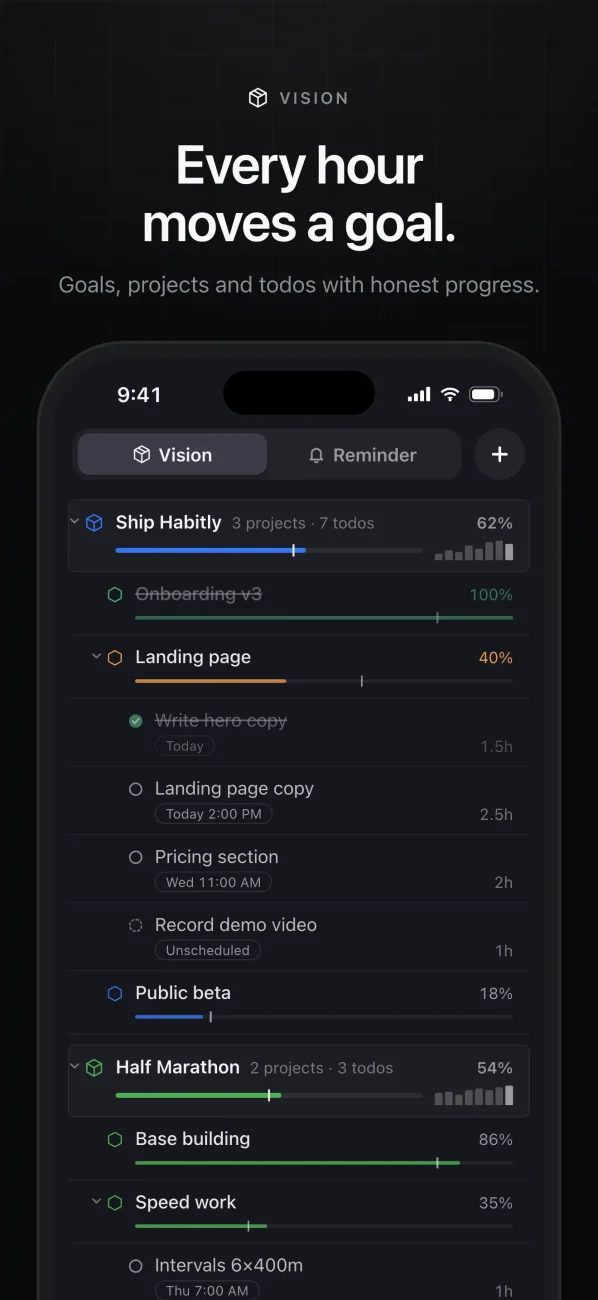


À propos
Le développeur n’a pas fourni ce texte dans votre langue.
FluxTime is a modern, intelligent system that helps you understand how your time, tasks, and energy truly work together.
Built for creators, founders, students, and anyone who wants to live with clarity, FluxTime combines powerful time tracking, AI-assisted planning, and daily energy analytics — all in one simple, elegant app.
Terms of Use (EULA): https://www.apple.com/legal/internet-services/itunes/dev/stdeula/
Nouveautés
Version 3.1.0 · 12/11/2026
3.1 turned out bigger than planned. The highlights:
Connect FluxTime to your AI assistant
• Settings → Integrations → AI Assistants: connect Claude, ChatGPT, Cursor and others, then ask "What's on today?" or "Where did my time go this week?" Read-only by default; you decide when connecting whether it can make changes. Requires Flux Pro with cloud sync on.
Flux AI
• Replies appear as they're written, with the thinking and steps shown above.
• More accurate charts, with trend lines, moving averages and reference lines.
• Edit a chart you've added to Review with AI: just say what to change.
• Copy replies. Dropped connections now reconnect on their own.
Today, Vision and Review
• Undo and redo on Today (Mac and iPad, ⌘Z / ⇧⌘Z). On Mac, hold ⌥ and drag to duplicate a time block.
• Vision: click a to-do's date to reschedule it. Goals and projects now show how their estimate is split across the work under them.
• Review: a finer grid for custom stats, and goal details combine cumulative and weekly time in one chart.
iPhone and iPad
• Redesigned Settings home and one-line journal entries on iPhone.
• Larger text throughout.
• Tap outside a text field to dismiss the keyboard.
Mac
• A short demo plays the first time you open Journal, Today and Review.
• New Help menu at the bottom of the sidebar; press ⌘/ to see every keyboard shortcut.
Fixes
• Sign-in and sync failing on some networks.
• Events deleted in FluxTime are now removed from Apple Calendar too.
• Signing out on one device no longer signs out your others.
• A crash when signing in to another account right after signing out.
Confidentialité de l’application
Ce que Ningyu Ding déclare sur l’App Store au sujet du traitement des données par cette application.
-
Données établissant un lien avec vous
Peuvent être collectées et liées à votre identité.
- Coordonnées
- Contenu utilisateur
- Identifiants
Les pratiques en matière de confidentialité peuvent varier, notamment en fonction des fonctionnalités que vous utilisez ou de votre âge.
Informations
- Vendeur
- Ningyu Ding
- Catégorie
- Productivité
- Version
- 3.1.0
- Mis à jour
- 12/11/2026
- Publié
- 20/11/2025
- Taille
- 32,8 Mo
- Nécessite
- iOS 17.0 ou version ultérieure
- Classification d’âge
- 4+
- Achats intégrés
- Oui
- Langues
- Anglais
- Copyright
- © 2025 FluxTime
Vous aimerez peut-être aussi
-
 Life MetroAgenda, tâches et notes
-
 YouMind - Chat IA et créationRecherche, écriture, vidéo
-
 Mangonote : Notes Vocales IADictaphone & Transcription
-
 AFFiNE: Notes, Tableau & IADocs, tâches, Markdown
-
 Typeless: Clavier vocal IADictée vocale sans effort
-
 Flow: Minuteur PomodoroConcentration et productivité
-
 FocusPomo · Pomodoro TimerProductivité
-
 TickTick:To-do list,CalendrierPlanificateur, Rappel,Habitude
-
 Tiimo - To Do List PlannerStructured Tasks Organizer
-
 Spark Mail: Assistant Email IASimplifiez votre boîte mail