
- Age rating4+
- CategoryProductivity
- DeveloperNingyu Ding
- LanguagesEnglish
- Size32.8 MB
Links to the official App Store page
Download.org hosts no file of FluxTime. The button opens its official App Store page, published by Ningyu Ding. Listing last checked on Nov 16, 2026.
Screenshots

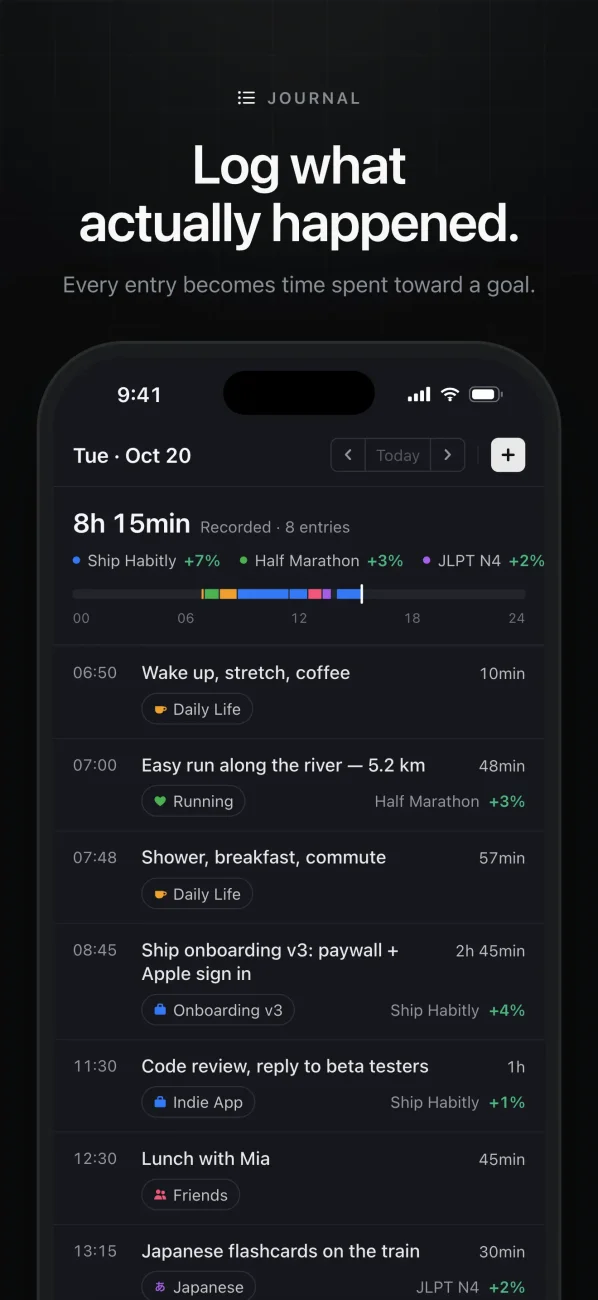
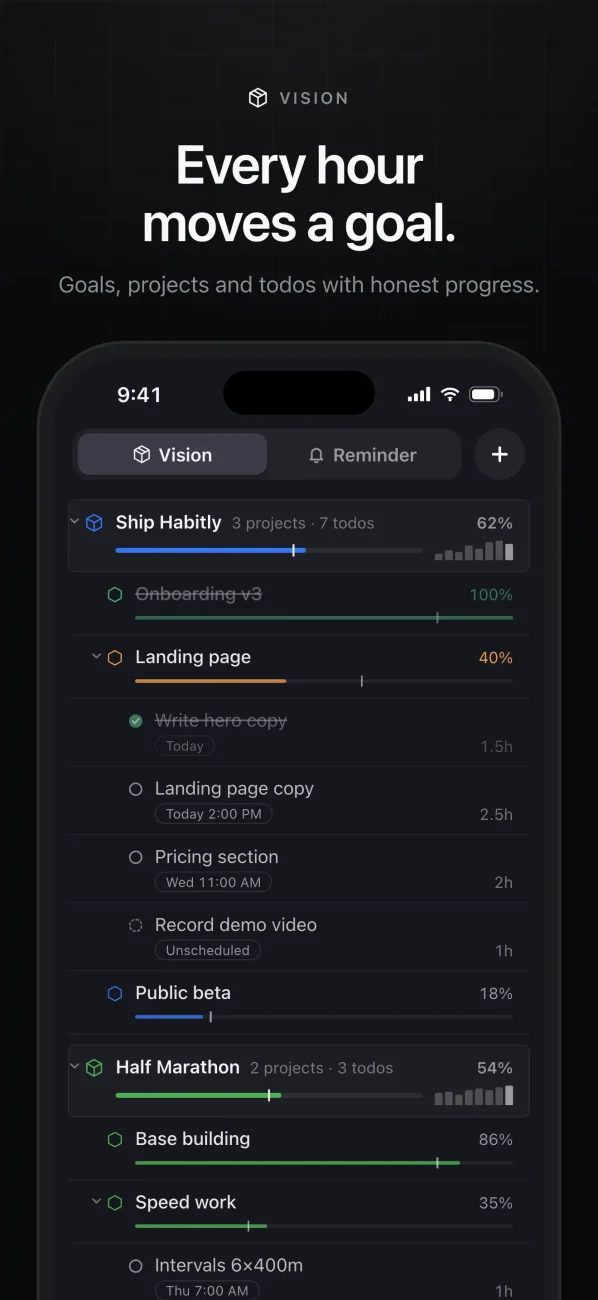


About
FluxTime is a modern, intelligent system that helps you understand how your time, tasks, and energy truly work together.
Built for creators, founders, students, and anyone who wants to live with clarity, FluxTime combines powerful time tracking, AI-assisted planning, and daily energy analytics — all in one simple, elegant app.
Terms of Use (EULA): https://www.apple.com/legal/internet-services/itunes/dev/stdeula/
What’s new
Version 3.1.0 · Nov 12, 2026
3.1 turned out bigger than planned. The highlights:
Connect FluxTime to your AI assistant
• Settings → Integrations → AI Assistants: connect Claude, ChatGPT, Cursor and others, then ask "What's on today?" or "Where did my time go this week?" Read-only by default; you decide when connecting whether it can make changes. Requires Flux Pro with cloud sync on.
Flux AI
• Replies appear as they're written, with the thinking and steps shown above.
• More accurate charts, with trend lines, moving averages and reference lines.
• Edit a chart you've added to Review with AI: just say what to change.
• Copy replies. Dropped connections now reconnect on their own.
Today, Vision and Review
• Undo and redo on Today (Mac and iPad, ⌘Z / ⇧⌘Z). On Mac, hold ⌥ and drag to duplicate a time block.
• Vision: click a to-do's date to reschedule it. Goals and projects now show how their estimate is split across the work under them.
• Review: a finer grid for custom stats, and goal details combine cumulative and weekly time in one chart.
iPhone and iPad
• Redesigned Settings home and one-line journal entries on iPhone.
• Larger text throughout.
• Tap outside a text field to dismiss the keyboard.
Mac
• A short demo plays the first time you open Journal, Today and Review.
• New Help menu at the bottom of the sidebar; press ⌘/ to see every keyboard shortcut.
Fixes
• Sign-in and sync failing on some networks.
• Events deleted in FluxTime are now removed from Apple Calendar too.
• Signing out on one device no longer signs out your others.
• A crash when signing in to another account right after signing out.
App privacy
What Ningyu Ding declares on the App Store about how this app handles data.
-
Data linked to you
May be collected and linked to your identity.
- Contact info
- User content
- Identifiers
Privacy practices may vary, for example with the features you use or your age.
Information
- Seller
- Ningyu Ding
- Category
- Productivity
- Version
- 3.1.0
- Updated
- Nov 12, 2026
- Released
- Nov 20, 2025
- Size
- 32.8 MB
- Requires
- iOS 17.0 or later
- Age rating
- 4+
- Price
- Free
- In-app purchases
- Yes
- Languages
- English
- Copyright
- © 2025 FluxTime
You might also like
-
 Life Metro: Daily PlannerTo-do list & weekly reviews
-
 YouMind - AI Chat & CreateAgent, board & skill workflow
-
 Mangonote: AI Note TakerVoice Recorder & Transcription
-
 AFFiNE: Notes, Whiteboard AIDocs, Tasks, Markdown & AI
-
 Typeless: AI Voice KeyboardEffortless voice dictation
-
 Flow: Focus & Pomodoro TimerConcentration for work & study
-
 FocusPomo · Pomodoro TimerProductivity|for Work & Study
-
 TickTick:To-Do List & CalendarTask remind, planner,countdown
-
 Tiimo: To-Do List PlannerSchedule Structured Daily Task
-
 Spark Mail: AI Email AssistantStreamline your email inbox