FoldDeck: Macro Control Deck
Stream, record & PC shortcuts
Conçue pour iPhone, iPad
Gratuit
- Classification d’âge4+
- CatégorieUtilitaires
- DéveloppeurRANRAN Solutions
- LanguesAnglais+ 1 de plus
- Taille4,3 Mo
Renvoie vers la page App Store officielle
Download.org n’héberge aucun fichier de FoldDeck: Macro Control Deck. Le bouton ouvre la page de l’application sur App Store, où RANRAN Solutions la publie. Fiche vérifiée pour la dernière fois le 12/11/2026.
Captures d’écran
À propos
Le développeur n’a pas fourni ce texte dans votre langue.
Turn your iPhone into a control deck for streaming and everyday PC tasks.
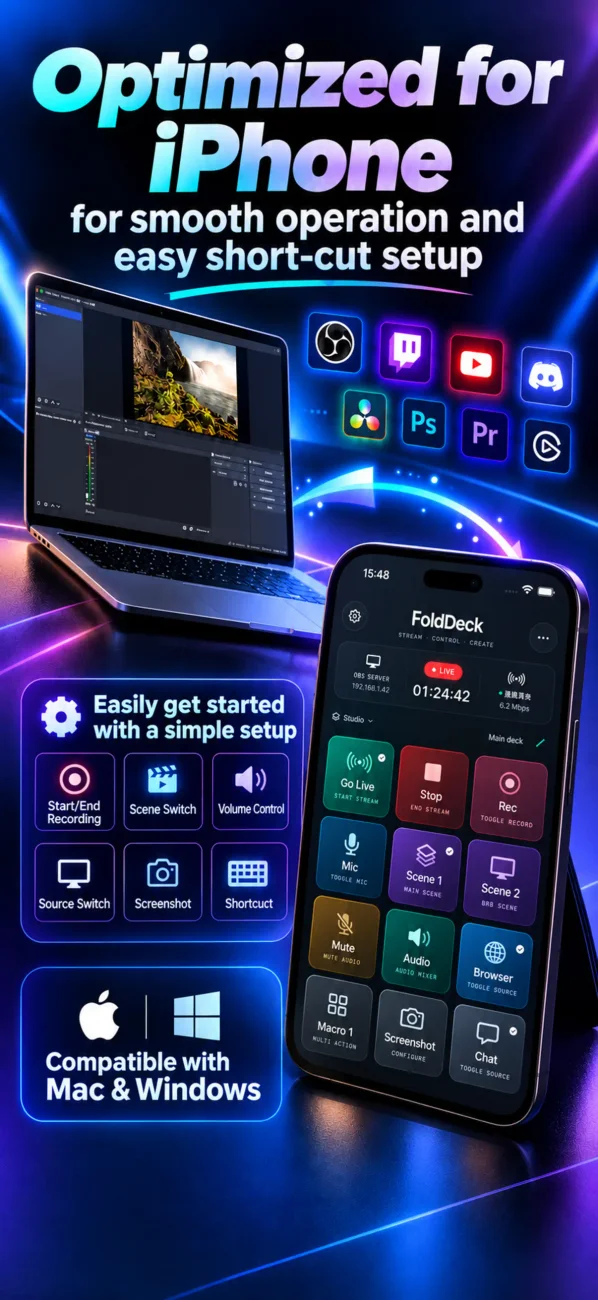
Switch OBS Studio scenes, control recording, mute your microphone and adjust audio from buttons within reach. Pair with FoldDeck Companion to run computer shortcuts and launch apps with a tap.
STREAMING CONTROLS AT YOUR FINGERTIPS
• Start and stop OBS streaming; toggle recording.
• Switch scenes and toggle source visibility.
• Mute inputs and adjust levels in the audio mixer.
• Monitor stream status, frame rate, CPU usage and audio levels.
• Save source or scene screenshots on your OBS computer.
BUILD YOUR OWN DECK
Customize button names, colors, icons and images. Press and drag to rearrange controls, then organize your workflows into pages and profiles. Combine actions and delays into a macro to run a sequence from one button.
COMPUTER SHORTCUTS AND APP LAUNCHES
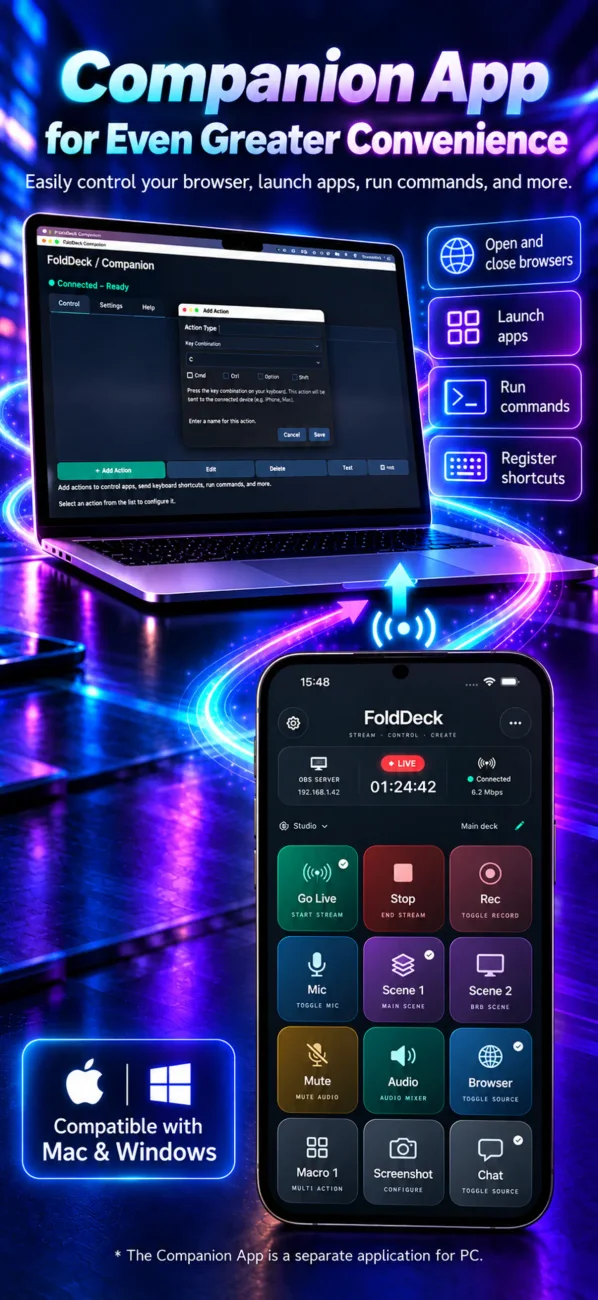
Register allowed actions in FoldDeck Companion for Mac or Windows and assign them to your iPhone buttons. Scan the pairing QR code and control your computer over the same local network.
LAYOUTS OPTIMIZED FOR IPHONE DUO
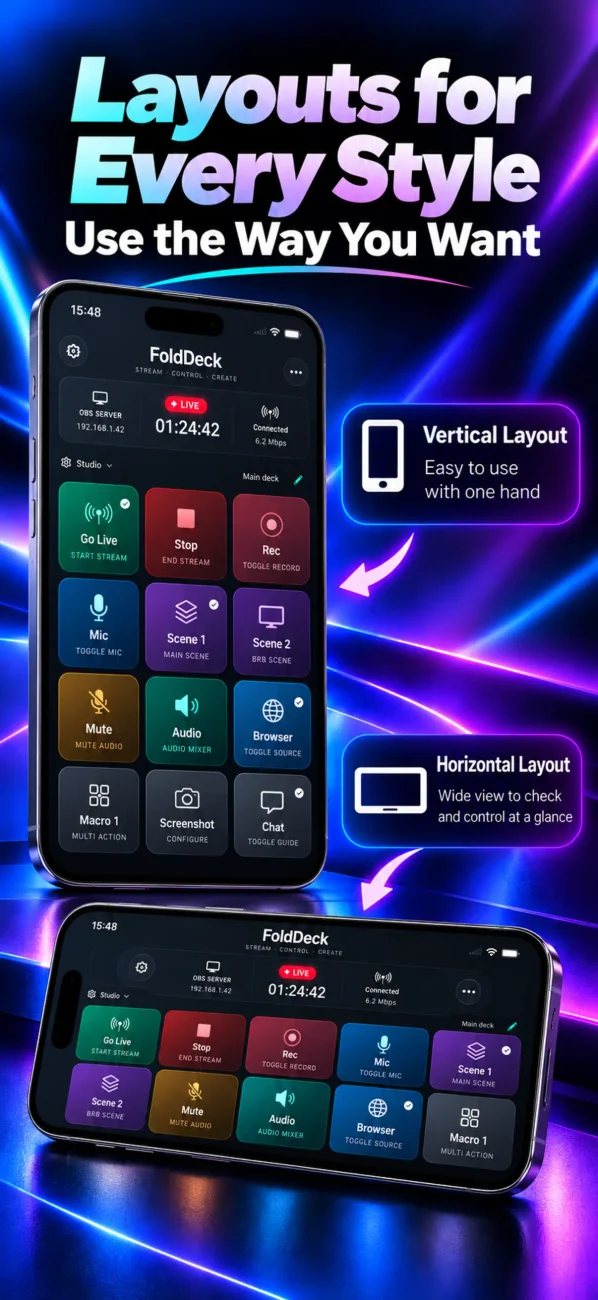
Choose the layout that fits your setup. FoldDeck adapts to available screen space and folding state, with Book and Tabletop layout options. It also works on a regular iPhone.
A NEW FILE FOR EVERY SCREENSHOT
Choose a save folder on your OBS computer. FoldDeck automatically generates PNG filenames using the capture date, time and a unique ID.
LOCAL CONNECTIONS, SIMPLE SETUP
No FoldDeck cloud account is required. OBS passwords and Companion tokens are stored in the iPhone Keychain. The app contains no advertising or usage analytics SDKs. Available in English and Japanese.
REQUIREMENTS
• OBS controls require OBS Studio running on your computer with an obs-websocket 5.x-compatible server enabled.
• Computer shortcuts and app launches require the separate FoldDeck Companion app. Visit the official website for supported operating systems and requirements.(https://folddeck-official.ranranweb.com/en/#download)
• Connect your iPhone and computer to the same local network and grant the required permissions.
• Screenshots are saved on the OBS computer, not in your iPhone photo library.
FoldDeck is an independent app and is not an official OBS Project product.
Confidentialité de l’application
Ce que RANRAN Solutions déclare sur l’App Store au sujet du traitement des données par cette application.
-
Données non collectées
Le développeur ne collecte aucune donnée à partir de cette application.
Les pratiques en matière de confidentialité peuvent varier, notamment en fonction des fonctionnalités que vous utilisez ou de votre âge.
Informations
- Vendeur
- RANRAN Solutions
- Catégorie
- Utilitaires
- Version
- 1.0
- Mis à jour
- 02/11/2026
- Publié
- 01/11/2026
- Taille
- 4,3 Mo
- Nécessite
- iOS 18.0 ou version ultérieure
- Classification d’âge
- 4+
- Prix
- Gratuit
- Langues
- Anglais, Japonais
- Copyright
- © 2026 RANRAN Solutions