FolderSafe – Encrypted Folder
Lock files away from AI agents
Conçue pour iPhone
- Classification d’âge4+
- CatégorieUtilitaires
- DéveloppeurWuhan Movesay Technology Co.,Ltd
- LanguesAnglais+ 1 de plus
- Taille3,1 Mo
FolderSafe – Encrypted Folder n’est peut-être pas disponible sur App Store pour le moment
La fiche de la boutique était inaccessible lors de notre dernière vérification. Le lien mène toujours à la page App Store officielle.
Captures d’écran


À propos
Le développeur n’a pas fourni ce texte dans votre langue.
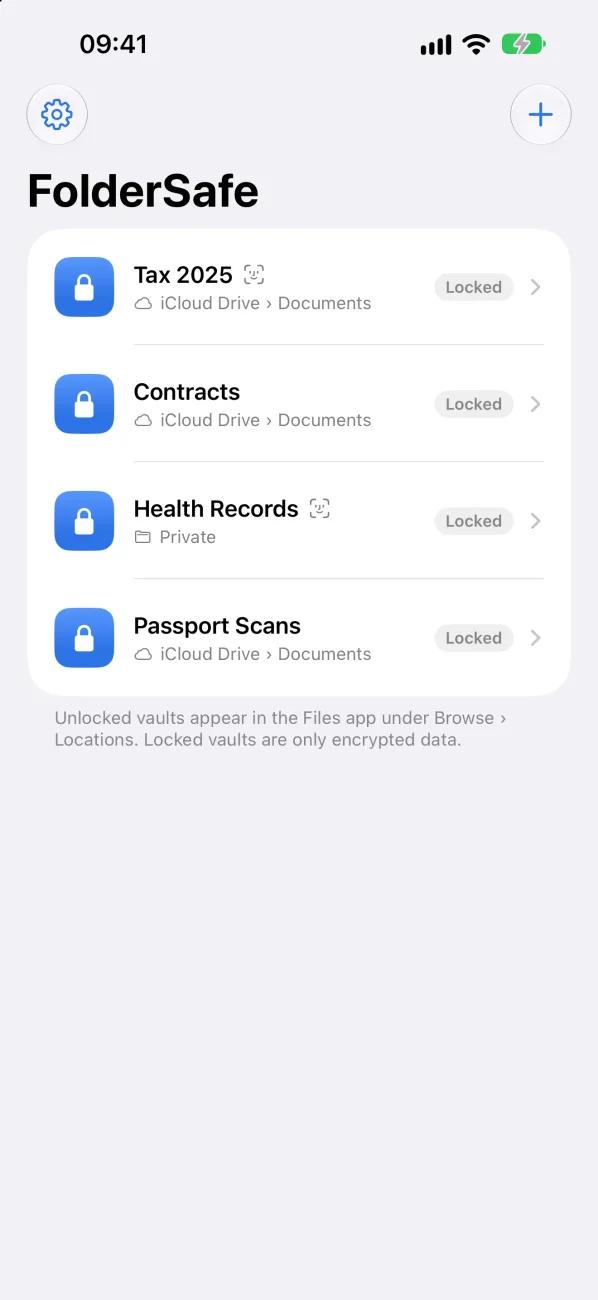
FolderSafe is an encrypted folder for the AI era.
AI assistants, scripts and other apps can reach more and more of the files on your devices. FolderSafe gives you vaults: folders that stay encrypted until you unlock them. While a vault is locked, nobody can read the names or contents of the files inside — not AI agents, not other apps, not administrators, and not us.
HOW IT WORKS
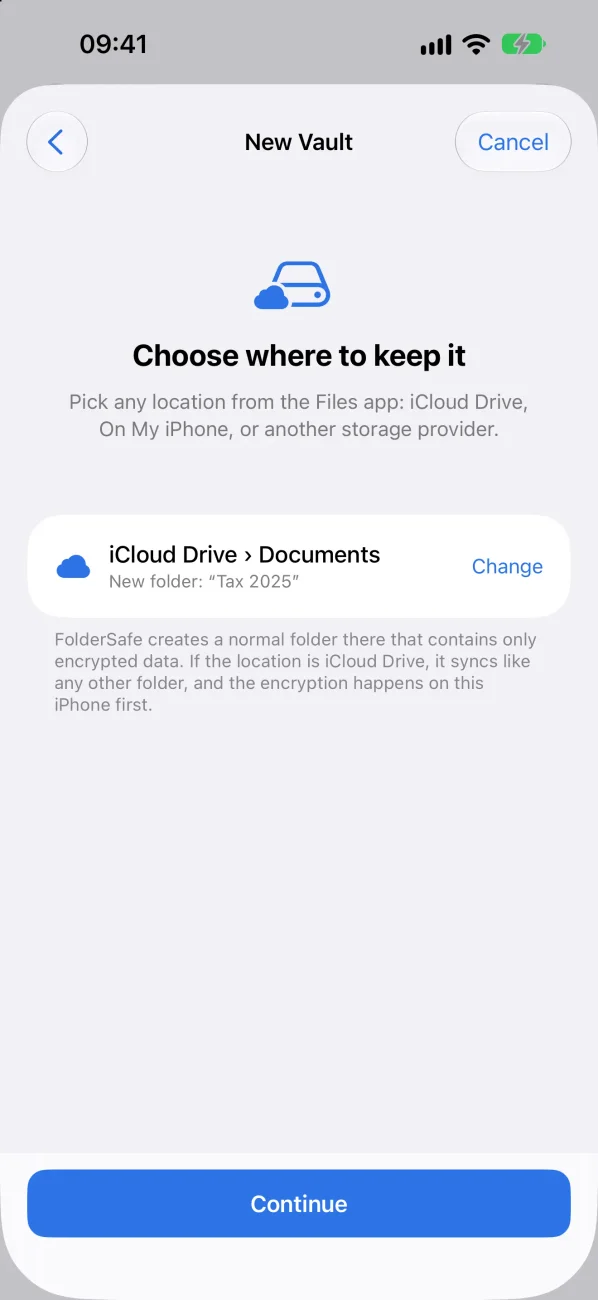
• Create a vault in any location the Files app can reach: iCloud Drive, On My iPhone, or another storage provider.
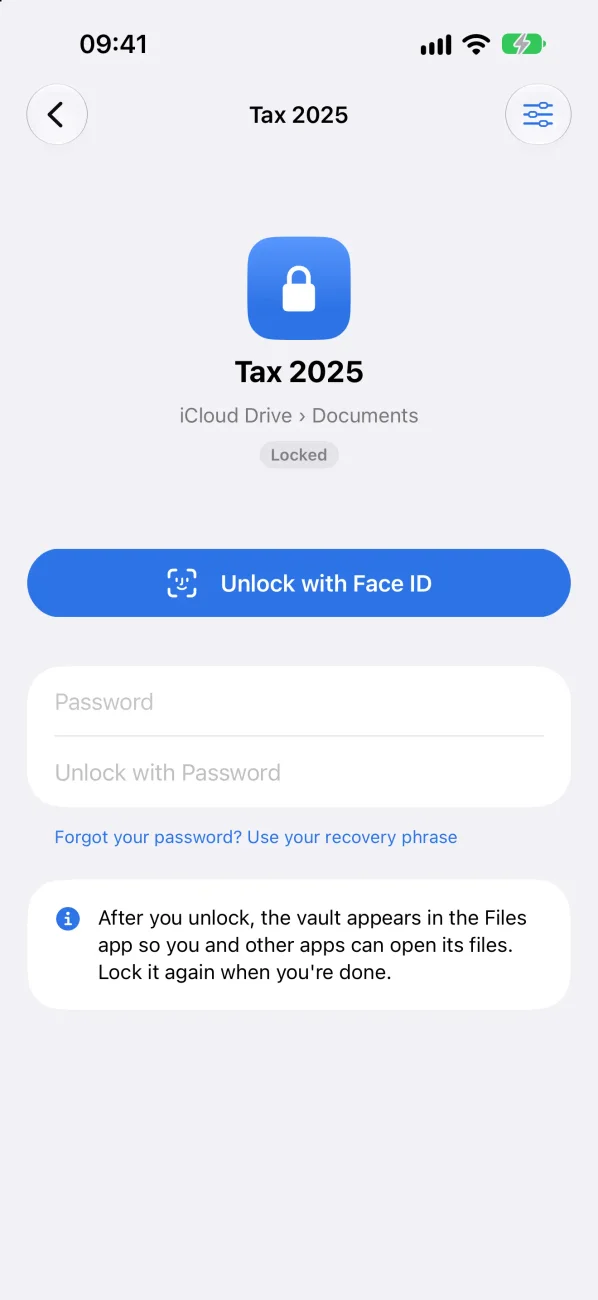
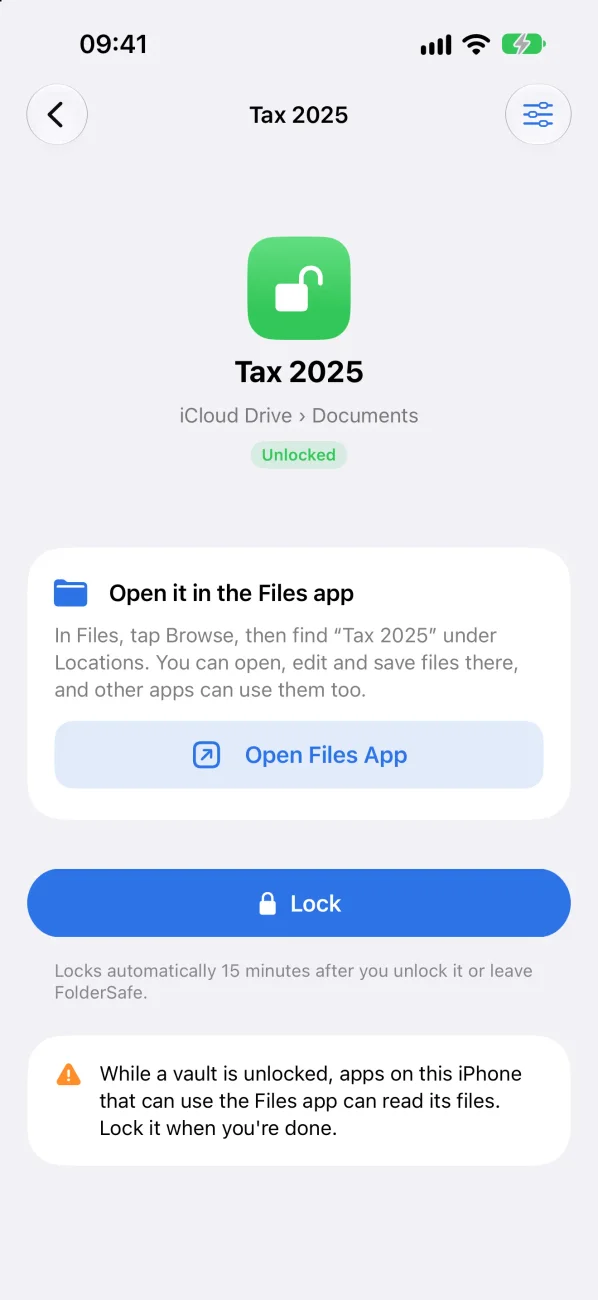
• Unlock it with your password or with Face ID / Touch ID. While it is unlocked, the vault appears in the Files app, so you can open, edit and save files from other apps as usual.
• Lock it again with one tap, or let auto-lock do it for you.
RECOVERY PHRASE
When you create a vault, FolderSafe shows a 12-word recovery phrase. Write it down and keep it somewhere safe. If you forget your password, the phrase unlocks the vault so you can set a new password.
OPEN FORMAT, NO LOCK-IN
Vaults use a documented, open format that is compatible with Cryptomator vault format 8, so your files are not tied to this app. FolderSafe is an independent app and is not affiliated with Cryptomator.
ENCRYPTION
• File contents are encrypted with AES-256-GCM, file and folder names with AES-SIV, and your password is protected with scrypt.
• All encryption happens on your device. Your password is never sent anywhere.
PRIVATE BY DESIGN
• Free. No account, no ads, no tracking, no in-app purchases.
• FolderSafe does not collect any data.
PLEASE KNOW THE LIMITS
• While a vault is unlocked, its files can be read like any other files on your iPhone. Unlock only when you need to and lock again when you are done.
• Encryption keeps your files from being read. It does not keep them from being deleted, and it is not a backup. Keep backups of important files.
• If you lose both your password and your recovery phrase, nobody — including us — can recover your files.
Questions or feedback: support@foldersafe.app
Confidentialité de l’application
Ce que Wuhan Movesay Technology Co.,Ltd déclare sur l’App Store au sujet du traitement des données par cette application.
-
Données non collectées
Le développeur ne collecte aucune donnée à partir de cette application.
Les pratiques en matière de confidentialité peuvent varier, notamment en fonction des fonctionnalités que vous utilisez ou de votre âge.
Informations
- Vendeur
- Wuhan Movesay Technology Co.,Ltd
- Catégorie
- Utilitaires
- Version
- 1.0
- Mis à jour
- 27/10/2026
- Publié
- 27/10/2026
- Taille
- 3,1 Mo
- Nécessite
- iOS 17.0 ou version ultérieure
- Classification d’âge
- 4+
- Langues
- Anglais, Chinois simplifié
- Copyright
- © 2026 FolderSafe
Vous aimerez peut-être aussi
-
 Crypt SecureUtilitaires
-
 Listen it later!Utilitaires
-
 Hide Photo: Secret Photo VaultUtilitaires
-
 Localzie - Local AI ChatUtilitaires
-
 VaultPonyCoffres chiffrés hors ligne
-
 Pro MicrophoneUtilitaires
-
 FTP Client - FTP, SFTP ManagerGestion, Lecteur, Transfert
-
 Where Am I & Map ConverterConvertisseur Liens Cartes
-
 Silo - Private AI AssistantUtilitaires
-
 Chart Maker - Dynamic Rank BarUtilitaires