FolderSafe – Encrypted Folder
Lock files away from AI agents
Dirancang untuk iPhone
Gratis
- Batasan usia4+
- KategoriKegunaan
- PengembangWuhan Movesay Technology Co.,Ltd
- BahasaInggris+ 1 lainnya
- Ukuran3,1 MB
Tertaut ke halaman resmi App Store
Download.org tidak menyimpan file FolderSafe – Encrypted Folder apa pun. Tombol ini membuka halaman aplikasi di App Store, tempat Wuhan Movesay Technology Co.,Ltd menerbitkannya. Halaman terakhir diperiksa pada 15/11/2026.
Tangkapan layar
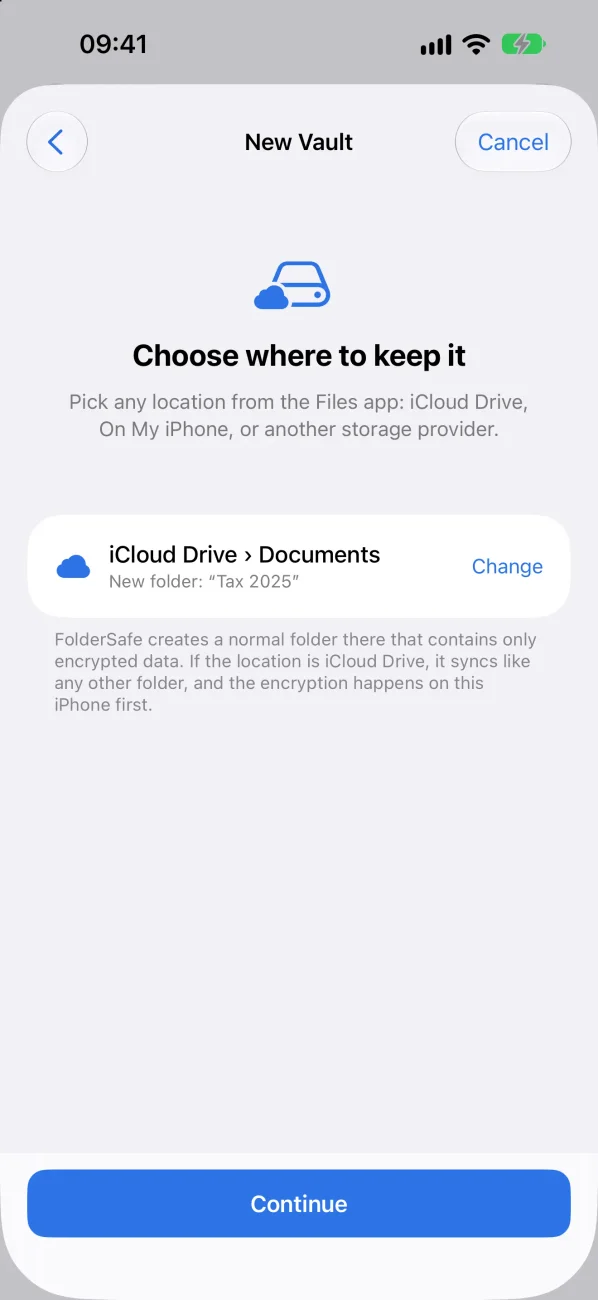


Tentang
Pengembang belum menyediakan teks ini dalam bahasa Anda.
FolderSafe is an encrypted folder for the AI era.
AI assistants, scripts and other apps can reach more and more of the files on your devices. FolderSafe gives you vaults: folders that stay encrypted until you unlock them. While a vault is locked, nobody can read the names or contents of the files inside — not AI agents, not other apps, not administrators, and not us.
HOW IT WORKS
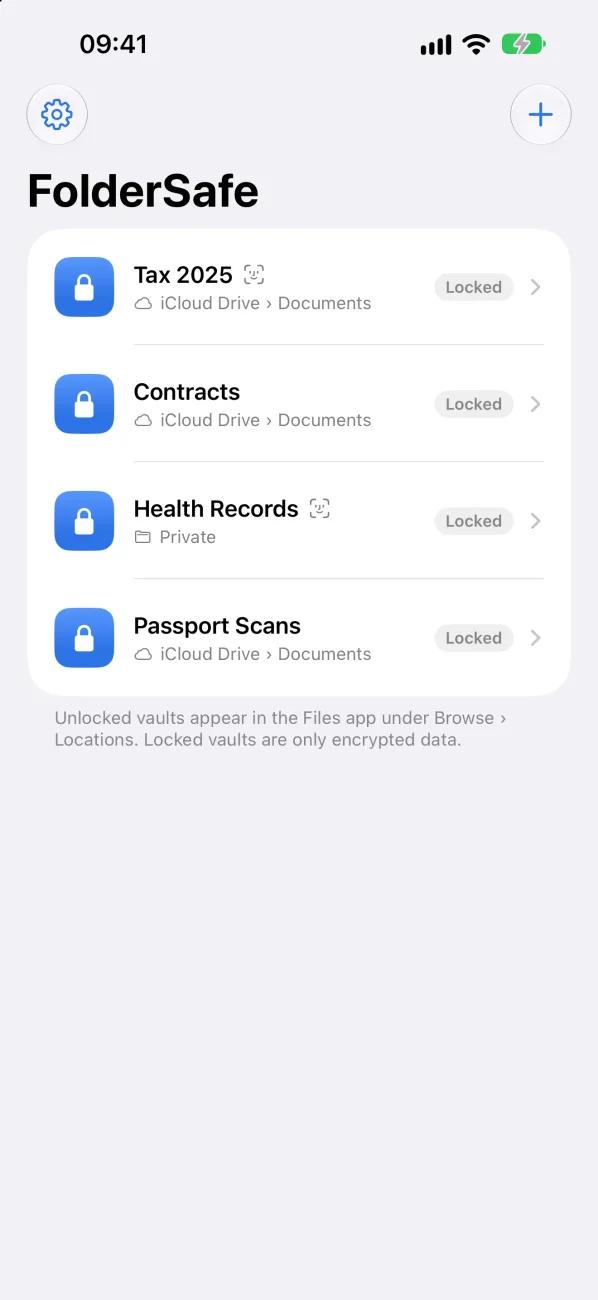
• Create a vault in any location the Files app can reach: iCloud Drive, On My iPhone, or another storage provider.
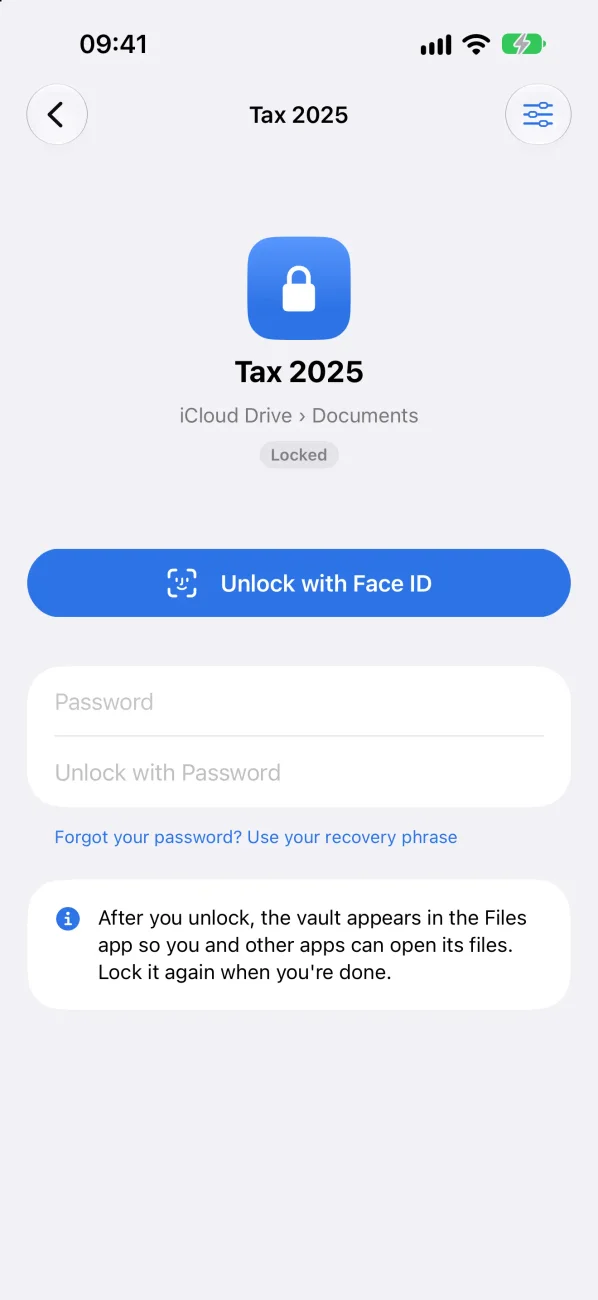
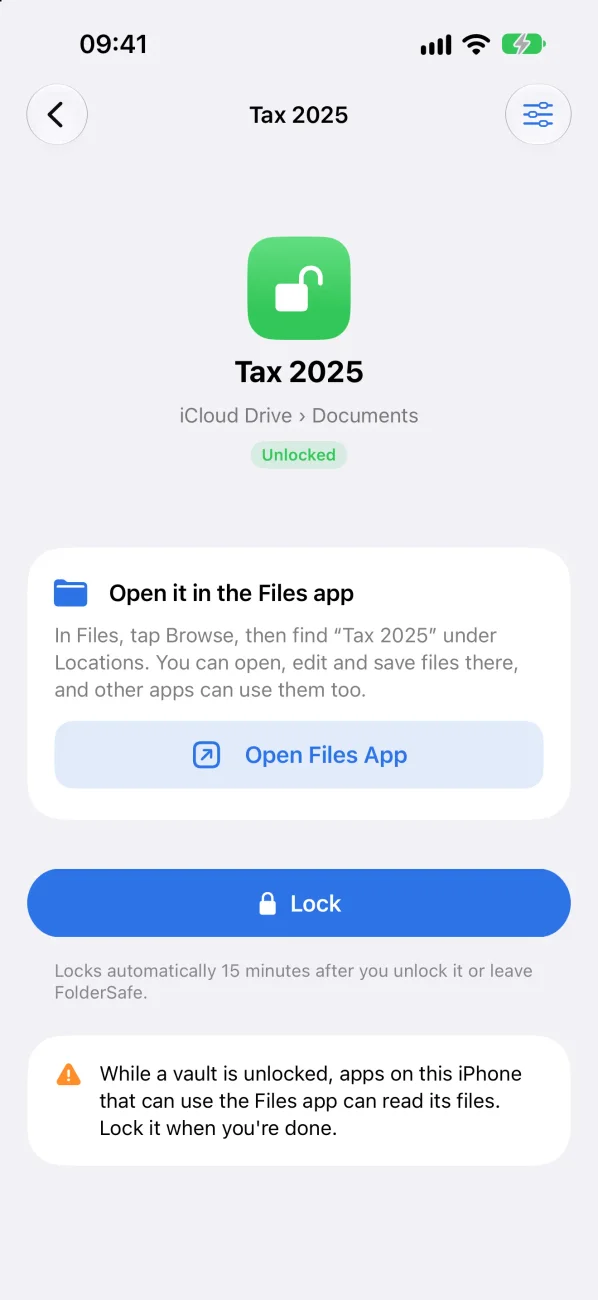
• Unlock it with your password or with Face ID / Touch ID. While it is unlocked, the vault appears in the Files app, so you can open, edit and save files from other apps as usual.
• Lock it again with one tap, or let auto-lock do it for you.
RECOVERY PHRASE
When you create a vault, FolderSafe shows a 12-word recovery phrase. Write it down and keep it somewhere safe. If you forget your password, the phrase unlocks the vault so you can set a new password.
OPEN FORMAT, NO LOCK-IN
Vaults use a documented, open format that is compatible with Cryptomator vault format 8, so your files are not tied to this app. FolderSafe is an independent app and is not affiliated with Cryptomator.
ENCRYPTION
• File contents are encrypted with AES-256-GCM, file and folder names with AES-SIV, and your password is protected with scrypt.
• All encryption happens on your device. Your password is never sent anywhere.
PRIVATE BY DESIGN
• Free. No account, no ads, no tracking, no in-app purchases.
• FolderSafe does not collect any data.
PLEASE KNOW THE LIMITS
• While a vault is unlocked, its files can be read like any other files on your iPhone. Unlock only when you need to and lock again when you are done.
• Encryption keeps your files from being read. It does not keep them from being deleted, and it is not a backup. Keep backups of important files.
• If you lose both your password and your recovery phrase, nobody — including us — can recover your files.
Questions or feedback: support@foldersafe.app
Privasi aplikasi
Yang dinyatakan Wuhan Movesay Technology Co.,Ltd di App Store tentang cara aplikasi ini menangani data.
-
Data tidak dikumpulkan
Pengembang tidak mengumpulkan data apa pun dari aplikasi ini.
Praktik privasi dapat bervariasi, misalnya berdasarkan fitur yang Anda gunakan atau usia Anda.
Informasi
- Penjual
- Wuhan Movesay Technology Co.,Ltd
- Kategori
- Kegunaan
- Versi
- 1.0
- Diperbarui
- 27/10/2026
- Dirilis
- 27/10/2026
- Ukuran
- 3,1 MB
- Memerlukan
- iOS 17.0 atau yang lebih baru
- Batasan usia
- 4+
- Harga
- Gratis
- Bahasa
- Inggris, Tionghoa Sederhana
- Hak cipta
- © 2026 FolderSafe
Mungkin Anda juga suka
-
 Crypt SecureKegunaan
-
 Listen it later!Kegunaan
-
 Hide Photo: Secret Photo VaultKegunaan
-
 Localzie - Local AI ChatKegunaan
-
 VaultPony: Encrypted VaultsKegunaan
-
 Pro MicrophoneKegunaan
-
 FTP Client - FTP, SFTP ManagerManajer, Pemutar, Transfer
-
 Where Am I & Map ConverterLocation & Maps Link Converter
-
 Silo - Private AI AssistantKegunaan
-
 Chart Maker - Dynamic Rank BarKegunaan