
Formula Canvas - Math Editor
Math Notes & LaTeX Export
Conçue pour iPhone, iPad
Gratuit · Achats intégrés
- Classification d’âge4+
- CatégorieUtilitaires
- Développeur杏娣 吴
- LanguesAnglais+ 7 de plus
- Taille2,7 Mo
Renvoie vers la page App Store officielle
Download.org n’héberge aucun fichier de Formula Canvas - Math Editor. Le bouton ouvre la page de l’application sur App Store, où 杏娣 吴 la publie. Fiche vérifiée pour la dernière fois le 17/11/2026.
Captures d’écran
À propos
Le développeur n’a pas fourni ce texte dans votre langue.
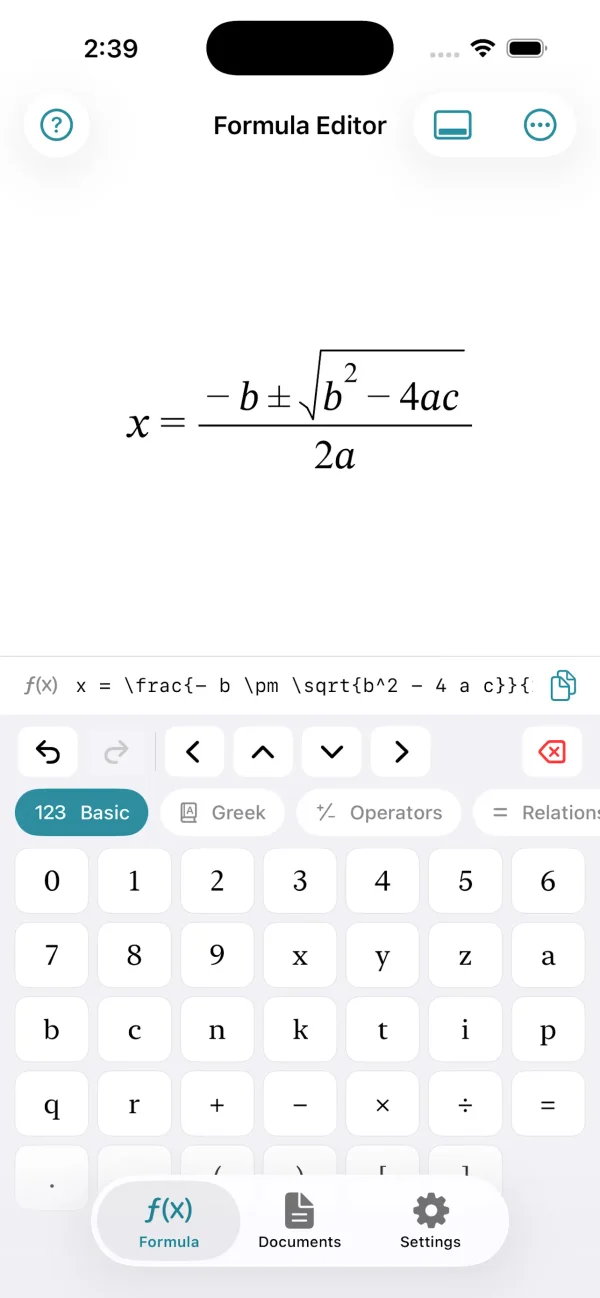
Formula Canvas is a native math workspace for writing formulas, building study notes, and preparing clean LaTeX without fighting plain text syntax.
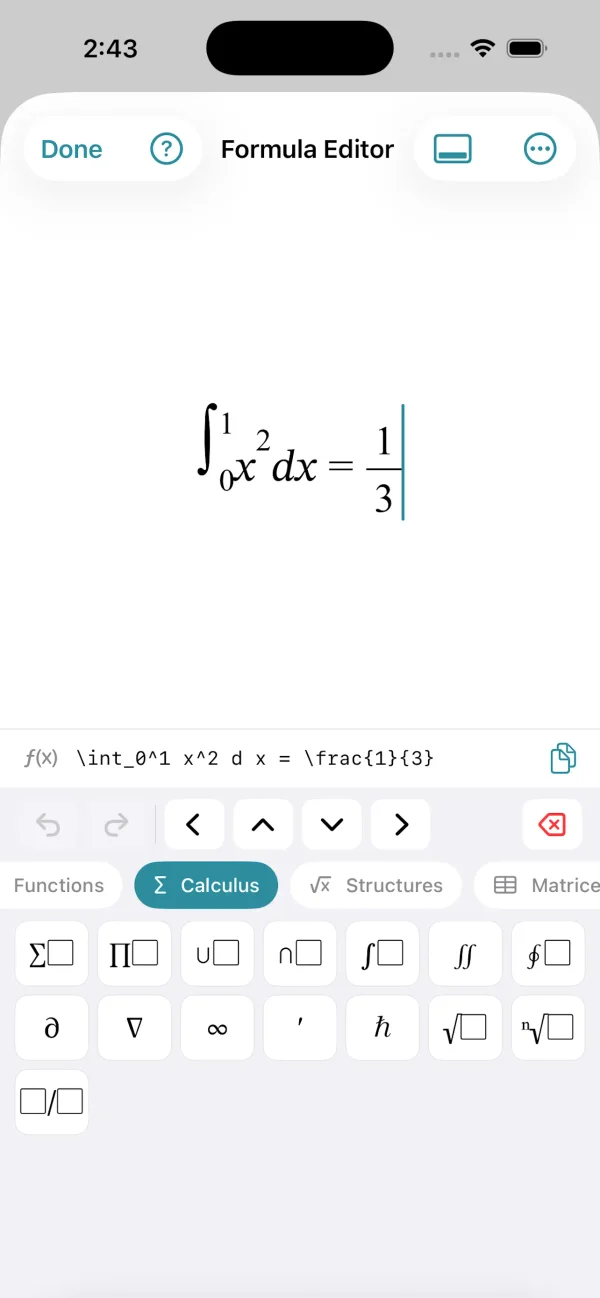
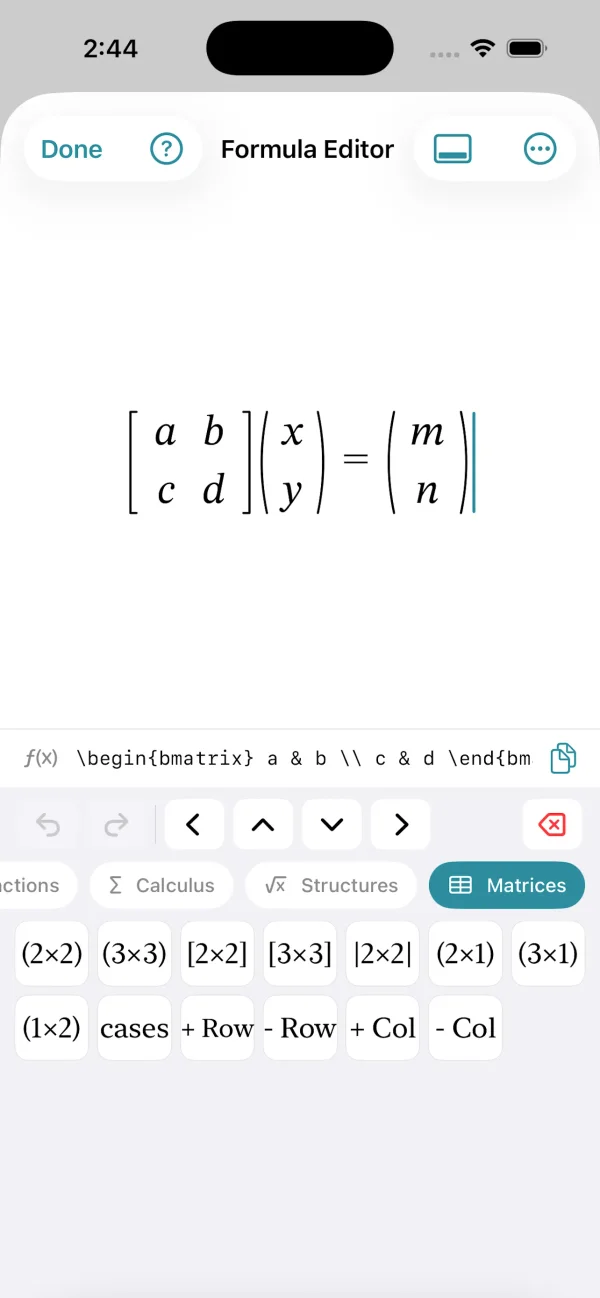
Create expressions visually with a structured math keyboard. Add fractions, radicals, superscripts, subscripts, sums, products, integrals, scalable brackets, matrices, equation systems, accents, Greek letters, arrows, relations, set symbols, and common functions. Tap to place the cursor, move through formula structures with direction controls, and undo or redo edits as you work.
The live LaTeX preview keeps your source visible while you edit. Copy LaTeX instantly, or unlock advanced export and sharing with Formula Canvas Pro.
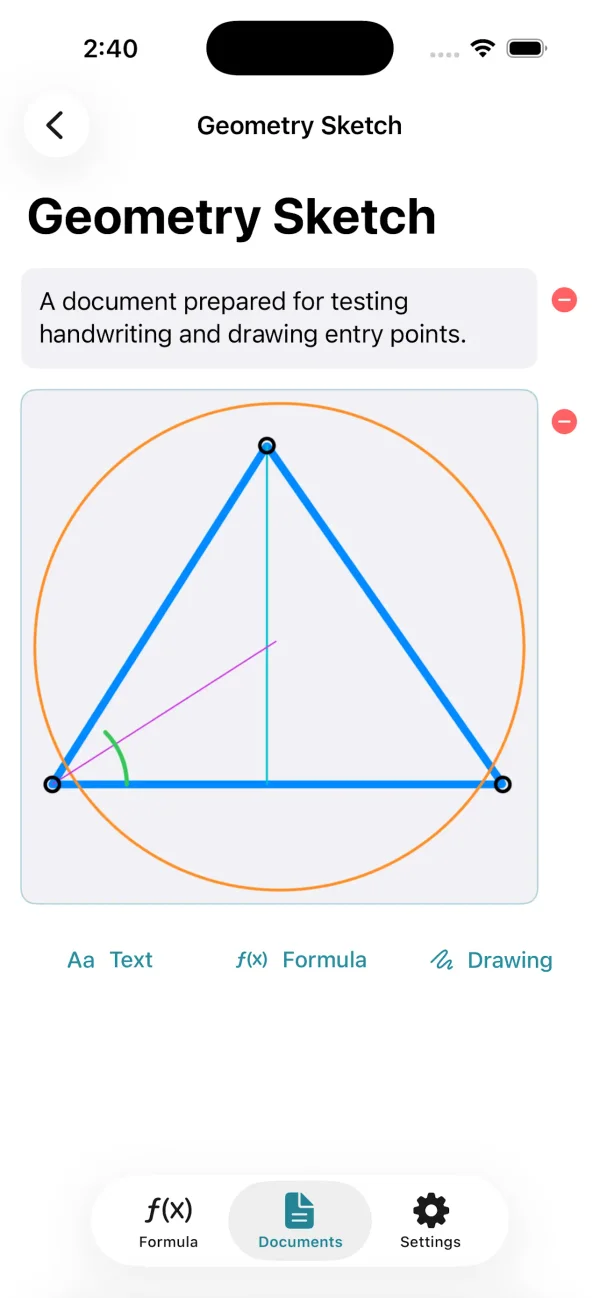
Formula Canvas also includes a document workspace for longer notes. Combine text blocks, formula blocks, and handwriting blocks in the same document, then keep everything organized in a local document list.
Use the drawing canvas for quick geometry sketches, annotations, diagrams, and handwritten ideas. Apple Pencil is supported through PencilKit, and built-in shape stamps help you insert lines, arrows, rectangles, and ellipses quickly.
Built fully native with Swift and Core Graphics, Formula Canvas is designed for responsive formula editing on iPhone and iPad.
Key features:
- Visual WYSIWYG math formula editing
- Structured keyboard for symbols, functions, calculus, matrices, and formulas
- Fractions, roots, scripts, limits, integrals, matrices, delimiters, and accents
- Tap-based cursor placement and structural navigation controls
- Live LaTeX preview with copy support
- Multi-block documents with text, formulas, and handwriting
- PencilKit drawing with Apple Pencil support
- Shape stamps for lines, arrows, rectangles, and ellipses
- Local document storage on your device
- Optional one-time Pro upgrade, no subscription
Formula Canvas Pro unlocks unlimited formula documents, advanced LaTeX export and sharing, and handwriting and drawing tools.
Confidentialité de l’application
Ce que 杏娣 吴 déclare sur l’App Store au sujet du traitement des données par cette application.
-
Données non collectées
Le développeur ne collecte aucune donnée à partir de cette application.
Les pratiques en matière de confidentialité peuvent varier, notamment en fonction des fonctionnalités que vous utilisez ou de votre âge.
Informations
- Vendeur
- 杏娣 吴
- Catégorie
- Utilitaires
- Version
- 1.0.0
- Mis à jour
- 26/06/2026
- Publié
- 26/06/2026
- Taille
- 2,7 Mo
- Nécessite
- iOS 16.0 ou version ultérieure
- Classification d’âge
- 4+
- Prix
- Gratuit
- Achats intégrés
- Oui
- Langues
- Anglais, Arabe, Français, Allemand, Japonais, Coréen, Chinois simplifié, Espagnol
- Copyright
- © 2026 Xingdi Wu
Vous aimerez peut-être aussi
-
 Sigmakey: Math KeyboardUtilitaires
-
 FormudragFormules par glisser-déposer
-
 Formula to TeX: Math & PhysicsPhoto de formule vers LaTeX
-
 CalcKeep: AI Calculator MakerUtilitaires
-
 PaperwristNotes et PDF sur votre montre
-
 Keyboard Math: Symbols & UnitsUtilitaires
-
 Angles PracticeUtilitaires
-
 SymMath - Symbolic CalculatorUtilitaires
-
 Numeris 3D Graphing CalculatorUtilitaires
-
 Used Phone InspectorUtilitaires