
Framevis Studio
Lịch chụp, khách hàng, lương
Conçue pour iPhone, iPad, iPod touch
- Classification d’âge4+
- CatégoriePhoto et vidéo
- DéveloppeurSang Le
- LanguesAnglais+ 1 de plus
- Taille37,9 Mo
Framevis Studio n’est peut-être pas disponible sur App Store pour le moment
La fiche de la boutique était inaccessible lors de notre dernière vérification. Le lien mène toujours à la page App Store officielle.
Captures d’écran


À propos
Le développeur n’a pas fourni ce texte dans votre langue.
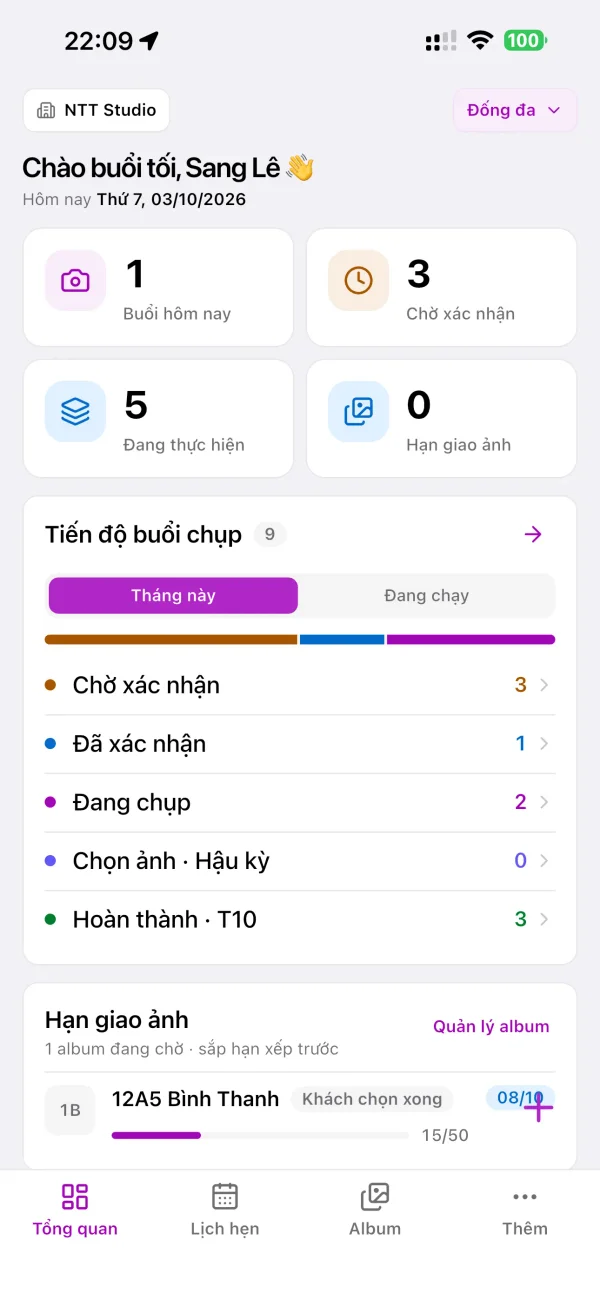
Framevis Studio is the iPhone app for photography studios and freelance photographers: check your shooting schedule, follow your clients, deliver photo albums and close payroll right from your phone, even on location.
Sign in with email, Google or Apple, or create a new account in the app. The app interface is in Vietnamese.
BOOKINGS AND SHOOTS
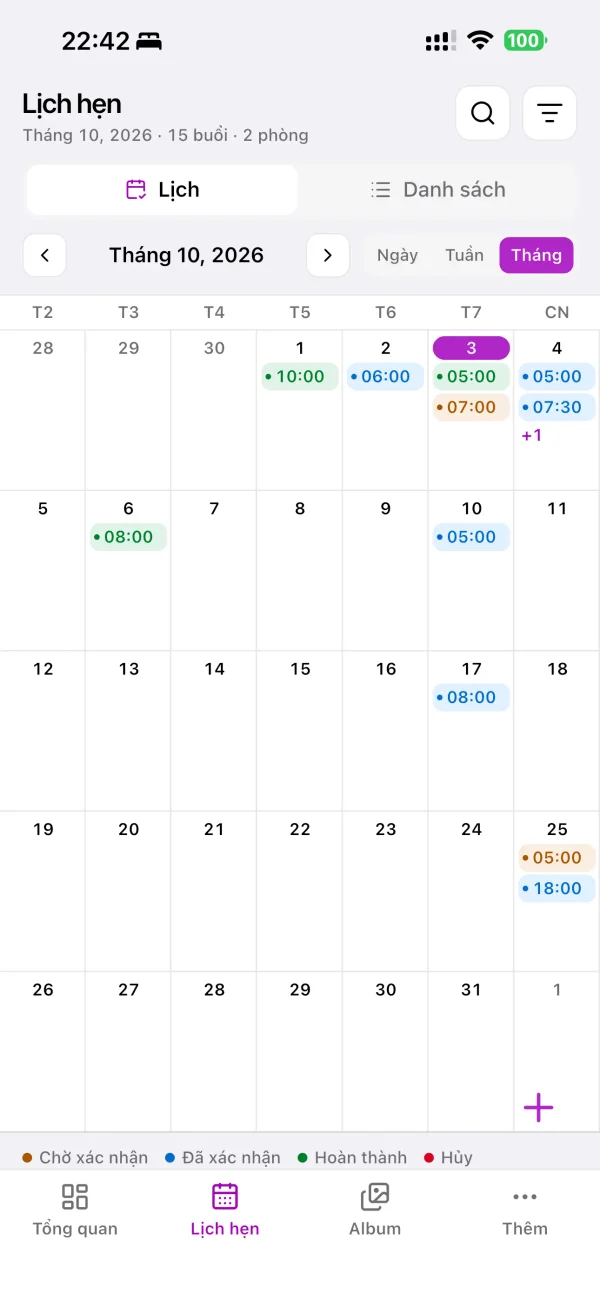
• Monthly booking list, plus day, week and month calendars grouped by shooting room
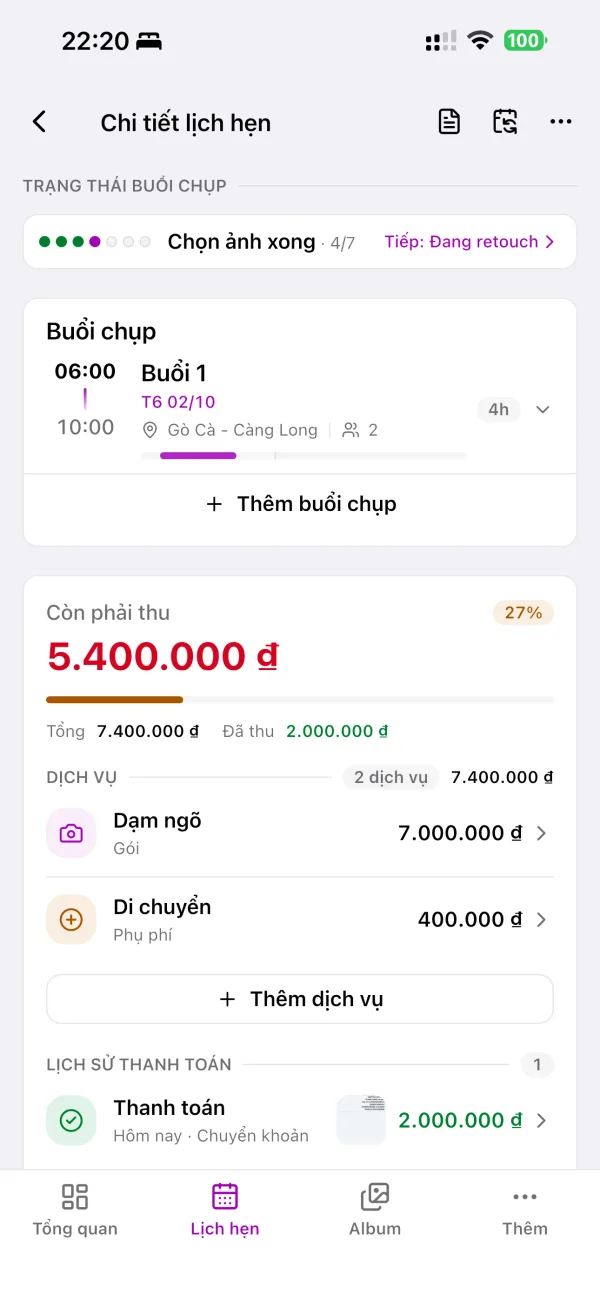
• Four-step booking creation: client, shoot schedule, services, review
• Follow each booking through its stages: pending, shooting, client selection, retouching, printing, done
• Record payments with a receipt photo, assign your crew, add outsourced staff
• Sync bookings to your Google Calendar
• Service confirmation vouchers: write, preview, print as PDF or share as an image to send to clients
CLIENT ALBUMS
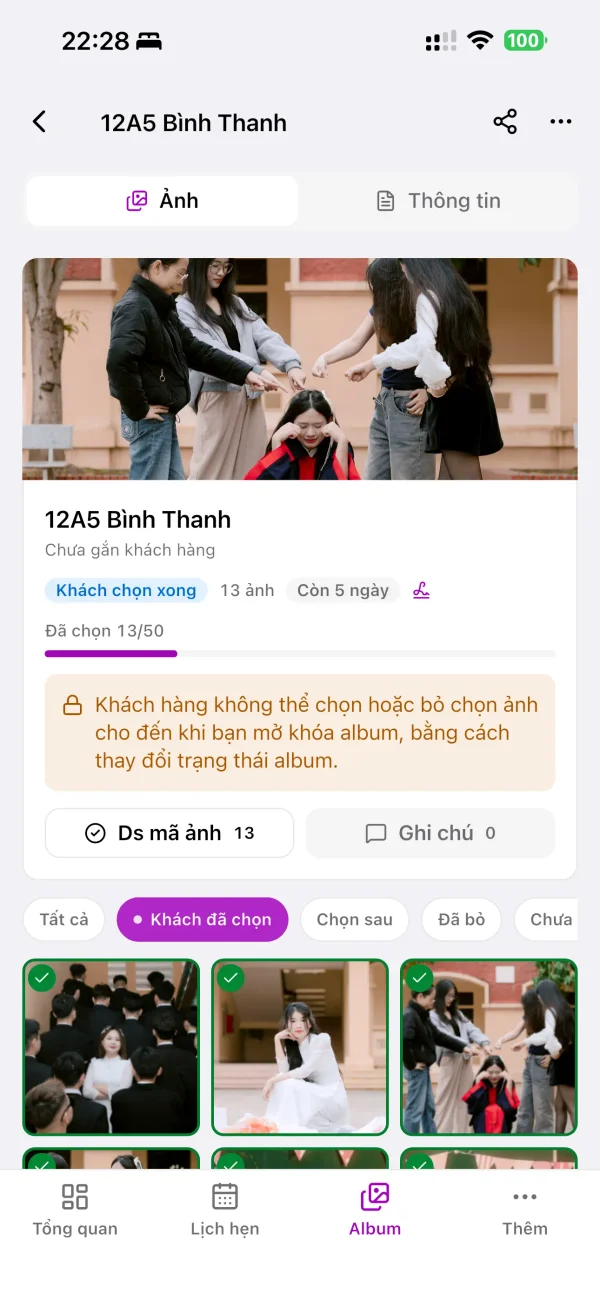
• Create an album from a Google Drive folder of your studio
• Send the photo selection link to your client with the iPhone share sheet
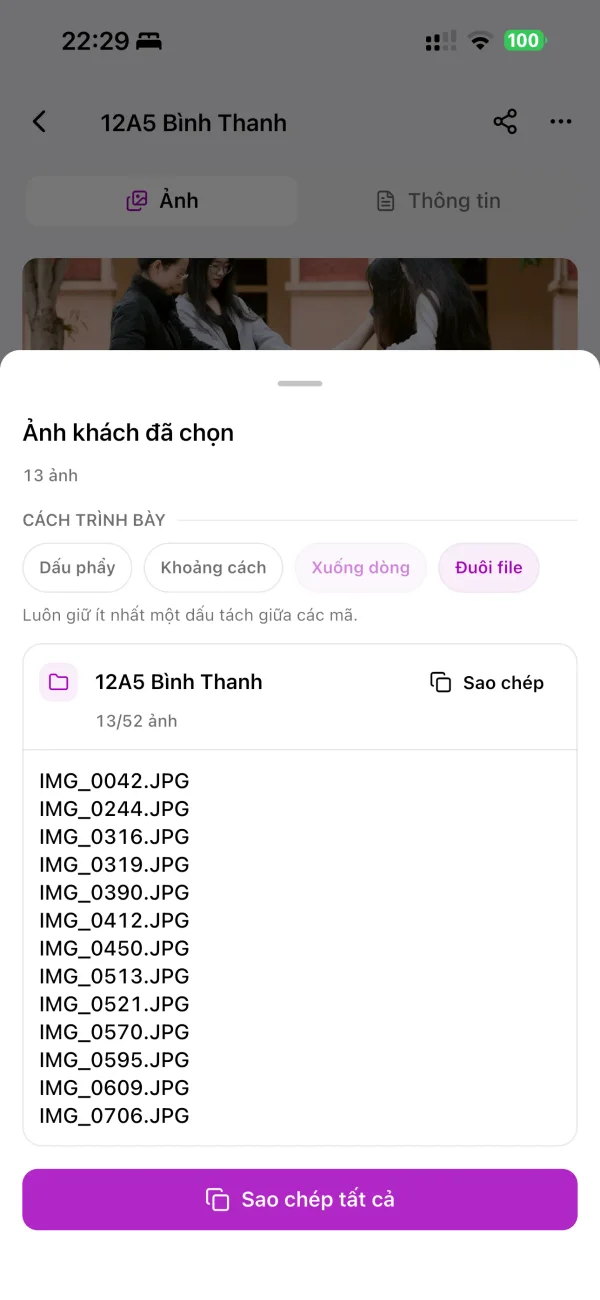
• See the list of photo codes your client picked and their notes on each photo
• Set a delivery deadline and a watermark, allow client downloads, lock the link with a phone number
CLIENTS
• Client list with tier filters, search by name or phone number, one-tap calling
• Add new clients and edit profiles right on your phone
FINANCE AND PAYROLL
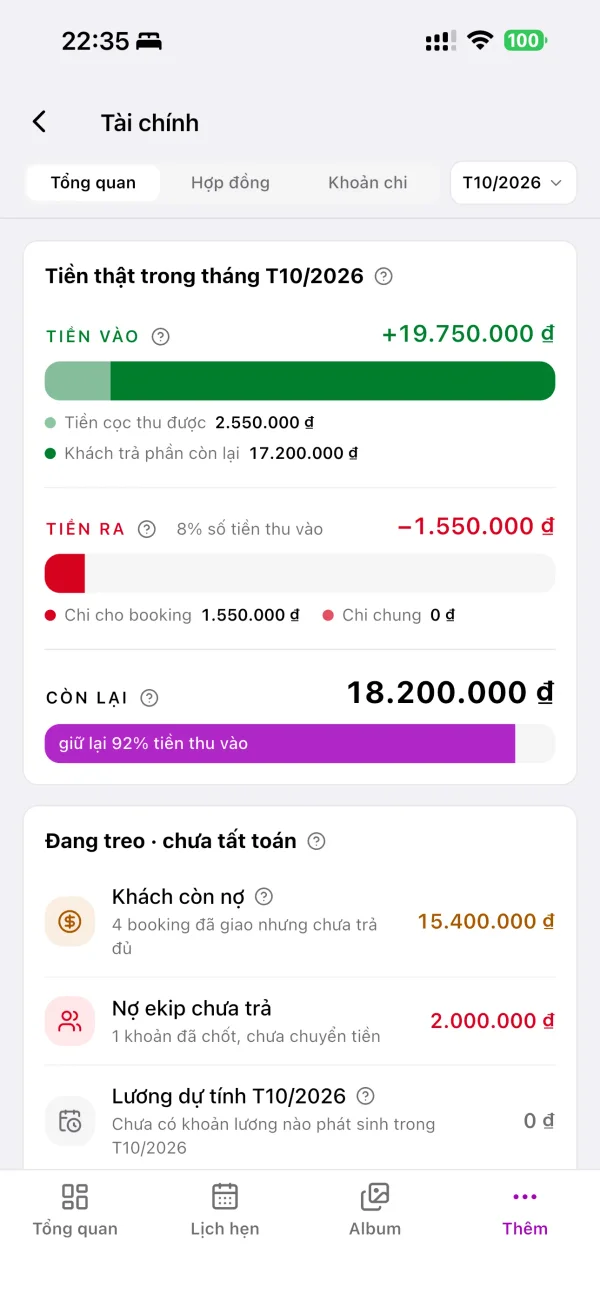
• Revenue, costs and profit overview for the month, with 6-month trend charts
• Expenses with invoice photos, per-booking costs, outstanding payments and mark as paid
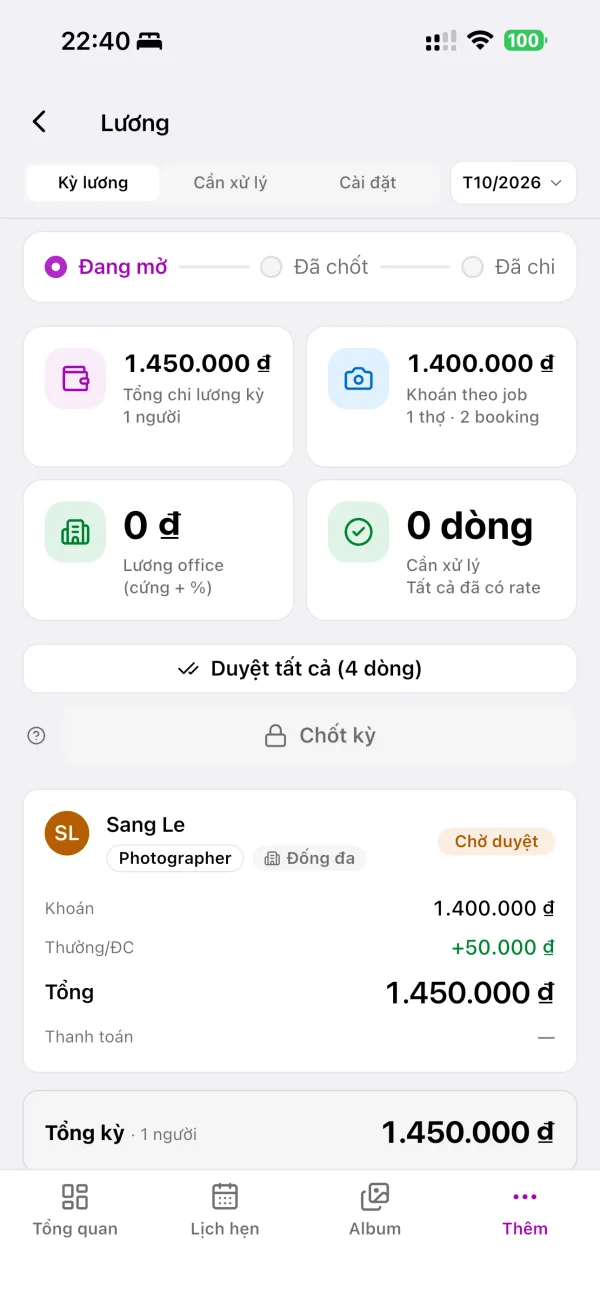
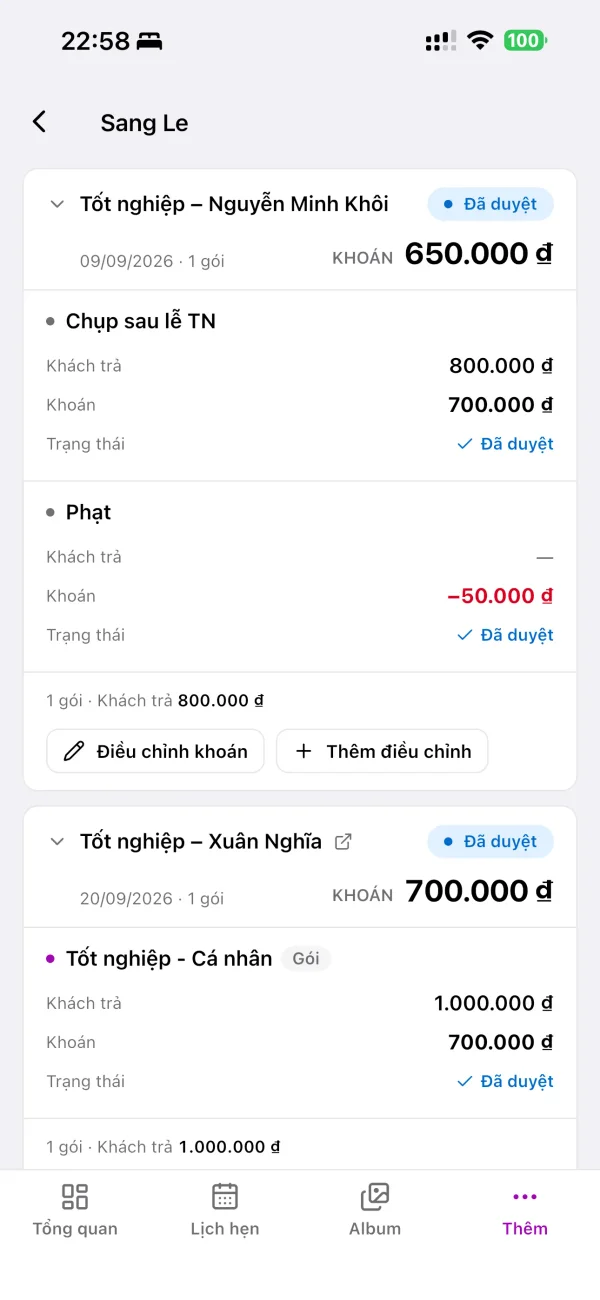
• Payroll by period: flat rates, commissions, approvals, adjustments, closing, payouts and a payslip for each person
• Export operations reports to Google Sheets (studio owners)
TEAM AND SETUP
• Invite members with an invite link, and set roles and permissions down to each action
• Branches, shooting rooms, shifts, service packages, studio logo and watermark
• Activity log for studio owners
DESIGNED FOR IPHONE
• iOS-style interface with Light, Dark or System appearance
• Supports Bold Text, Increase Contrast and Reduce Motion
PRIVACY
• The camera and photo library are used only when you pick a receipt photo, an invoice photo or a logo
• No ads, and no tracking of you across other apps
• Delete your account inside the app: More, Settings, Account
Support: https://studio.framevis.com/support
Nouveautés
Version 1.7.0 · 26/11/2026
• Early Payouts for Appointments: Once an appointment is completed and the client has paid in full, you can select "Approve Work" or "Issue Payment" for individual team members—no need to wait until the end of the month. After marking an appointment as "Completed," the app displays a list of team members eligible for payment. Pay slips and pay periods now include details on amounts already paid, remaining balances, and payment history.
• Simplified Financials: Financial figures are presented in plain, everyday language, with a single, clear "Monthly Profit" figure displayed prominently. The Profit & Loss screen now includes an explanation of why the profit figure may differ from a simple "Revenue minus Expenses" calculation.
• Contracts Tab: View the contract value, associated costs, profit, and the amount already paid by the client for each individual appointment.
• Expenses Tab: The total expenditure is displayed at the top; expenses are grouped by date and time, with the ability to view attached images or PDF invoices directly within the list. You can add invoices by uploading PDF files or pasting copied images.
• Appointments: The appointment view has been expanded—team details are now shown first, followed by notes. For team members without a set commission/fixed rate, a "Set Commission Rate" button is now available.
• Bug Fixes: Pay structures are now updated immediately following any changes to an appointment; removing an invoice from an expense entry now accurately logs the time of removal.
Confidentialité de l’application
Ce que Sang Le déclare sur l’App Store au sujet du traitement des données par cette application.
-
Données établissant un lien avec vous
Peuvent être collectées et liées à votre identité.
- Informations financières
- Coordonnées
- Contenu utilisateur
- Historique de recherche
- Identifiants
- Données d’utilisation
- Diagnostic
Les pratiques en matière de confidentialité peuvent varier, notamment en fonction des fonctionnalités que vous utilisez ou de votre âge.
Informations
- Vendeur
- Sang Le
- Catégorie
- Photo et vidéo
- Version
- 1.7.0
- Mis à jour
- 26/11/2026
- Publié
- 07/10/2026
- Taille
- 37,9 Mo
- Nécessite
- iOS 15.0 ou version ultérieure
- Classification d’âge
- 4+
- Langues
- Anglais, Vietnamien
- Copyright
- © 2026 Framevis
Vous aimerez peut-être aussi
-
 Film Light Meter: PosemètreCellule, viseur, profondeur
-
 MagiMirPhoto et vidéo
-
 MIAOTUPhoto et vidéo
-
 Fotoreto: AI Photo EditorBatch edit & portrait retouch
-
 Lens Simulator: Bokeh & FlarePhoto et vidéo
-
 Silhou AI: Photo Body AlignerPhoto et vidéo
-
 PotonowPhoto et vidéo
-
 StoryKite - Insta Story EditorVideo Templates, Collages
-
 CLRx FILM Photo EditorPréréglages filtres vintage
-
 Posing AppPhoto et vidéo