
Framevis Studio
Lịch chụp, khách hàng, lương
Dirancang untuk iPhone, iPad, iPod touch
Gratis
- Batasan usia4+
- KategoriFoto & Video
- PengembangSang Le
- BahasaInggris+ 1 lainnya
- Ukuran37,9 MB
Tertaut ke halaman resmi App Store
Download.org tidak menyimpan file Framevis Studio apa pun. Tombol ini membuka halaman aplikasi di App Store, tempat Sang Le menerbitkannya. Halaman terakhir diperiksa pada 27/11/2026.
Tangkapan layar
Tentang
Pengembang belum menyediakan teks ini dalam bahasa Anda.
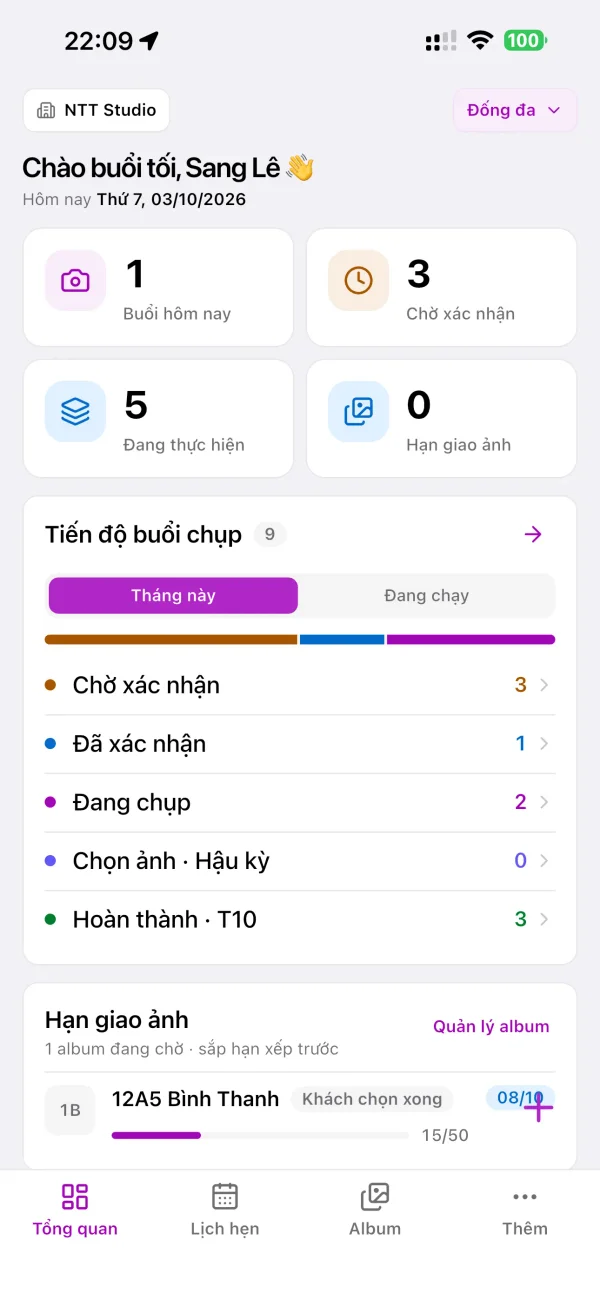
Framevis Studio is the iPhone app for photography studios and freelance photographers: check your shooting schedule, follow your clients, deliver photo albums and close payroll right from your phone, even on location.
Sign in with email, Google or Apple, or create a new account in the app. The app interface is in Vietnamese.
BOOKINGS AND SHOOTS
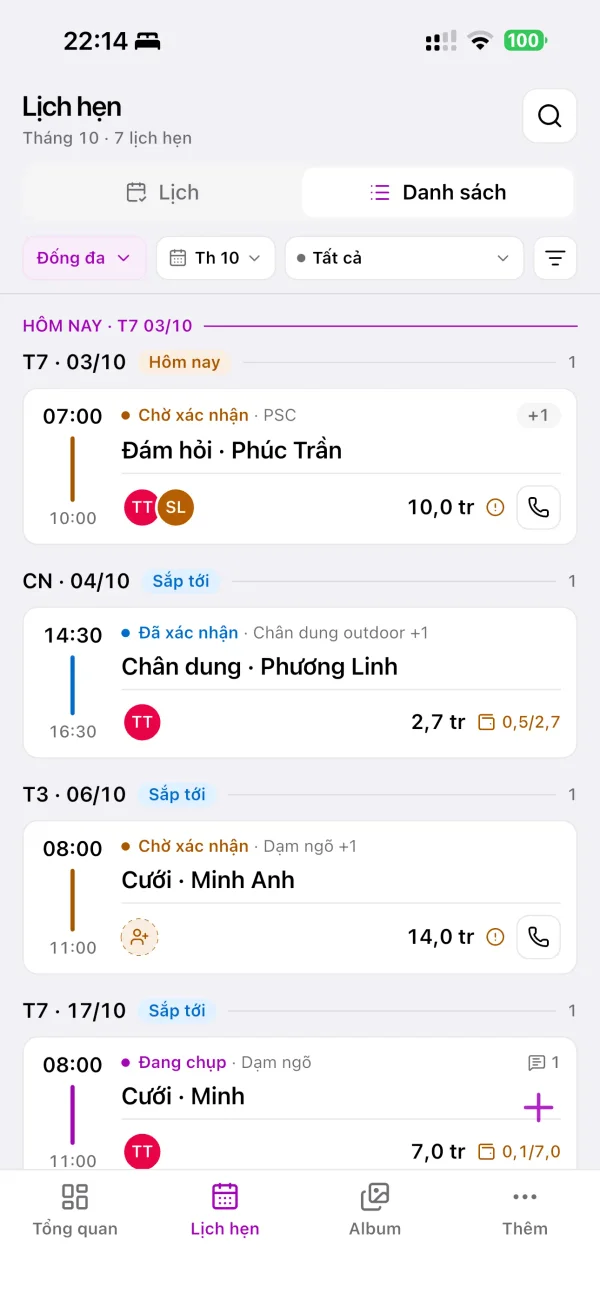
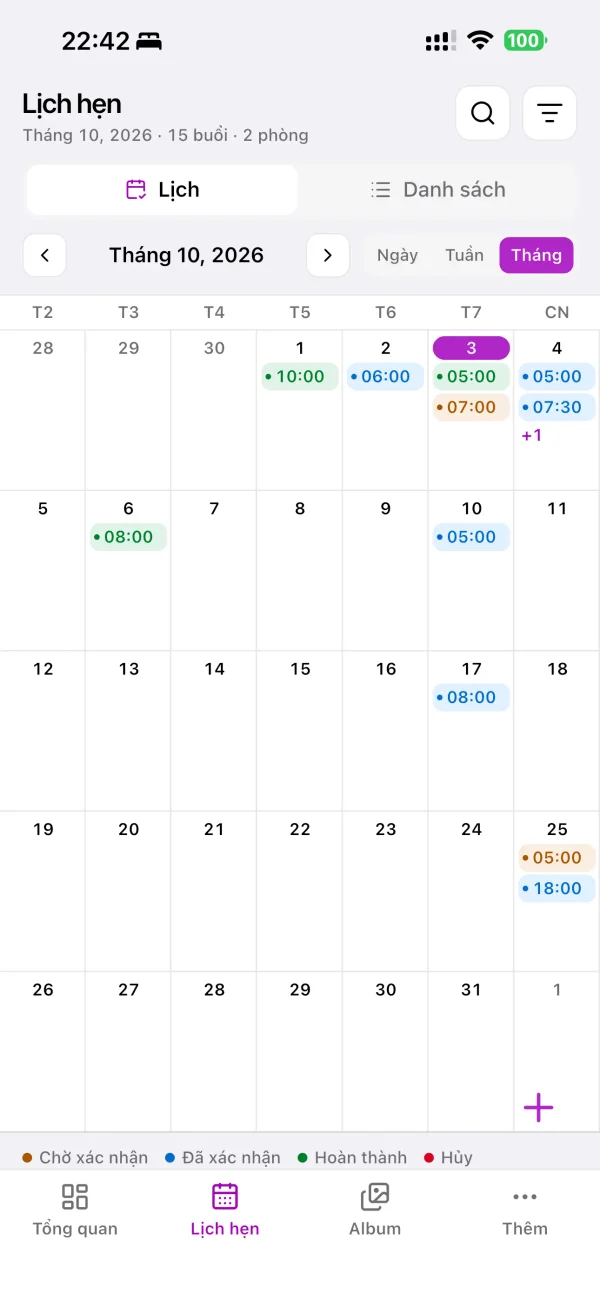
• Monthly booking list, plus day, week and month calendars grouped by shooting room
• Four-step booking creation: client, shoot schedule, services, review
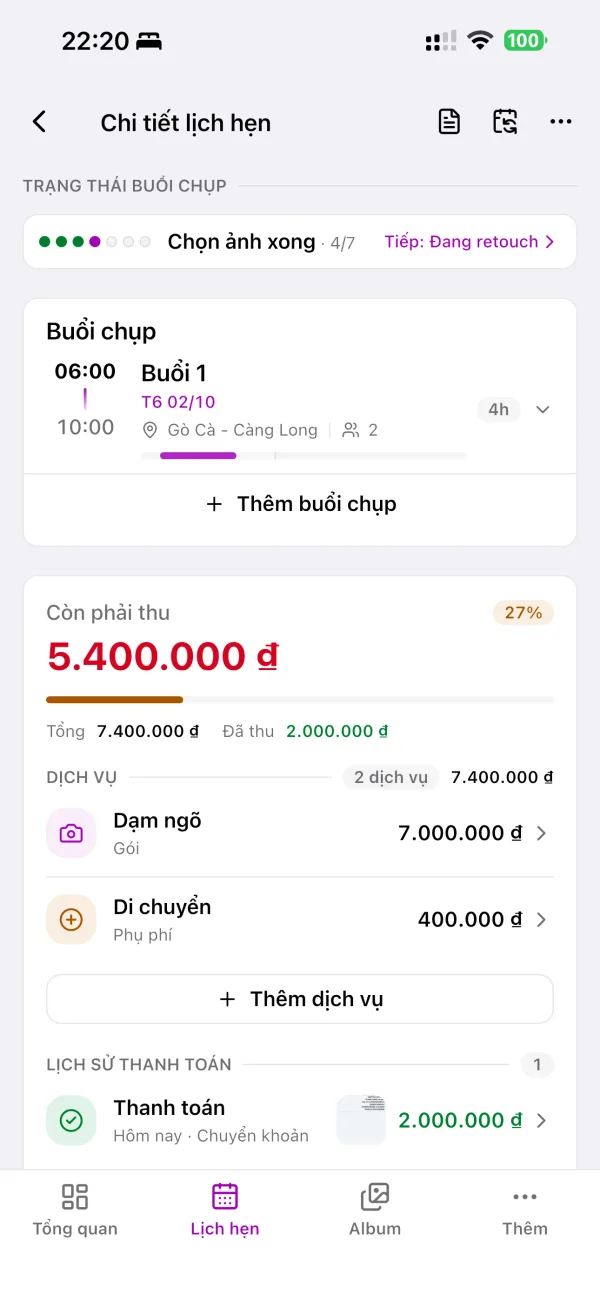
• Follow each booking through its stages: pending, shooting, client selection, retouching, printing, done
• Record payments with a receipt photo, assign your crew, add outsourced staff
• Sync bookings to your Google Calendar
• Service confirmation vouchers: write, preview, print as PDF or share as an image to send to clients
CLIENT ALBUMS
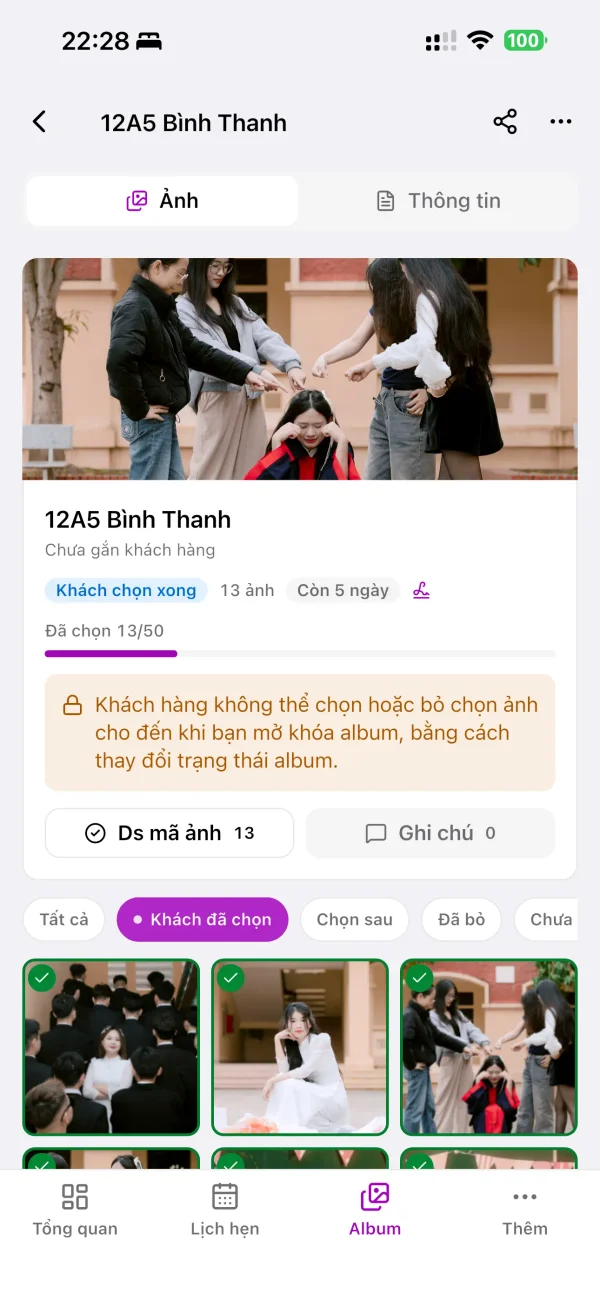
• Create an album from a Google Drive folder of your studio
• Send the photo selection link to your client with the iPhone share sheet
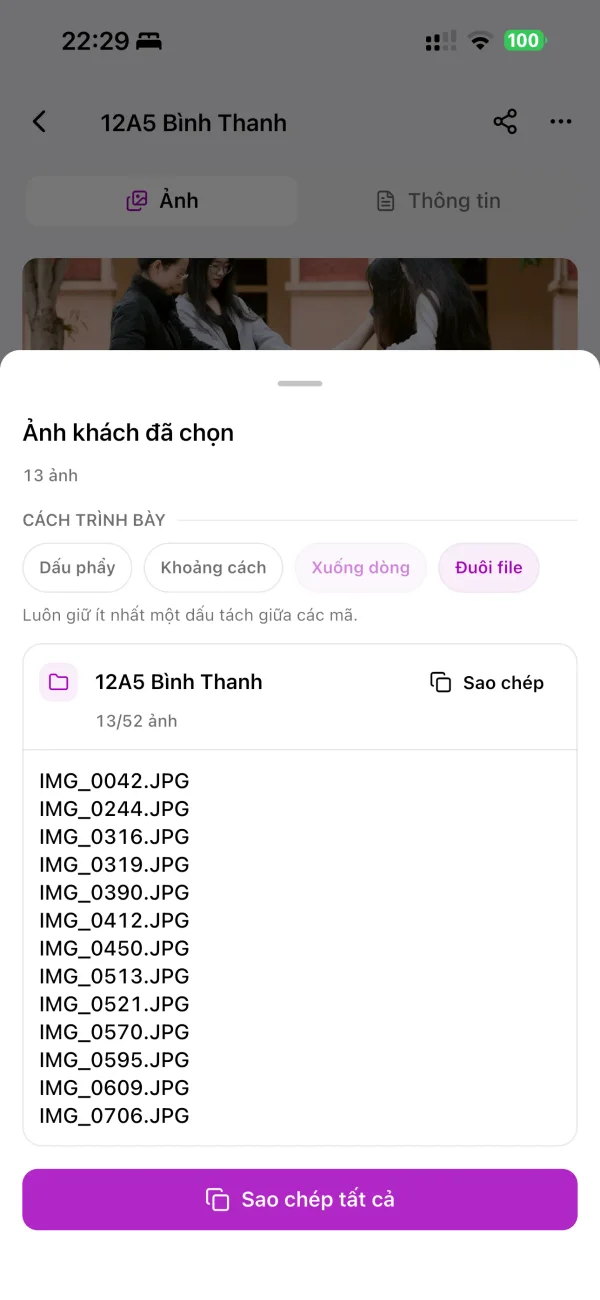
• See the list of photo codes your client picked and their notes on each photo
• Set a delivery deadline and a watermark, allow client downloads, lock the link with a phone number
CLIENTS
• Client list with tier filters, search by name or phone number, one-tap calling
• Add new clients and edit profiles right on your phone
FINANCE AND PAYROLL
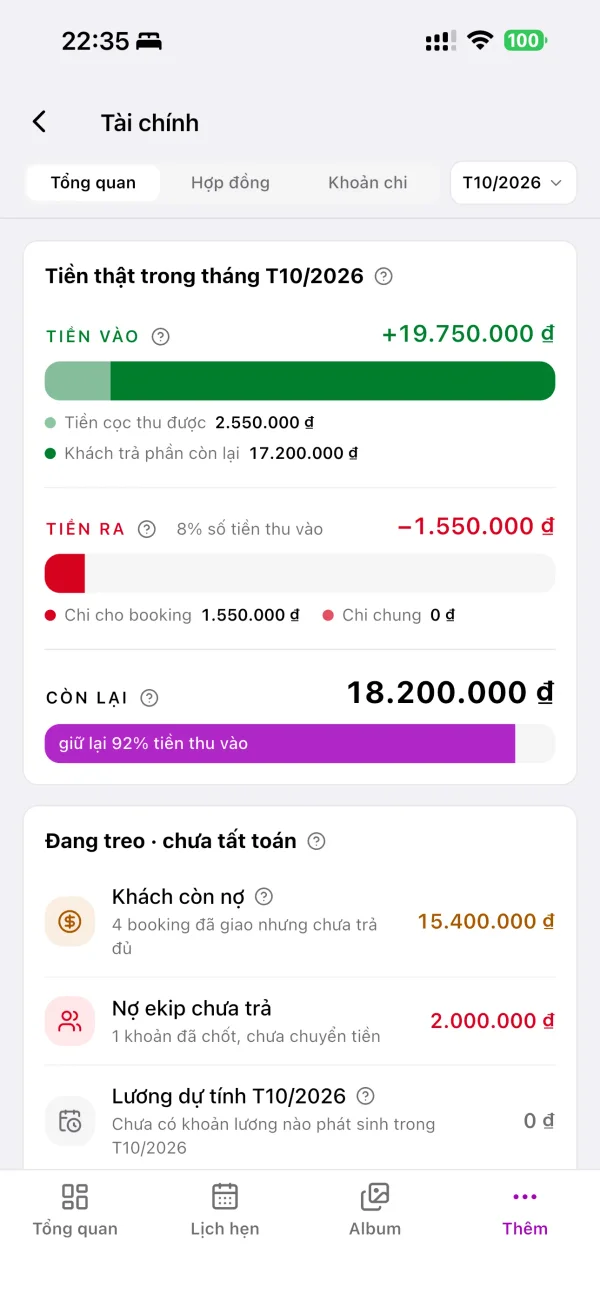
• Revenue, costs and profit overview for the month, with 6-month trend charts
• Expenses with invoice photos, per-booking costs, outstanding payments and mark as paid
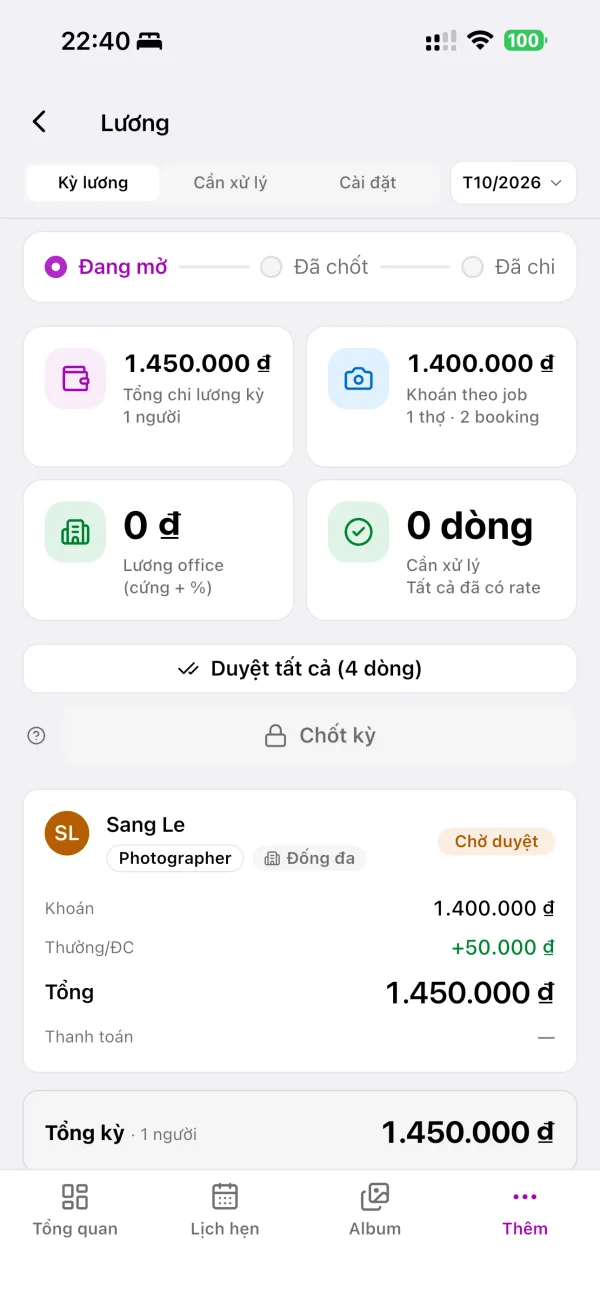
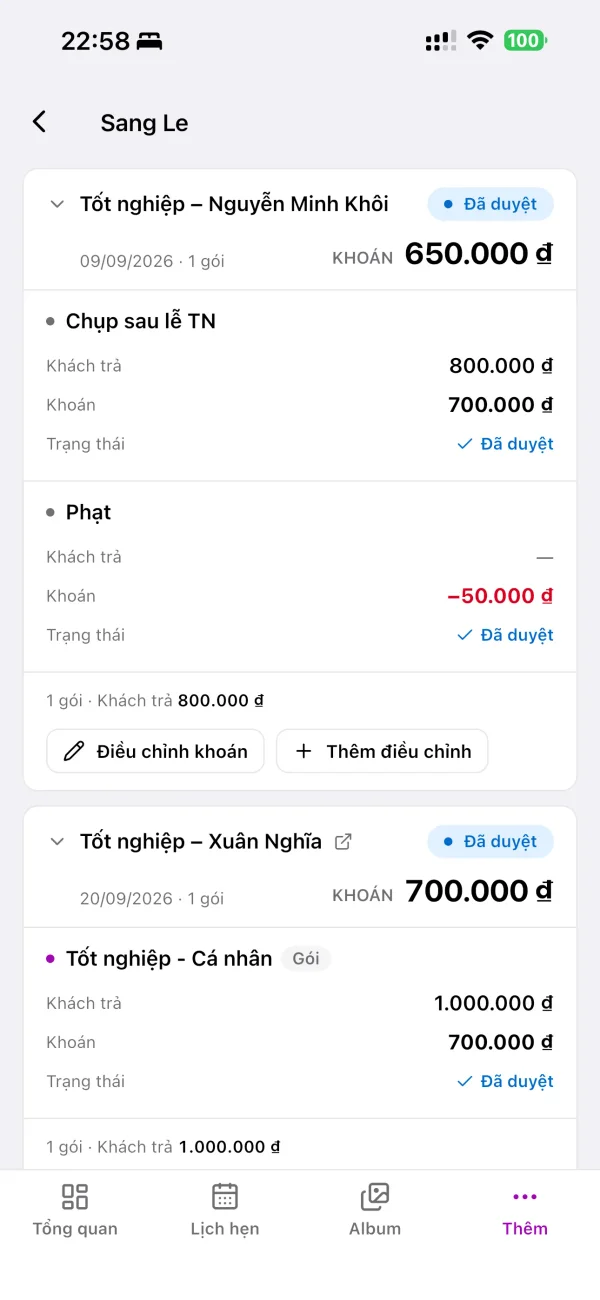
• Payroll by period: flat rates, commissions, approvals, adjustments, closing, payouts and a payslip for each person
• Export operations reports to Google Sheets (studio owners)
TEAM AND SETUP
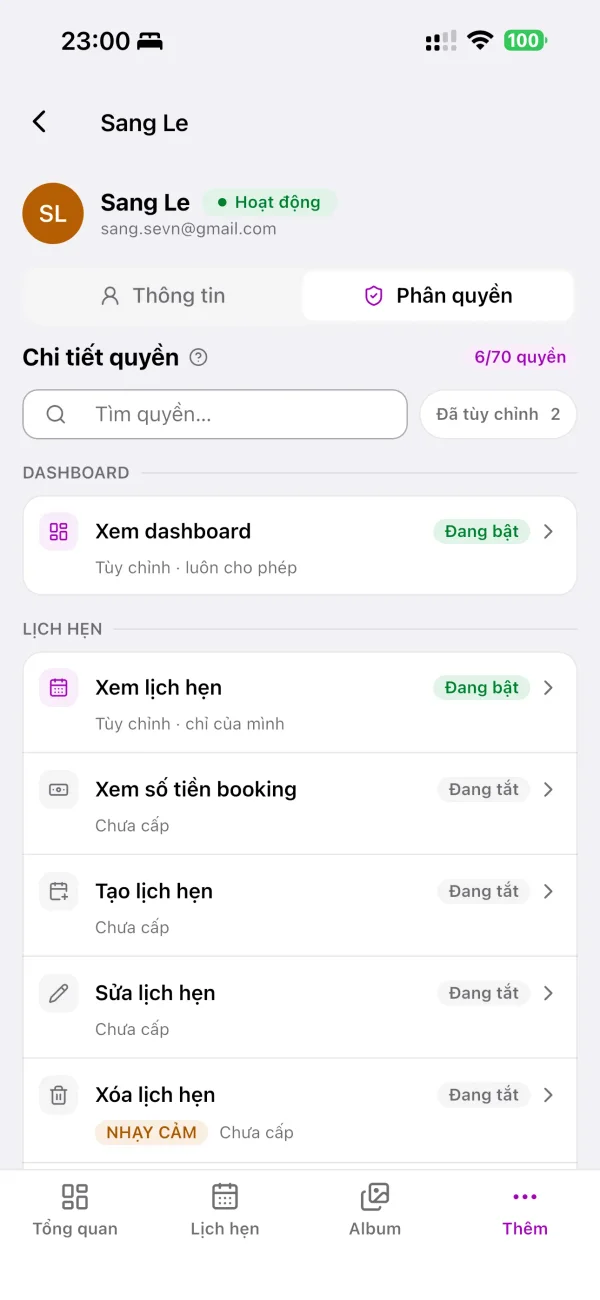
• Invite members with an invite link, and set roles and permissions down to each action
• Branches, shooting rooms, shifts, service packages, studio logo and watermark
• Activity log for studio owners
DESIGNED FOR IPHONE
• iOS-style interface with Light, Dark or System appearance
• Supports Bold Text, Increase Contrast and Reduce Motion
PRIVACY
• The camera and photo library are used only when you pick a receipt photo, an invoice photo or a logo
• No ads, and no tracking of you across other apps
• Delete your account inside the app: More, Settings, Account
Support: https://studio.framevis.com/support
Yang baru
Versi 1.7.0 · 26/11/2026
• Early Payouts for Appointments: Once an appointment is completed and the client has paid in full, you can select "Approve Work" or "Issue Payment" for individual team members—no need to wait until the end of the month. After marking an appointment as "Completed," the app displays a list of team members eligible for payment. Pay slips and pay periods now include details on amounts already paid, remaining balances, and payment history.
• Simplified Financials: Financial figures are presented in plain, everyday language, with a single, clear "Monthly Profit" figure displayed prominently. The Profit & Loss screen now includes an explanation of why the profit figure may differ from a simple "Revenue minus Expenses" calculation.
• Contracts Tab: View the contract value, associated costs, profit, and the amount already paid by the client for each individual appointment.
• Expenses Tab: The total expenditure is displayed at the top; expenses are grouped by date and time, with the ability to view attached images or PDF invoices directly within the list. You can add invoices by uploading PDF files or pasting copied images.
• Appointments: The appointment view has been expanded—team details are now shown first, followed by notes. For team members without a set commission/fixed rate, a "Set Commission Rate" button is now available.
• Bug Fixes: Pay structures are now updated immediately following any changes to an appointment; removing an invoice from an expense entry now accurately logs the time of removal.
Privasi aplikasi
Yang dinyatakan Sang Le di App Store tentang cara aplikasi ini menangani data.
-
Data yang ditautkan dengan Anda
Dapat dikumpulkan dan ditautkan dengan identitas Anda.
- Info keuangan
- Info kontak
- Konten pengguna
- Riwayat pencarian
- Pengenal
- Data penggunaan
- Diagnostik
Praktik privasi dapat bervariasi, misalnya berdasarkan fitur yang Anda gunakan atau usia Anda.
Informasi
- Penjual
- Sang Le
- Kategori
- Foto & Video
- Versi
- 1.7.0
- Diperbarui
- 26/11/2026
- Dirilis
- 7/10/2026
- Ukuran
- 37,9 MB
- Memerlukan
- iOS 15.0 atau yang lebih baru
- Batasan usia
- 4+
- Harga
- Gratis
- Bahasa
- Inggris, Vietnamese
- Hak cipta
- © 2026 Framevis
Mungkin Anda juga suka
-
 Film Light Meter: EksposurMeter, viewfinder, DOF
-
 MagiMirFoto & Video
-
 MIAOTUFoto & Video
-
 Fotoreto: AI Photo EditorBatch edit & portrait retouch
-
 Lens Simulator: Bokeh & FlareFoto & Video
-
 Silhou AI: Photo Body AlignerFoto & Video
-
 PotonowFoto & Video
-
 StoryKite - Insta Story EditorFoto & Video
-
 CLRx FILM Photo EditorPreset filter film vintage
-
 Posing AppFoto & Video