FTMS Treadmill Intervals
Your treadmill on autopilot
Conçue pour iPhone
Gratuit
- Classification d’âge12+
- CatégorieForme et santé
- DéveloppeurDiego Sanchez
- LanguesAnglais
- Taille10,7 Mo
Renvoie vers la page App Store officielle
Download.org n’héberge aucun fichier de FTMS Treadmill Intervals. Le bouton ouvre la page de l’application sur App Store, où Diego Sanchez la publie. Fiche vérifiée pour la dernière fois le 24/11/2026.
Captures d’écran

À propos
Le développeur n’a pas fourni ce texte dans votre langue.
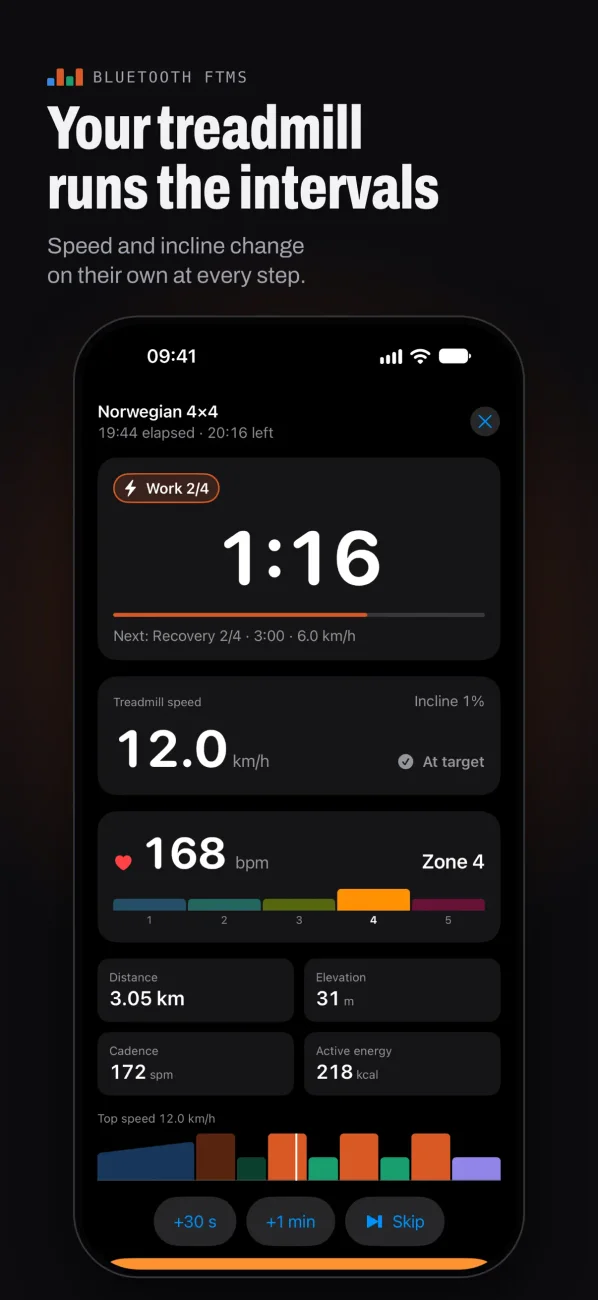
Turn your treadmill into an interval coach. Build a workout once, press Start, and FTMS Treadmill sets the speed and incline for every step while Apple Watch tracks your heart rate.
BUILT FOR INTERVALS
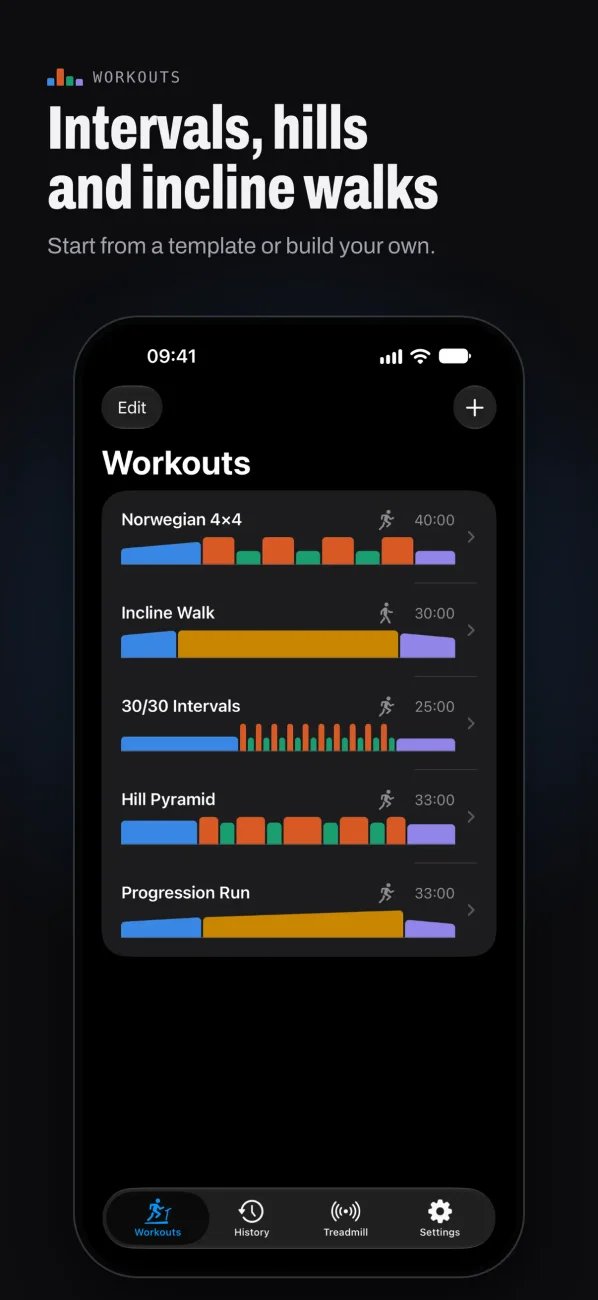
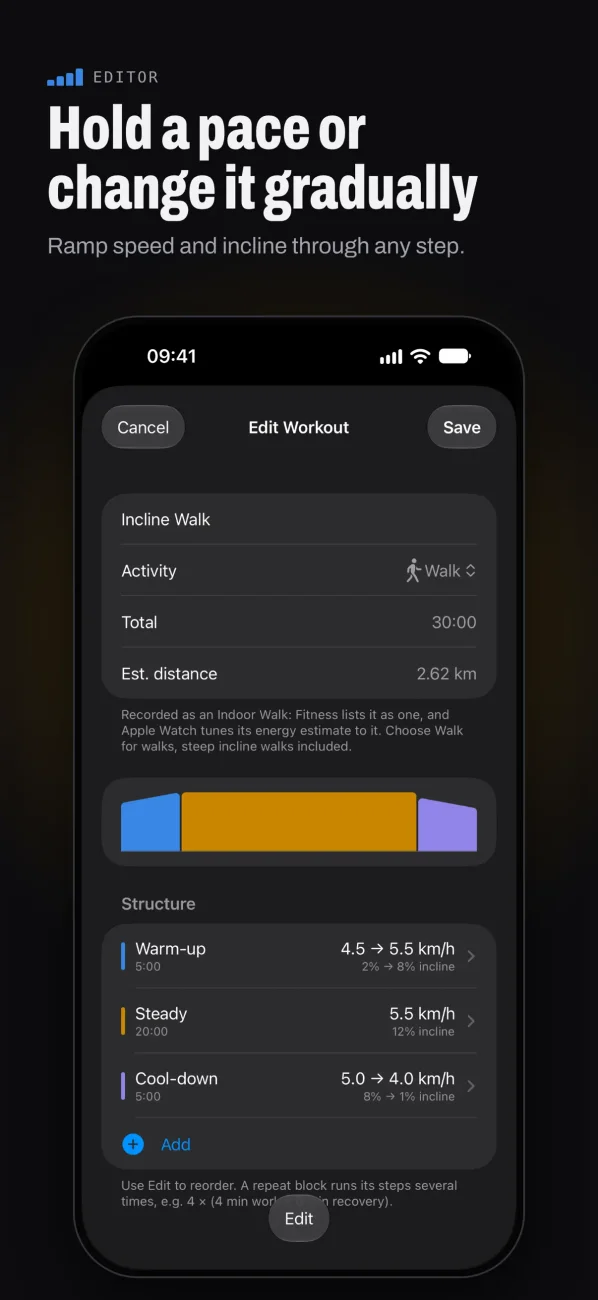
• Warm-up, work, recovery and cool-down steps, with repeat blocks
• Keep a step's speed and incline steady, or change them gradually: a progression from 8 to 12 km/h, or a climb from 1 to 6 %
• Keep your treadmill changes: if you changed the speed or incline on the treadmill during a run, the summary lets you update the workout to match or save it as a new one.
• Start from a template: Norwegian 4×4, 30/30 Intervals, Hill Pyramid or Easy 30
• Plan runs or walks, steep incline walks included
• Define workout from GPX file
YOUR TREADMILL ON AUTOPILOT
Connect a treadmill that supports Bluetooth FTMS (Fitness Machine Service) and the app changes its speed and incline as each step begins. Change them on the console and the app keeps your setting for the rest of the step. Stop the belt and the workout pauses. The belt only starts when you tap Start or Resume.
No Bluetooth treadmill? Manual mode tells you what to set and when.
HEART RATE FROM APPLE WATCH
• The watch app opens on its own when the workout starts
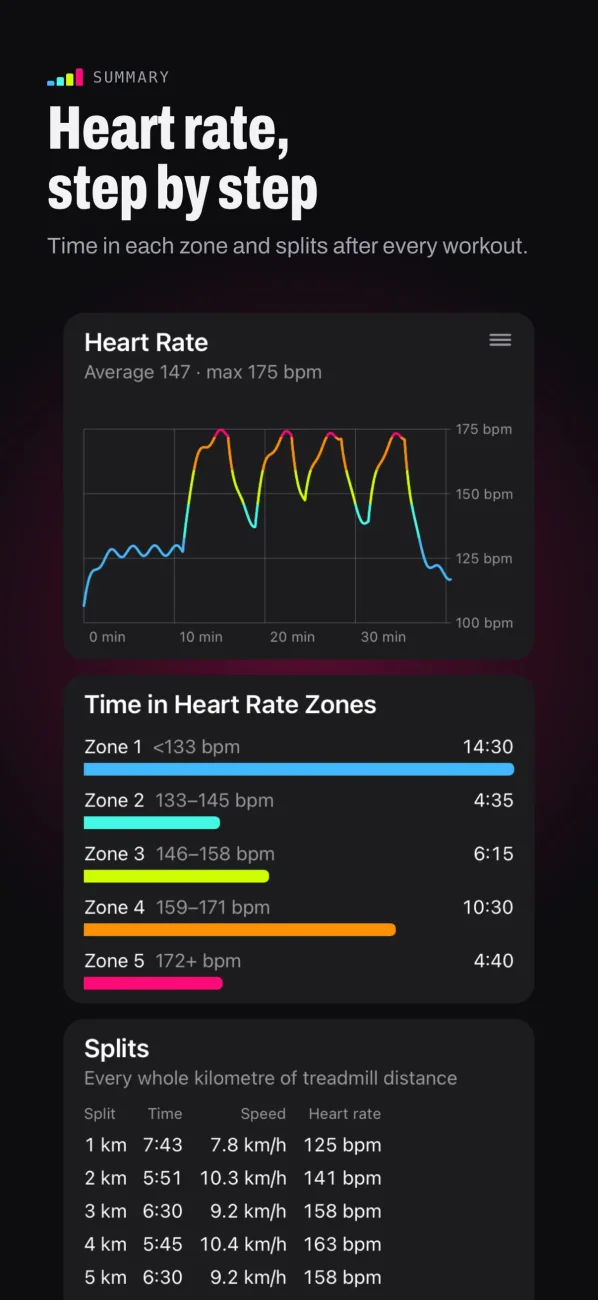
• Live heart rate and zones on your iPhone, your watch and the Lock Screen
• Zones from your Health settings, from your heart rate reserve, or set by hand
• Pause, skip a step or add 30 seconds from your wrist, with a tap on the wrist as each step begins
STAY ON TRACK
• Spoken cues for every step, with a 3-2-1 countdown
• Live Activity and Dynamic Island with pause and skip buttons
• Extend or skip any step mid-workout
• km/h or mph, speed or pace
SAVED TO FITNESS APP
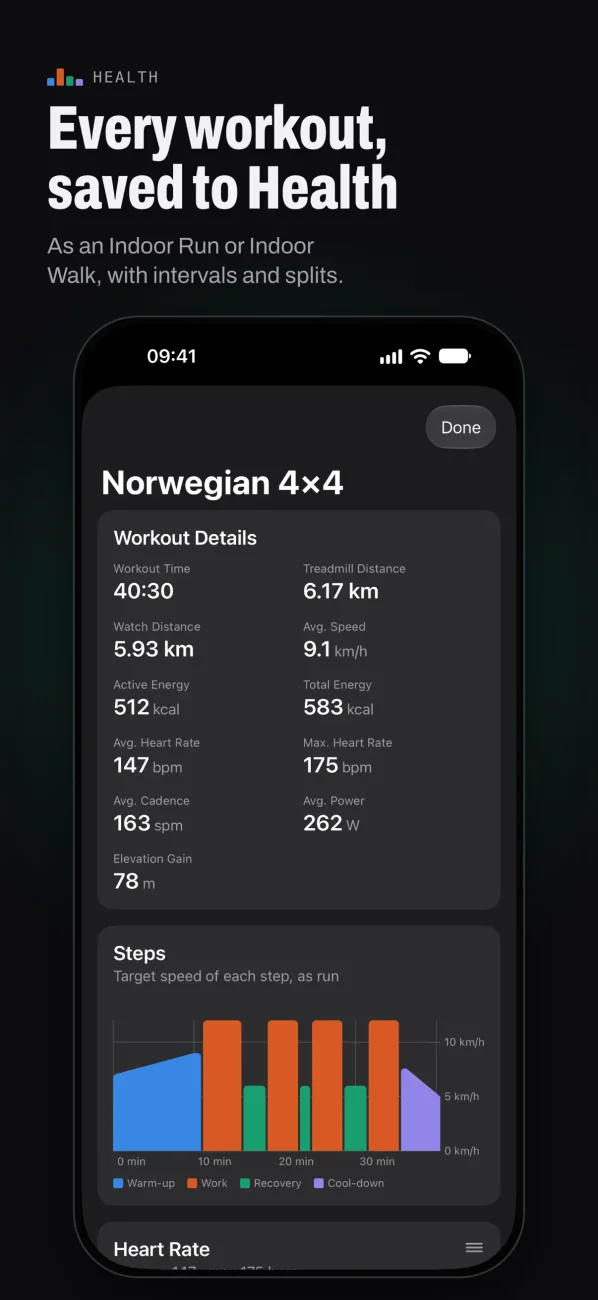
Workouts are saved to the Fitness app as an Indoor Run or Indoor Walk, with each step as an interval, kilometre or mile splits and elevation, plus heart rate and energy when Apple Watch tracks them. They show up in Fitness next to your other workouts. Distance comes from the treadmill's belt, or from Apple Watch if you prefer. Prefer Apple's Workout app? Turn off saving and watch tracking, and a countdown lets you start both at once.
A SUMMARY AFTER EVERY WORKOUT
Heart rate, speed, cadence and elevation charts lined up with your steps, time in each zone, a row per interval, splits, running form, and the treadmill's distance next to the watch's. Every finished workout is kept in History.
Nouveautés
Version 0.5 · 24/11/2026
• Distance based steps are now supported
• Import a route from a GPX file and automatically infer steps with distance and incline
Confidentialité de l’application
Ce que Diego Sanchez déclare sur l’App Store au sujet du traitement des données par cette application.
-
Données non collectées
Le développeur ne collecte aucune donnée à partir de cette application.
Les pratiques en matière de confidentialité peuvent varier, notamment en fonction des fonctionnalités que vous utilisez ou de votre âge.
Informations
- Vendeur
- Diego Sanchez
- Catégorie
- Forme et santé
- Version
- 0.5
- Mis à jour
- 24/11/2026
- Publié
- 09/11/2026
- Taille
- 10,7 Mo
- Nécessite
- iOS 27.0 ou version ultérieure
- Classification d’âge
- 12+
- Prix
- Gratuit
- Langues
- Anglais
- Copyright
- © 2026 Diego Sanchez
Vous aimerez peut-être aussi
-
 Sprocket: Indoor BikeForme et santé
-
 Volt - Votre tapis de courseBluetooth, Apple Watch et HIIT
-
 WholeHealthMDForme et santé
-
 Circuit Timer: Interval & HIITForme et santé
-
 CaPowHrForme et santé
-
 Elevate Stair ClimbForme et santé
-
 Body Battery: Readiness ScoreWorkout & Recovery Tracker
-
 WorkoutPort: Sync avec StravaSéances et export de fichiers
-
 Sport & Spine Physical TherapyForme et santé
-
 LoadSense : récupérationTeste ta séance à l’avance